Disclaimer
Is this project open source? Yes
Is this project completely free? Yes
Is this project vibe-coded beyond the author’s ability to comprehend how it works? No
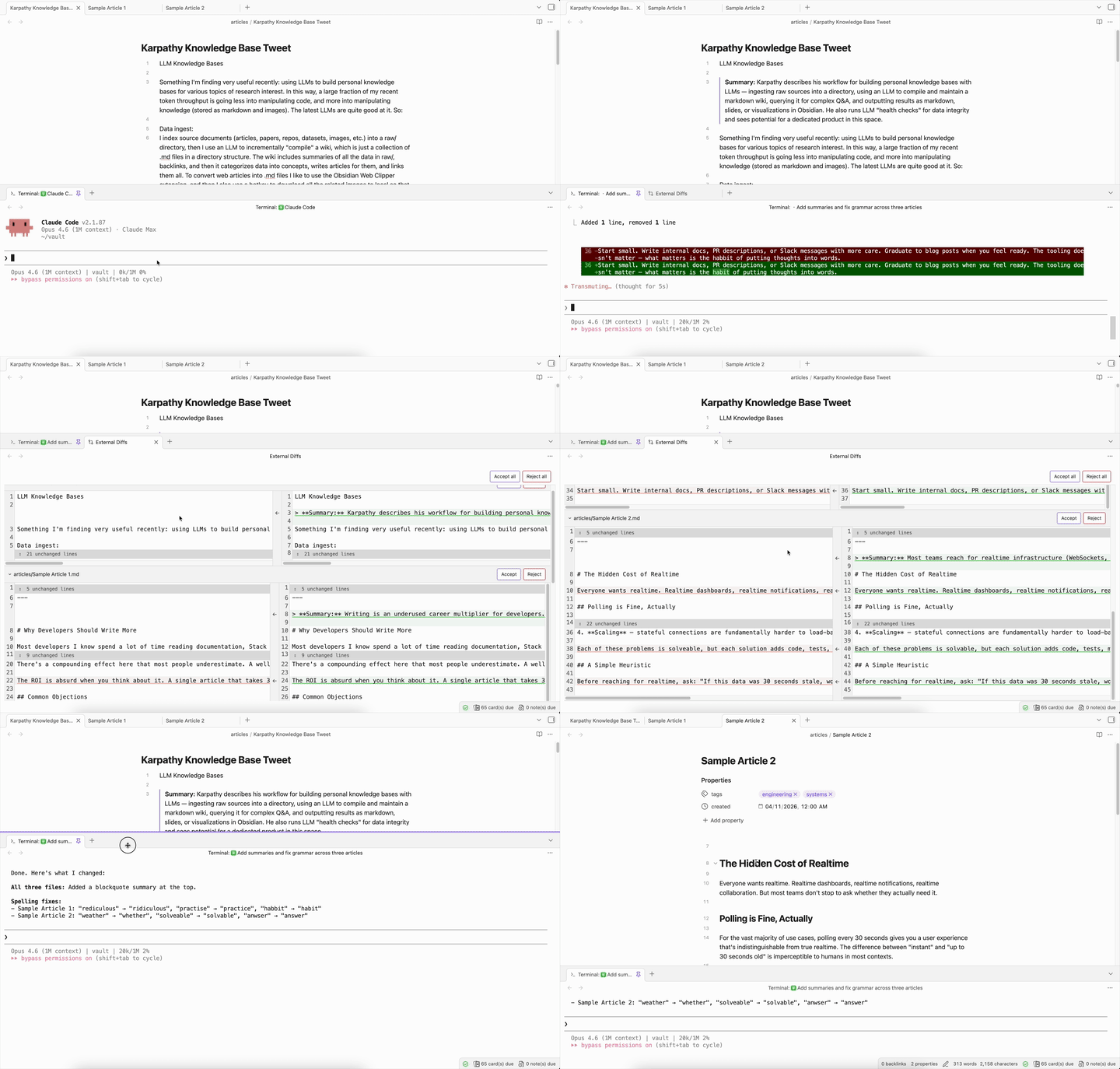
I frequently use Claude Code to edit my Obsidian vault, and AI + Obsidian for knowledge management has been gaining a lot of traction recently with Karpathy’s tweet. I don’t use Git for my vault though, so after AI makes changes there’s no easy way for me to view those changes or selectively undo without relying on the coding agent’s built-in checkpointing. Even with Git, I’d want to review diffs inside Obsidian, not a separate IDE. So I built Drift.
Drift is a VS Code-style side-by-side diff viewer that lives inside Obsidian. It automatically detects external file changes and shows you a before/after view with per-chunk accept/reject, accept all/reject all, and collapsible unchanged regions.
How it works
-
An external tool modifies a markdown file in your vault
-
Drift instantly detects the change and opens a diff tab
-
You see old vs. new content side-by-side with syntax highlighting
-
Accept or reject individual chunks – keep the changes you want, revert the ones you don’t
Features
-
Instant detection – no polling or delays, uses CodeMirror 6 transaction monitoring
-
Per-chunk accept/reject – cherry-pick individual changes, not just all-or-nothing
-
Persistence – pending diffs survive Obsidian restarts; stale diffs are auto-discarded
-
Tool-agnostic – works with any tool that modifies vault files: AI coding agents, sync services, scripts, other plugins
Installation
The PR is still awaiting approval; to try it out, install BRAT and enter ryanbbrown/obsidian-drift. Here’s the GitHub repo: GitHub - ryanbbrown/obsidian-drift: Diff viewer for changes to markdown files in Obsidian made by external sources (primarily coding agents) · GitHub
This plugin is still very much in beta, so if anyone has feedback or notices bugs please feel free to share! Very curious if this will end up being useful for others.