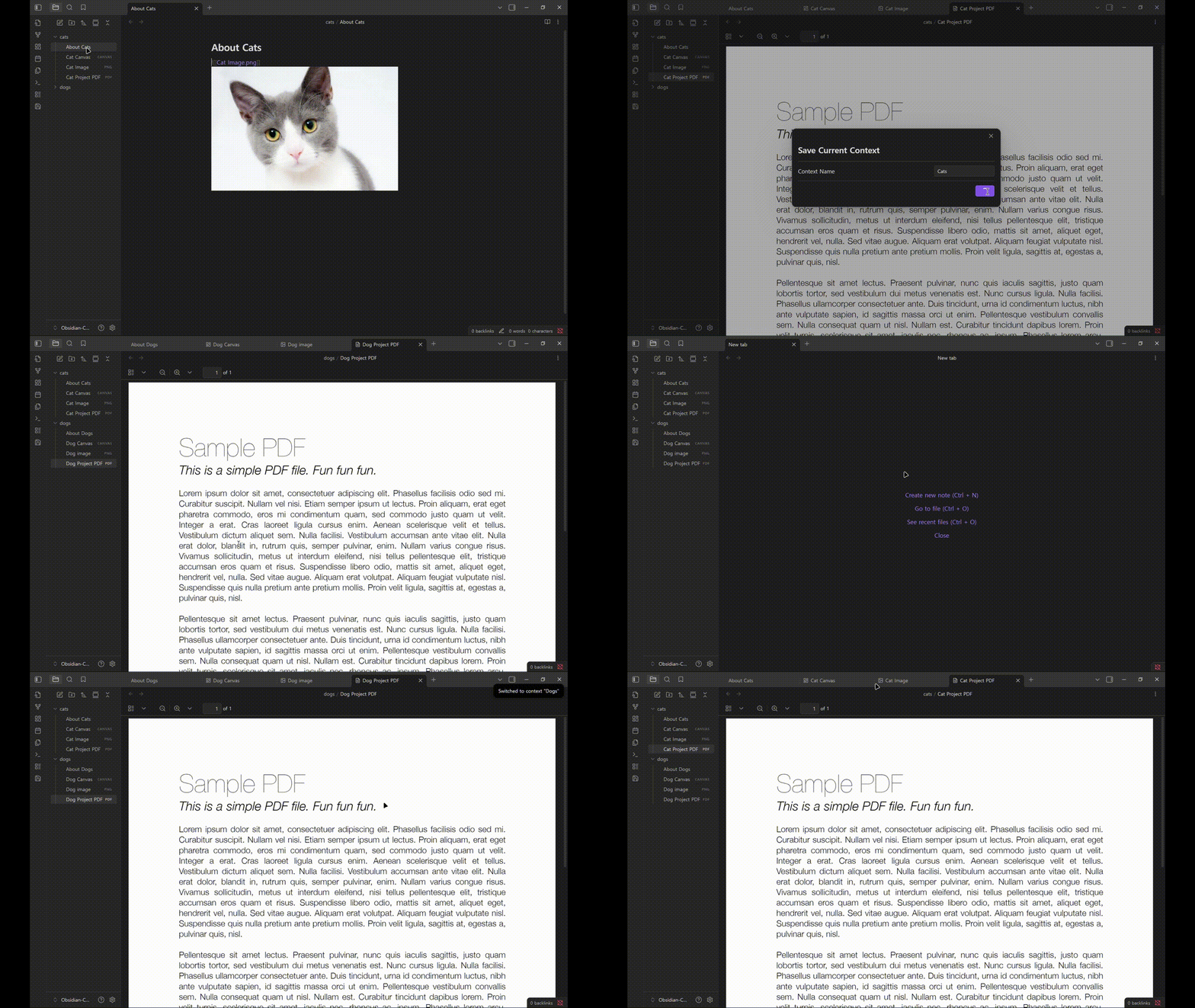
Contexts allows you to save your current workspace (open tabs) as a “Context” and switch between them seamlessly.
Background
I kept having to reopen the same group of tabs whenever my working ‘context’ changed, so I built this plugin to reduce that repetitive setup.
Key Features
Universal Support: Save and restore groups of tabs containing Markdown, PDF, Canvas, and Images.
Safe Switching: Switches contexts smoothly without leaving empty panes or glitches.
Save & Overwrite: Easily save your current layout. Includes protection against accidental overwrites.
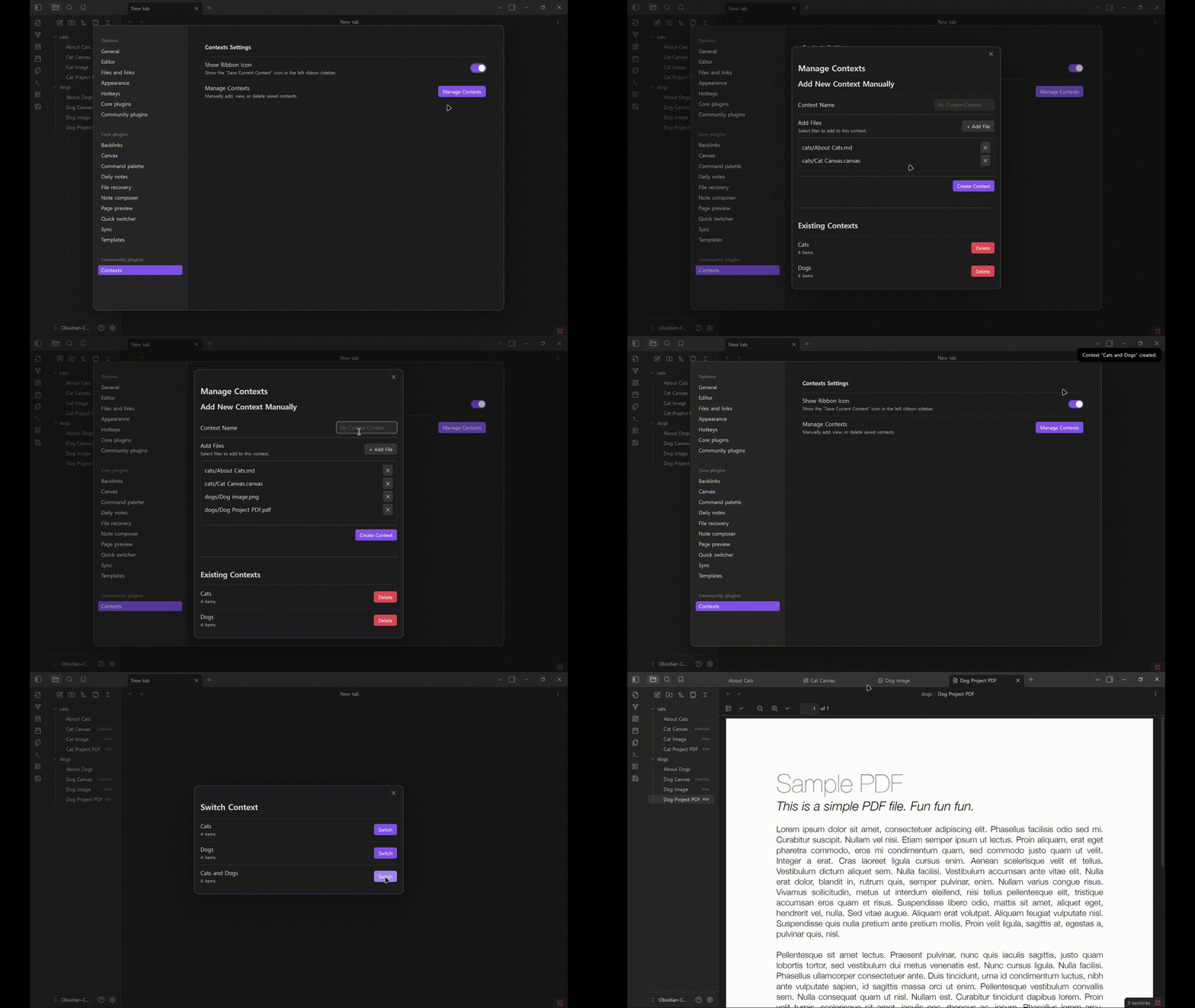
Management UI:
View and delete saved contexts.
Manually create contexts using a built-in File Picker
And..
I’ve submitted a pull request to publish the first version of my plugin, and it would be a great help to improve it with you during the review. Feel free to try the plugin from the Releases tab in Github!
To be completely honest, I realized after building this plugin that Obsidian’s core Workspaces feature already covers most of what I needed. I built Contexts simply to solve my own workflow issue without knowing the core feature already existed. So yes, there is significant overlap.
However, one key difference from Workspaces is that Contexts allows users to create and edit groups manually using a File Picker in the settings, without opening any files first. I hope this feature will be helpful for those who prefer defining their working sets proactively.
I really appreciate you pointing this out. I definitely should have investigated existing solutions more thoroughly.
Hey! I was actually thinking that you didn’t know about it. To be honest, I’ve been using Obsidian for 2 years and I discovered Workspaces 3 months ago and I was SO happy.
Does it works between mobile and desktop? The main weakness of Core Workspace is that you cannot load a workspace saved on desktop on a mobile device and viceversa.
If you plugin can do that it could solve the problem in switching and sharing the same workspace between devices.
Yes, I’ve just checked that Contexts works well on mobile (tested via Git, Galaxy Tab s7+).
Since Contexts saves only relative paths within the plugin’s data.json file, it should be compatible across platforms (although I haven’t fully tested every sync method and various OS yet).
I used the workflow below to check whether it works.
Manually install Contexts in your desktop vault.
Initialize Git (git init) inside your vault.
Push your entire vault, making sure to include the .obsidian folder (I used the obsidian-git community plugin.)
On your mobile device, clone the remote repository (I used GitSync.)
Open the cloned repository as a vault in Obsidian mobile.
You should be able to access your contexts (open tab groups) immediately since data.json is synced through GitHub.
I hope Contexts becomes the solution for your cross-device workflow. Have a nice day!
I use Workspaces a lot, but I do notice that it does not synch well and I often lose settings between laptop and desktop. It needs a bit of love. Context might do this better, so I’d be keen to try it.
Thank you for your feedback, @mzantsi ! I’m glad to hear that you like this. There are few mismatches between the installation guide in README and the actual process regarding manual installation
Styles.css does not exists for now, so please just download main.js and manifest.json only from Releases.
The name of the folder where those two files should reside is ‘contexts’ not ‘obsidian-contexts’.
I’ll fix README.md as soon as possible! Thank you !!