Disclaimer
Is this project open source? Yes
Is this project completely free? Yes
Is this project vibe-coded beyond the author’s ability to comprehend how it works? No
History
I built this plugin for my wife’s Obsidian workflow and am sharing it in case others find it useful. It has been submitted to Obsidian.
Full README and releases: GitHub - gtritchie/bulk-properties: Obsidian plugin for bulk editing properties of files selected via a "selected" property · GitHub
Overview
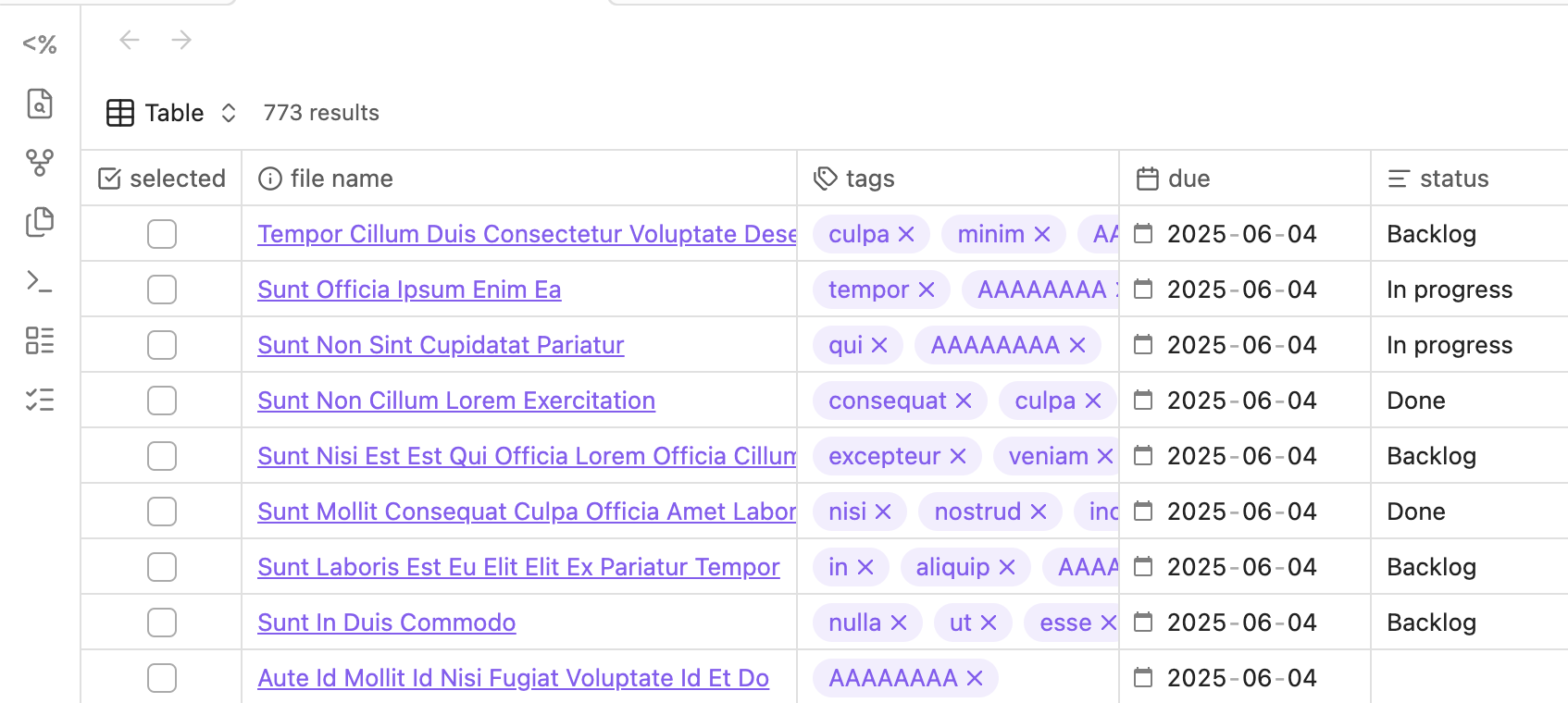
This plugin lets you select one or more notes in a base, then either bulk-edit a specific property or delete the selected files.
Selection is done via a checkbox property (default: selected). The property name is configurable. For example:
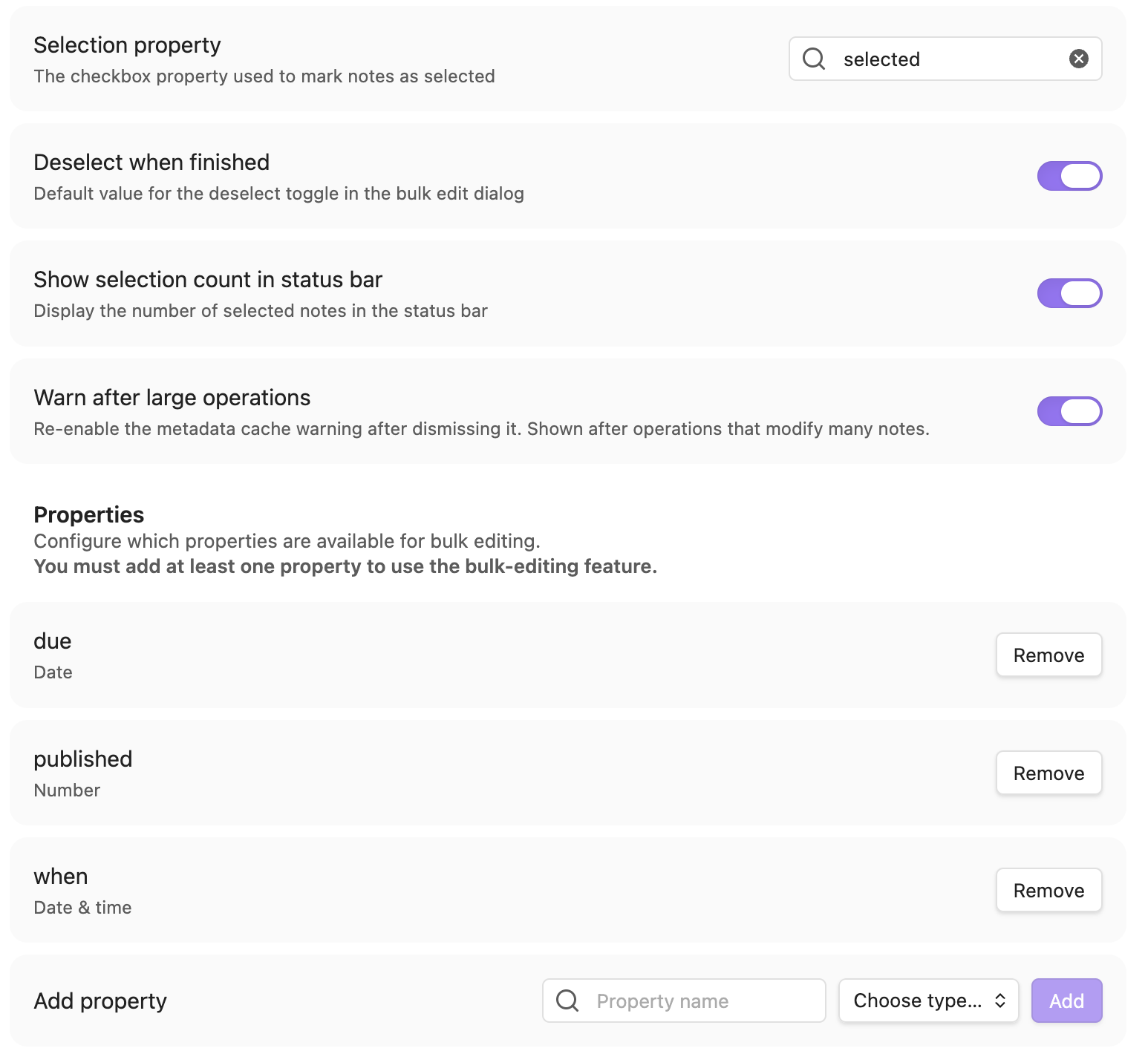
You must configure which properties are available for bulk editing. This plugin assumes you only work with a small subset and want to avoid a long list:
After selecting notes, click the ribbon icon or run “Bulk Properties: Bulk edit selected notes” to open the dialog. From there, you can refine the selection, choose a property, and set a new value.
For multi-value properties (e.g., tags, lists), you can:
- Merge: add new items to existing ones
- Replace: overwrite all existing items
- Delete: remove specified items
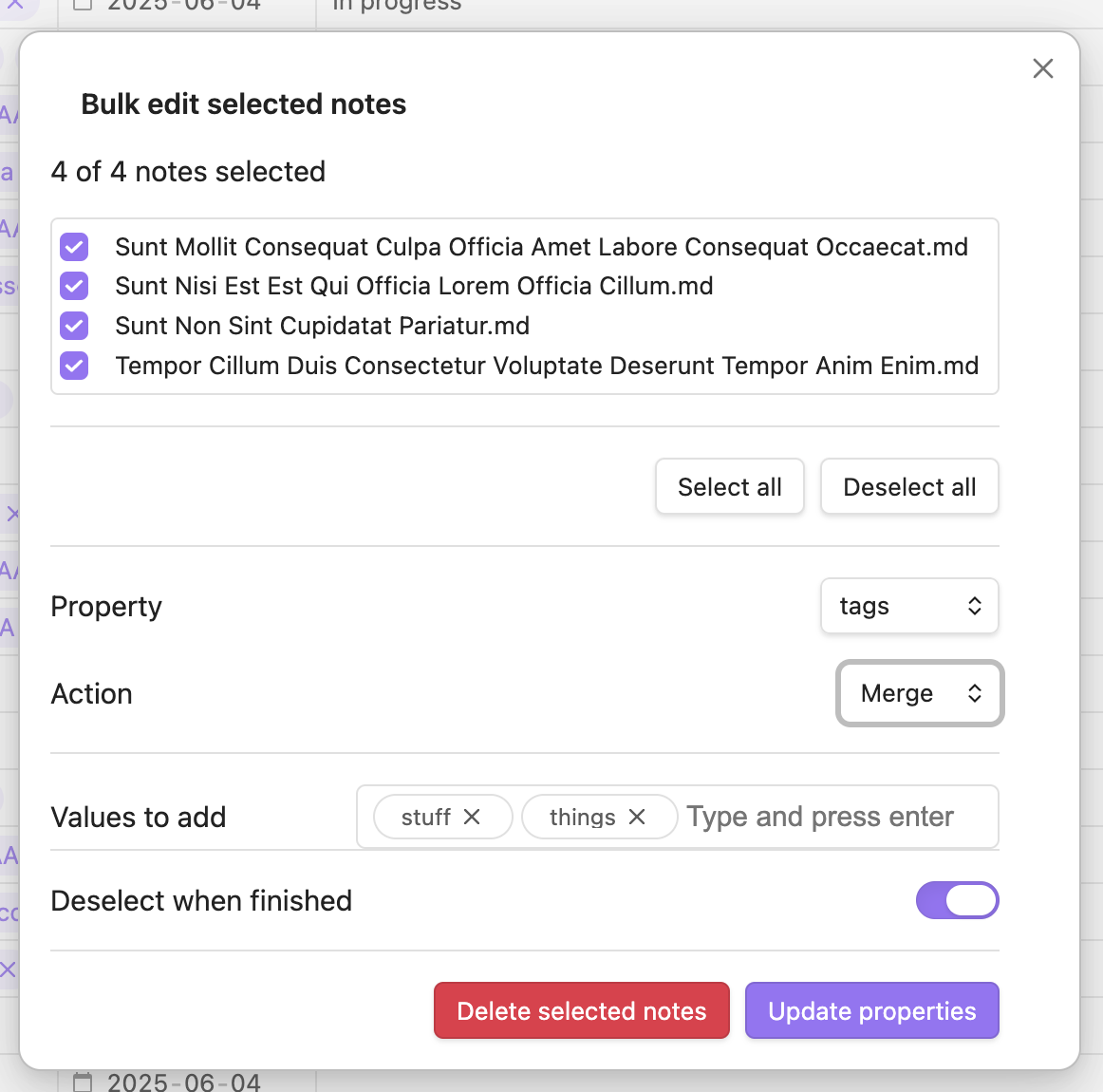
The same dialog also allows you to delete selected files, using system trash, Obsidian trash, or permanent deletion based on your settings.
Other features
- Bulk Properties: Deselect all notes sets the selection property to
falseon selected notes - Bulk Properties: Remove selection property from all notes removes the configured selection property from all notes
Performance
Bulk operations are efficient, but Obsidian’s metadata indexing may take time to catch up after large changes. The plugin is primarily intended for smaller batches of notes.