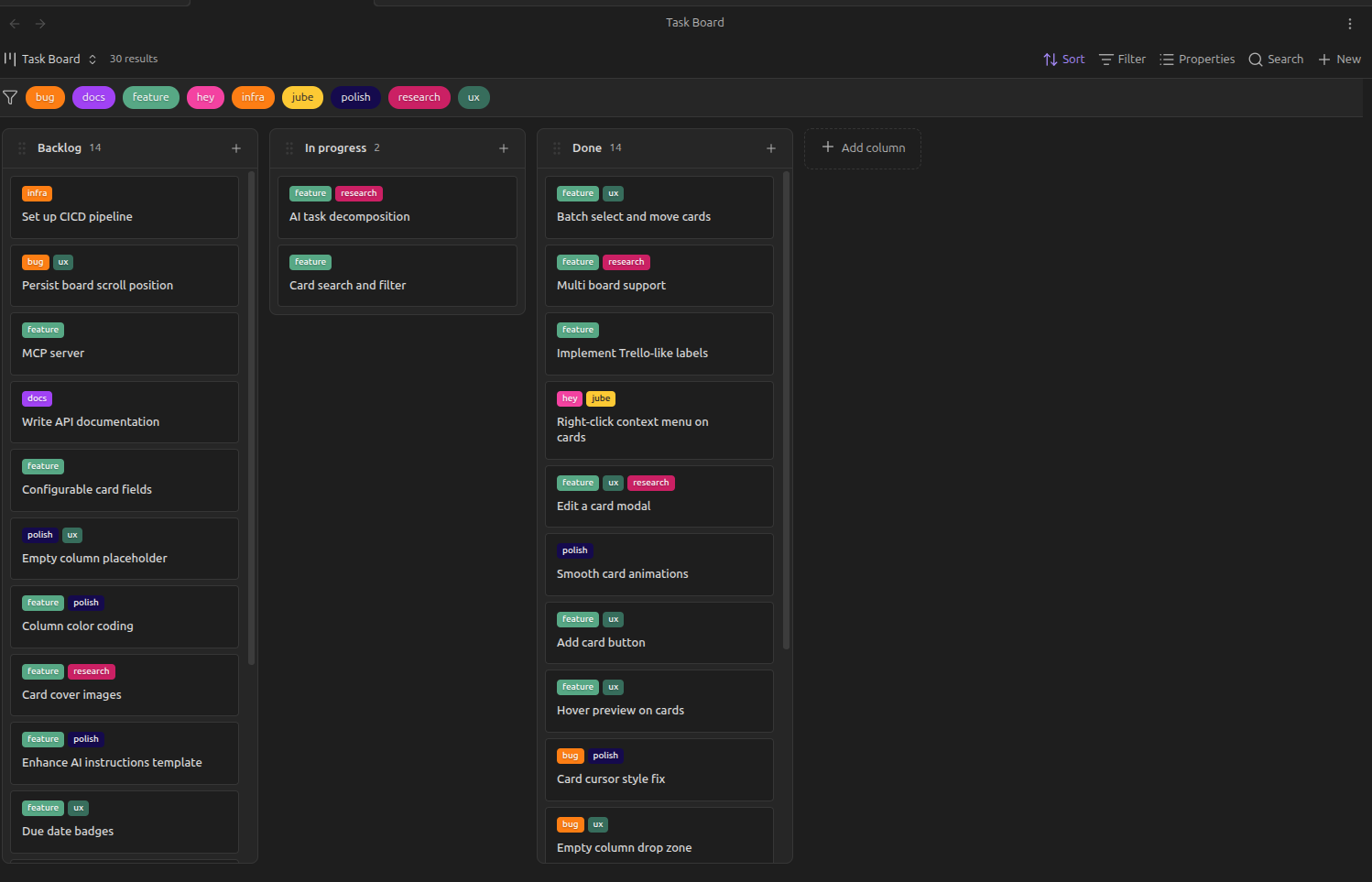
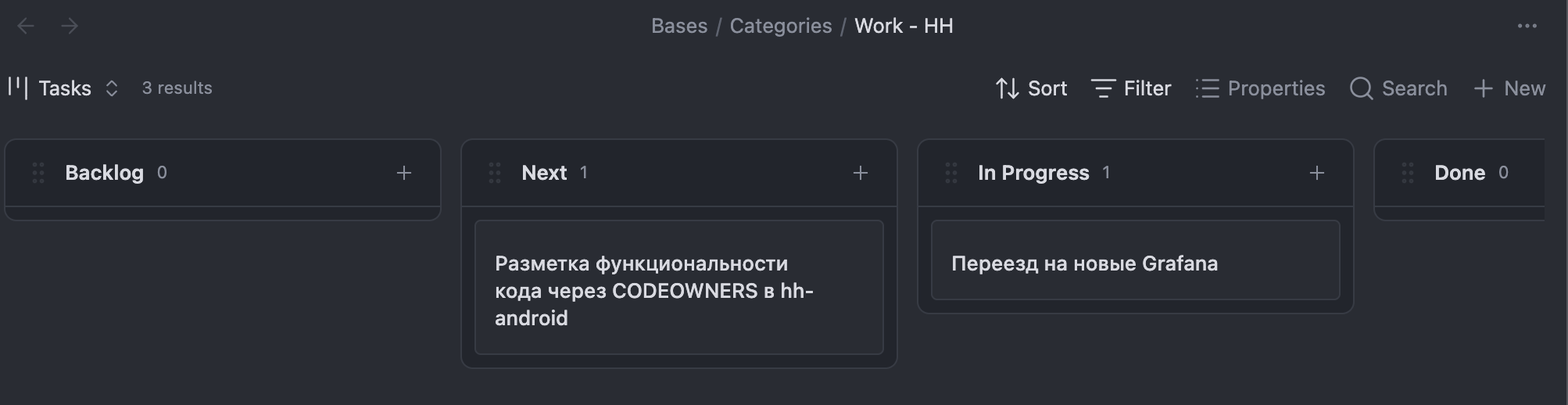
I’ve just submitted a new plugin called Base Board to the community directory. It’s an interactive Kanban board view for Obsidian.
I know there are already several solid Kanban plugins out there, but I built this one specifically to leverage the relatively new Obsidian Bases feature. Instead of keeping board state in a separate proprietary file format or a complex markdown list, Base Board builds columns dynamically based directly on the frontmatter properties of your notes.
When you drag and drop a card between columns, the plugin automatically rewrites the frontmatter property in the underlying markdown file.
Key features:
Columns are generated instantly from any frontmatter property you specify.
Drag and drop updates the note’s properties directly.
Reordering cards within columns is supported.
You can create new notes directly into a specific column without leaving the board.
Inline renaming for cards and column titles.
It displays key metadata fields as chips on the cards so you get a quick overview of the note’s metadata.
Everything is data-first, meaning the board is just a visual layer over your actual markdown files and their properties.
The PR is currently waiting for review in the obsidian-releases repo, but if anyone wants to test it out via BRAT or manual installation, you can find the repository here:
mderazon/obsidian-base-board (I can’t paste links here unfortunately, but it’s on Github)
I’d appreciate any feedback or bug reports if you end up trying it out. Thanks!
To save space, maybe move the add card button to the column heading, similar to this solution (I’m currently using this).
Also could move the add column button to the kanban header, this would allow more space for the columns, good for people who use css to make them wider and/or use more columns.
On the board I’m using, the file title is a clickable link. I display a property called summary, but it is not editable in place, that would be a nice feature. Ability to edit properties on the card.
II had to change the css for word wrap and card height, maybe make your plugin compatible with style settings plugin, or plugin options to make changes like this?
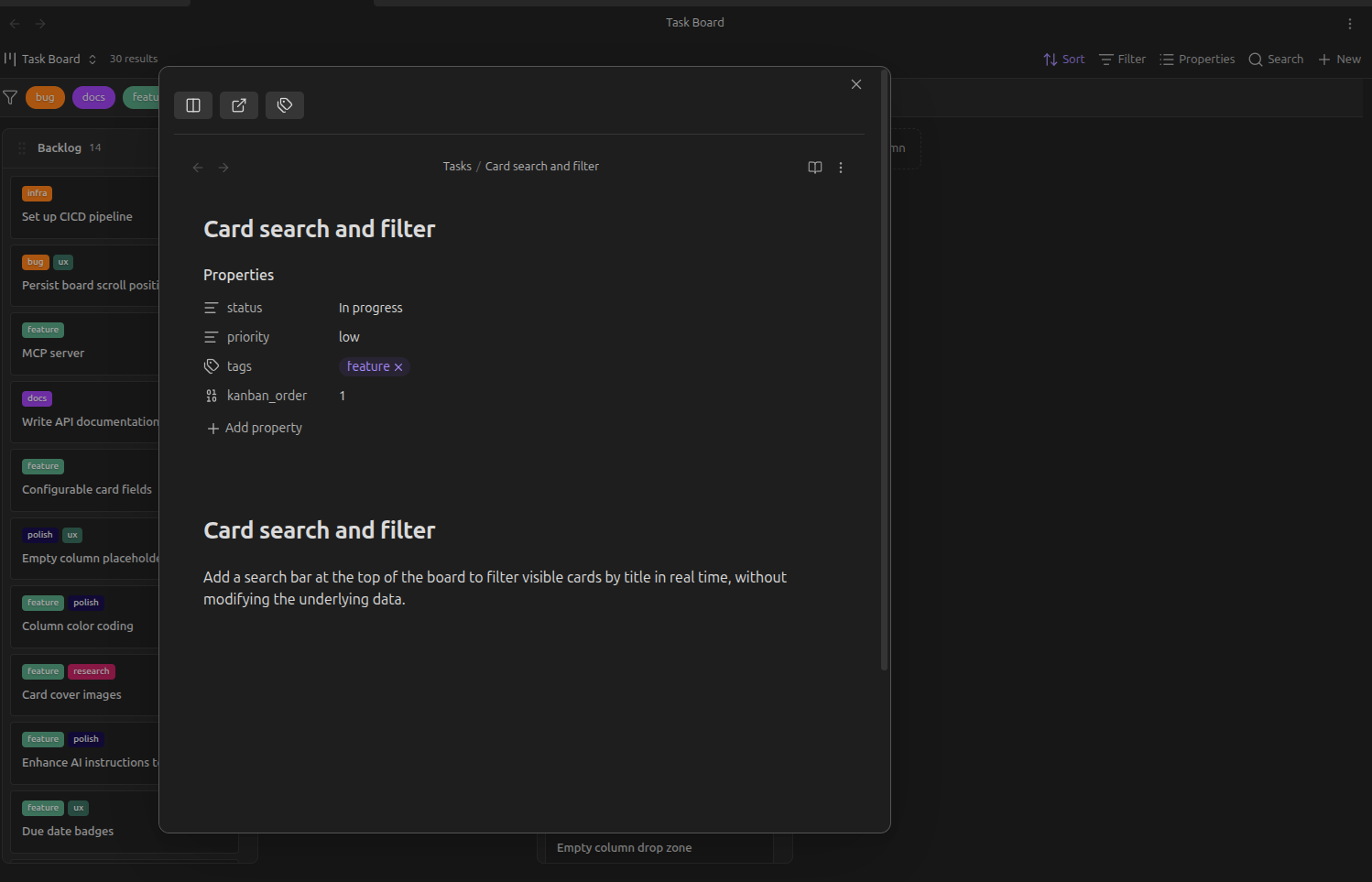
I’ve also added a card edit functionality - You can click on a card and it will open in a modal and you can edit it there without context switching. There you’ll be able to update the card’s properties:
I’m not using a kanban for task management, so my suggestions may not be as relevant for your plugin, but
With this implementation you can only edit the cards properties if the properties are displayed in the note. I use the properties side panel so this solution doesn’t work for me. It’s nice to edit the actual content of the note in a modal, but if a property is visible on a card I think it’s reasonable to have it editable in place, if possible. The reason the board view is valuable is to categorize and order based on metadata/properties that is separate from the note itself. Yes with markdown the metadata is contained in the note, but the interface, like a kanban, should consider the separation I think. Opening the note itself to edit the properties seems like a work around.
Also maybe a toggle to show/hide the tags and the tag filter bar. Space on a board can be a premium and the trade off against features can be important.
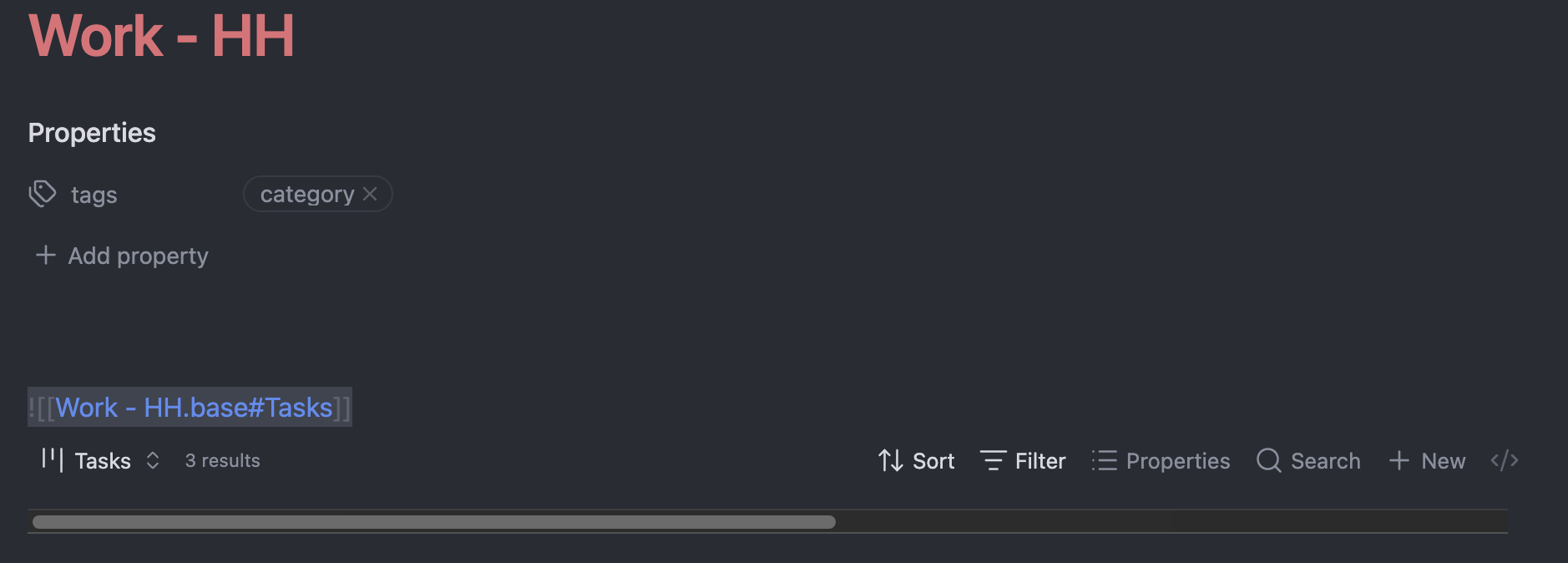
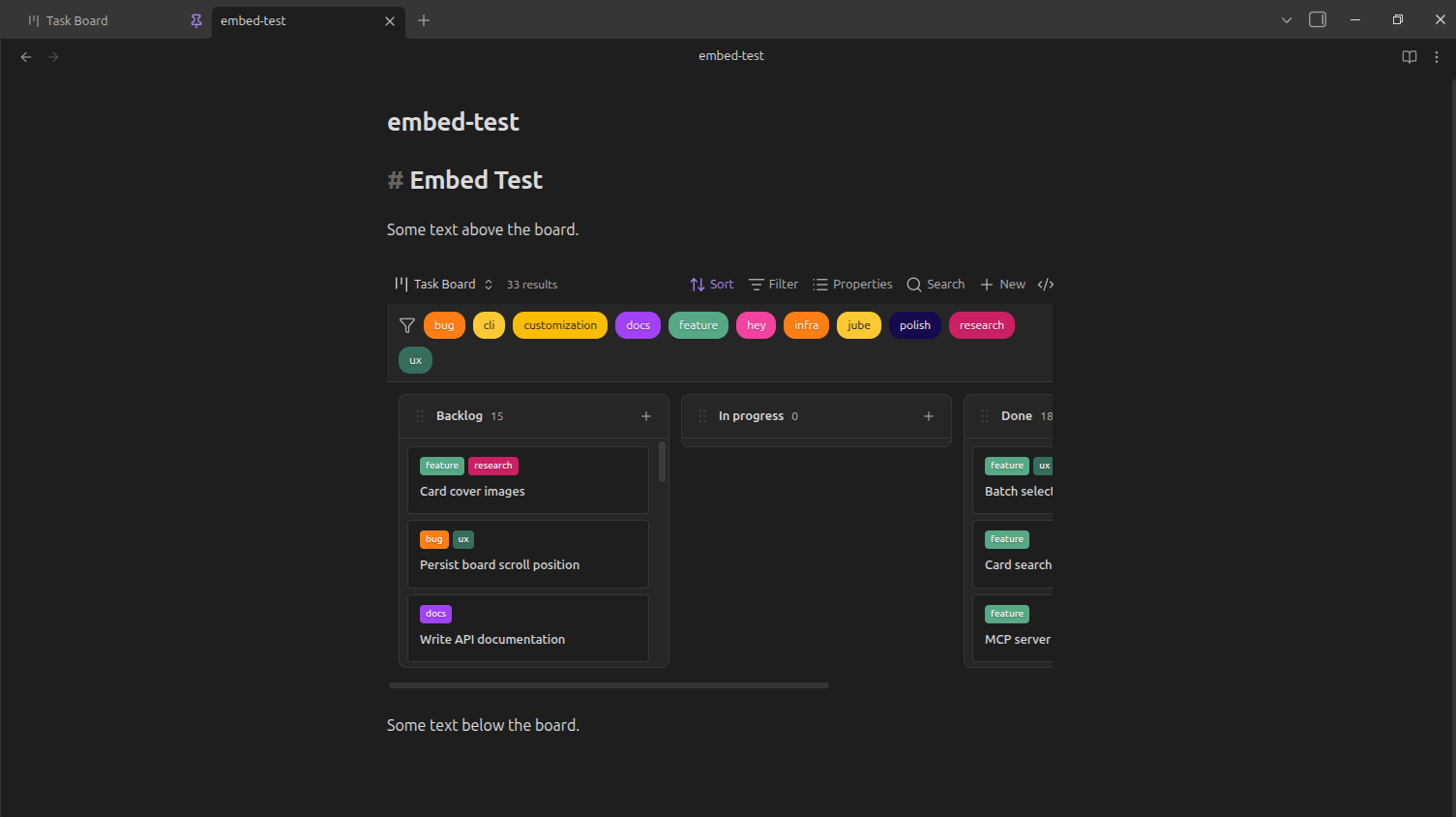
Hi! I just started using your plugin and already love it! The only issue is inlining base with your plugin view cuts of content vertically.
There is sample below: 1st screenshot is inlining base view, 2nd is opening base view in a separate window.
Love the plugin! it’s exactly what I was looking for as a replacement
for Notion boards.
One thing I’m missing: the ability to configure which property is used
as the card title instead of the filename.
My task files use descriptive
slugs as filenames (e.g. sys-vault-cleanup) but store the
human-readable title in a frontmatter property (e.g. titel: Clean up
vault structure). The slugs are generated programmatically, I use Base
Board as a visual interface to tasks created by Claude Code, so the
filenames are never meant to be read directly.
Would it be possible to add a setting — either in the .base file syntax
or in plugin settings — to specify a title property? Something like:
titleProperty: titel
This would make the board much more readable without having to rename
all files for me, and I can imagine for anyone with a bunch of todos that risk having overlapping file names.
Another feature I’m missing: the ability to display an aggregated value
in the column header. Specifically the sum of a numeric property across
all cards in that column.
My use case: I have a size_h property (numeric, in hours) on each task.
I’d love to see the total hours per column in the header, so I can see
at a glance how loaded each status column is.