Disclaimer
Is this plugin open source? Yes
Is this plugin completely free? Yes
Is this plugin vibe-coded beyond the author’s ability to comprehend how it works? No
Community Directory: Link
Hi all. Passage Index is now in Community plugins.
I take a lot of Bible study notes, and I kept forgetting what I’d already written about a passage. Search helps if you remember to search, and if you remember that you wrote “Mk 11.17” one time and “Mark 11:17” another. Passage Index does that for you: open a note, and a side pane lists every other note in your vault that touches the same passages.
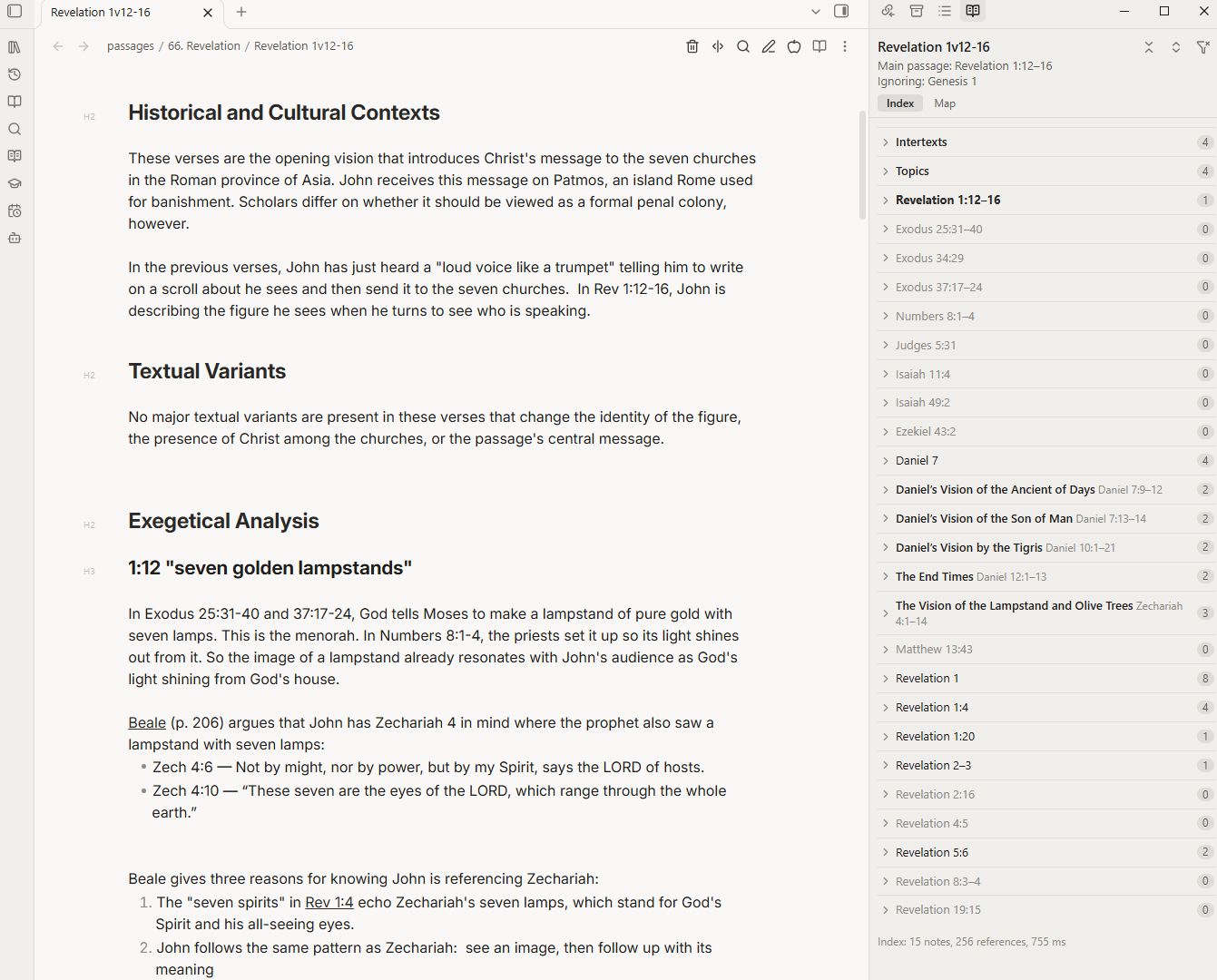
What it does
- Reads references the way people write them.
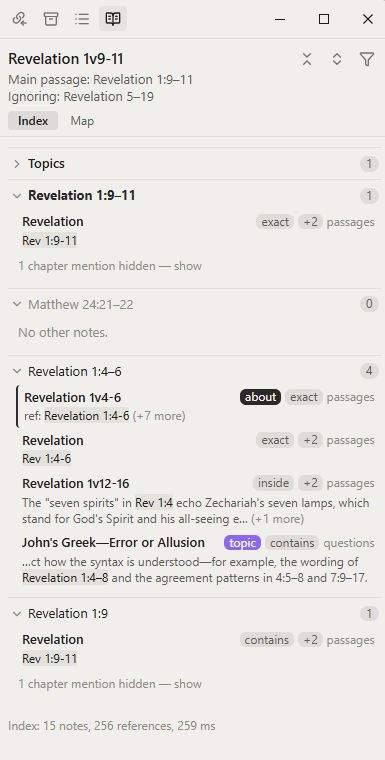
Mark 11:17,Mk 11:17,Mark 11.17, andMark 11v17all count as the same verse. Ranges match too (Mark 11:17 falls inside Mark 11:15–19), and so do chains likeDan 9:27; 11:31; 12:11. - Knows what a note is about. The passage in a note’s filename (
Isaiah 56v7.md,The Son of Man (Matt 24.30).md) or apassage:property is its main passage. Notes about a passage are listed before notes that only mention it. - One group per passage, with the matching line shown and the reference highlighted. Click to open the note at that line.
- Topics: topic notes that share a passage with the note you’re reading, unlinked ones first, so you can see what you haven’t linked yet.
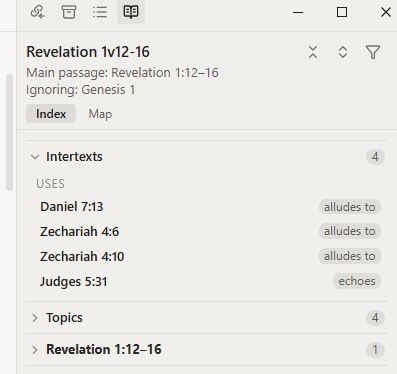
- Intertexts: list where a passage quotes, alludes to or echoes another text under an
## Intertextsheading, and the pane shows it from both ends. Open Isaiah 56:7 and you see that Mark 11:17 quotes it. - Map: a book’s chapters shaded by how much you’ve written on each.
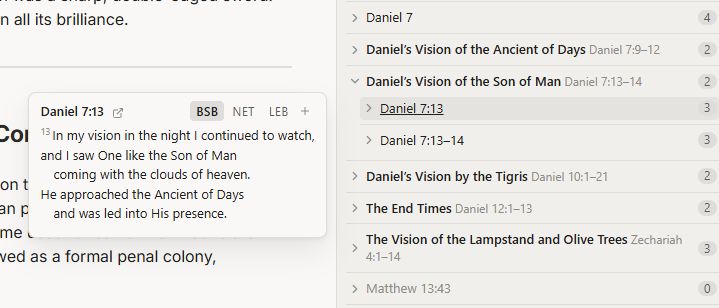
- Verse pop-up: hold Ctrl and point at a passage to read it (BSB, NET, LEB and other free-use translations, downloaded once).
- Open in Logos, Bible Gateway, Blue Letter Bible or STEP Bible from a right-click.
- Optional: a wizard that adds a whole Bible to your vault as linkable chapter notes. It works with Bible Linker and Local Bible Ref.
It also reads 1–2 Enoch, Jubilees, the Testaments of the Twelve Patriarchs, Qumran texts (1QS, 1QM, CD), the Apocrypha and 4 Ezra.
Good to know
- Desktop only.
- Your notes are read locally. The plugin goes online only when you download a translation or add a Bible (from bible.helloao.org), or when you open a passage in Logos or a Bible site. No telemetry, no accounts.
- It never changes your notes unless you ask it to, for example by inserting a link.
Install
Settings → Community plugins → Browse → search Passage Index or open this Community Directory: Link
Source, full docs and issues: GitHub - LiveAQuietLife/obsidian-passage-index: Read scripture references in every note and creates an index in the sidebar · GitHub
This is 0.1, so feedback is very welcome, especially reference formats it misses and how you’d like the pane to work in your own study.
Thanks for reading!