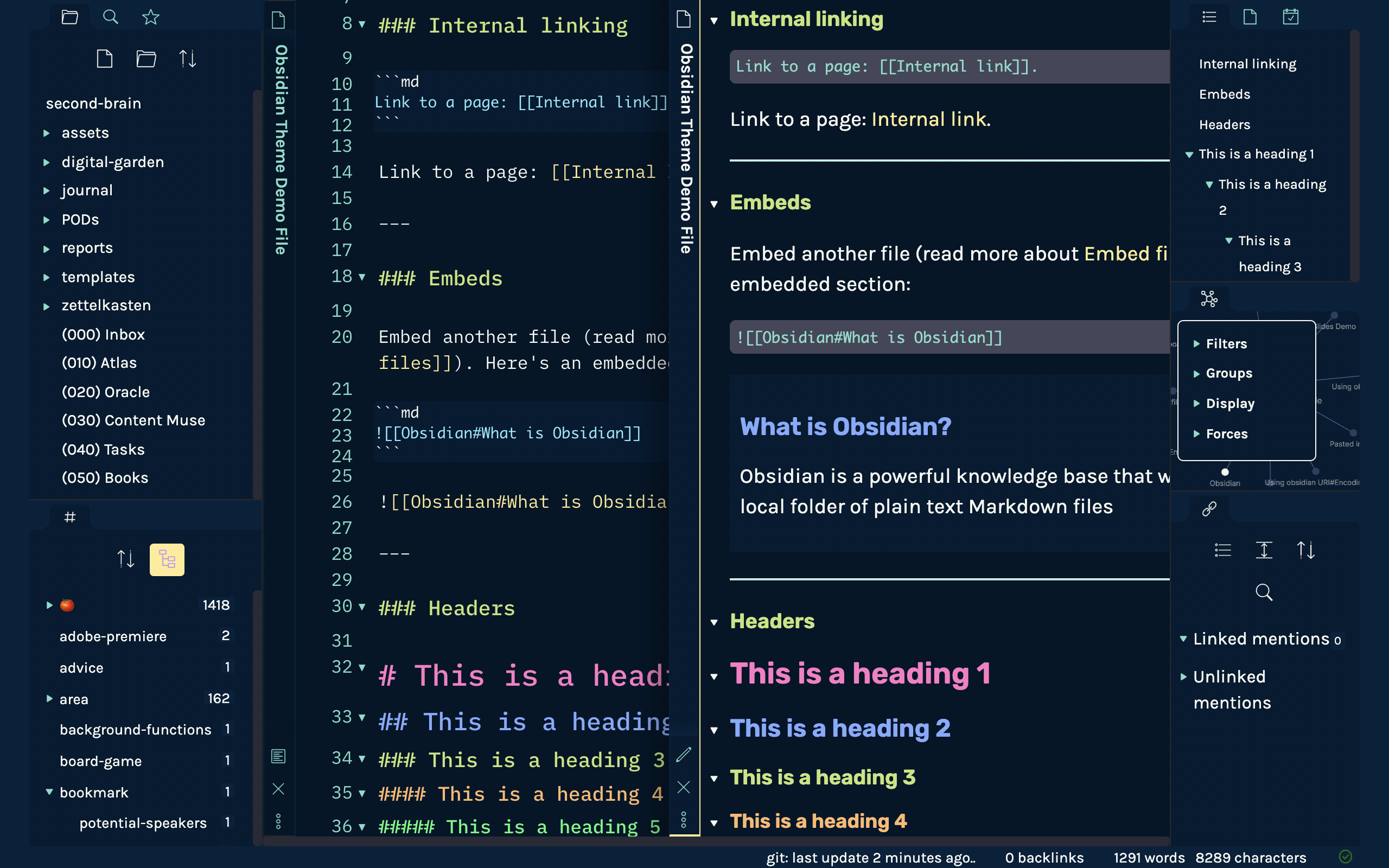
Introducing the Night Owl Theme, based on the original Night Owl VS Code theme which is now available in the Obsidian Theme marketplace!
9 Likes
I’m using Night Owl theme in Drafts so thank you, thank you for bring it to Obsidian <3
1 Like
You know, I normally use ==highlight which will highlight the text with yellow background, much like a highlighter pen. In this Night Owl theme though, it is a faded green background. How can I change this to yellow instead?
2 Likes
Good point! I’ve actually decided to swap that out for the native theme as well, so if you update it now, it should get the latest changes.
But if you have a different shade of yellow you prefer, here’s the file where I made the change: feature: swap highlight for a yellow · bencodezen/obsidian-night-owl-theme@39c8f55 · GitHub
Or if you’re modifying the CSS directly in Obsidian theme, then you’ll want to swap out the value for --text-highlight-bg. Hope this helps!
2 Likes
Hi Ben, I also notice that the font in Preview is extremely small (in Windows PC). And when I change it in Settings - Appearance, it then resulted in a HUGE H1 font on the Obsidian iOS mobile.
Currently, I am using this CSS (from some kind soul in this forum) to overwrite the Header 1. I am not sure how to overwrite the font size for the body though.
/* font size for header 1 in edit mode */
.cm-header-1 {
    font-family: inter;
    font-weight: 700 !important;
    font-size: 18x;
    font-weight: normal;
}
/* font size for header 1 in preview mode */
.markdown-preview-view h1 {
    font-family: inter;
    font-weight: 700 !important;
    font-size: 16px;
    font-weight: normal;
}
Hi, thank you for a beautiful theme. I initially rejected it, but then someone on this page praised it a lot - that post seems to have been deleted.
Anyway, I use it for 1 of my vaults, albeit customized. It is a joy to work with.
Thanks again.
1 Like
Ack sorry for the delay in seeing this! Appreciate your attention to this and will try and fix it in the theme!
You’re welcome!
i made an account just to say this is real nice on the eyes. and there’s a lot of themes for different tools. thank you!
1 Like