Steps to reproduce
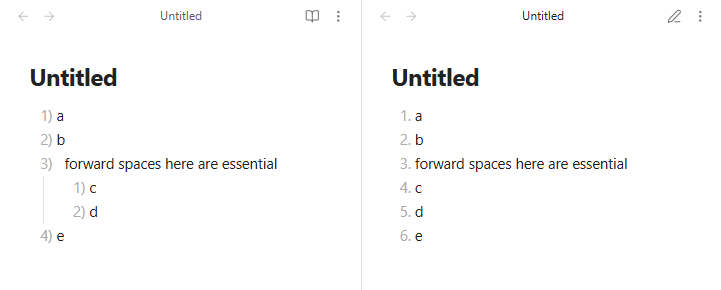
- create new note with next content:
1) a
2) b
3)   forward spaces here are essential
	1) c
	2) d
4) e
- export to pdf
Did you follow the troubleshooting guide? [Y/N]
Yes
Expected result
pdf with nested lists
Actual result
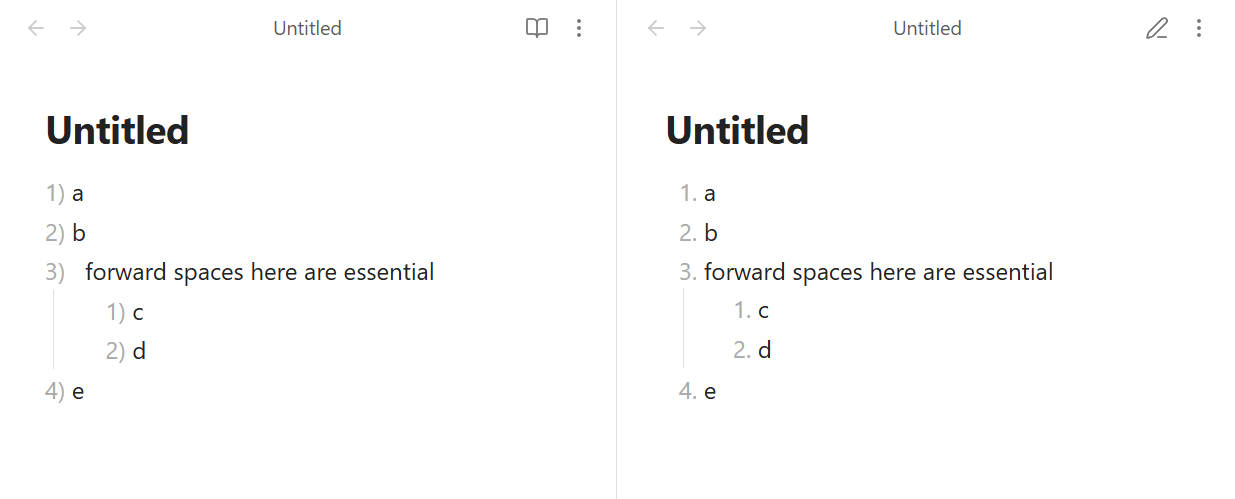
pdf as content of note is
1. a
2. b
3. forward spaces here are essential
4. c
5. d
6. e
Environment
SYSTEM INFO:
	Obsidian version: v1.11.5
	Installer version: v1.11.5
	Operating system: #37~24.04.1-Ubuntu SMP PREEMPT_DYNAMIC Thu Nov 20 10:25:38 UTC 2 6.14.0-37-generic
	Login status: not logged in
	Language: ru
	Insider build toggle: off
	Live preview: on
	Base theme: dark
	Community theme: none
	Snippets enabled: 1
	Restricted mode: off
	Plugins installed: 6
	Plugins enabled: 5
		1: Git v2.34.0
		2: JupyMD v1.3
		3: Mermaid Tools v1.3.0
		4: Desmos v0.6.8
		5: Style Settings v1.0.9
RECOMMENDATIONS:
	Custom theme and snippets: for cosmetic issues, please first try updating your theme and disabling your snippets. If still not fixed, please try to make the issue happen in the Sandbox Vault or disable community theme and snippets.
	Community plugins: for bugs, please first try updating all your plugins to latest. If still not fixed, please try to make the issue happen in the Sandbox Vault or disable community plugins.