```ini
[section]
key=value
```
- A list item with an indented css block
  ```css
  .foo {
    color: blue;
  }
  ```
- A list item with an indented ini block
  ```ini
  [section]
  key=value
  ```
- Another list item that gets the wrong formatting in the editor
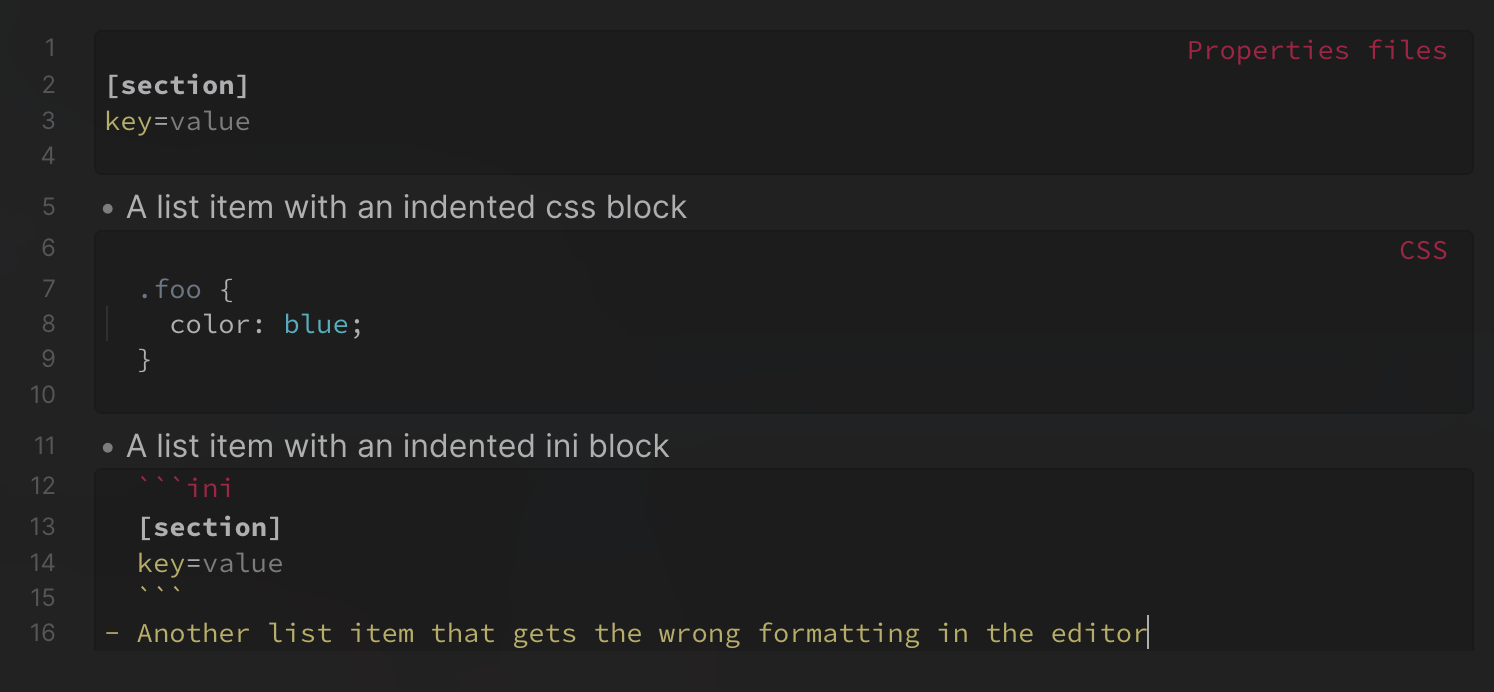
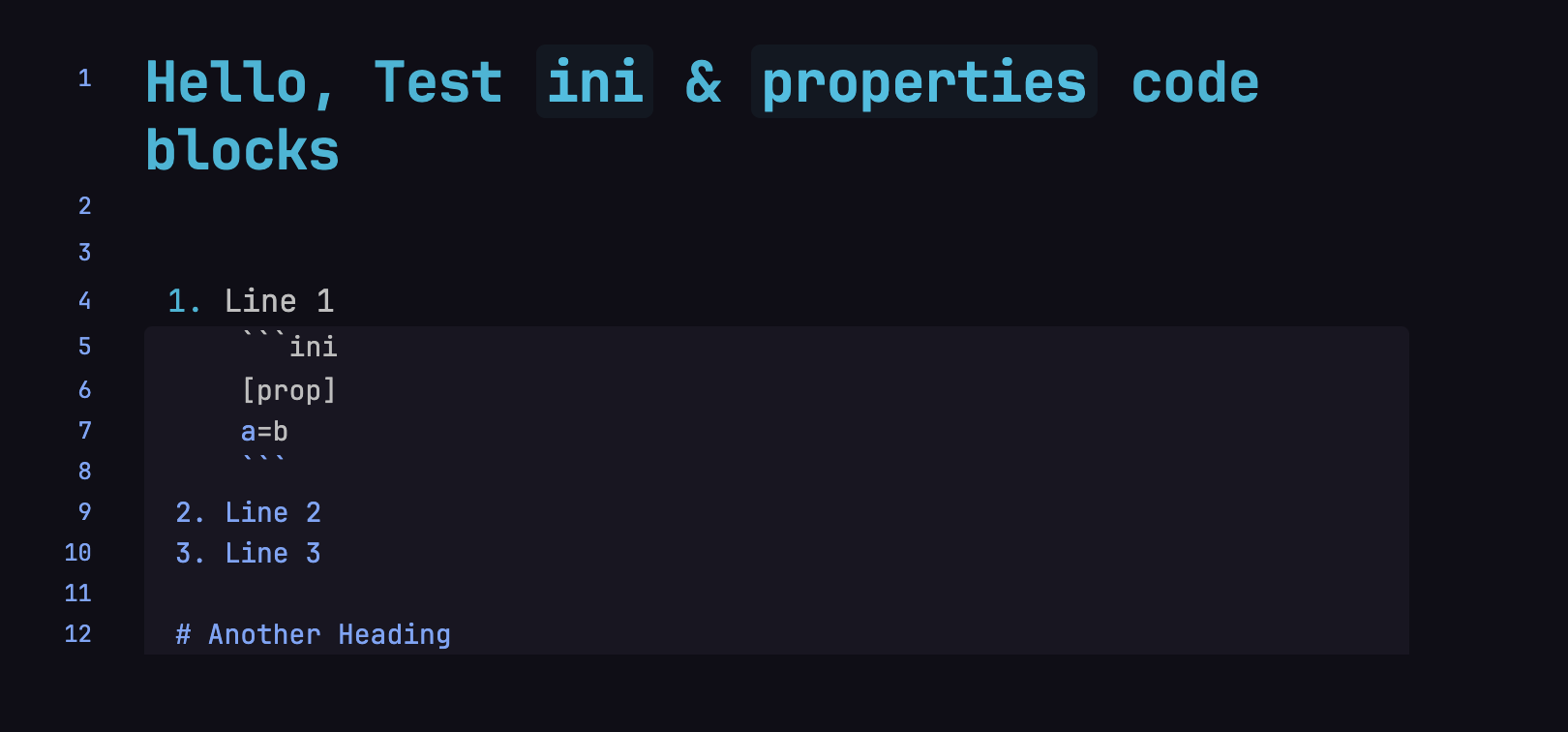
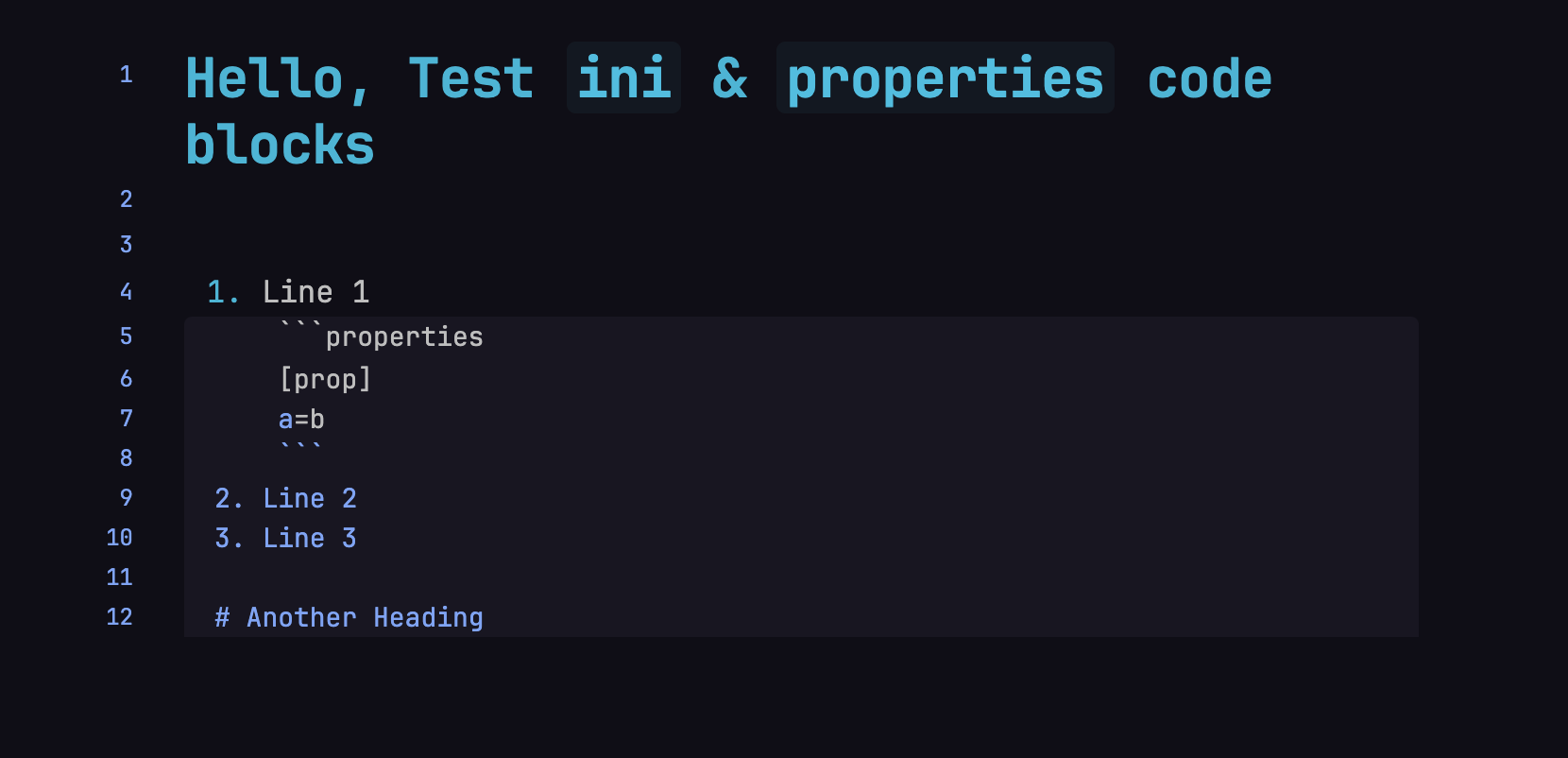
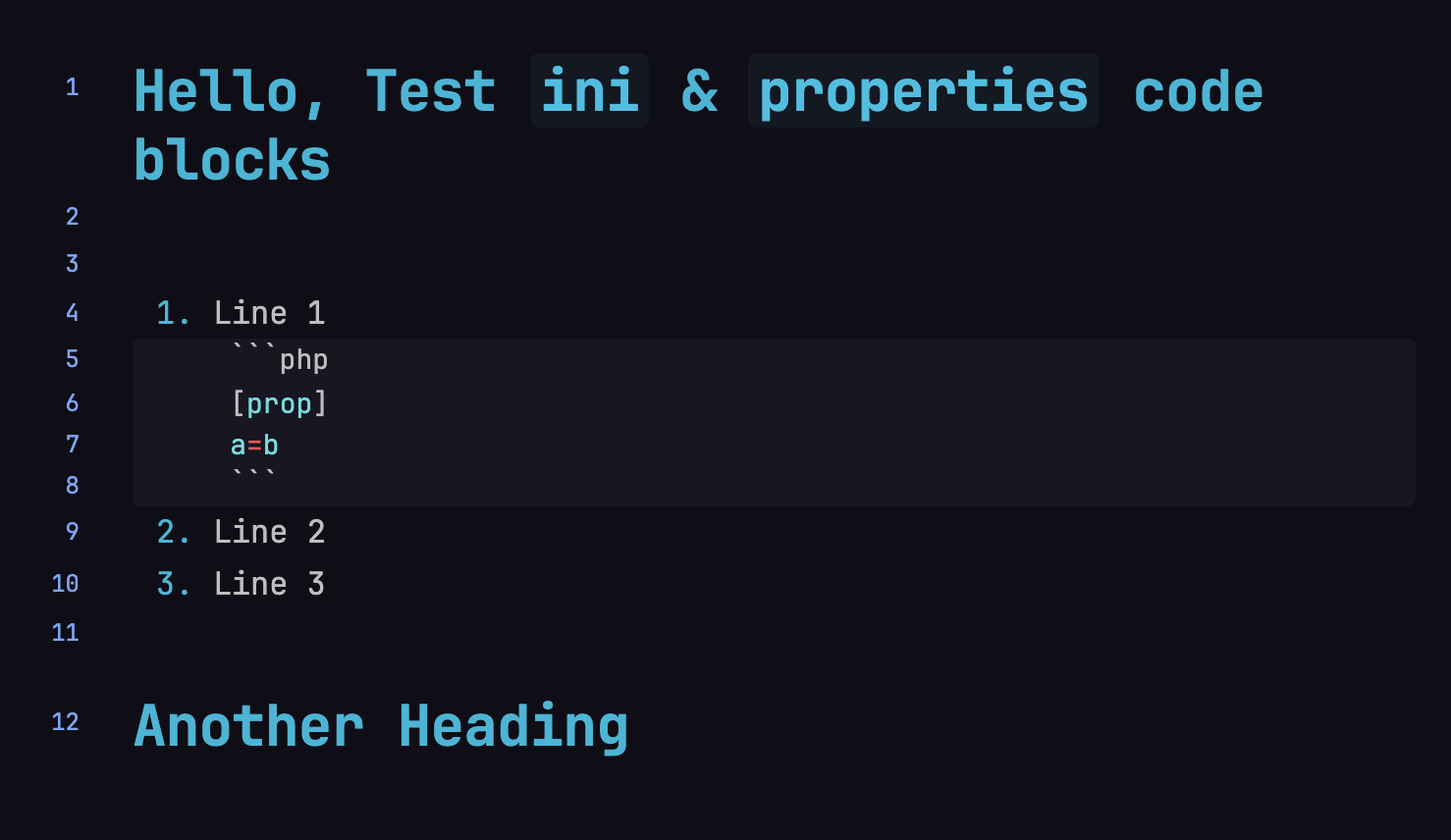
The editor (in both live preview and source modes) renders the third list item incorrectly:
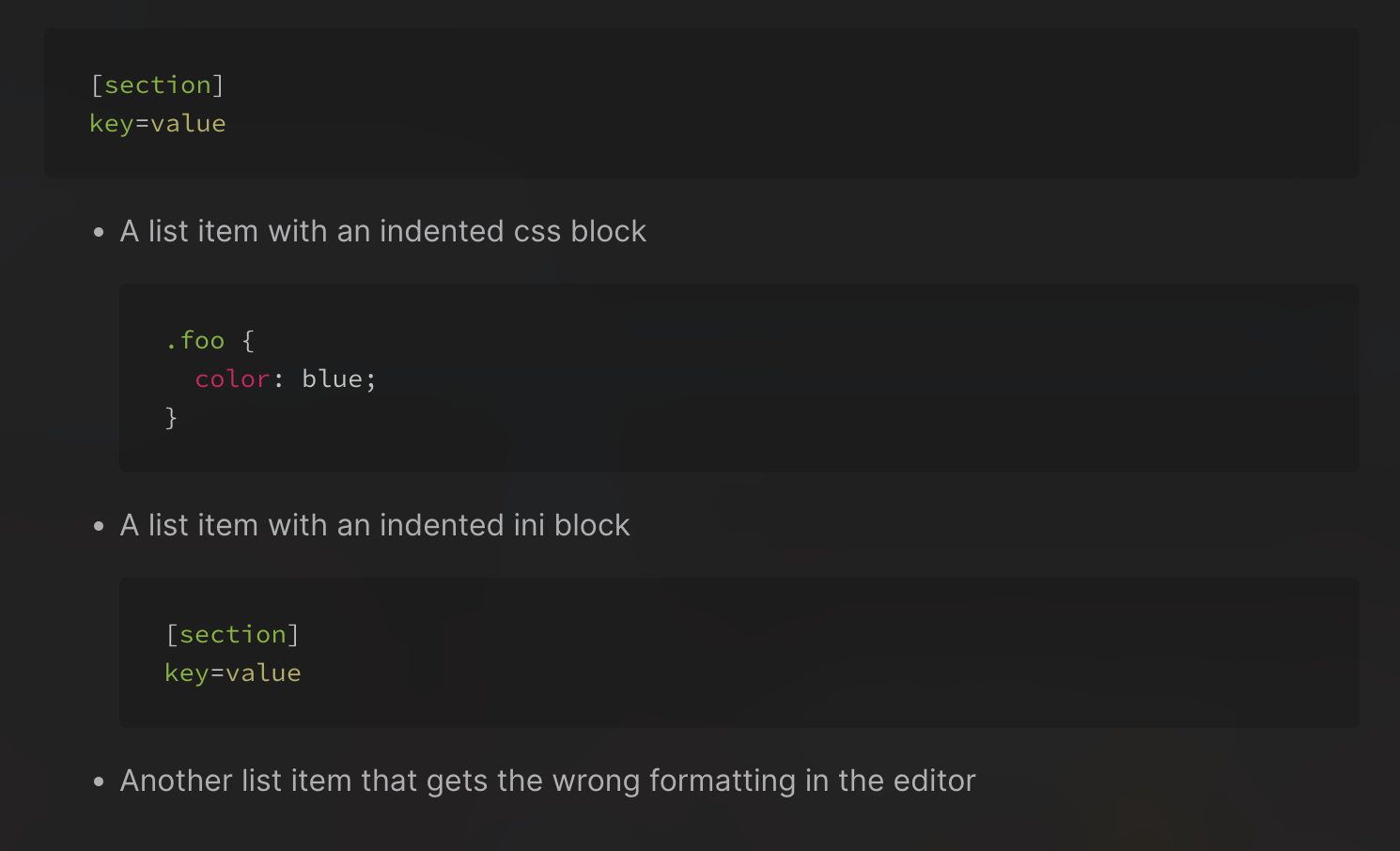
The syntax highlighting for the ini code block should end and the third list item should be displayed as plain text (as the second list item does)
Actual result
Environment
Operating system: macOS 12.2
Debug info:
SYSTEM INFO:
Obsidian version: v0.14.2
Installer version: v0.13.31
Operating system: Darwin Kernel Version 21.3.0: Wed Jan 5 21:37:58 PST 2022; root:xnu-8019.80.24~20/RELEASE_ARM64_T6000 21.3.0
Login status: not logged in
Insider build toggle: off
Live preview: on
Legacy editor: off
Base theme: dark
Community theme: none
Snippets enabled: 0
Safe mode: on
RECOMMENDATIONS:
none
Additional information
The document renders in reading view just fine. This only occurs in the editor in both live preview and source modes.
The block of text is only colored if I nest the block.
For example, considering this .md note:
## Properties file, or `ini`

```ini
[test]
a = b
```

## Inline

![[2025-02-10#Properties file, or `ini`]]
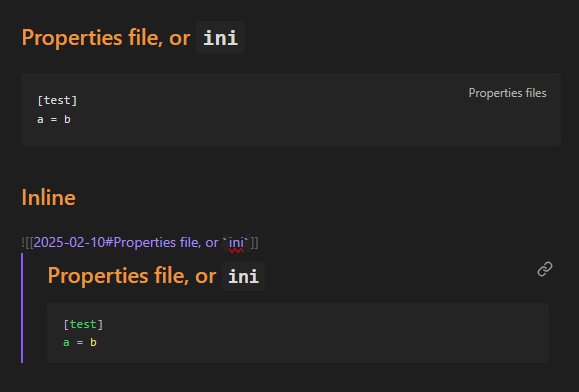
These block gets rendered like:
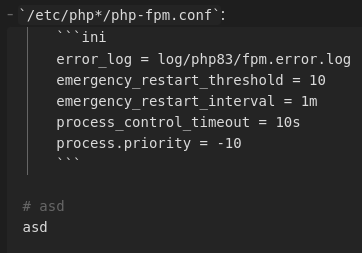
As you can see, there is no coloring on the first block of text, but there is color on the second one.
SYSTEM INFO:
	Obsidian version: v1.8.5
	Installer version: v1.8.4
	Operating system: Windows 10 Enterprise 10.0.19045
	Login status: logged in
	Language: en
	Catalyst license: insider
	Insider build toggle: on
	Live preview: on
	Base theme: adapt to system
	Community theme: none
	Snippets enabled: 0
	Restricted mode: on

RECOMMENDATIONS:
	none
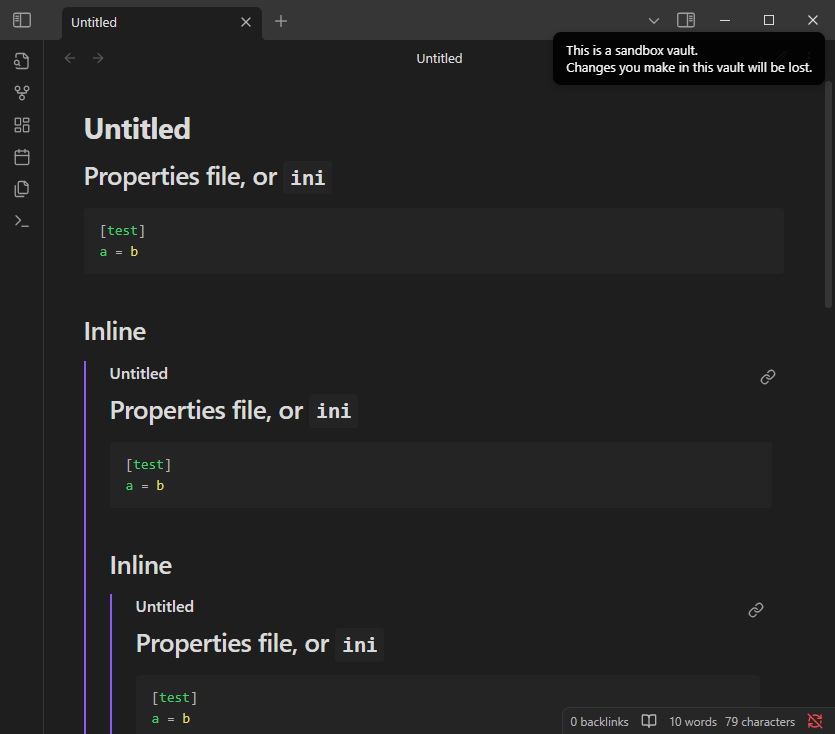
(tested on my Vault and sandbox vault)
I noticed, it gets rendered correctly if the “Reading” mode is on.
Turn off all community plugins by enabling Restricted Mode
Switch to Default theme
Got same results
Additional information
Operating System
Linux fedora 6.12.13-200.fc41.x86_64 #1 SMP PREEMPT_DYNAMIC Sat Feb  8 20:05:26 UTC 2025 x86_64 GNU/Linux
Fedora release 41
LSB Version:	:core-5.0-amd64:core-5.0-noarch
Obsidian Version
Current version: v1.8.7
(Installer version: v1.8.4)
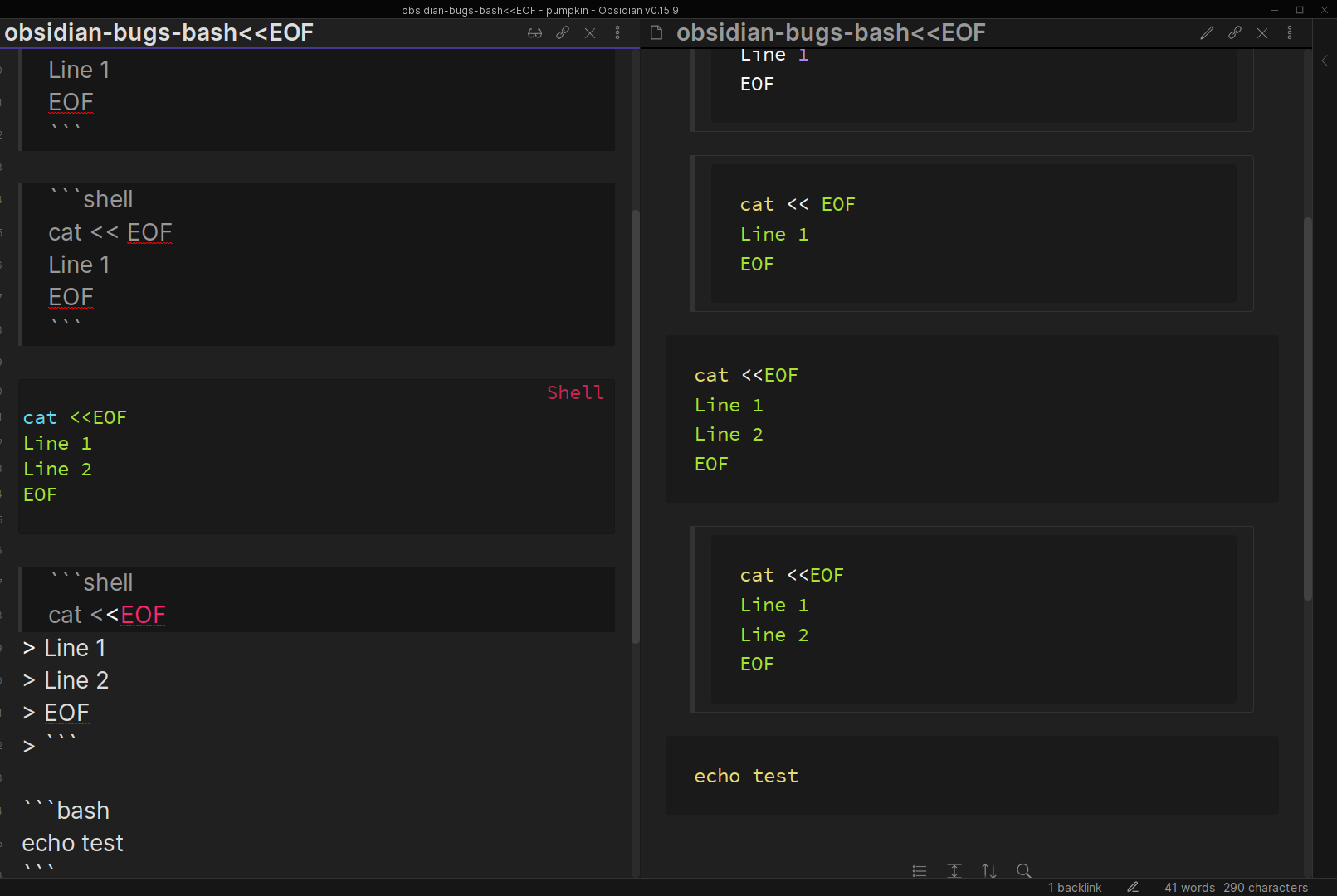
Maybe of note, sh code blocks where the contents include << (such as << EOF) trigger the same bug.
This issue alone makes the Obsidian editor almost useless to me, and forces me to use an external one.
Would it finally be time to give code blocks the love they deserve, and fix this and the other longstanding issues with them? And maybe we could even get matching syntax highlighting in edit and reading views. Pretty please.
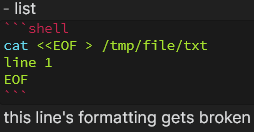
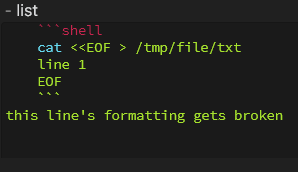
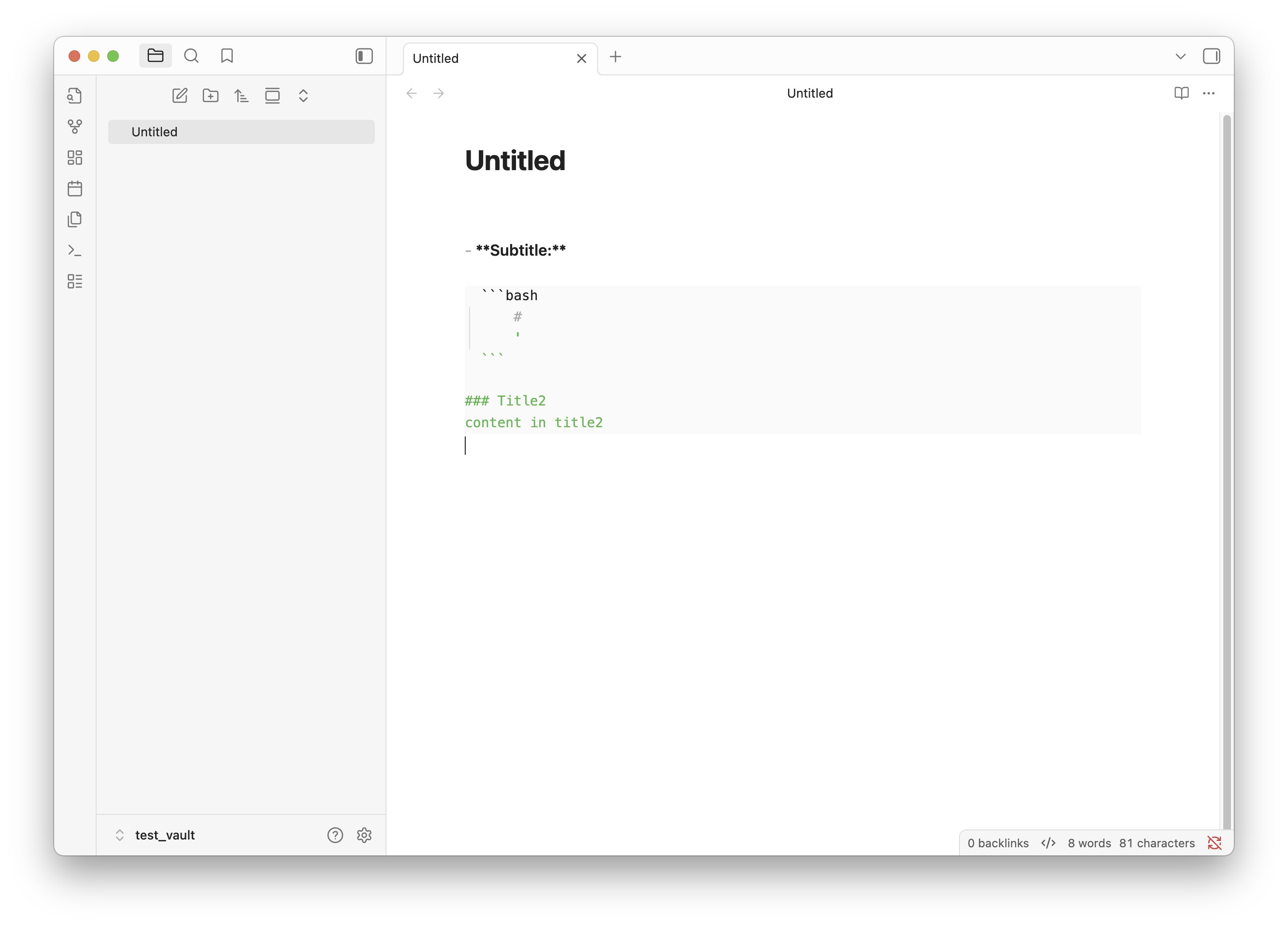
- list:
```shell
cat << EOF > /tmp/file.txt
line 1
```
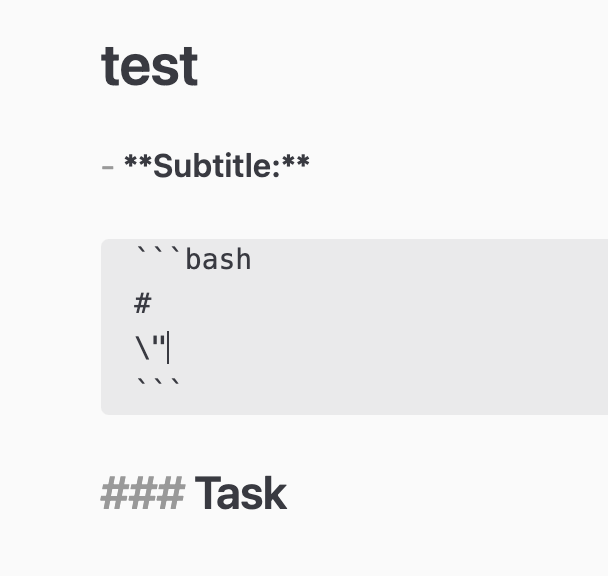
this line’s formatting gets broken
indent all content between and including the ‘```’ characteres.
Expected result
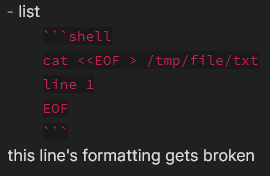
The formatting of the last line “this line’s formatting gets broken” should not change
Actual result
The formatting of the last line “this line’s formatting gets broken” did change.
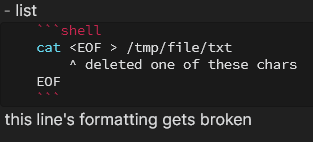
If one of the ‘<’ characters is removed, the formatting behaves as expected.
Environment
Operating system:
Debug info:
SYSTEM INFO:
Obsidian version: v0.13.23
Installer version: v0.13.23
Operating system: Windows 10 Pro 10.0.19044
Login status: not logged in
Insider build toggle: off
Live preview: on
Legacy editor: on
Base theme: dark
Community theme: Atom
Snippets enabled: 1
Safe mode: off
Plugins installed: 7
Plugins enabled: 5
1: Advanced Tables
2: Dataview
3: Obsidian Git
4: Outliner
5: Sliding Panes (Andy’s Mode)
RECOMMENDATIONS:
Custom theme: for cosmetic issues, please first try updating your theme to latest. If still not fixed, please try to make the issue happen in the help vault or disable community theme and snippets.
Community plugins: for bugs, please first try updating all your plugins to latest. If still not fixed, please try to make the issue happen in the help vault or disable community plugins.
Additional information
images below of the issue reproduced in the help vault:
Create note with two code blocks (see attachment for full test note) obsidian-bugs-bash<<EOF.md (290 Bytes)
1.1.
cat <<EOF
Line 1
Line 2
EOF
1.2.
echo test
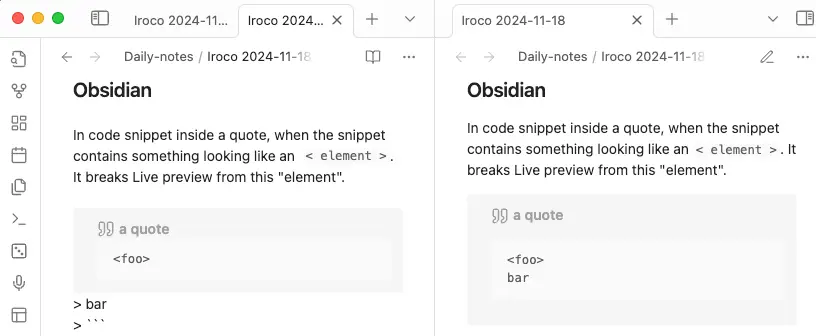
Put first code block inside quote block. Now formatting in edit mode is broken.
Add any non-letter character between << and EOF e.g. <<-EOF. Now formatting should be fine.
Expected result
Intended code block with <<text shouldn’t break formatting for further code blocks inside editor mode.
Actual result
Code blocks after <<text inside quoted code block will be displayed as plain text inside editor mode, it will be fine in reading mode.
Environment
Operating system: Linux Manjaro
Debug info:
SYSTEM INFO:
	Obsidian version: v0.15.9
	Installer version: v0.15.9
	Operating system: #1 SMP PREEMPT Thu Aug 11 13:14:01 UTC 2022 5.10.136-1-MANJARO
	Login status: not logged in
	Insider build toggle: off
	Live preview: on
	Legacy editor: off
	Base theme: dark
	Community theme: none
	Snippets enabled: 0
	Restricted mode: on

RECOMMENDATIONS:
	none
SYSTEM INFO:
	Obsidian version: v1.9.12
	Installer version: v1.6.7
	Operating system: Darwin Kernel Version 25.0.0: Mon Aug 25 21:17:51 PDT 2025; root:xnu-12377.1.9~3/RELEASE_ARM64_T6000 25.0.0
	Login status: not logged in
	Language: en
	Insider build toggle: off
	Live preview: on
	Base theme: adapt to system
	Community theme: none
	Snippets enabled: 0
	Restricted mode: on

RECOMMENDATIONS:
	none