If you have any questions, please ask! Glad if I can help.
I’m not quite sure yet how to share the code because of the setup’s complexity. It’s probably the easiest to share it bit by bit.
Necessary Plugins are:
Templater
Dataview
QuickAdd
Natural language dates
Folder Notes
Buttons
Maybe we can start with creating a new project:
You need a button that kicks off the Quickadd:
```button
name New Project
type command
action QuickAdd: New Project
```
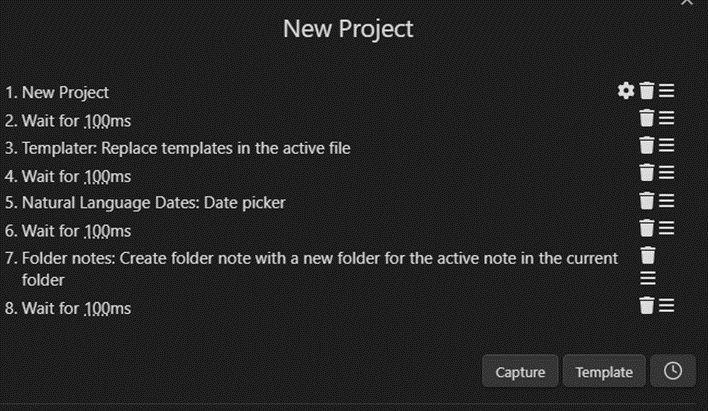
This will be your QuickAdd setup:
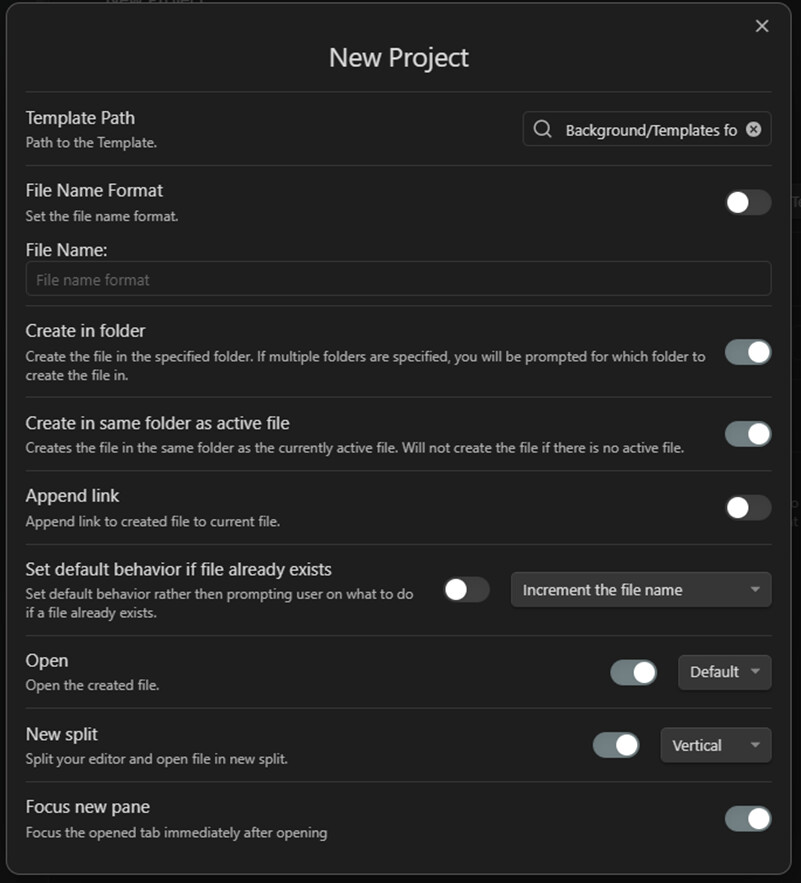
- This is the capture you will set up (change the path to wherever you will put your template in):
- For the following steps, just copy what I added.
The template for the project is as follows:
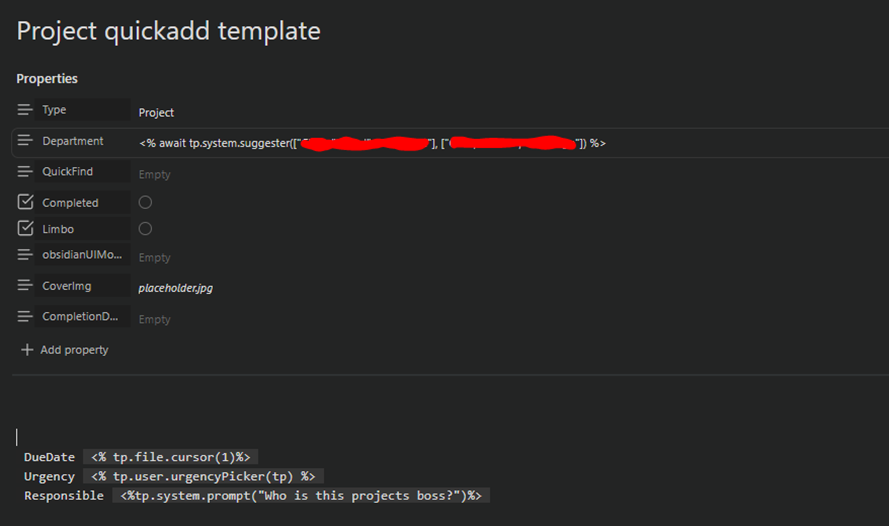
To add the urgency I wrote a small js file so I can color the text. If you don’t want to do that, you can use a system.suggester like for the Department property.
This is the js file. Just put it in a txt file and change the file extension to .js. Now you can put it in a folder (I have a dedicated one for js files called Templatejs). Just make sure the option “detect all file extensions” in “files and links” is turned on.
async function urgencyPicker(tp) {
    const selectedOption2 = await tp.system.suggester(
        ['Urgent', 'High', 'Medium', 'Low'],
        [1, 2, 3, 4],
        false,
        "How urgent is the Project?"
        );

    if (selectedOption2 === 1) {
        return ' 1 Urgent'.fontcolor("red");
    } else if (selectedOption2 === 2) {
        return ' 2 High'.fontcolor('orange');
    } else if (selectedOption2 === 3) {
        return ' 3 Medium'.fontcolor('yellow');
    } else if (selectedOption2 === 4) {
        return ' 4 Low'.fontcolor('green');
    } else {
        return 'Nothing was indicated!!!'.fontcolor("red")
    }
}
module.exports = urgencyPicker
This should now add a new folder in the same folder where the file with the “New Project” button is located.
Edit: Sorry I did this before you responded. I’ll respond in a separate post