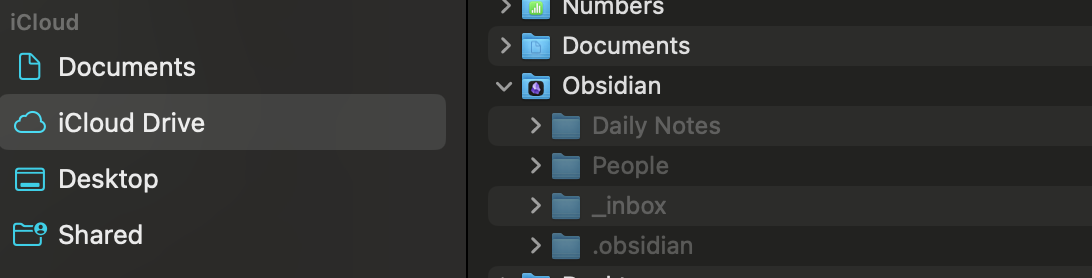
When I try to sync it to my iPhone it ends up breaking my different folders into different vaults instead of one big vault like it is on my Mac. I have tried deleting the app and starting over to select the proper vault with no change. I have tried setting up Obsidian Sync instead, but that just ended up with me creating a different vault entirely that meant starting over from scratch.
Is it possible for me to take the vault I have on my Mac and sync it seamlessly with Obsidian on my iPhone and iPad? If so, please show me the way!
I have same the setup and yes, you are right, iCloud is confusing everything.
I created Obsidian Vault in iCloud called Documents. Inside are folders (and nested Vaults). Desktop sees this as Vault called “Documents” inside iCloud folder Obsidian and can open that. It also can open the nested Vaults inside Documents.
What is confusing is, that iOS and iPadOS do not see the folder Documents which macOS opens without issues. So I can use the nested Vaults anymore, but not the parent one. Luckily for me, that is not needed in my case.
I think you can copy all files safely on macOS or Windows outside of the vault using finder so you do not loose the files, create a new Vault on iOS and once you verify you can use that Vault, copy stuff back?
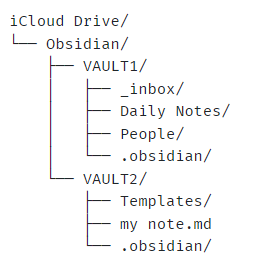
Using the Finder, create a new folder inside Obsidian that you want the vault to be named. The name can be anything, but I’d avoid “Obsidian”, “vault”, etc., so it’s clear to you now and your future self.
Drag everything you have there (Daily Notes, People, _inbox, .obsidian, etc.) into that folder.
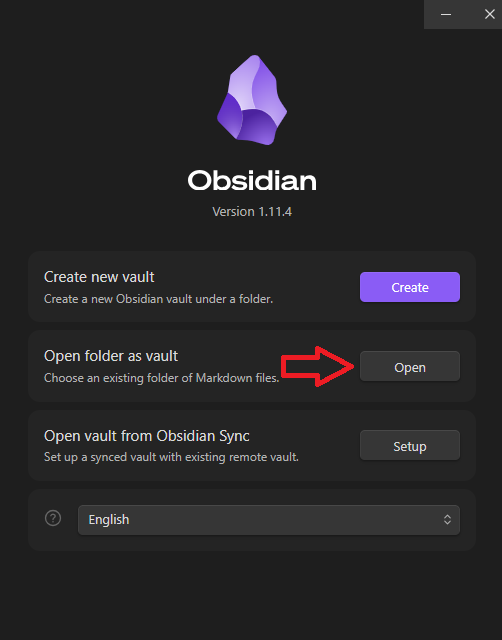
Use the vault switcher in Obsidian (Manage vaults...) and choose that new folder that you just created after selecting Open folder as vault → Open
Now use that as your vault on macOS and everything will be in its place and in one vault on iOS/iPadOS.
Any new vaults you create also go inside that Obsidian folder. On macOS, you need to choose the location manually. On iOS/iPadOS, new vaults will automatically be put in the correct location.
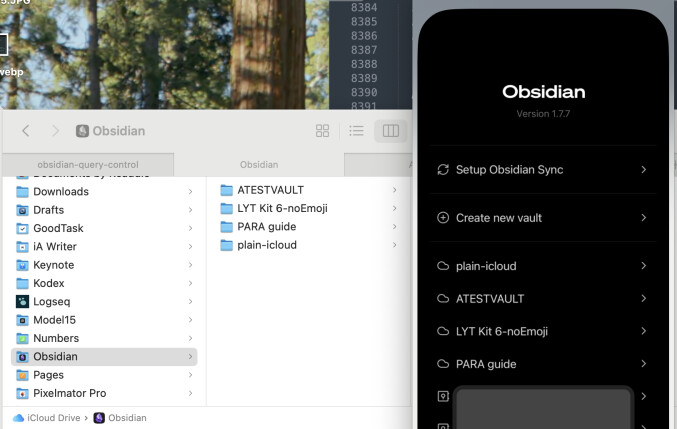
edit: grabbed an older image of mine from Finder and iOS. Here there are four vaults in the main Obsidian folder, each with their own files, folders, and .obsidian settings folder.
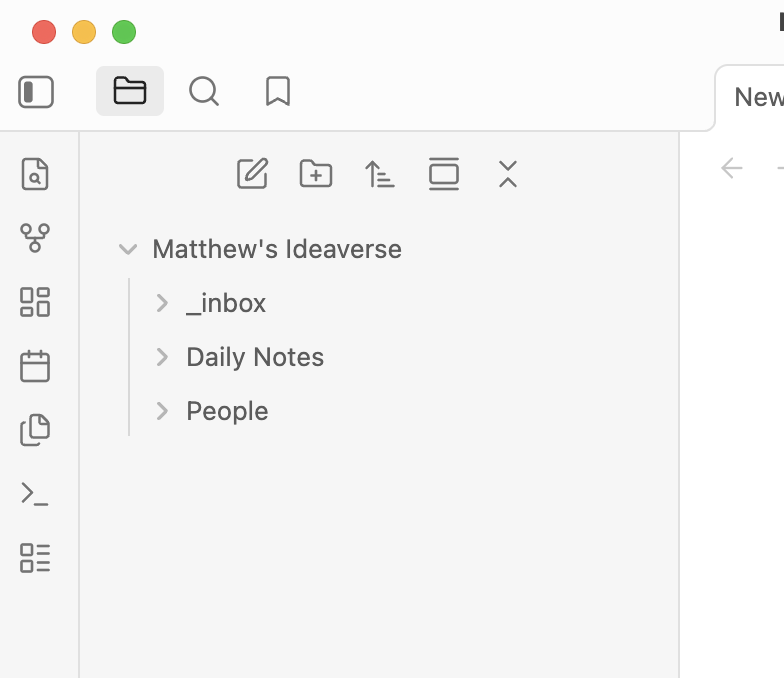
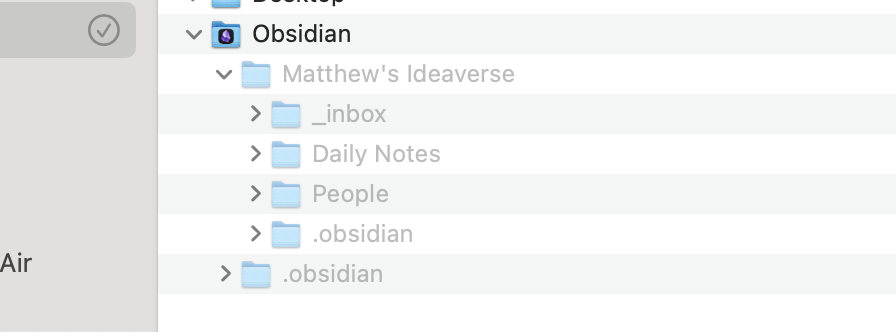
Thanks for the help! I think I just don’t know what I’m doing, but here’s what it looks like now on my Mac (see below). In Finder it has added an extra .obsidian folder (happened once I reopened the app), and inside the Obsidian app it has buried my folders one layer deeper into a folder named after the new vault folder I created. Any idea how to get my folders back on the top level in the app?
I haven’t even tried the iOS version yet. Want to make sure it’s right on the Mac side first, as I’ll likely use Mac app more than iOS app.
The other option is to scrap iCloud sync altogether and go for Obsidian sync. I don’t prefer that option since one is free and the other is not, but as I’m new to Obsidian it’s not a huge loss if I need to start fresh that way.
Your vault, Matthew’s Ideaverse, is in the correct location. Now we need to do step three above to get Obsidian on macOS reading and opening that folder as a vault.
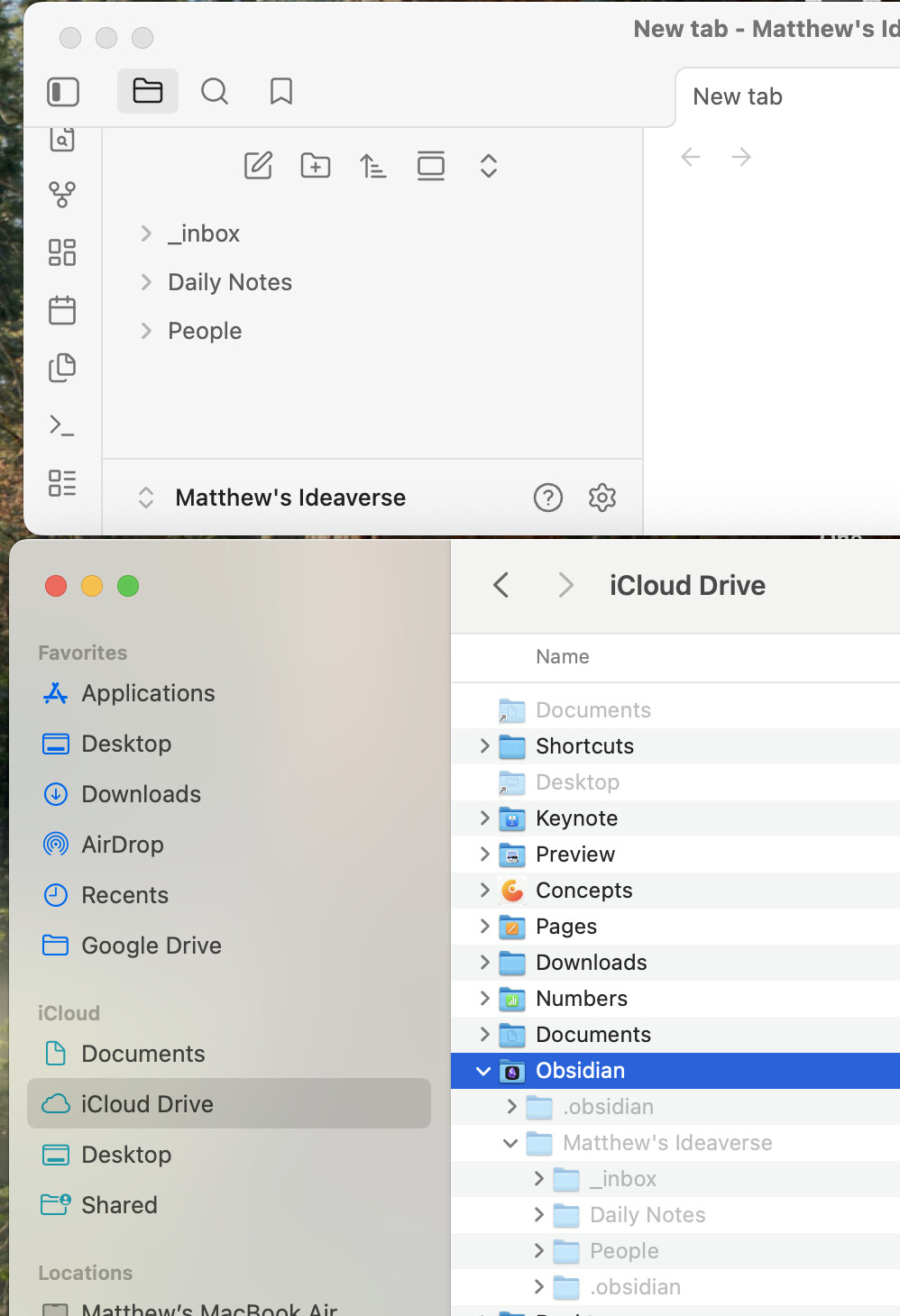
In the lower left of the left sidebar, click on “Obsidian” (in my second screen shot it’s “plain”) → Manage vaults... → Open folder as vault → have the Finder open Matthew’s Ideaverse. Obsidian will open a new vault with only your top level folders shown: inbox, Daily Notes, and People. Close the first vault.
We can remove the first “Obsidian” vault from the vault list and get rid of the extra .obsidian folder later once we’re sure things are set up properly.
Also, right click on the Obsidian folder in the Finder and make sure “Keep downloaded” is selected.
Got it. I believe I’ve done that correctly, and I’ve made sure that the Obsidian folder is toggled to “Keep downloaded.” Here’s the current state of things.