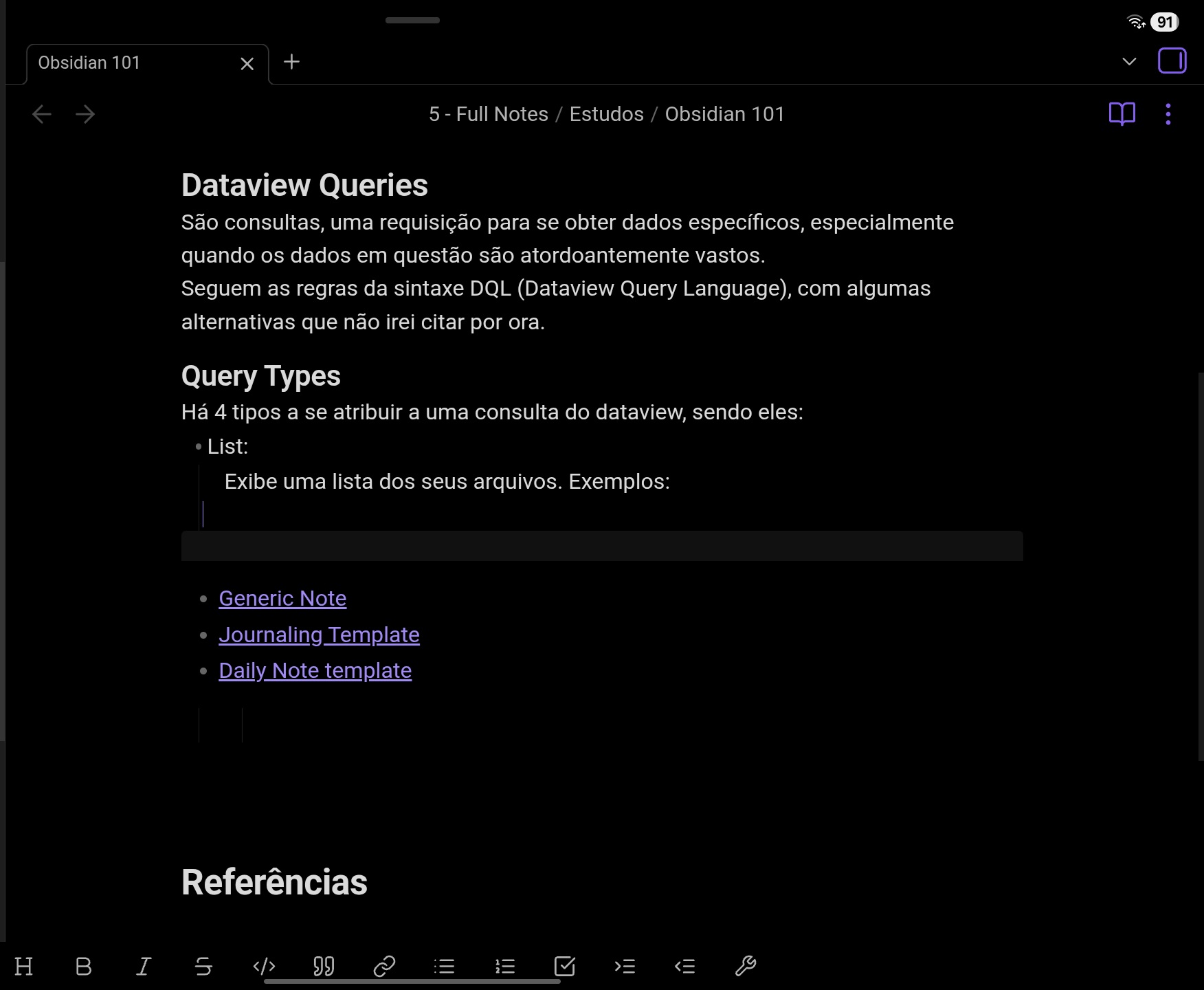
So i just starded on obsidian and went to try and make a simple query in DQL (ˋˋˋdataview
LIST
ˋˋˋ). But the thing is, obsidian will only recognize a query if i copy and paste one into my note - the ones i create myself are not detected, as if they were just plain text. Is there something i’m missing? Isn’t the syntax supposed to be enough to create a codeblock? All help is appreciated, thanks in advance.
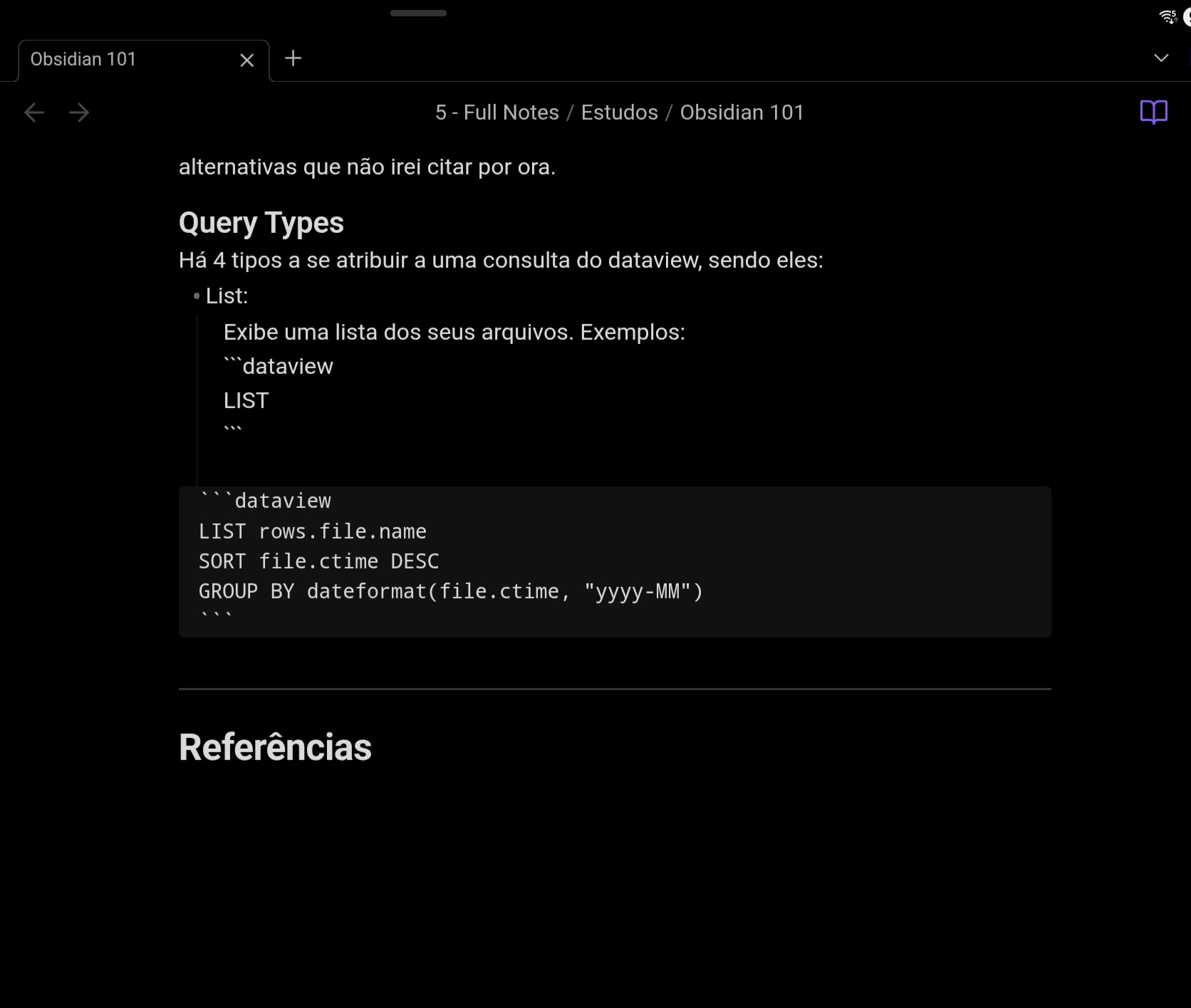
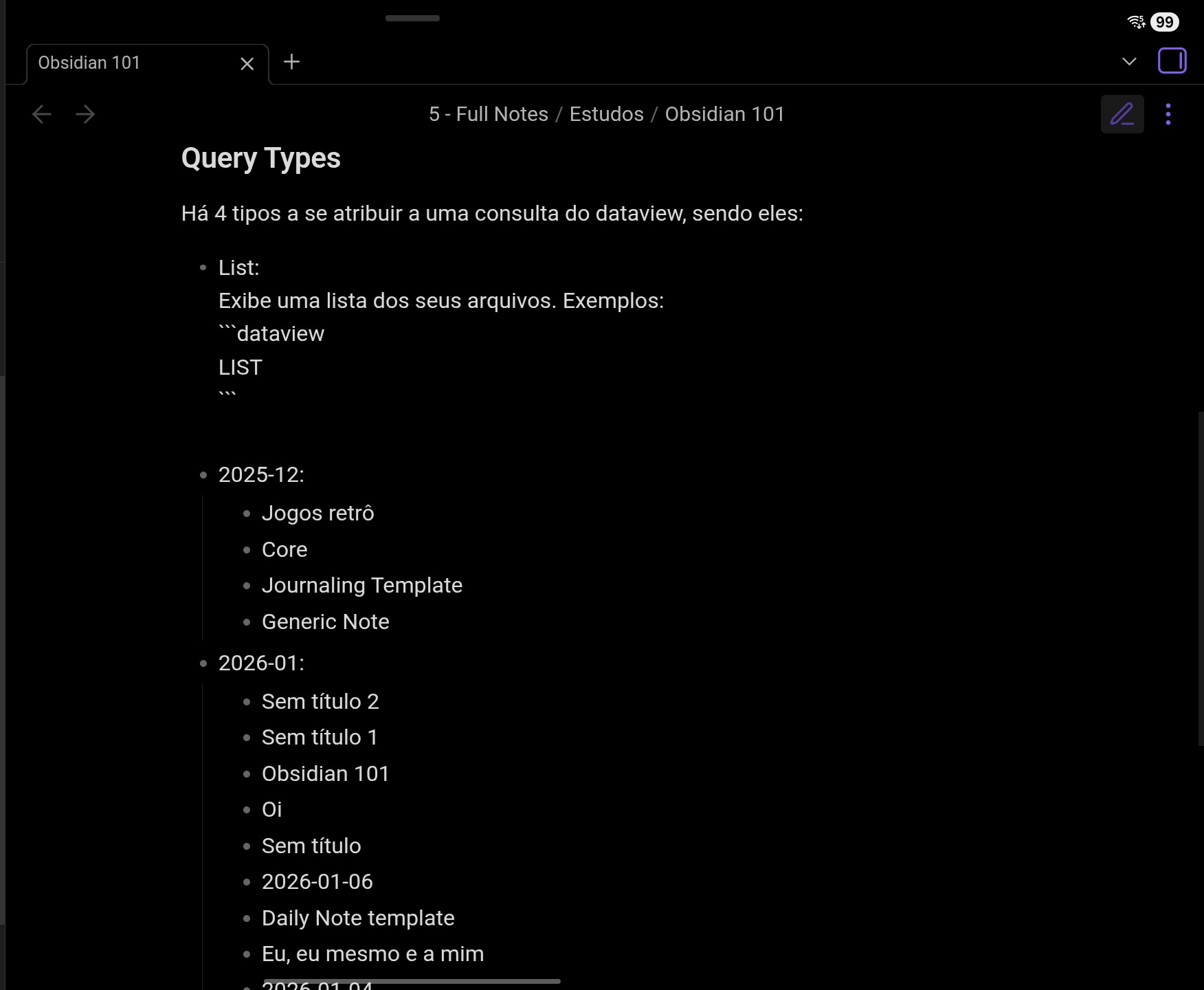
Before and after activation of the reading mode (the one i made/the one i copy&pasted from the internet):
I’m not entirely sure but I think your 1st query doesn’t work because you’re trying to add it within a list (as opposed to the 2nd query, which is just a classical DQL)
I can’t say if having a full Dataview query is supposed to work within a list or not
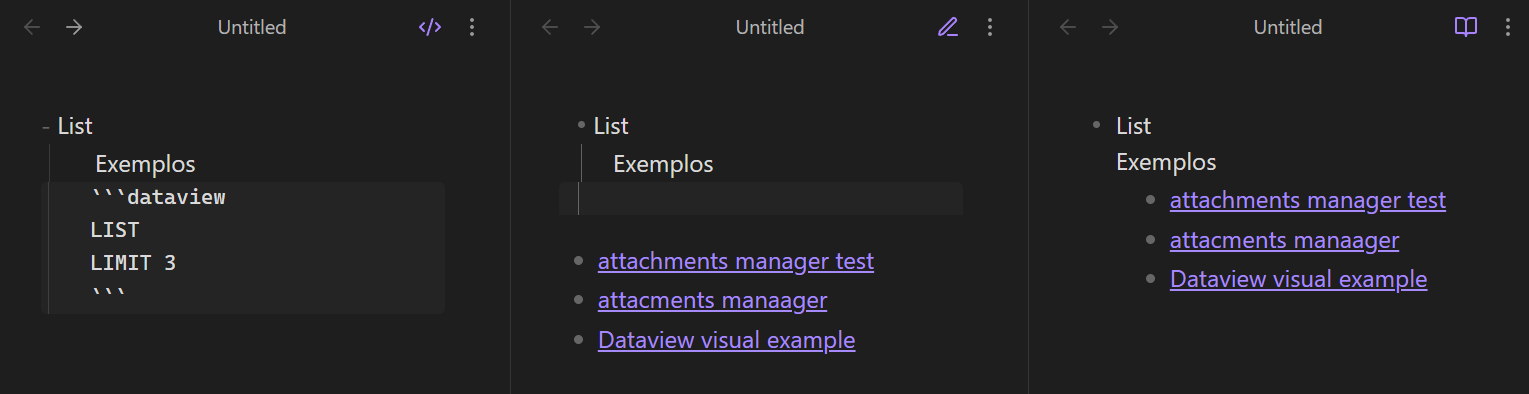
Try comparing this (which works for me) to yours to see if the number of spaces or any characters are different:
- List
    Exemplos
    ```dataview
    LIST
    LIMIT 3
    ```
Paste the above into your note to first confirm that it renders.
If it doesn’t render, then say so, because there could be a different issue at play.
If it does render, and if you can’t spot any differences or get yours to work, then you could paste your source text here in a code block so people can help you look.
Just found out what the issue is all about. You see, i am using a tablet with a keyboard and mouse - i figured maybe the keyboard could be the problem and tried to create a query without it. Worked like a charm, it even auto-closed the “ˋˋˋ“ thingies for me. Now why in the hell would that make a difference? Should be the same thing.
A collaborator of mine had the same issue, where the key that looks like the backtick on their mobile keyboard did not actually make backticks when they typed code blocks.
Thank you, that’s brilliant output. It indeed holds a different value. “U+02CB - Modifier Letter Grave Accent”. Now i don’t think there’s a way to alter my keys unicode, but i’ll look on it. Thank you so much - i would’ve never noticed this, lol.
 (as opposed to the 2nd query, which is just a classical DQL)
 Should be the same thing.