Hi everyone. I’m creating in Obsidian a “Card” for each Blessed and Saint.
In the Frontmatter, there are some fields that I will later extract using DataviewJs.
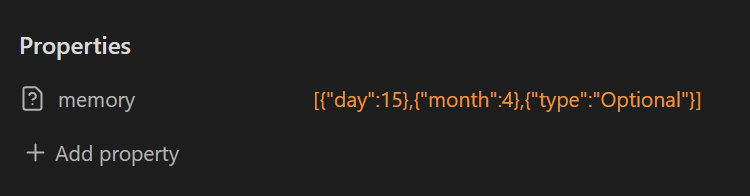
Unfortunately, I’m having difficulties with a multilayer field structured like this:
memory:
xx-xday:x1
xx-xmonth:x12
xx-xtype:x"Optional"
(I indicated EVERY empty space with an x to show the exact indentation.)
Unfortunately, Obsidian shows an orange triangle with an exclamation mark saying:
“Incorrect type. List expected.”
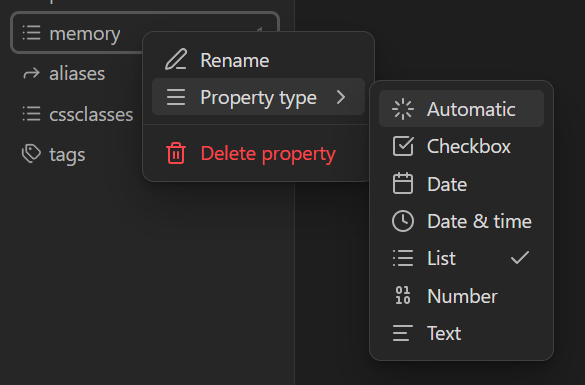
However, if I change the property type of the field to “List”, Obsidian shows [object Object] in the field instead of the values I entered.
I have tried many variations of what I posted, but all of them either return the same error or, worse, a Frontmatter structure error in red.
How can I get the correct format?
Please indicate with “x” every empty space before and after any data written.
Thank you.