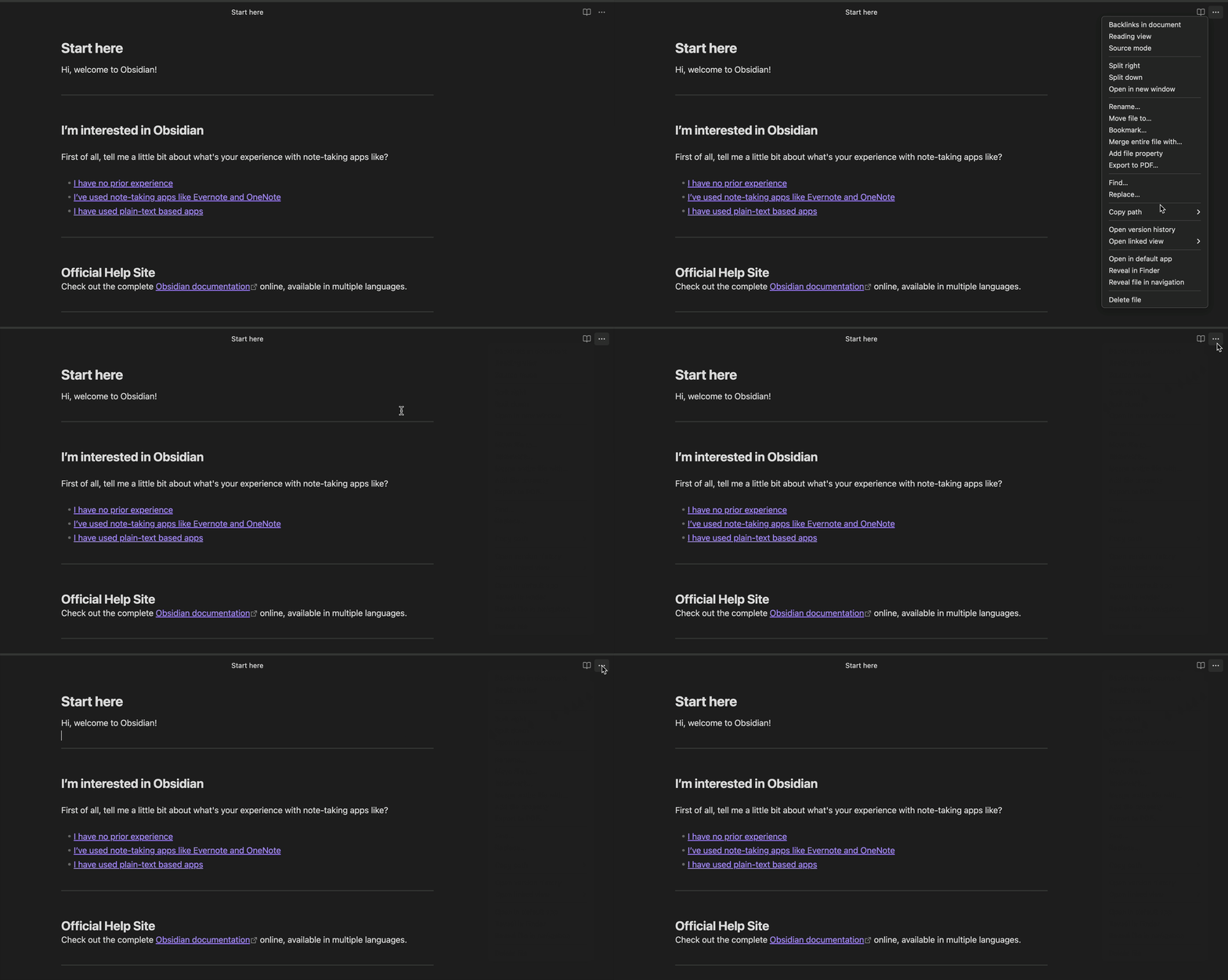
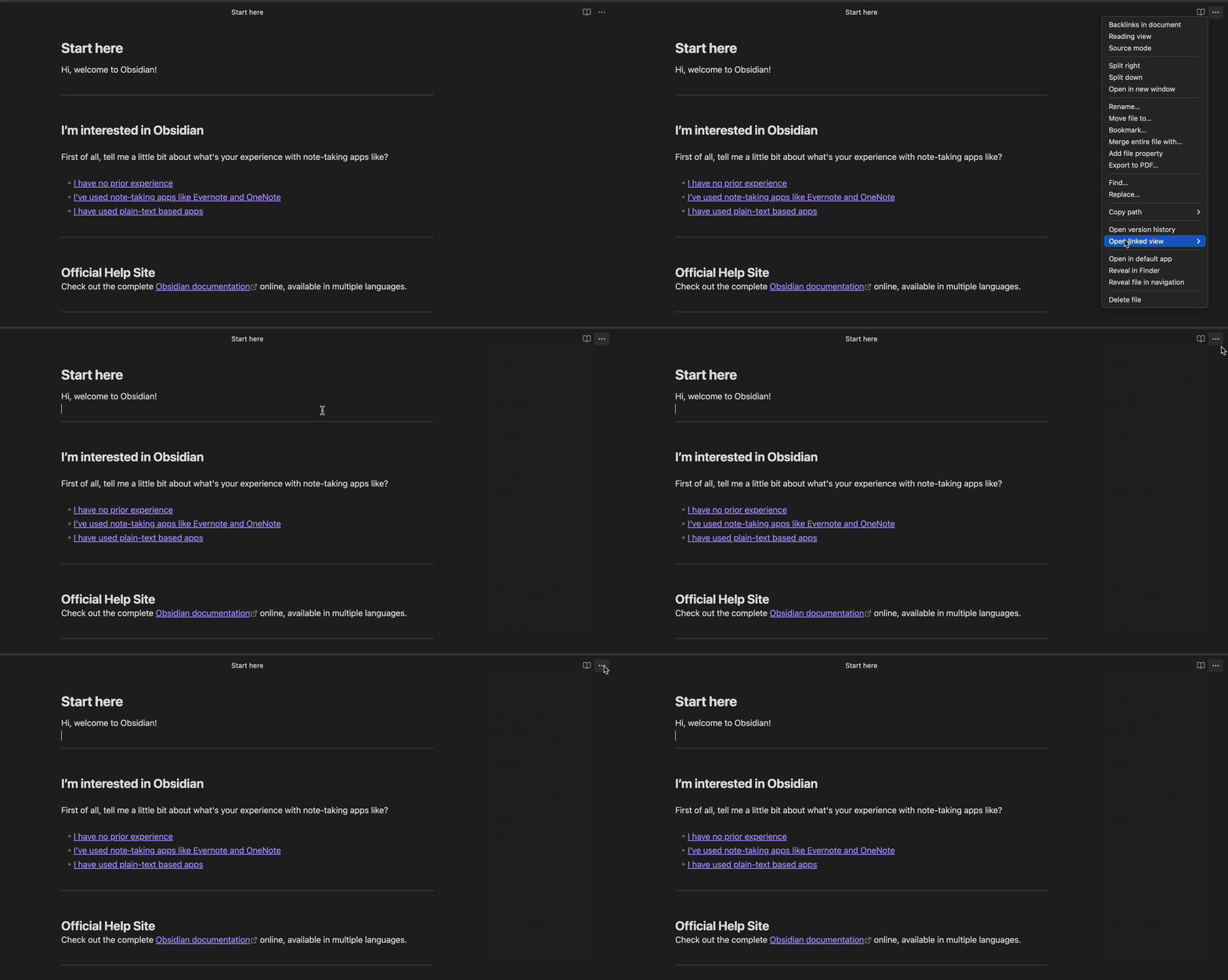
I am a brand new Obsidian user for Mac. I just downloaded and installed the app today. Local database. One note. I have done absolutely nothing except play around with the interface with a single markdown file. The little “More Options” ellipses literally stops responding to clicks. Doesnt matter what editing mode Im in. I have to quit and reopen the app to make it work again. Works for 5 minutes and goes dead again.
Did you follow the troubleshooting guide? [Y/N] Yes
Expected result
I expect for the button to work!
Actual result
Button dont work
Environment
SYSTEM INFO:
Obsidian version: 1.12.7
Installer version: 1.12.7
Operating system: Darwin Kernel Version 25.4.0: Thu Mar 19 19:30:44 PDT 2026; root:xnu-12377.101.15~1/RELEASE_ARM64_T6000 25.4.0
Login status: not logged in
Language: en
Insider build toggle: off
Live preview: on
Base theme: adapt to system
Community theme: none
Snippets enabled: 0
Restricted mode: off
Plugins installed: 0
Plugins enabled: 0
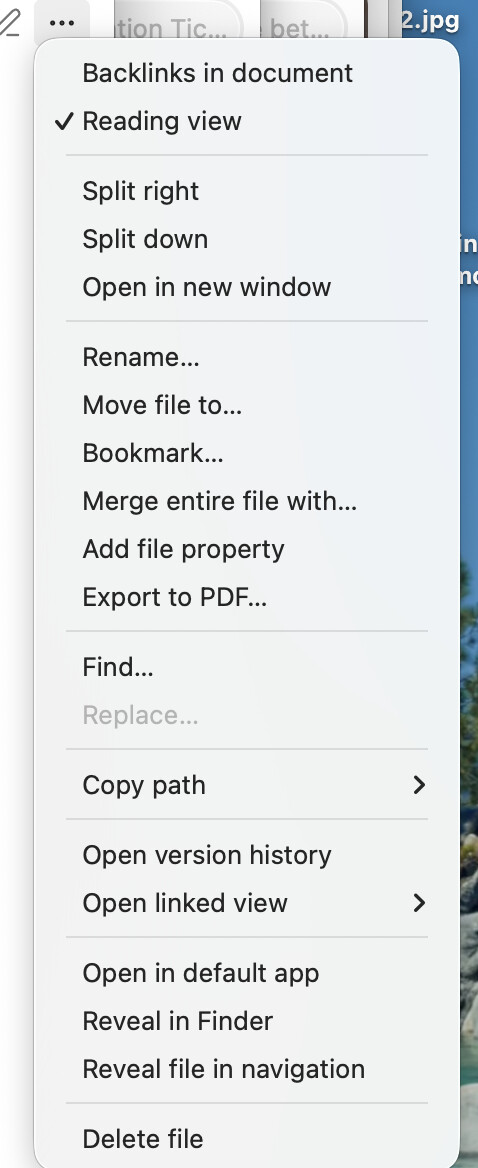
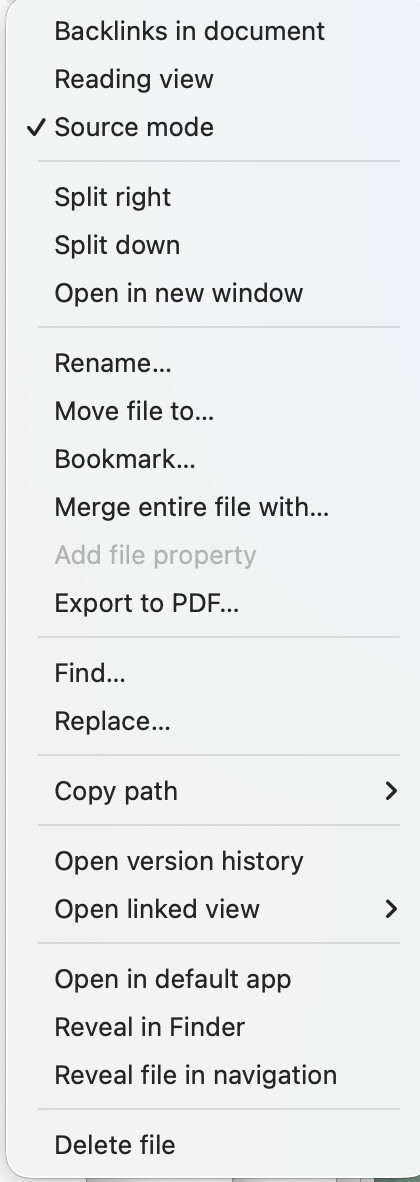
Addendum: I think it might be happening when I go back and forth between reading view and source mode. When I am in reading view, the source mode option is gone. Then when I uncheck reading view, suddenly source mode appears. I just tried it back and forth and got a spinning beachball a couple times. Def something is going on. I think I should see both options so I can toggle. Weird if one was hidden. Attaching screenshots of both types of experiences.
For the unresponsive button: Does it still happen if you disable the Native menus setting in Appearance ? .
I’m asking because I’ve ran into that before and was not able to reproduce it once Native menus was disabled… and I forgot to report it .
(It might still be something else though )
In case it might be useful : About the “stuck”/unresponsive “3 dots” (•••) menu which I can only repro when Native menu is enabled in Obsidian’s Settings > Appearance
Steps to reproduce
Open Obsidian’s sandbox vault
Click on the “3 dots” (•••) menu in the top right corner of Start here.md to open it
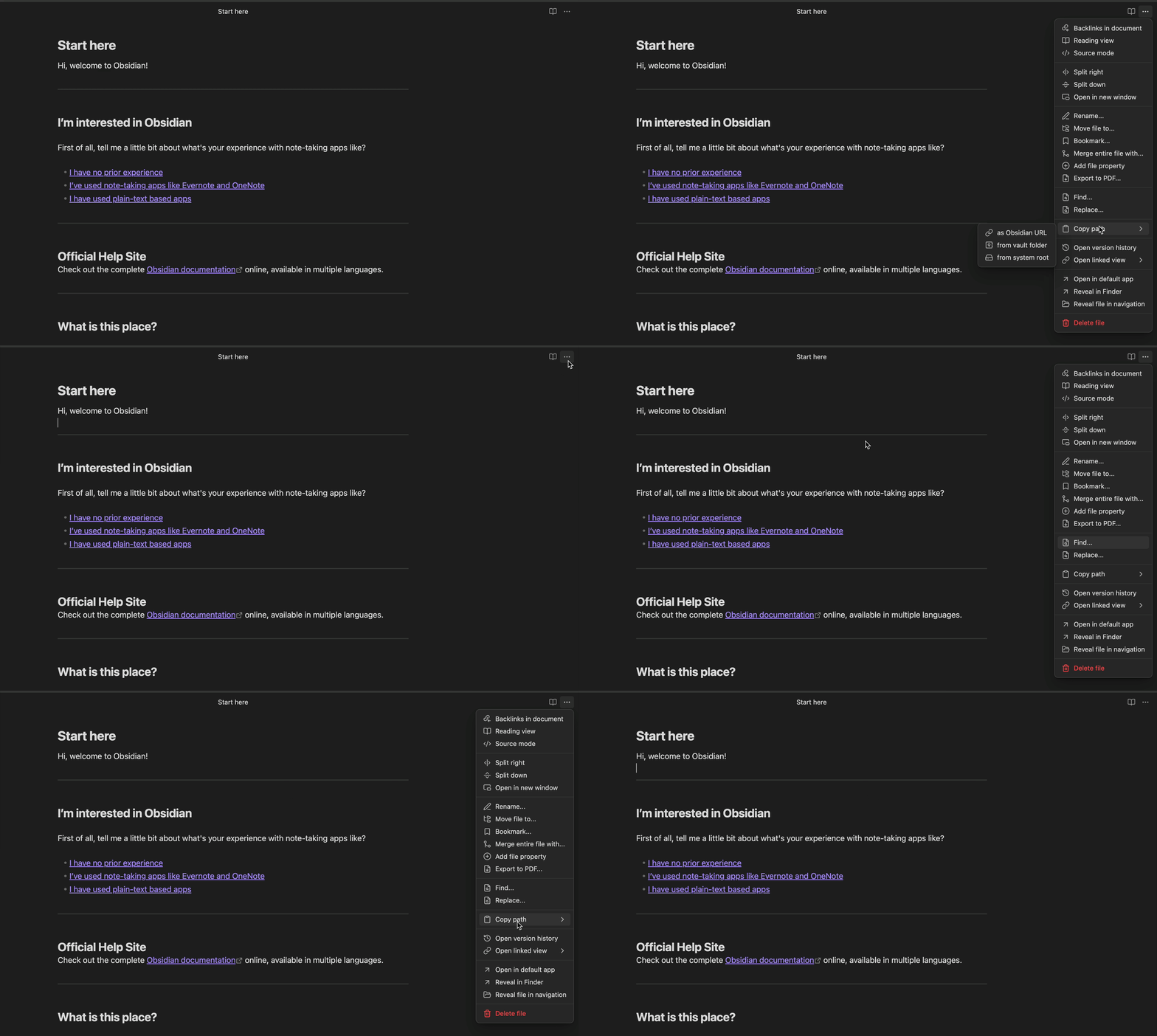
In the menu, place the pointer/cursor of your mouse either over the Copy path dropdown or the Open linked view one to see the options available
Don’t select/click on any options available in the dropdown you chose to expand in the previous step
Set the focus on the note by clicking somewhere within Start here.md while not hovering with the pointer of the mouse any of the options in the open dropdown
This closes the entire “3 dots” (•••) menu (including the dropdown)
The button appears to be stuck/unresponsive
Did you follow the troubleshooting guide? [Y/N]
Yes
Expected result
The “3 dots” (•••) menu button should still be responsive
Actual result
It seems like simply looking at the options within the Copy path dropdown or the Open linked view one and then dismissing the whole menu by clicking somewhere else, leaves the “3 dots” (•••) menu button in an active/focused state as if the button didn’t acknowledged the menu was indeed closed .
(I’m not sure if this is the clearest description … The screen-recordings below might do a better job )
Environment
SYSTEM INFO:
	Obsidian version: 1.12.7
	Installer version: 1.12.7
	Operating system: Darwin Kernel Version 24.6.0: Mon Jan 19 21:56:28 PST 2026; root:xnu-11417.140.69.708.3~1/RELEASE_ARM64_T6020 24.6.0
	Login status: logged in
	Language: en
	Catalyst license: supporter
	Insider build toggle: on
	Live preview: on
	Base theme: adapt to system
	Community theme: none
	Snippets enabled: 0
	Restricted mode: on

RECOMMENDATIONS:
	none
Additional information
It can be a bit inconsistent: I sometimes have to repeat the repro steps twice to run into the “stuck”/unresponsive “3 dots” (•••) menu button… or let the Copy path/Open linked view dropdowns open for “some time” (something like 1 second maybe ? )… Especially in a brand new instance of the sandbox vault when the Start here.md note is open but not necessarily focused on (i.e.: after dismissing the sandbox vault notice by clicking on it and the cursor hasn’t been set on it yet). But once it starts to happen, it doesn’t stop (Maybe I wasn’t careful enough in my various tests to not hover the options in the dropdown with the pointer of my mouse though )
Sometimes, I’m not able to repro by discarding the whole menu hitting Esc on the keyboard … But it seems to depend on where the pointer of the mouse currently stands in the menu
Closing and reopening the note with the stuck/unresponsive “3 dots” (•••) menu button seems to make the menu usable again
I’m not able to repro at all, as soon as Native menus is disabled in Appearance
Screen-recording 1:
In a brand new instance of the sandbox vault, Native menus is enabled: I click on the “3 dots” (•••) menu button, it opens, I hover the Copy path dropdown which expands, while not hovering any of the options, I set the focus on the note → Menu closes → Button is stuck/unresponsive
Screen-recording 2:
Same as previously but with the Open linked view dropdown
Screen-recording 3:
In a brand new instance of the sandbox vault in which Native menus has been disabled → No issue
Right ok but shouldn’t it be a toggle between Source mode and Reading view? Right now it’s set up as “reading view on or off” instead of “reading view or source mode”. It’s a bit weird. Just give me two options at all times that I can choose between no? Like is the absence of Reading View never not source mode?
The absence of Reading View is not always Source Mode. There is Reading View and Editing View. Editing View has 2 modes: Live Preview (the default) and Source Mode. Views and editing mode - Obsidian Help
How does the bug report to fix pipeline work around here? Do bugs mostly just pile up and people use around them or do they genuinely get worked through in some kind of manner?
If the Obsidian team can reproduced the reported bug (I think), they do get worked on, at some point (see Bug graveyard or the “bug fixes” section in the releases in the changelog) …
We’re never given any ETA though .
Only sometimes, WhiteNoise will say that said bug will be fixed in x.y.z release of Obsidian .
WhiteNoise being the member of Obsidian’s team managing/tracking the bug reports (and possibly feature requests) out here.
 .
. .
. )
) .
.