Summary
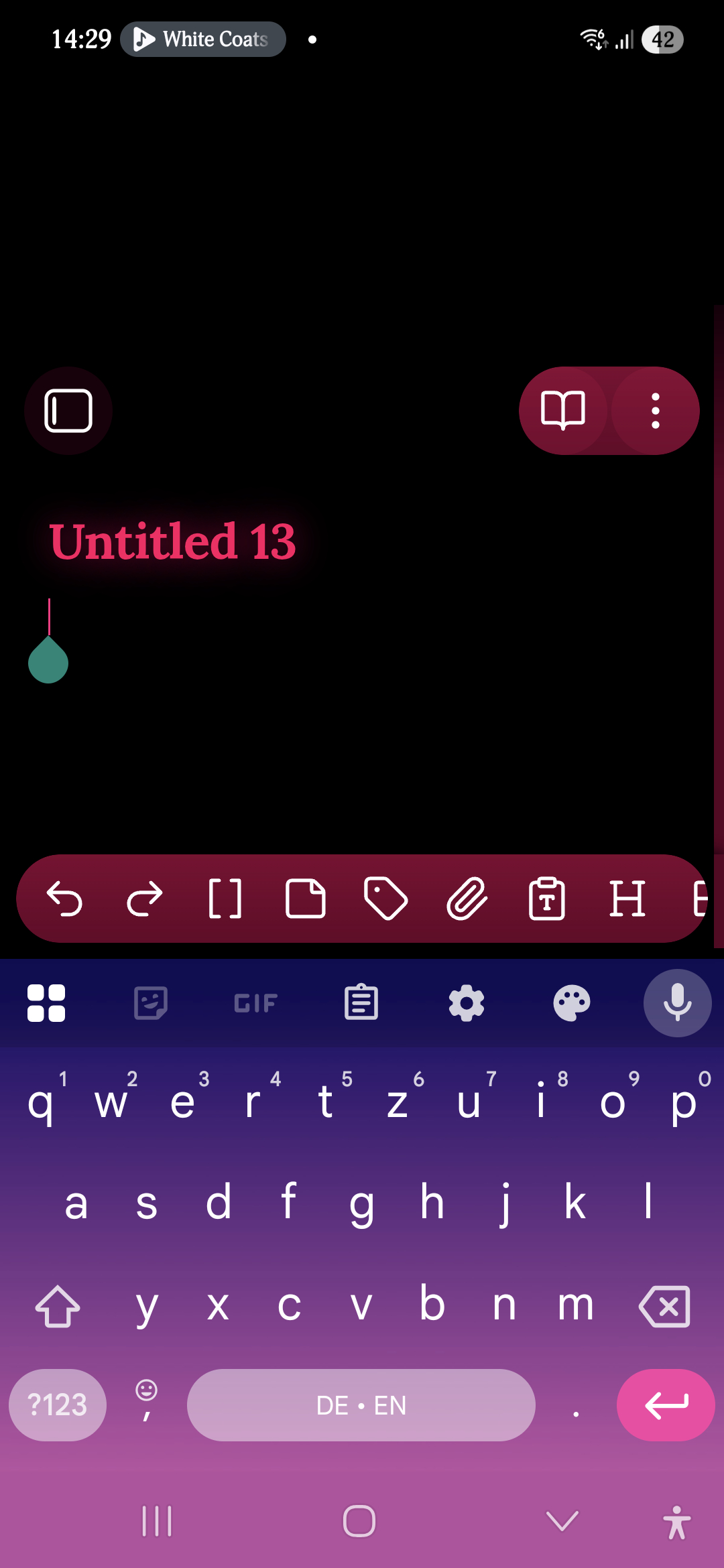
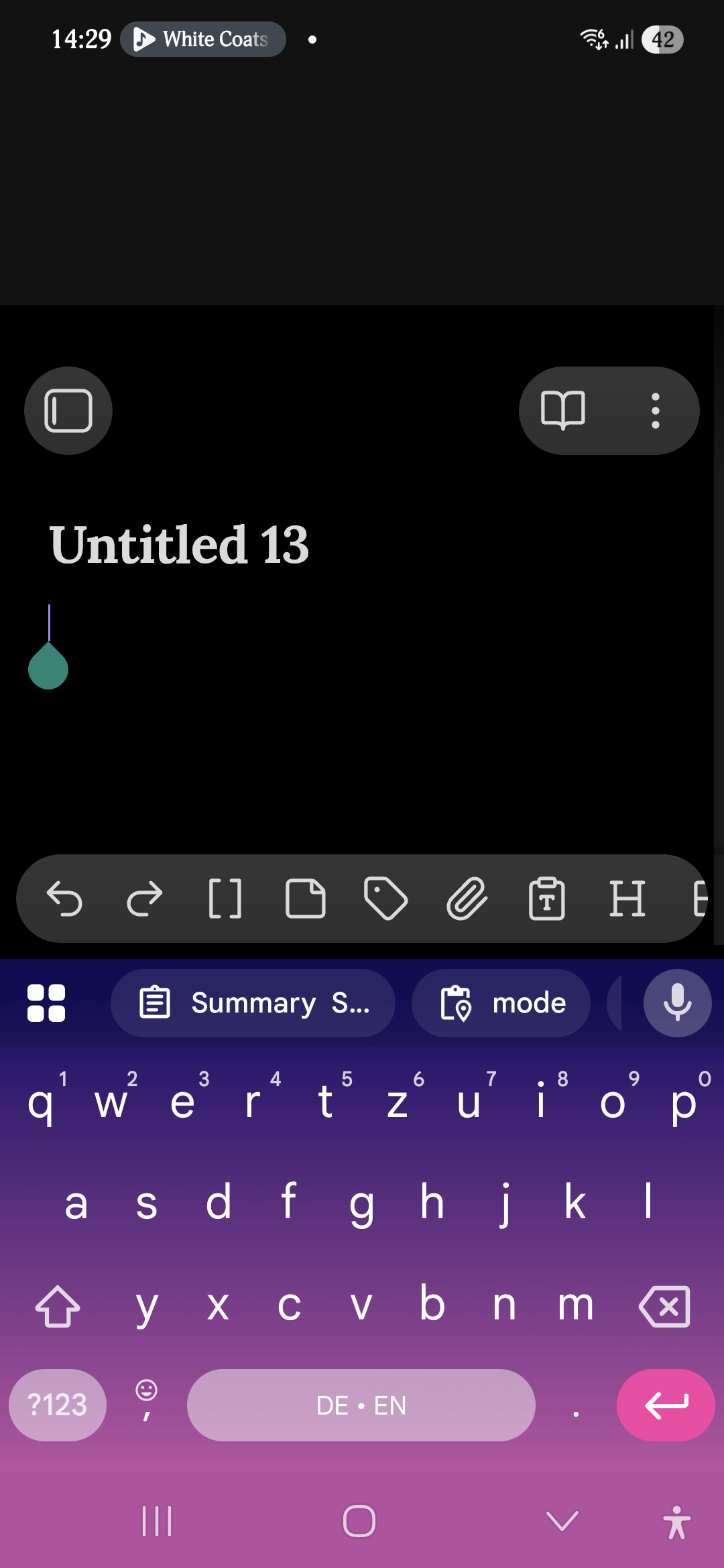
Since updating Obsidian Mobile, opening the keyboard creates a large blank black area above the note title, pushing the note content downward. This happens even in the default theme and in Restricted mode.
Tested conditions
- Default theme: issue present
- Custom theme: issue present
- Restricted mode: issue present
- Gboard: issue present
- Completely new vault: issue present
Notes
Because the issue is reproducible in the default theme and in Restricted mode, it does not seem related to custom CSS, community plugins, or theme-specific layout behavior.
I have attached screenshots showing the issue, including one from the default theme.
Steps to reproduce
1. Open Obsidian Mobile
2. Open any note
3. Tap into the editor to open the keyboard
4. Observe the top portion of the screen
Did you follow the troubleshooting guide? [Y/N]
Yes
Expected result
Opening the keyboard should resize the editor normally without introducing a large empty space at the top of the screen.
Actual result
When the on-screen keyboard opens, a large blank black region appears above the note title. The note is visually shoved downward into the middle of the screen.
Environment
- Obsidian Mobile 1.12.7 (latest as of today)
- Installed from Google Play Store
- Android 16
- One UI 8.0
- Samsung Galaxy A56 5G
Additional information
Screenshots
Default Theme:
Custom Theme: