Steps to reproduce
- In Obsidian, open the Sandbox Vault
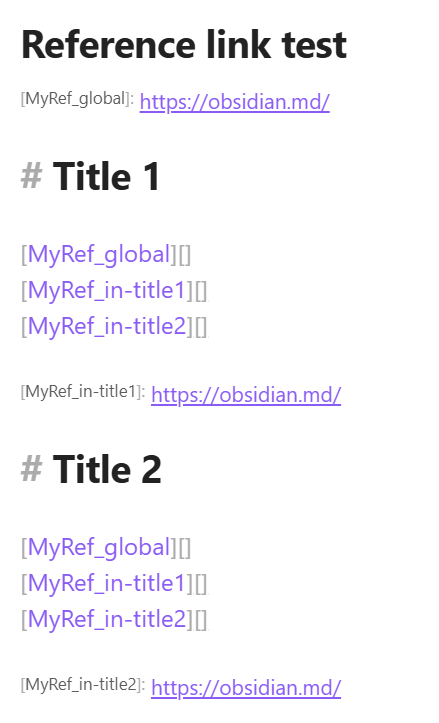
- Add a new note with the following structure:
[MyRef_global]: https://obsidian.md/

# Title 1

[MyRef_global][]
[MyRef_in-title1][]
[MyRef_in-title2][]

[MyRef_in-title1]: https://obsidian.md/

# Title 2

[MyRef_global][]
[MyRef_in-title1][]
[MyRef_in-title2][]

[MyRef_in-title2]: https://obsidian.md/
- Add a new canvas in the Vault
- In the canvas, add a “Note from Vault” and select the previously created note
- Right-click on the card → “Narrow to heading” then select wether ‘Title 1’ or ‘Title 2’
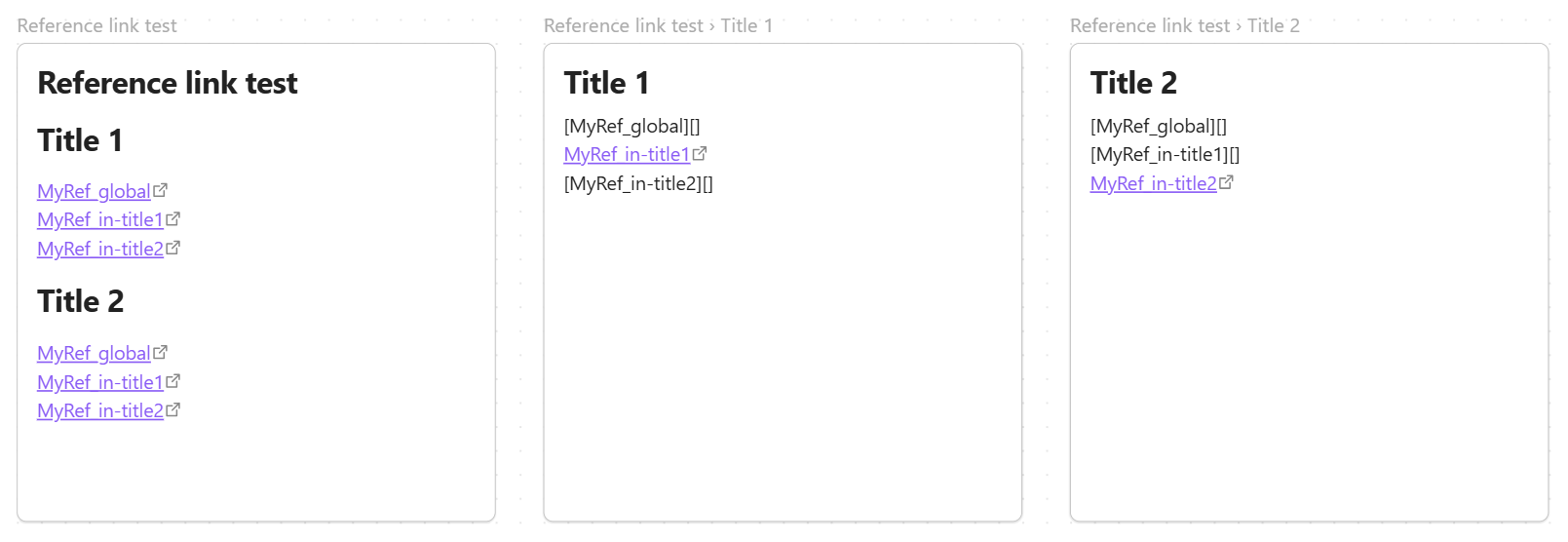
- See the behaviour of Reference-Style links: Only the in-section defined link is clickable
Did you read and follow the Troubleshooting Guide ? Yes
Expected result
In the Canvas cards, defined reference-style links in imported note should be allways clickable, since reference-links and generally defined at document scale instead of section scale.
Actual result
Only in-current section defined reference-links are clickable, when the card is “Narrow[ed] to heading”.
Environment
SYSTEM INFO:
	Obsidian version: 1.15.0
	Installer version: 1.15.0
	Operating system: Windows 11 Enterprise 10.0.22631
	Login status: not logged in
	Language: en
	Insider build toggle: off
	Live preview: on
	Base theme: adapt to system
	Community theme: none
	Snippets enabled: 0
	Restricted mode: on

RECOMMENDATIONS:
	none
Additional information
Created note in Vault:
Different cards in canvas with full note, narrowed to ‘Title 1’ and narrowed to ‘Title 2’, respectively.