Disclaimer
Is this project open source? Yes
Is this project completely free? Yes
Is this project vibe-coded beyond the author’s ability to comprehend how it works? No
Community Directory:[marco-polo](https://community.obsidian.md/plugins/marco-polo)
I’ve often found myself wanting to quickly add a clickable link to a local file when dashing off a note in Obsidian — without any digging around or worrying about typos.
Presenting here Marco Polo. Easier to use than to describe: just type a filesystem path inside backticks. Marco Polo validates it live, autocompletes as it is typed, and turns valid paths into clickable links that reveal or open them in the file manager.
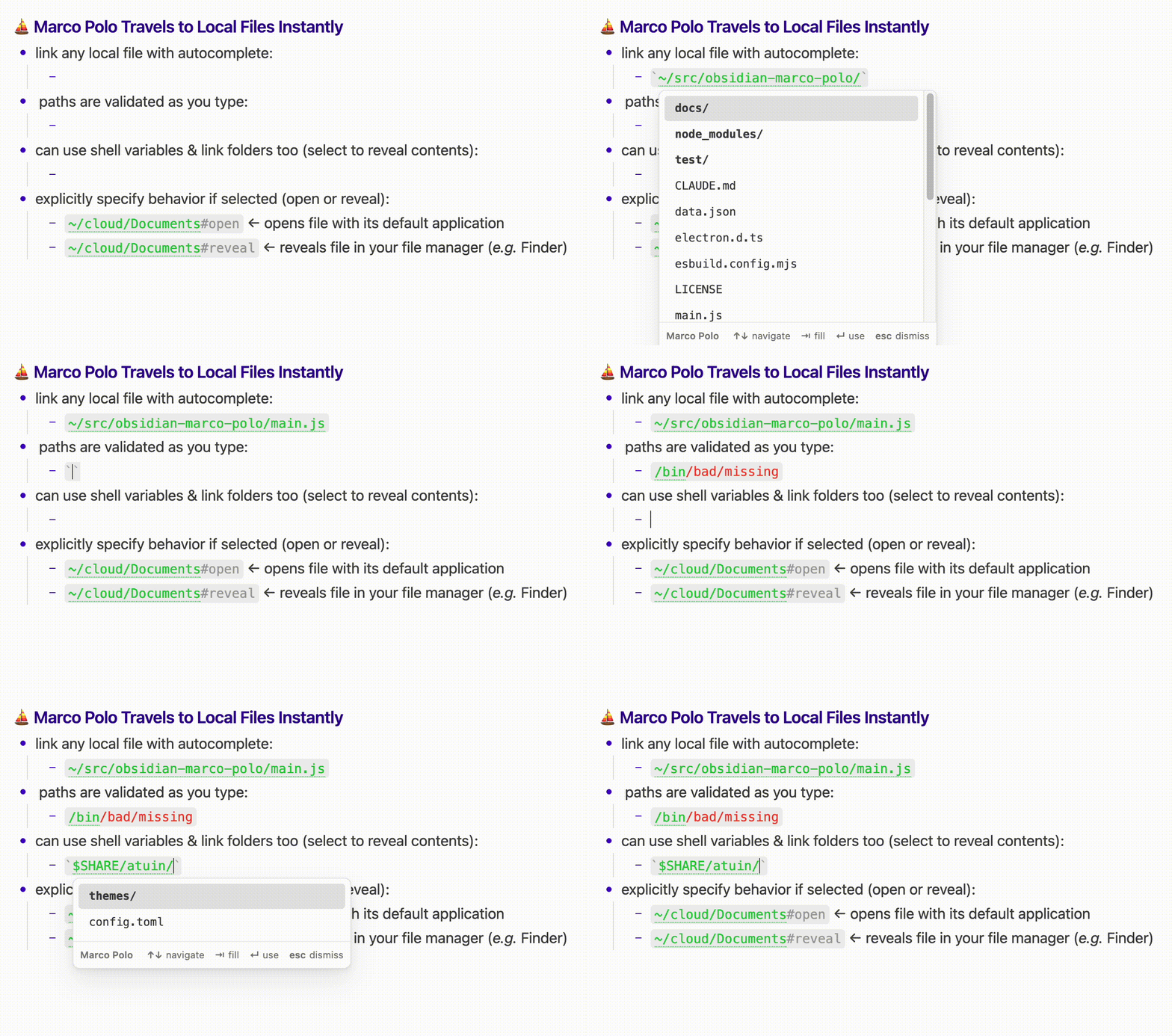
These all work:
- `/path/to/something`
- `~/something_in_your_home_dir`
- `$SOME_SHELL_VARIABLE/file.txt` (if optional shell variable expansion is on)
- `/path/to/some/directory/`
Valid paths show in green (configurable); bad paths show up in red until corrected.
Autocomplete dropdown: up/down to browse, Enter/Tab to accept, Esc to dismiss. Directories sort first.
Command “Marco Polo: Insert local path…” opens a drill-down picker and inserts it as a backtick span.
Per-link override: append #open or #reveal inside the backticks to override the default file action:
- `/click/to/open/this/file#open`
- `/click/to/show/containing/directory/of/file.txt#reveal`
- `/click/for/default/behavior/for/this/file`
Needs file system access to validate paths and identify subfolders, but Marco Polo will never read your files or write anything.