Understood - I wish you good luck with the project & might well be “borrowing” some of your categorization ideas to build my own - personal - Google Spreadsheet or more likely just restructure my existing Chrome Bookmarks Plugins folder hierarchy.
I can see you get into the Airtable database. You have “Editor” privilege by which you can comment on records, edit records and views. Feel free if you want to take copy into your own spreadsheet if you want.
If you have better categorization, let me know.
Actually, last 2 days, I observed that plugins list increase around 6-8 plugins everyday, so I spent some hours yesterday to build a python script to automatically update plugins list in Airtable database from the Obsidian community json. It’s almost 90% done.
I can think  of some python AI script, in the future, to automatically categorize new plugins learning from existing list, but this may take some time. But it’s interesting, right?
Actually I found the whole exercise interesting, going through every plugins, trying to understand its function and hence I build my own interesting list of plugins in “My Plugins” table which reach 200+ out of ~300 
thanks, I just did so using Coupler.io
I am new to Obsidian - only since the general Mobile release.
I have about 50 plugins installed but only a few enabled at any time so as to avoid conflicts - my “try next” plugin list is growing and I had been deliberating on how to best categorize them when I saw your post.
Apart from suggested plugins from Bryan Jenks, Nick Milo & the weekly Obsidian Roundup I also had been searching the “Obsidian community json” to find plugins - your python script will be a great asset.
"…some python AI script, in the future, to automatically categorize…¨ interesting indeed 
I’m mainly focusing on learning Obsidian Dataview & Logseq’s Datalog right now.
1 Like
Thanks for sharing Coupler.io, I find it interesting 
I like “Try Next” idea, I will use it to update my interesting list workflow, now it will be like:
1 Not Interested
2 Interested
3 Try Next
4 Installed (and not enabled)
5 Enabled (and not used)
6 Used
which can be found in “My Plugins (don’t do changes here please)” table 
2 Likes
Here is the script: Update "P-Obsidian Plugins Categorization" Airtable database with "Obsidian.md Community Plugins" · GitHub
I’ll run it, manually, every now and then to update the Airtable database and categorize the new plugins. It could be hosted on any serverless FaaS to run automatically once a day but I don’t have any for now.
hi, here is a discussion you might want to get involved in …
1 Like
FYI, I’ve collected all the scripts, links into 1 github repo: GitHub - ramisedhom/obsidian-plugins-categorization: The purpose of this project is to categorize the Obsidian.md community or third-party plugins. This effort is mainly to help myself and others to find the proper plugin for personal needs..
1 Like
thanks
I’m moving the Obsidian Plugins Categorization from Airtable to Seatable for larger number of records and better collaboration.
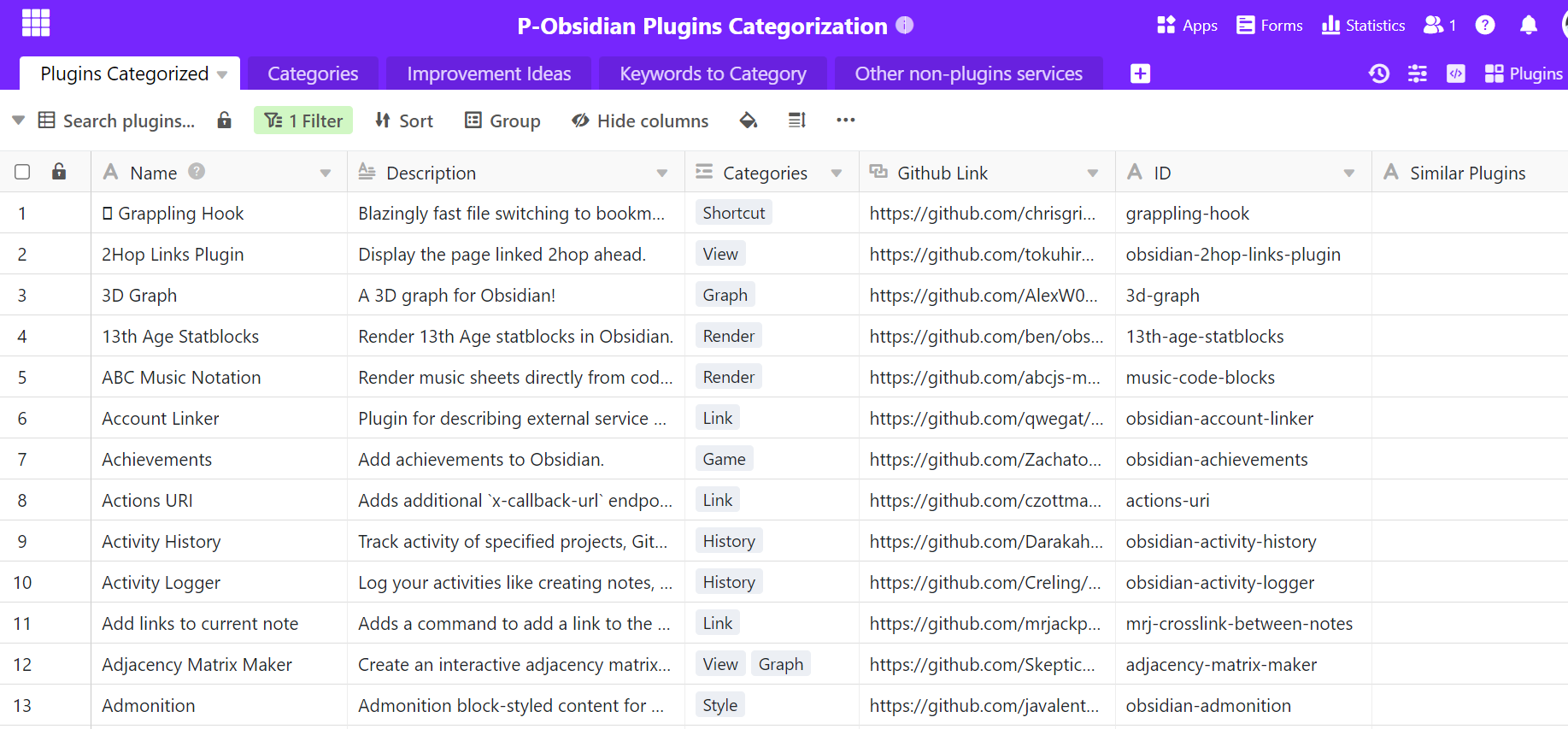
1 Like
The plugin store will soon have 500 plugins. It might be the time to introduce some kind of categorization system to it.
1 Like
Use case or problem
Right now, there is more then 2.500 community plugins available.
And it only grows. Finding anything among them dose not gets any easers.
Some, do have descriptive names that are easy to search, but it is not good enough.
Keyword search, often stumbles over unexpected synonyms, and they do not allow finding better solutions, you have not thought about at all.
Current workarounds
Just scroll… scroll and hope to find something. Well, it worked when there was less plugins, but it is not a real solution on any way.
Proposed solution
There are many ways to go around that.
Hiding plugins would be really nice.
Categories are good too.
Tags are probably too much, but it is also an option.
Ability to bookmark would also be great.
Connected topics
I do know that there is [this topic(Community plugin search enhancement by including searchable github repo name and obsidian plugin name)
already existing, but it is really old, in times when there was five times less plugins.
Some older messages do offer some fixes, but none of them are seamless.
And that is a very big problem. It is not that it dose not work. Community plugins are great.
But that it gets harder and harder to work with them.
Use case or problem
When I move through the community plugins browser, I don’t want to see plugins with non-local AI/LLM features. This is becoming increasingly difficult as more plugins feature corporate “AI assistants” and integrations.
Proposed solution
Give plugin creators a way to flag their plugins as containing generative AI tools/APIs, and let end users optionally filter these plugins out from the plugin browser and its search results.
3 Likes
Hey, just chiming in! I wonder if anyone else considers it useful to think of plugins as categorised into two types:
- read-only plugins – e.g., UI/UX features, visualisations, query, search, and other extensions that never modifies existing notes.
- read-write plugins – ones that can modify notes like special formatting tools, for example.
Perhaps this is a non-problem for people who keep versioned backups (git?), but I think it would be super useful as a non-git-savvy user if I’m assured that installing a plugin won’t modify the contents any of my notes.
Just curious if anyone else has opinions or thoughts on this!
3 Likes