Steps to reproduce
Open sandbox vault
Enable core plugin “Web viewer”
Enable translucent window
- Open a note with a url (I used https://tasktrove.io/ in my example here)
- Open a the url (which opens web viewer core plugin)
- Drag the web viewer tab to the right (split right)
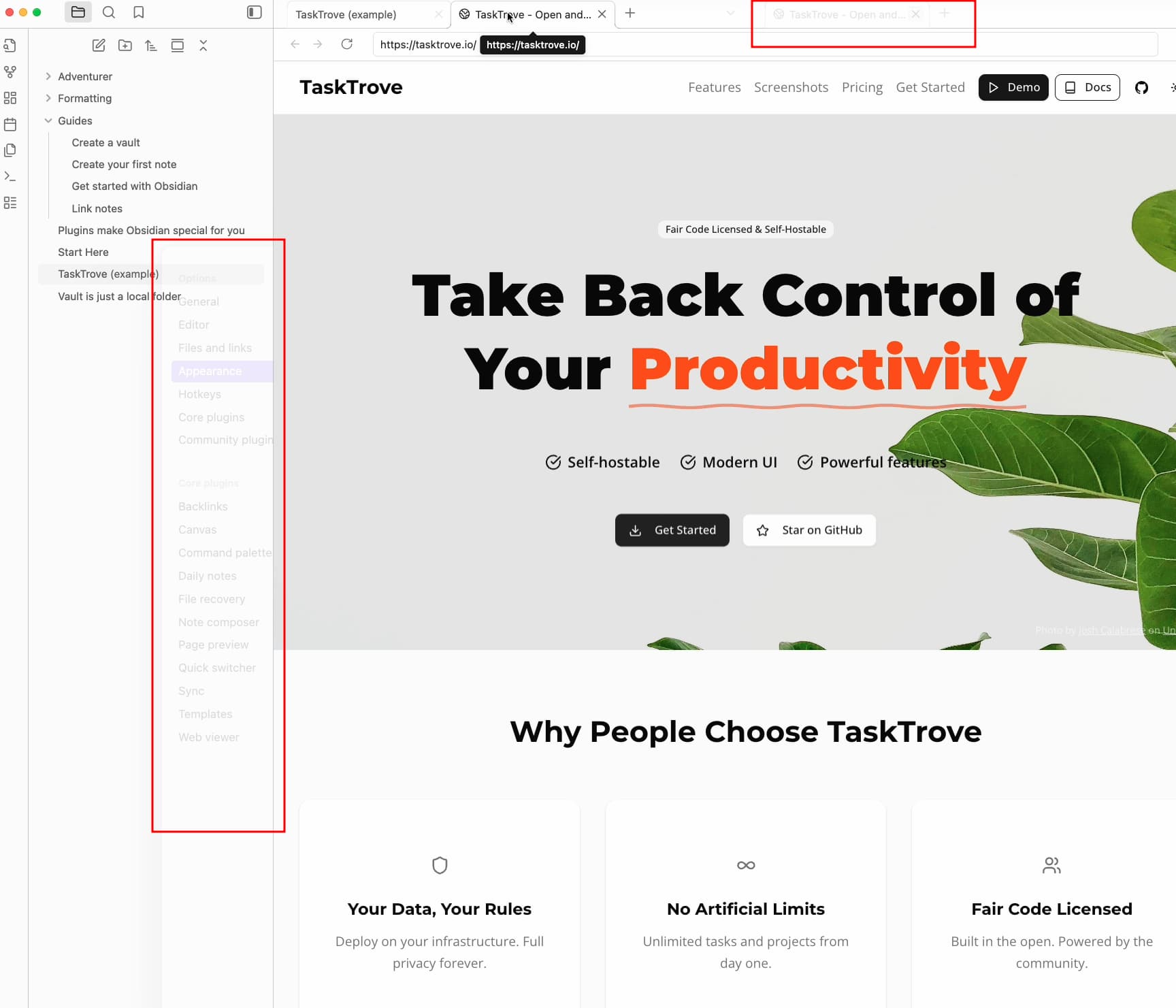
- Notice “visual artifacts” in the sidebar/topbar/window when web viewer is “open” and translucent window is enabled.
Note:
- If web viewer is closed, issue stops.
- If translucent window is disabled (default), no issues is seen.
Expected result
No visual bugs when Web viewer is open and translucent window is enabled
Actual result
Visual bugs when using Obsidian in combination with Web viewer (core plugin) and translucent window.
Environment
SYSTEM INFO:
Obsidian version: v1.9.11
Installer version: v1.9.10
Operating system: Darwin Kernel Version 24.6.0: Mon Jul 14 11:30:40 PDT 2025; root:xnu-11417.140.69~1/RELEASE_ARM64_T6041 24.6.0
Login status: logged in
Language: en
Catalyst license: supporter
Insider build toggle: on
Live preview: on
Base theme: adapt to system
Community theme: none
Snippets enabled: 0
Restricted mode: off
Plugins installed: 0
Plugins enabled: 0
RECOMMENDATIONS:
none
Additional information
Sample screenshot (from video). Note that the visual artifacts seems to be “random”, but maybe limited to sidebar/topbar?)