Steps to reproduce
- On macOS, open multiple Obsidian vaults.
- Quit Obsidian using
Cmd+Q. - Right-click the Obsidian icon in the Dock.
- Select a specific vault to open from the context menu.
Did you follow the troubleshooting guide? [Y/N]
Y
Expected result
Only the selected vault should open. The application should not restore all previously closed vaults.
Actual result
Instead of opening only the selected vault, the application re-opens all the vaults that were previously closed.
Environment
I suspect this bug only happens when using multiple vaults, so I didn’t use the Sandbox vault.
SYSTEM INFO:
	Obsidian version: v1.11.1
	Installer version: v1.10.6
	Operating system: Darwin Kernel Version 25.1.0: Mon Oct 20 19:26:04 PDT 2025; root:xnu-12377.41.6~2/RELEASE_ARM64_T8122 25.1.0
	Login status: logged in
	Language: en
	Catalyst license: insider
	Insider build toggle: on
	Live preview: on
	Base theme: adapt to system
	Community theme: none
	Snippets enabled: 1
	Restricted mode: off
	Plugins installed: 28
	Plugins enabled: 22
		1: Templater v2.16.2
		2: Style Settings v1.0.9
		3: Link Embed v2.9.2
		4: Iconic v1.1.4
		5: Folder notes v1.8.17
		6: Table of Contents v0.2.0
		7: Custom Node Size v1.0.0
		8: Dynamic Outline v1.19.0
		9: Commander v0.5.4
		10: Slash Commander v0.3.7
		11: Open Plugin Settings v1.3.5
		12: Callout menu v1.2.3
		13: Callout Manager v1.1.0
		14: Hide Sidebars on Window Resize v1.1.0
		15: Advanced Canvas v5.5.0
		16: Tasks v7.21.0
		17: Latex Suite v1.9.8
		18: Outliner v4.9.0
		19: Image Converter v1.3.15
		20: Linter v1.30.0
		21: AnyBlock v3.3.2
		22: Callout Suggestions v1.0.2

RECOMMENDATIONS:
	Custom theme and snippets: for cosmetic issues, please first try updating your theme and disabling your snippets. If still not fixed, please try to make the issue happen in the Sandbox Vault or disable community theme and snippets.
	Community plugins: for bugs, please first try updating all your plugins to latest. If still not fixed, please try to make the issue happen in the Sandbox Vault or disable community plugins.

```
Additional information
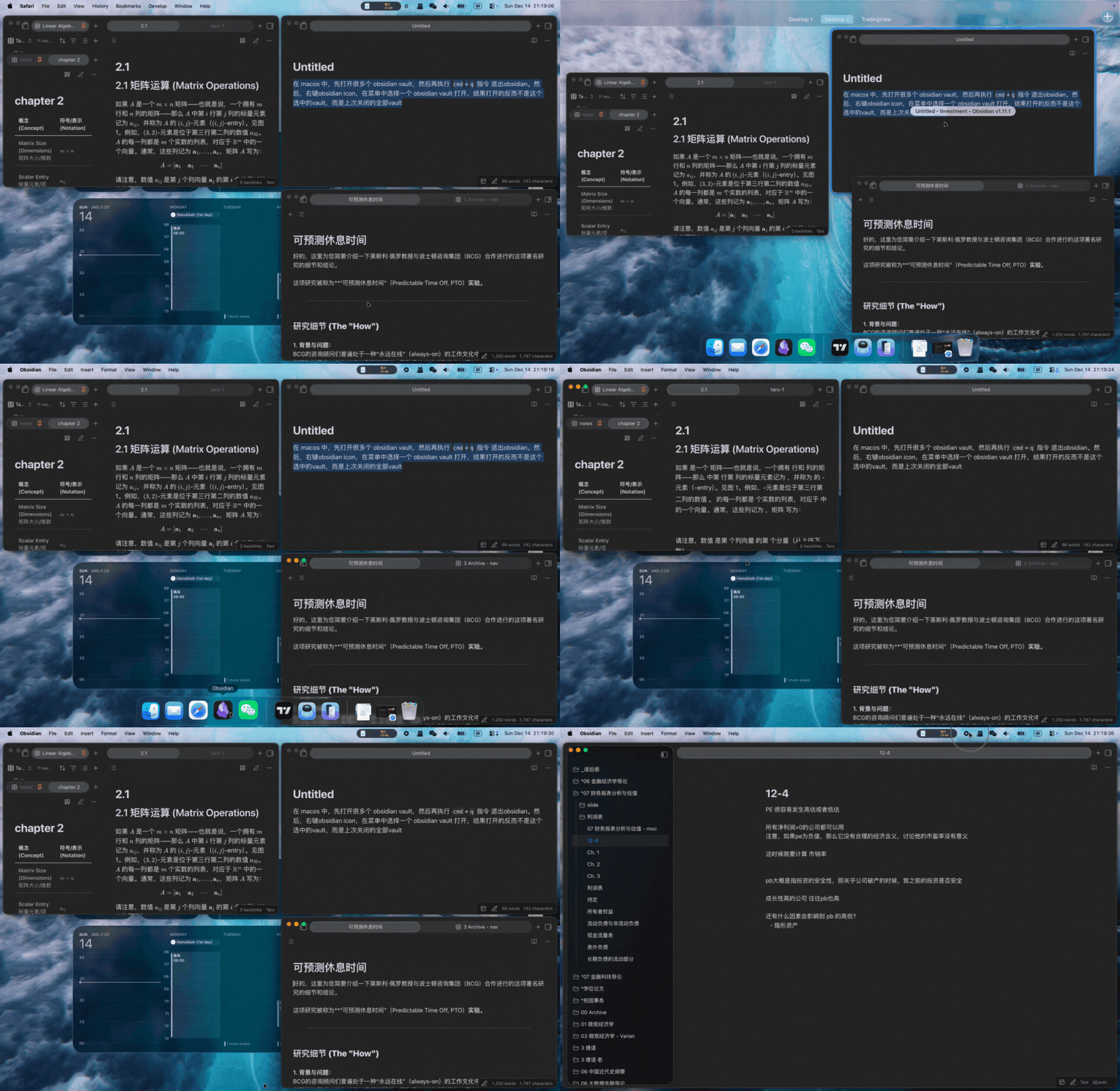
As shown in the GIF, the “UIBE” vault was not successfully opened. Instead, other vaults were opened.
[FR]: By the way, it would be great to add a Manage Vaults option to the context menu when right-clicking the Obsidian icon in the Dock. Please let me know if I should file this as a separate Feature Request.