Once you’ve done the above, delete everything above this line.
Steps to reproduce
- In sandbox vault had to install and enable Dataview plugin, in my live vault, I just checked for updates. After both, I closed Obsidian window and re-launched.
- Live preview was already configured as my Edit mode for both vaults
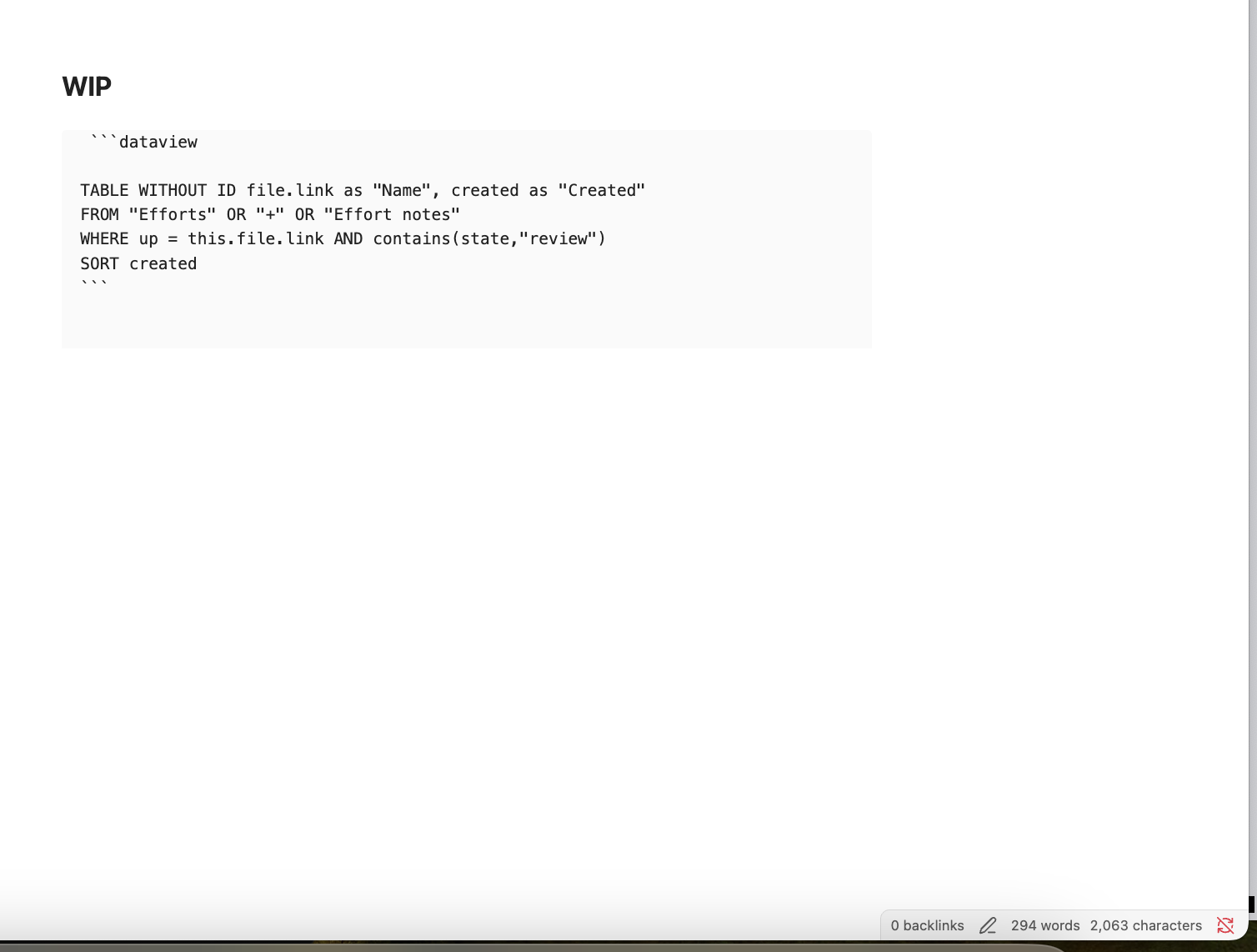
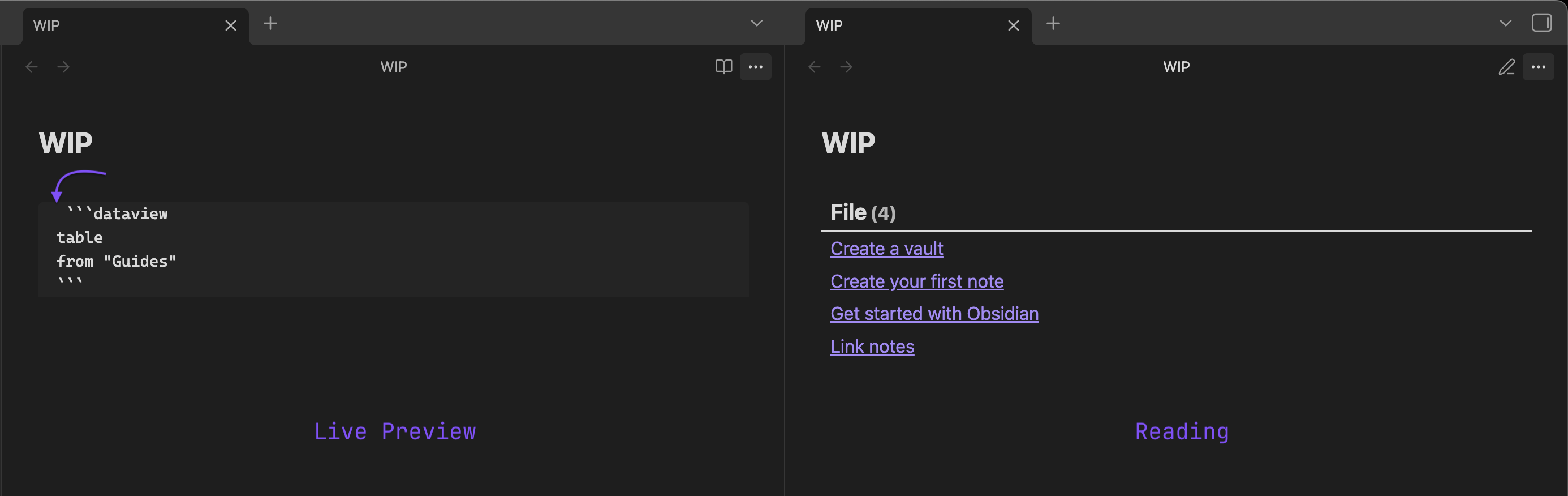
- Pasted a dataview snippet and saw that even in Edit mode, the dataview snippet appeared as source code.
Did you follow the troubleshooting guide? [Y/N]
Yes I did the above steps in the sandbox vault and my personal vault. I also tried other fixes from previous issues like removing the 3 dashes from some pages and making sure legacy editor wasn’t on (didn’t have it).
Expected result
I expect to see that my dataview snippet look like the same in both Reading and Edit mode unless I click Source cCode mode or the button that only makes the snippet appear in source code.
Actual result
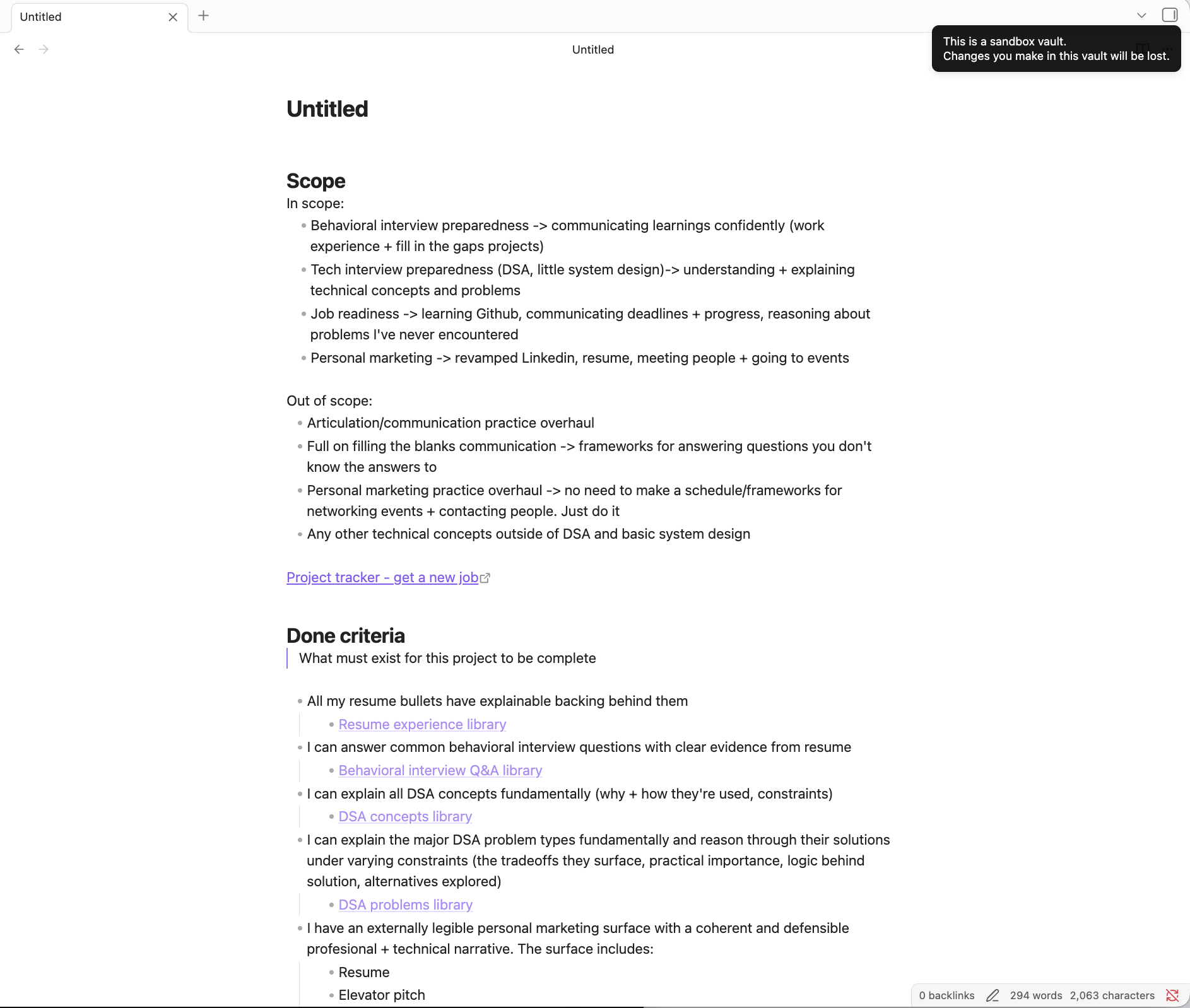
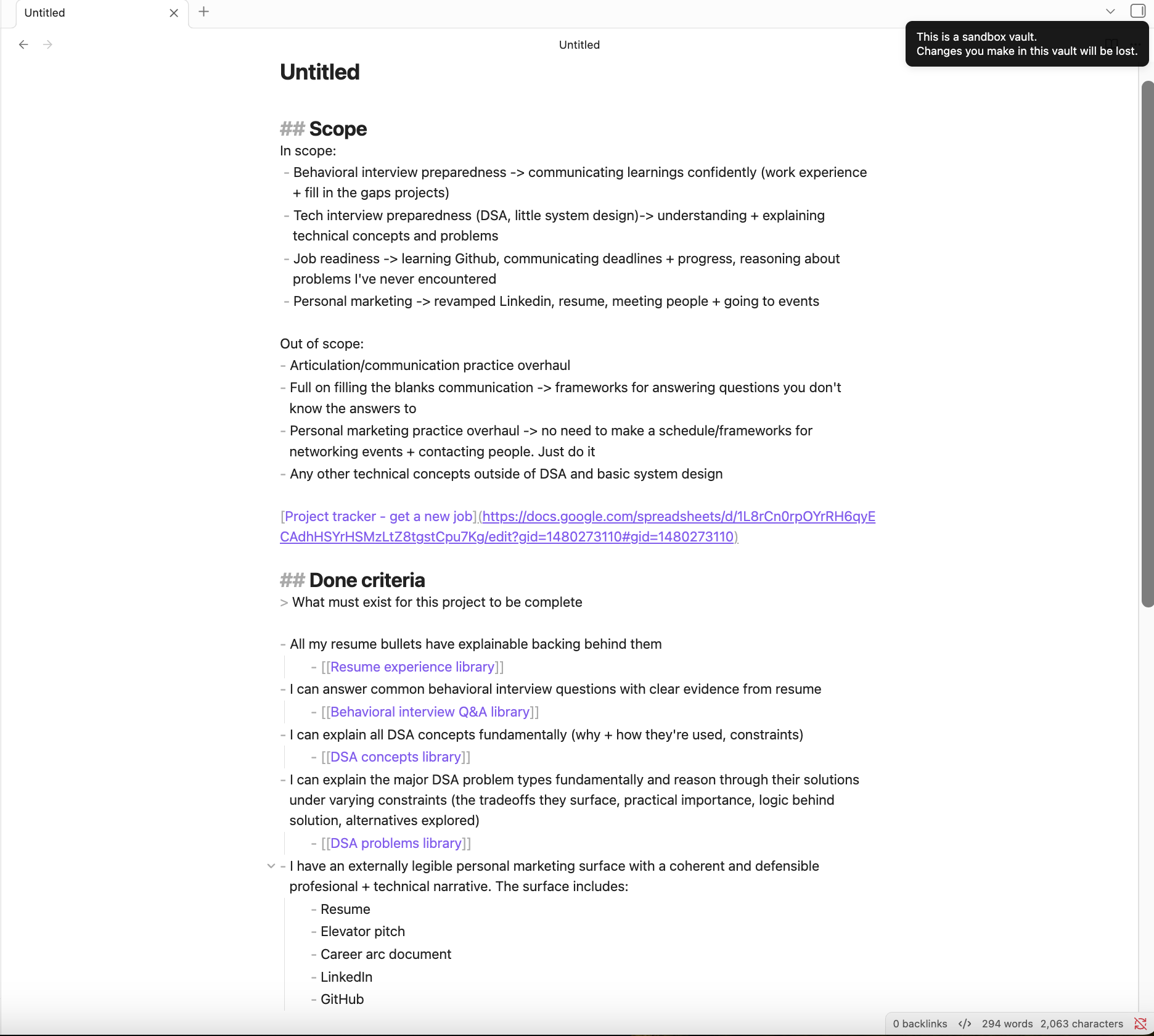
The dataview snippet remains in source code in Edit mode with Live Preview being enabled. The other content, which is just bullets and links look more or less seem look like it’s similar to Reading mode, but it’s not quite the same. It doesn’t look like it’s in Source Code mode, but it’s not exactly Reading Mode either.
Environment
My vault debug info →
SYSTEM INFO:Obsidian version: v1.11.5Installer version: v1.11.5Operating system: Darwin Kernel Version 23.2.0: Wed Nov 15 21:55:06 PST 2023; root:xnu-10002.61.3~2/RELEASE_ARM64_T6020 23.2.0Login status: not logged inLanguage: enInsider build toggle: offLive preview: onBase theme: lightCommunity theme: Minimal v8.0.4Snippets enabled: 0Restricted mode: offPlugins installed: 15Plugins enabled: 131: Readwise Official v3.0.12: Note Refactor v1.8.23: Dataview v0.5.684: Paste URL into selection v1.11.45: Find orphaned files and broken links v1.10.16: Editor Syntax Highlight v0.1.37: Highlightr v1.2.28: Text Snippets v0.1.29: Recent Files v1.7.610: Minimal Theme Settings v8.2.111: Tag Wrangler v0.6.412: Colored Text v1.3.013: Kindle Highlights v1.9.2
RECOMMENDATIONS:Custom theme and snippets: for cosmetic issues, please first try updating your theme and disabling your snippets. If still not fixed, please try to make the issue happen in the Sandbox Vault or disable community theme and snippets.Community plugins: for bugs, please first try updating all your plugins to latest. If still not fixed, please try to make the issue happen in the Sandbox Vault or disable community plugins.
Sandbox debug info →
SYSTEM INFO:Obsidian version: v1.11.5Installer version: v1.11.5Operating system: Darwin Kernel Version 23.2.0: Wed Nov 15 21:55:06 PST 2023; root:xnu-10002.61.3~2/RELEASE_ARM64_T6020 23.2.0Login status: not logged inLanguage: enInsider build toggle: offLive preview: onBase theme: adapt to systemCommunity theme: noneSnippets enabled: 0Restricted mode: offPlugins installed: 1Plugins enabled: 11: Dataview v0.5.68RECOMMENDATIONS:Community plugins: for bugs, please first try updating all your plugins to latest. If still not fixed, please try to make the issue happen in the Sandbox Vault or disable community plugins.
Additional information
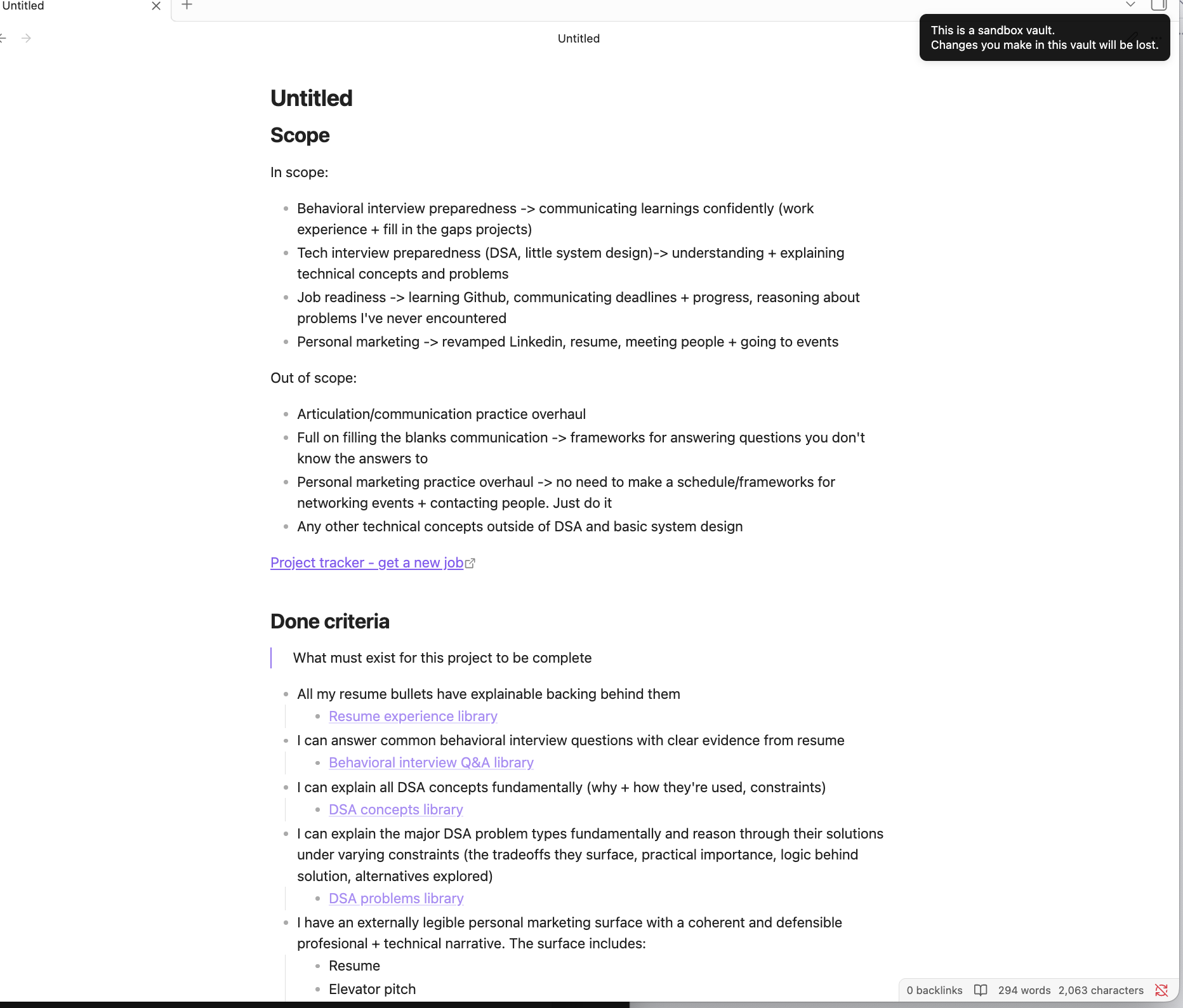
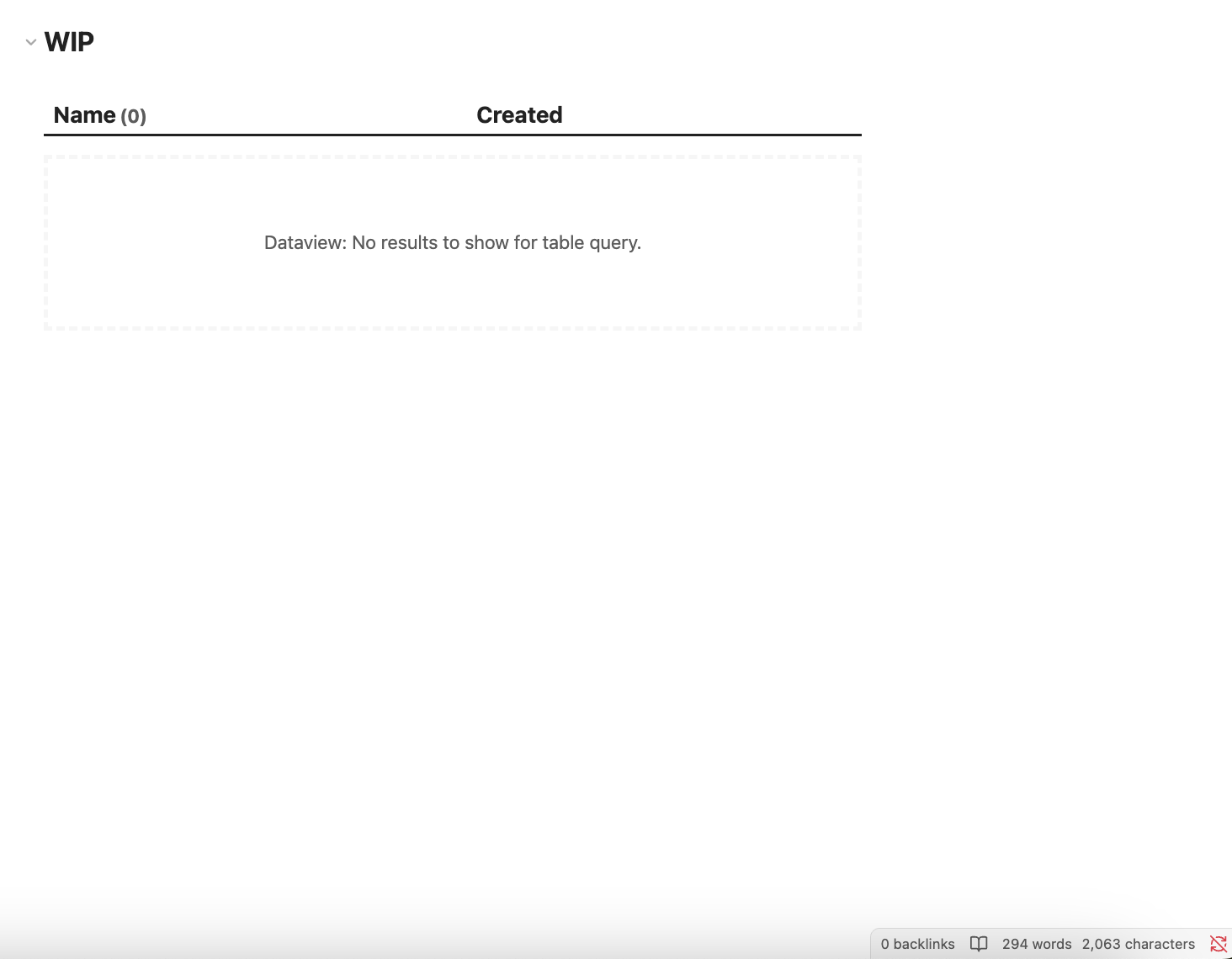
Page in reading mode:
Page in edit mode (Live preview):
Page in Source Code mode:

 …
…
 )
)