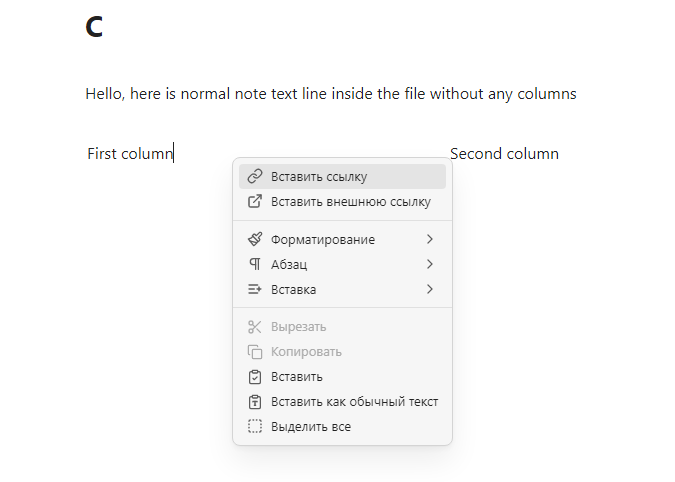
So there are a couple of plugins that came out recently that are a complete game changers for me. They are great separately, but combined together they allow you to do something very cool: create a multi-column layout that is fully editable in live preview without switching to the source.
The plugins I am talking about are Horizontal Blocks and Sync Embeds (this one is still in beta).
Before when I wanted to create multiple columns in my notes I used nested callouts with css. Which is fine, but they are pain to edit and you have to see all the ugly formattings and not see the actual columns when editing them. Not very WYSIWYG expirience.
But with these two plugins this problem can finally be fixed. We can have columns that can be edited in live preview without breaking the layout.
To set this up:
- Install both plugins.
- Create notes A, B and C
- Inside the note C create this codeblock:
````horizontal
```sync
![[A]]
```
---
```sync
![[B]]
```
````
Don’t forget to add 4 backticks for “horizontal” block!
Now you have two editable columns. The content of the columns will be saved in notes A and B respectively.
Unfortunately the Sync Embeds plugin for now doesn’t allow you to link to headers in the current note and glitches if you try to embed several headers from the same note, so you have to create a separate note for every column. Hopefully in will be fixed in the future. But even now it works really great!
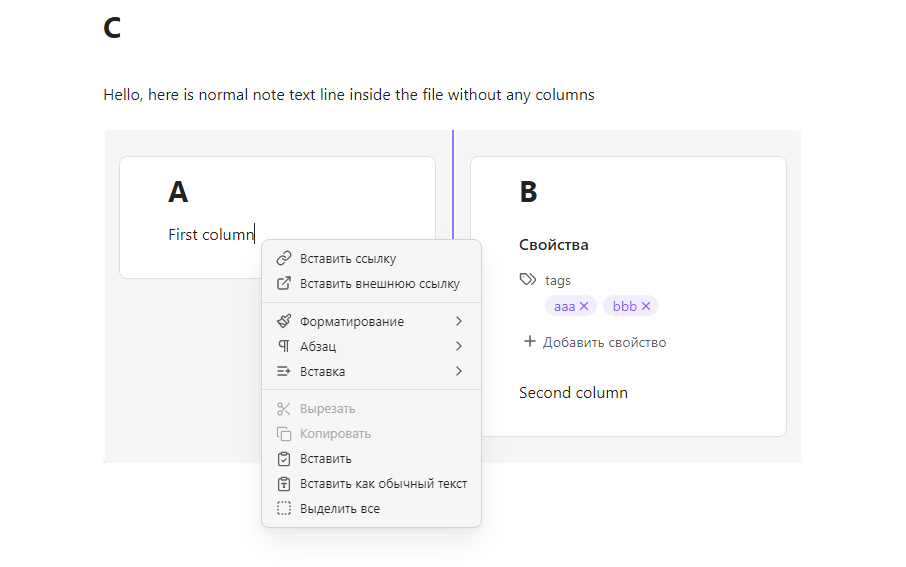
I also added some css to make columns to look completely seamless.
To hide inline titles and metadata from embeds:
.sync-container .inline-title {
  display: none;
}

.sync-container .metadata-container {
  --metadata-display-editing: none;
}

To remove all background colors, borders and extra margins:
.horizontal-block-container .sync-container {
  border: none;
  padding: 0;
}

.horizontal-block-container .sync-embed .view-content {
  padding: 0 !important;
}

.horizontal-block-md-preview {
  padding-top: 0;
  padding-bottom: 0;
}

.horizontal-block-container > .resizable-block:first-child > .horizontal-block-md-preview {
  padding-left: 0;
}

.horizontal-block-container > .resizable-block:last-child > .horizontal-block-md-preview {
  padding-right: 0;
}

.horizontal-block-container {
  box-shadow: none;
}

.resizable-block {
  border: none;
  background-color: transparent;
}

.horizontal-block-md-preview {
  font-size: 1em;
  background-color: transparent;
}

.horizontal-block-resizer:not(:hover) {
  background-color: transparent;
}