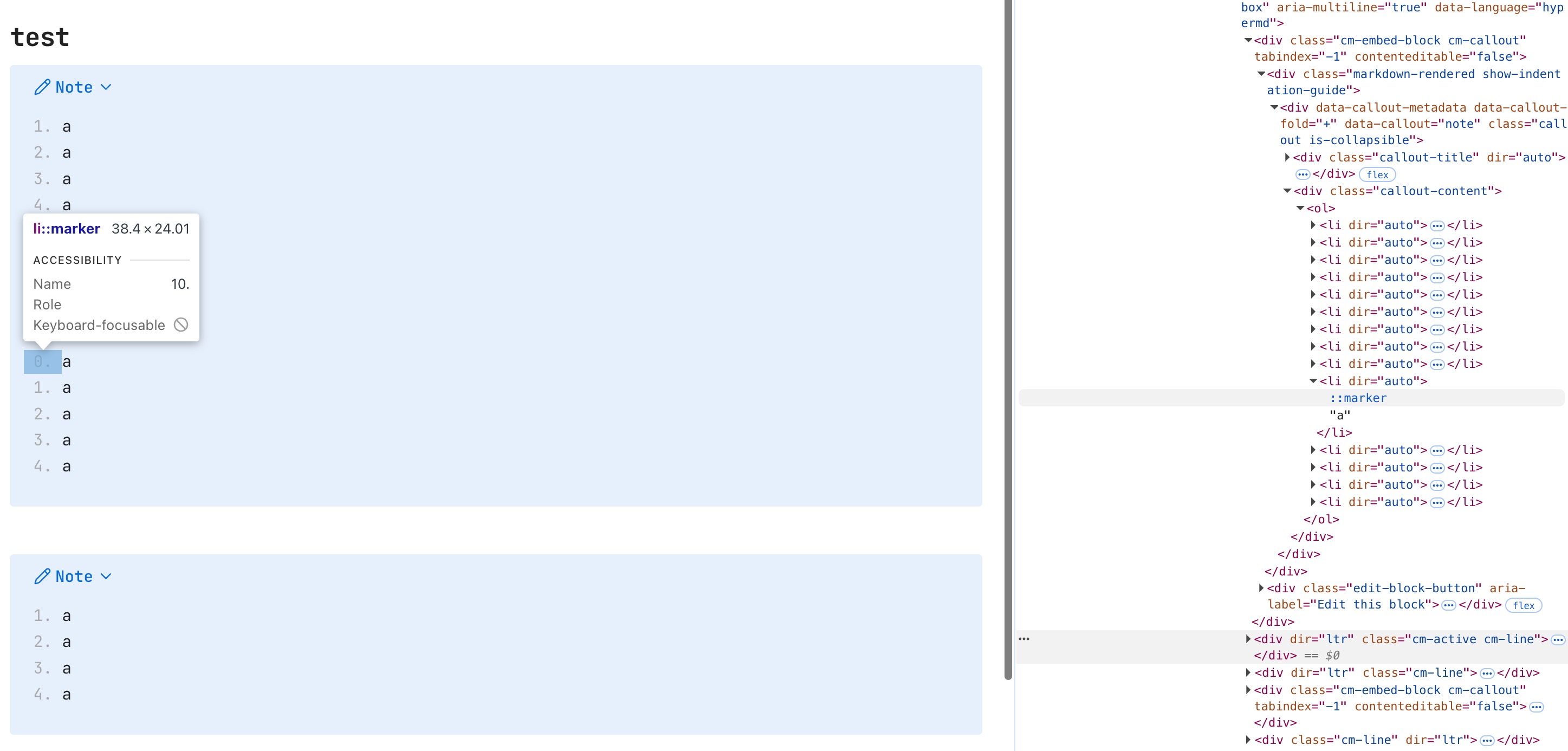
List rendered incorrectly in callout

What I’m trying to do

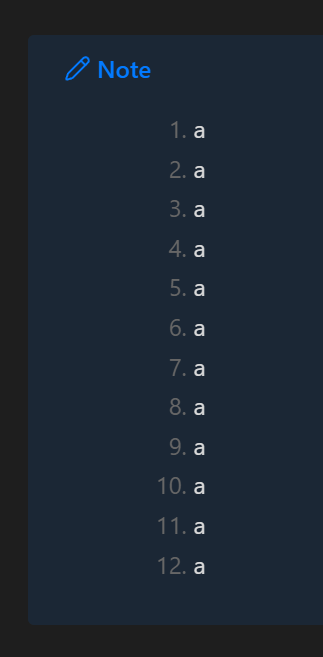
My main vault renders the list inside callout incorrectly.

Things I have tried

I tried disabling all community plugins (turn on restricted mode), disabling css, reinstall Obsidian but none works.

However, it works fine on Obsidian Sandbox vault. Even weirder, the same note works just fine on Linux machine.

I have no idea what happens. Anyone has the same bug?

SYSTEM INFO:
Obsidian version: v1.11.5
Installer version: v1.11.4
Operating system: Darwin Kernel Version 25.2.0: Tue Nov 18 21:09:34 PST 2025; root:xnu-12377.61.12~1/RELEASE_X86_64 25.2.0
Login status: logged in
Language: en
Catalyst license: supporter
Insider build toggle: on
Live preview: on
Base theme: light
Community theme: none
Snippets enabled: 14
Restricted mode: off
Plugins installed: 33
Plugins enabled: 24
1: Tag Wrangler v0.6.4
2: QuickAdd v2.9.4
3: Copy Block Link v1.0.4
4: Commander v0.5.4
5: Checklist v2.2.14
6: Calendar v1.5.10
7: Excalidraw v2.19.1
8: Plugin Update Tracker v1.7.0
9: File Explorer Note Count v1.2.4
10: Global Search and Replace v0.5.0
11: Image Toolkit v1.4.3
12: List Callouts v1.2.9
13: Blockquote Levels v1.1.0
14: Underline v1.3.0
15: Leaflet v6.0.5
16: Maps v0.1.6
17: Kanban v2.0.51
18: Workspaces Plus v0.3.3
19: Notebook Navigator v2.1.0
20: Bulk Rename v0.5.2
21: Hider v1.6.1
22: Advanced URI v1.46.0
23: Metadata Extractor v1.1.0
24: Spaced Repetition v1.13.4

Strange indeed!

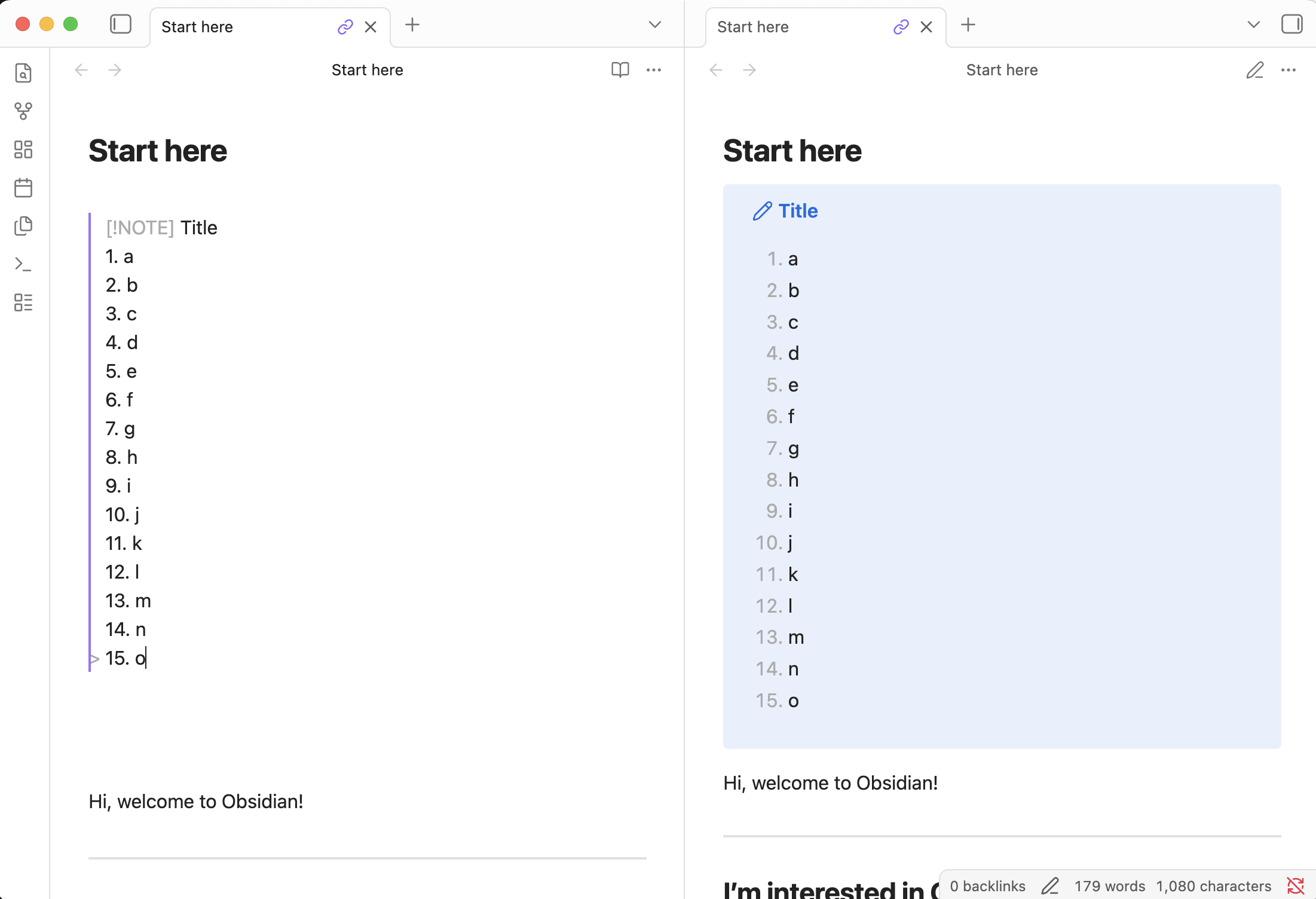
> [!NOTE] Title
> 1. a
> 2. b
> 3. c
> 4. d
> 5. e
> 6. f
> 7. g
> 8. h
> 9. i
> 10. j
> 11. k
> 12. l
> 13. m
> 14. n
> 15. o

Looks fine for me in my main vault and the sandbox. macOS 15, Obsidian v1.11.5.

I use lists inside of callouts all the time and have never had this problem.

I don’t use any community plug-ins or themes, so it stands to reason that a plugin you have installed is probably causing the issue.

Try disabling all of your plug-ins again, and then start enabling them one at a time, until you find the one that’s causing the problem.

Actually, after I posted the above, it reminded me that I had a similar issue with a community plug-in (when I still used plug-ins) and not only did I have to disable it, but I had to reset its settings to the defaults, uninstall the plug-in, and then reinstall it.

It seemed like something was being cached somewhere, so even with the plug-in disabled, this issue was still there. After I did the above, the issue went away.

I have a suspicion. Would you enable this CSS snippet to see if it makes your numbers show up properly?

.markdown-rendered .callout-content ol > li {
	margin-inline-start: 10ch !important;
}
It should also shift the list to the right.

  • If that shows the numbers, then it’s just an appearance thing. Try again disabling all CSS snippets, returning to the default theme, and (for good measure) enabling restricted mode, and then restart Obsidian.

  • If that shifts right but still doesn’t show the numbers, than can you share a screenshot?

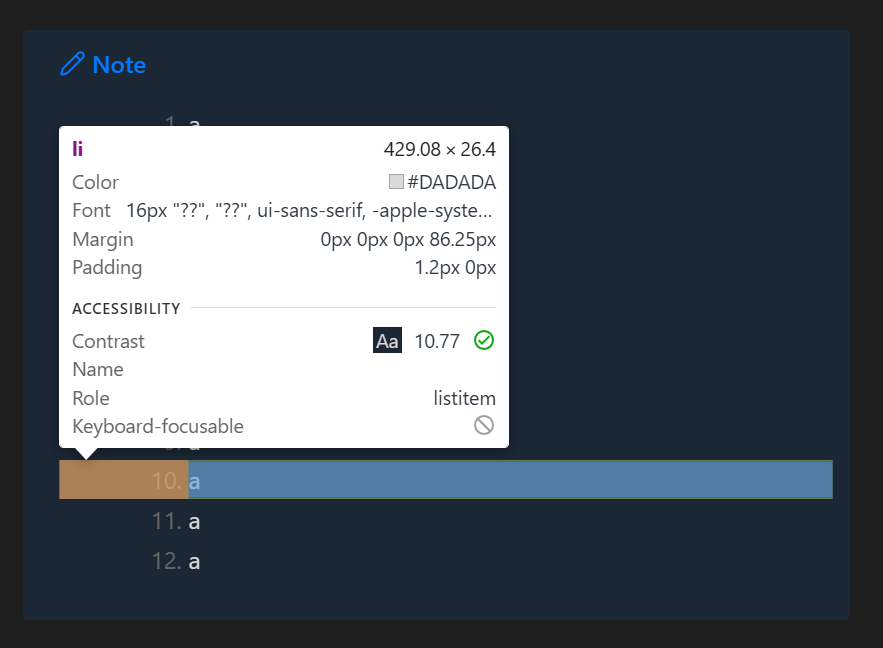
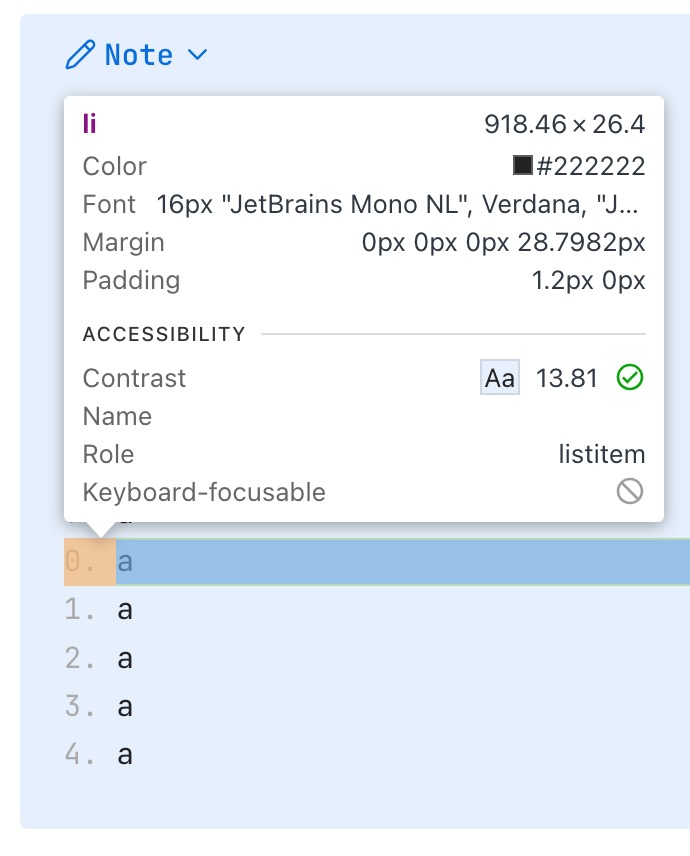
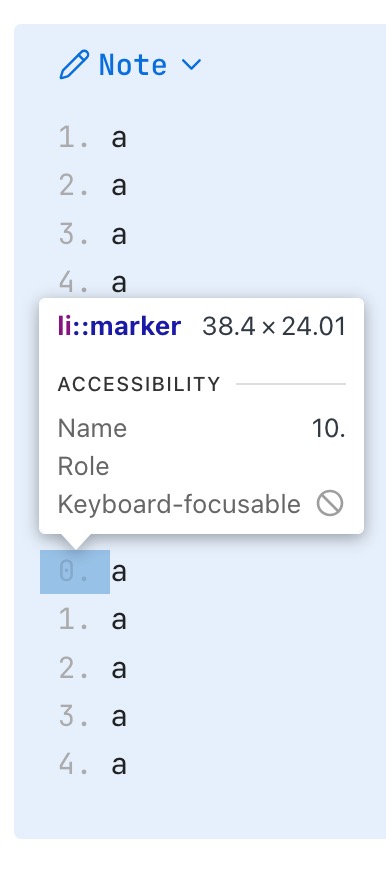
  • If that doesn’t shift right and doesn’t show the numbers, then can you press Cmd + Opt + I to open Dev Tools, press Cmd + Opt + C to use your mouse cursor as an element inspector, hover over the “10” line, and take a screenshot?

    You can then free your cursor by clicking within Obsidian or pressing Esc.

Example screenshot of inspecting row 10

I tried disabling all community plugins (Restricted Mode is turned on) and disable all CSS, restart Obsidian multiple times, plus I’m using Default theme but the bug still persists. And it only happens on my Macbook. The Dell laptop running Pop OS works just fine.
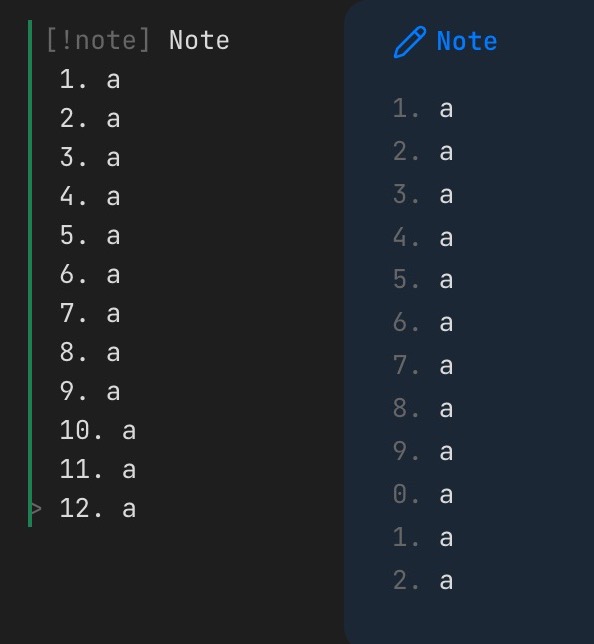
I found the bug. It’s the Text font. I deleted “Jetbrains Mono” and it renders normal again. Thank you guys for troubleshooting with me.

1 Like