Now that I’ve switched almost all my Dataview queries to the bases Core plugin, I was looking for a replacement for dataviews’ inline DQL queries (`=this.myproperty`). Although Embed Metadata and Inline properties initially seemed like the perfect (and, above all, resource-efficient) solution, they lack the ability to display wiki links (as Dataview does with `=link(this.myproperty)`). So far, I’ve found two plugins that meet my requirements:
Both plugins serve different purposes and, given my sole need to display properties, involve a certain amount of overhead. I haven’t made a final decision on either of them yet.
Below is an overview of the plugins I’ve tested so far, which may be helpful to those facing the same problem:
| Plugin |
inline reference |
inline reference with link |
| Dataview |
`=this.myproperty` |
`=link(this.myproperty)` |
| Embed Metadata |
[%myproperty] |
n/a |
| Embed Metadata (alternate Syntax) |
{{myproperty}} |
n/a |
| Inline Proprties |
{{myproperty}} |
n/a |
| Meta Bind |
`VIEW[{myproperty}]` |
`VIEW[{myproperty}][link]` |
| Formula Forge |
`≖this.myproperty` |
`≖md("[[" + this.myproperty + "]]")` |
| Live Variables |
see 1. below |
? |
<span query="get(myproperty)"></span><span class="lv-live-text">test_file</span><span type="end"></span>
Any recommandations about these or other plugins are appreciated.
I started exploring MetaBind & Formula Forge a few months ago …
Hopefully others will chime in on the subject.
///////////////
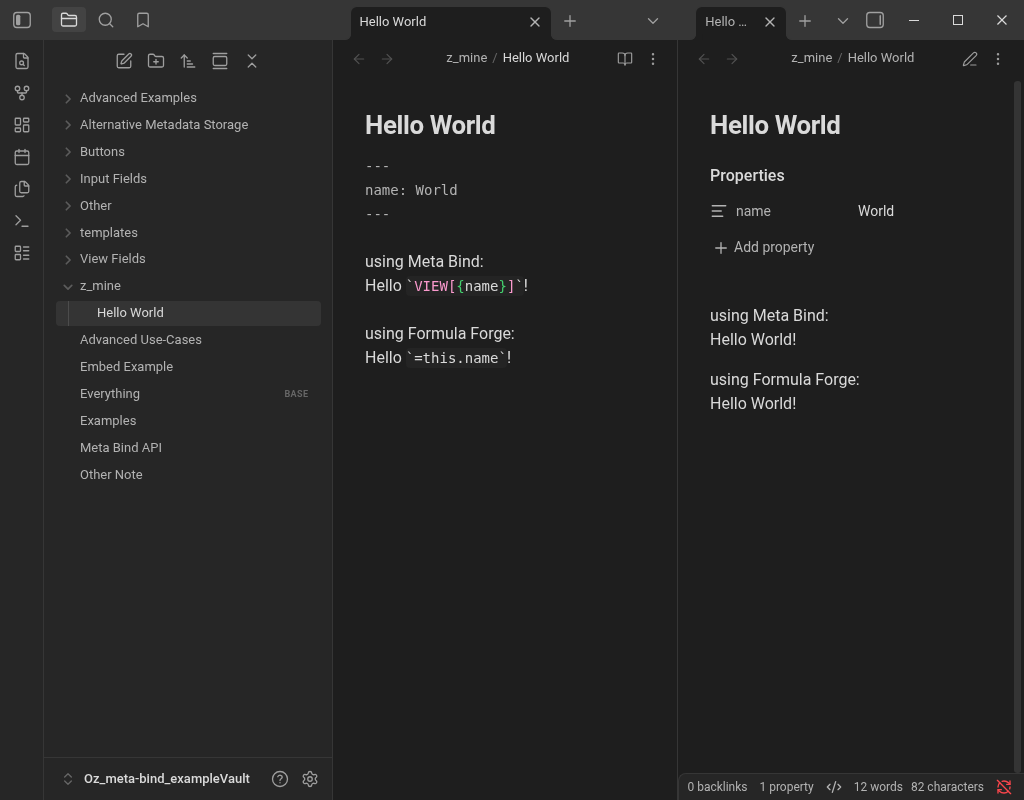
Using the Meta Bind plugin …
---
name: World
---
Hello `VIEW[{name}]`!
Using the Formula Forge plugin …
---
name: World
---
Hello `=this.name`!
… should render in reading view as
Hello World!
\\\
Both Meta Bind & Formula Forge can display frontmatter properties in the note’s body.
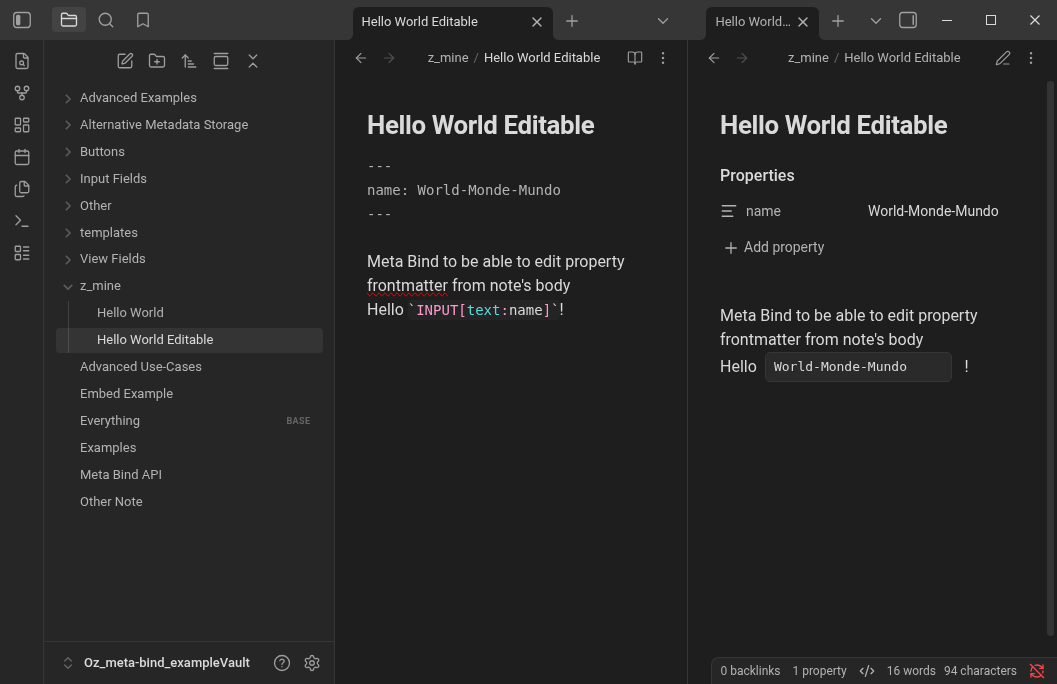
Meta Bind is also able to edit properties frontmatter from within the note’s body …
---
name: World-Monde-Mundo
---
Hello `INPUT[text:name]`!
… Edited to World-Monde-Mundo renders in reading view as
Hello World-Monde-Mundo
… and updates frontmatter & bases → name: World-Monde-Mundo
I have no use for this in any of my vaults. But if I had, I’d do this:
Take the plugin closest to your expectations or take on an extra plugin (it doesn’t matter if you have 23 or 24 plugins enabled, but I understand you want to disable or uninstall a plugin that has a certain syntax you want to forget, I had that before).
With even a free bot like Tencent - Hy3 in an AI app or agent like Hermes (which has a Desktop now, so very easy to install), you can clone the repository by giving it the GitHub URL and have whatever features you want added by the bot, which will recompile the plugin to main.js, readable for Obsidian.
Then if you have enough experience, you can tailor more plugins to your needs or build new ones from scratch.
On a side note here, I’m pretty sure the forum has become so silent for the past 2 years because all power users (of the past) are busy developing stuff, talking with bots instead of humans…
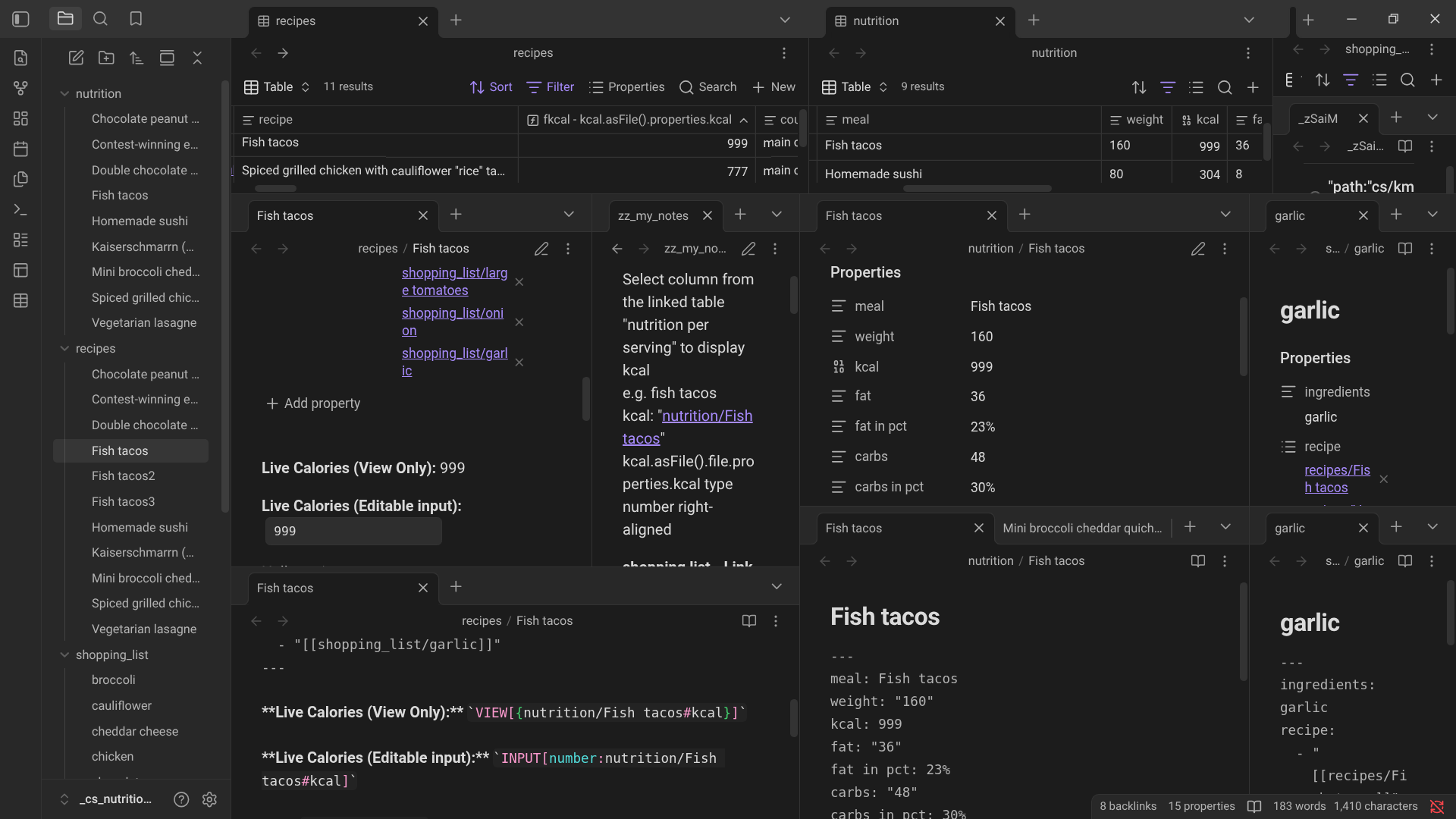
Here in an Obsidian nutrition vault I replicated from a Seatable database by importing its tables into separate folders in my vault, I am using Meta Bind to change the Fish tacos “Calories” value stored in the “nutrition base” nutrition/Fish tacos#kcal by updating its value in the Fish tacos “recipe” file’s note body e.g. 999 & also updated in the “recipes base”.
Right now, I mainly use Formula Forge, primarily because of the `=md()` function, which allows for flexible Markdown creation. I also like that I can redefine the startup code for inline syntax. I changed it to `ff=...` to avoid conflicts with the existing Dataview inline code (which, by the way, I changed to `dv=...`).
Meta Bind obviously has some powerful features as well, but I don’t have a use case for them. For me, the md() function in Formula Forge is the decisive advantage.
Looking for just a possibility to reference file properties in the body, I now discovered the usefulness of the main feature of Formula Forge: creating formulas!
In this example I convert an IMDb film id into a full URL. Whenever IMDb changes the structure of its URLs, I just have to adapt this formula.
name: imdb_link
description: Converts an IMDb film id to a link
scope: Global
scopeType: Any
parameters:
  - name: imdb_id
    type: String
    optional: false
    variadic: false
formula: md("[IMdb](https://www.imdb.com/title/" + this.imdb_id)
So I made my decision to use Formula Forge, which will be a game changer in my Obsidian workflow. I highly recommend this plugin!
Now I can stop using Dataview in favor of the combination of Bases and Formula Forge.