As of v1.8.10., this is the full list of characters that Obsidian does not allow to put in filename from within the app. As shown by the red tooltips that appear when you attempt to input a forbidden character in a filename.
Square brackets are actually allowed (maybe some of the others too but I don’t want to fiddle with these now). I do not know since when. But I agree that in markdown editors it is not desirable when using Wikilinks.
I found out (again?) recently myself, actually…
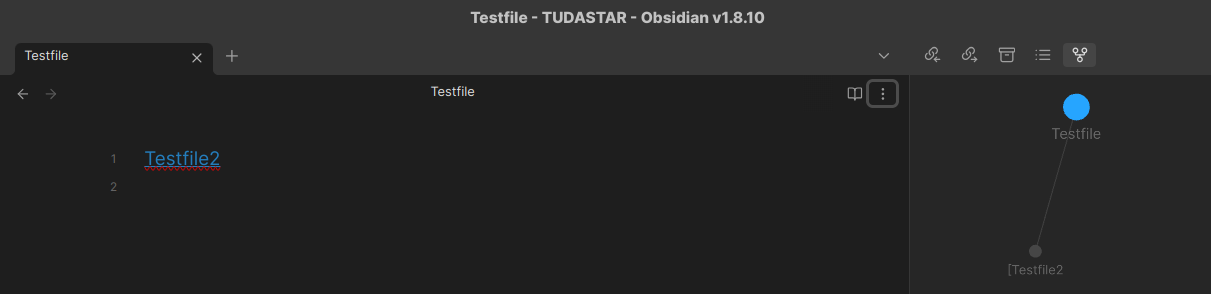
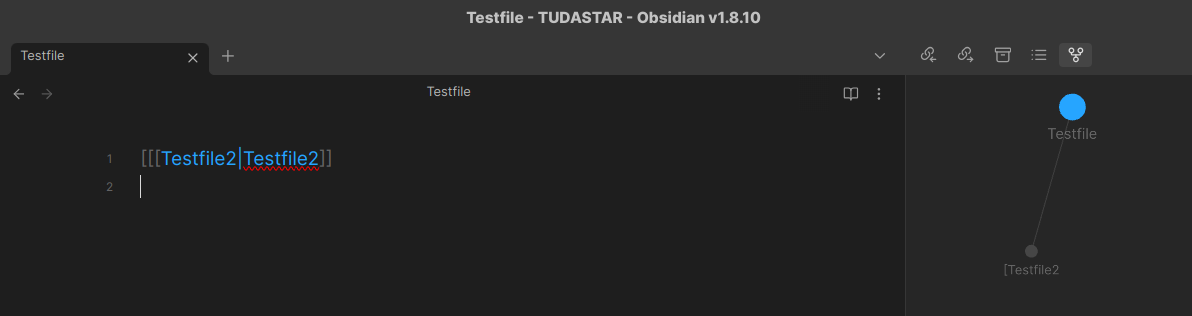
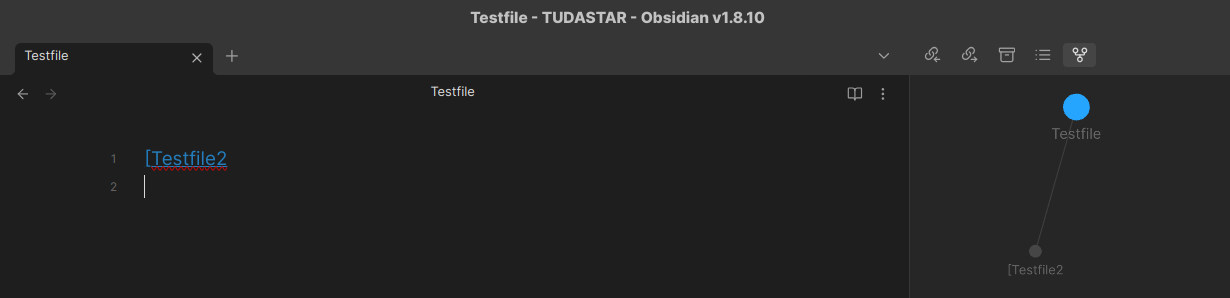
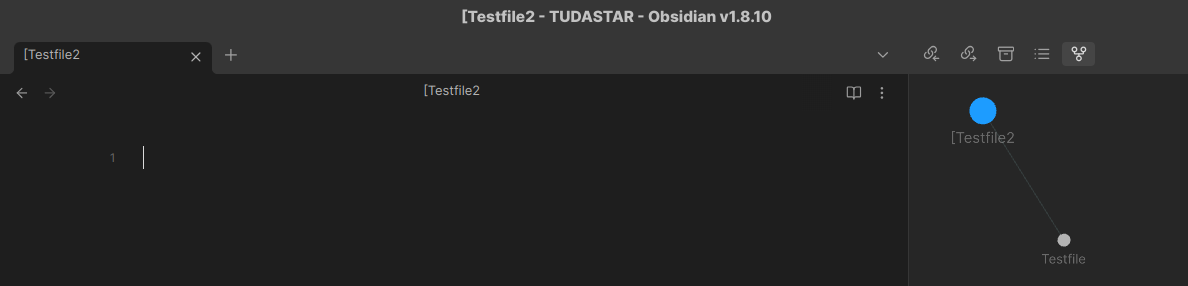
If you mistakenly add an extra [ to a wikilink, like so, [[[Notename]], and you are in Live Preview and click on the link to create the file, a [Notename file will be created, in vanilla Obsidian as well.
In LP, the extra opening bracket is not seen because somehow it merges with the opening double square brackets…? It could be a bug and it may have been reported…?
It’s not the case with the closing one, it seems. Escaped double square brackets are to be used for these cases, of course, but mistakes happen.
Because I often use the editorial square brackets (and may miss the escapes), sometimes I run into these problems. I want to click into a known file and I see a new file being created, with [.
Not a huge issue, as you can easily delete the file created afterwards.
One can have a Codescript Toolkit .ts patch made to not allow these files created. I did because I also wanted to disallow file creation for filenames already in my vault. I don’t relish the automatic renames of my links to include folders so I’d have [[folder/filename|alias]]. Not ideal for longform writers.
If I want to create a [Testfile3 file, Obsidian also allows me to do it, within Obsidian.
I never talked about any other app above.
So obviously the title is wrong or Obsidian doesn’t do what it should guard against.
Hence I made a patch .ts, which I disabled for the duration of making the screenshots.
Just checking: it appears that apostrophes or single quotes are allowed—is that accurate? Obsidian doesn’t complain if I put a single quote in a note title or alias, and my YAML appears to render correctly.
If I type an apostrophe in the YAML or note text, it is rendered as an apostrophe or right single quote, not as a straight single quote or foot mark. I think MacOS is making the substitution, not Obsidian.
If I type an apostrophe in a Javascript prompt (part of a Templater template), it renders as a single straight quote.
I can set Linter to whichever style I prefer.
I’m guessing it’s best to stick to straight quotes, both single and double, when creating code.
I wish I’d seen this before I struggled to understand why my Evernote exports .Action_Pending.enex, .Action_Projects.enex, .Action_Archive.enex, etc. did not trigger an error during import yet were not appearing in the vault. I would have appreciated Obsidian saying something like “File valid, but name contains illegal character; leading period.”

 I would have appreciated Obsidian saying something like “File valid, but name contains illegal character; leading period.”