Steps to reproduce
Create a note with a “List” type property (e.g., location_category).
Add multiple items to this list (e.g., “Crêperie” and “Boutique de desserts”).
View the note in a “Map” layout (using the Maps/Bases feature).
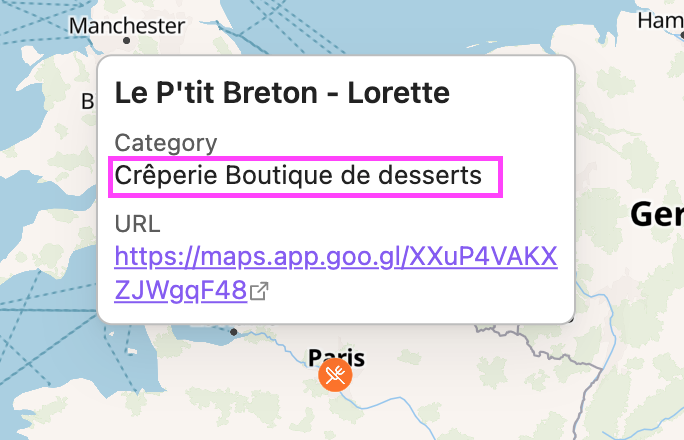
Click on the marker to open the information popup.
Observe the display of the list property.
Did you follow the troubleshooting guide? [Y/N]
Y
Expected result
List items should be separated by commas or displayed as a proper list (e.g., “Crêperie, Boutique de desserts”).
Actual result
Items are concatenated without any separator (e.g., “Crêperie Boutique de desserts”), making it hard to distinguish separate values.
Environment
I don’t have any bug log