Disclaimer
Is this plugin open source? Yes (GPL-3.0)
Is this plugin completely free? Yes
Is this plugin vibe-coded beyond the author’s ability to comprehend how it works? No
Community Directory: Link
Hi all! I’d like to share Lifeline, a desktop-only plugin that backs up your YouTube data into plain Markdown notes in your vault.
YouTube accounts can get terminated, playlists get emptied, and videos disappear without warning. Lifeline keeps a local record of what you subscribed to and organized, in plain Markdown you control.
What it writes
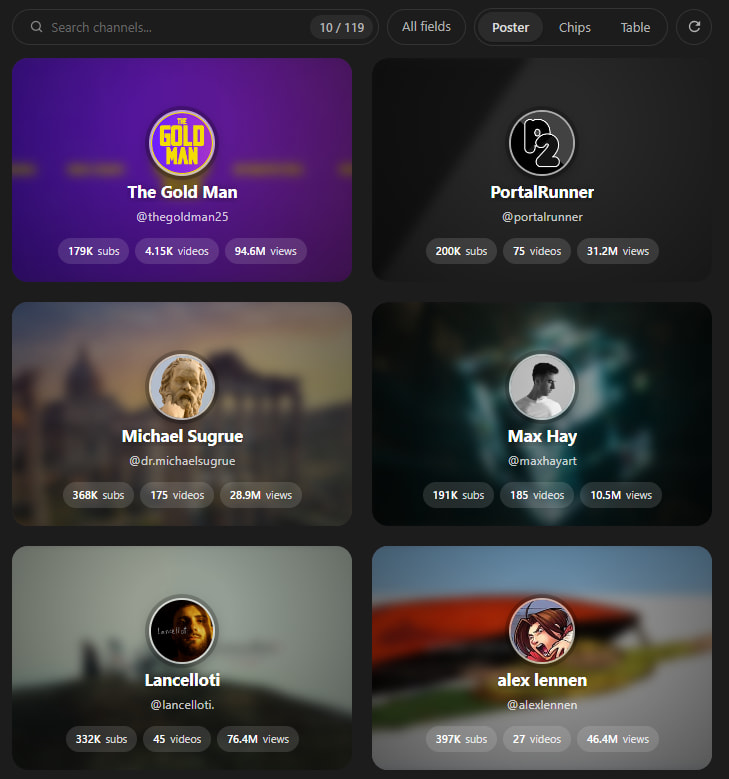
- Channels.md: every channel you subscribe to, as Dataview-queryable inline fields
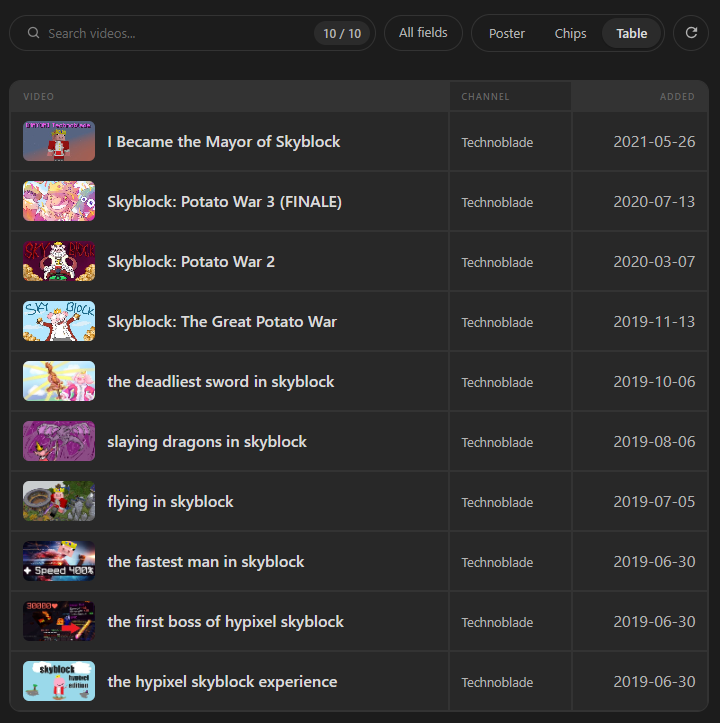
- Playlists/*.md: one note per playlist you choose to track
- Watch Later.md: a note for the playlist you use as your Watch Later substitute (YouTube’s own Watch Later isn’t available through the API)
- Dashboard.md (opt-in, needs Dataview): A home note with stats, new-since-sync videos, and playlist and channel panels
- Views in notes (opt-in): poster, chips, and table views above the entries, with search and paging
- Images (opt-in, Off by default): channel avatars and banners, and video thumbnails, either linked or downloaded once during sync
Good to know
- Desktop only. It uses your own Google OAuth credentials. The secrets go in the OS keychain through Obsidian’s secret storage, never in your vault.
- No telemetry and no video downloads. It calls only the YouTube Data API (read-only), plus Google’s image hosts when image settings are on.
- It syncs at startup if the last sync is older than your interval. It is not a background scheduler.
- Saved playlists from other channels can’t be listed by the API, so there’s a collector script (or a Web viewer flow) to import their IDs.
- Version 0.1.1.
Setup takes a few minutes: create a Desktop OAuth client in Google Cloud, paste the client ID and secret into Lifeline’s settings, authenticate, and sync. The README walks through each step.
AI disclosure: Lifeline was created with the help of AI. An AI coding assistant worked alongside me on the code, docs, and design. I direct, review, and test the project, but I want to be upfront about it. Feedback on the code, setup, and anything that looks off is very welcome.
Links
- GitHub: GitHub - Aaqil101/obsidian-lifeline: Back up your YouTube subscriptions, playlists, and Watch Later list into Markdown notes in your Obsidian vault, because accounts get banned, but vaults don't. · GitHub
- Releases: Releases · Aaqil101/obsidian-lifeline · GitHub
Screenshots

Feedback and bug reports are welcome on GitHub issues.