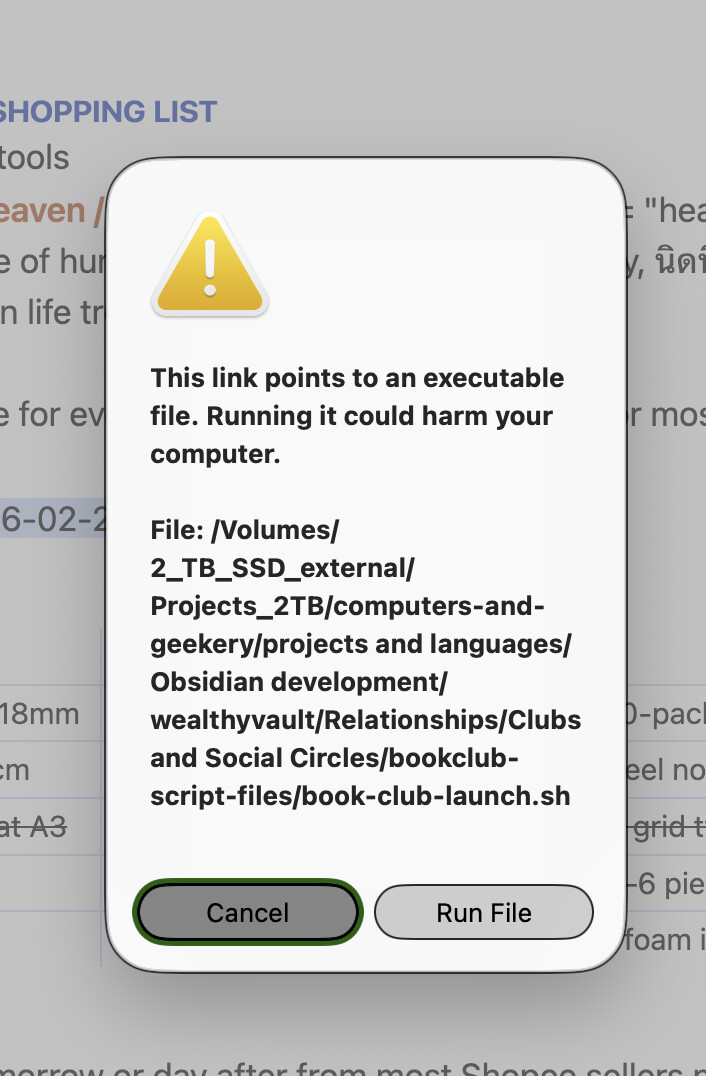
Obsidian 1.12 brings a great security feature that warns users when an executable file is about to be run. This is very helpful for navigating vaults that are not familiar, but presents additional friction in cases where the executable files are fully trusted (such as ones you authored yourself). The ability to add executable links to Obsidian is a great feature for building dashboards, and having a way to reduce clicks when content is trusted would be helpful to power users.
Proposed solution
Adding the ability to bypass the executable warning on individual scripts (“don’t show this warning again”) or mark specific vaults as trusted (similar to the Restricted mode setting for community plugins) would be helpful in cases where the vault content is known to only be handled by knowledgeable and trusted users.
Caching the information in a user and/or machine context (i.e. not in the vault itself) would help avoid cases where the vault author marks safe files in advance before distributing the potentially malicious files while also avoiding a cost of an extra acknowledgement per invocation of each executable file in perpetuity.
Current workaround
Click through the warnings, potentially creating dead time if an extra click gets missed while multitasking. Accept this as a minor workflow drag, essentially.
Move executable shortcuts out of Obsidian and access them from the desktop instead.
On MacOS, clicking on a shell script or python script does not run it. Can we please put a “don’t show this again” checkbox on these annoying warnings? They serve no purpose on MacOS. Not only that, but I wrote the script myself. I put it in the vault for a reason. Thanks!
+1, I use my own embedded scripts like this several times a day. To find out of nowhere that I’m not presented with this dialog that I can’t suppress is really frustrating.
There should be “Don’t show again” or an option in the settings, honestly this should have been introduced at the time the warning dialog was made, it’s just an annoying change to workflow for someone who does this several times a day
I get this warning for opening a .js file to edit it in my default program, which is a text editor. When I instead open a .py file to actually run it in my default program python, there’s no warning. Opening .json files just opens them in the text editor..
It’s inconsistent - blocks some safe clicks and allows some unsafe clicks.
But having scripts considered “executable” is poor practice and inconsistent behavior anyways. Are you going to display a warning for URLs too? They can take users to potentially unsafe places. PowerShell (.ps1) files don’t “run” more than a TXT file. It depends on what is the default action associated with the extension, which is an OS setting.
A much more viable method would be to parse the link based on the invoked protocol and extension as a separate class rather than the generic span class="external-link". E.g. external-link-file and external-link-file-executable vs external-link-http. This would allow a visual separation communicating for the user where the action is taking them.
Concur. I use obsidian for writing long-form RPG books, and they’re processed using python scripts into PDF format. I build the document every few minutes to check my work. It’s great that I can pin my build script to the bookmarks panel now, but now I have to click through the warning every time.