Just adding that this is still an issue on version: v1.4.16
Guys, I made a plugin which provides Github-Mermaid-Viewer like experience.
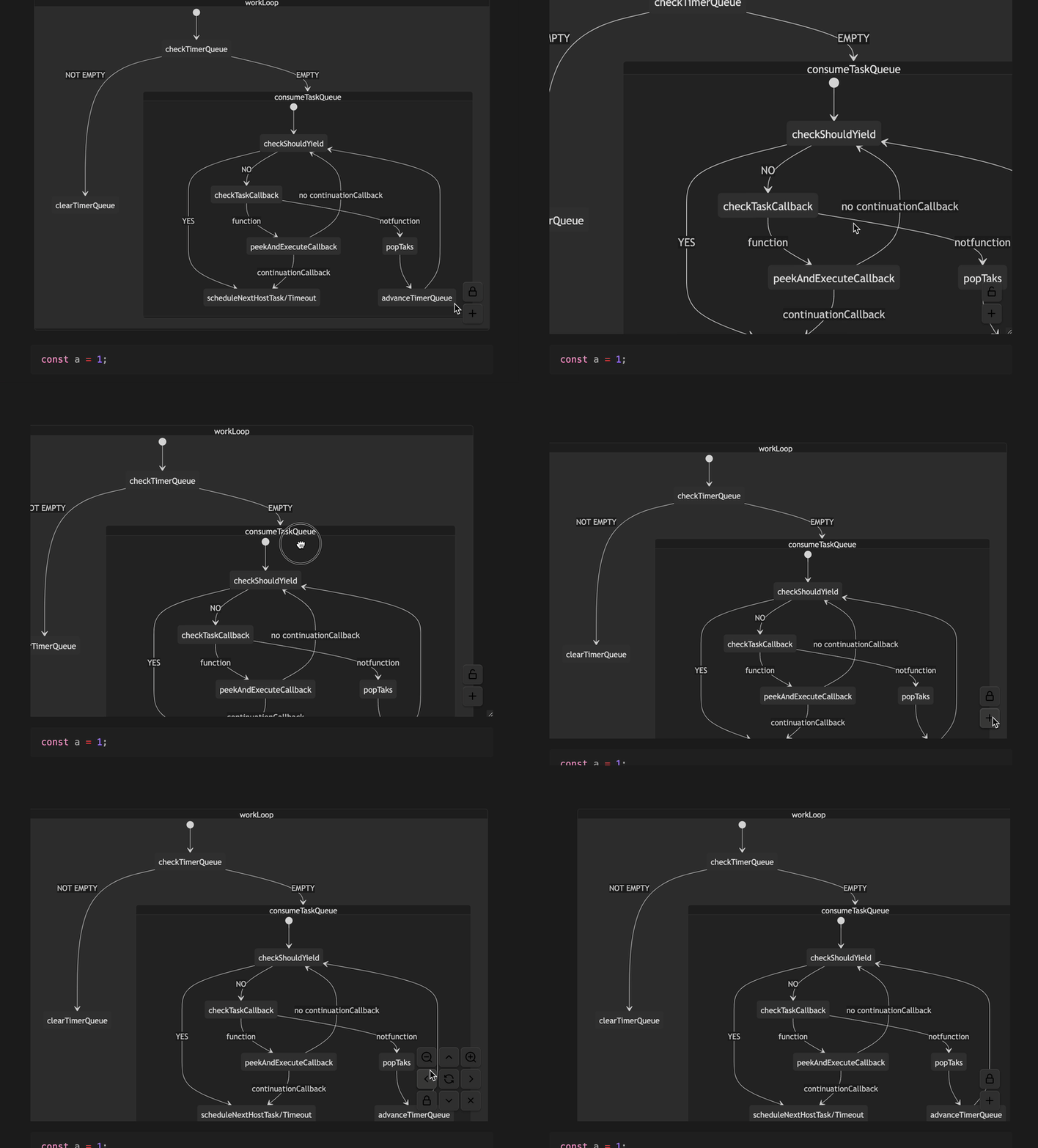
what is the plugin called?
Please, create a thread in “Share and Showcase” and have the conversation about your plugin there! Thanks!
You can add a link to that thread here.
@Zac_M: Could you post the link to your plugin?
It seems so nice! Can your share the link of your plugin?
Hi there, I’ve created this small hack for big mermaid C4 models, maybe it helps some others with problems reading large mermaid diagrams. This zooms in mermaid diagrams by default, uses all the screen estate to render the diagram and allows you to use mouse scroll to pan the view. Create a css snippet with the following code in .obsidian/snippets, enable it in settings/appearance/css snippets and you can at least read your large mermaid diagrams.
div:has(> .mermaid) {
    width: auto !important;
}
.mermaid {
    overflow: scroll;
}
.mermaid svg {
    width: 2000px;
}
Here’s a little CSS snippet that zooms Mermaid Flowcharts on hover.
.mermaid svg[aria-roledescription="flowchart-v2"]:not(:hover) {
    max-width: 100%;
    height: auto;
}
By default the chart shrinks to fit in the current layout. On hover it zooms to the original size. Works best in Reading view.
Dear all,
I do use this CSS-Block for mermaid Diagrams
svg[id^="m"][width][height][viewBox] {
    min-width: 350px;
    max-width: 95%;
    max-height: 95%;
    width: 80%;
    height: auto;
}
and they all work well except in the
Sankey diagrams.
they are very narrow (30% of the screen) an in heigth not all entries are displayed, especially when using
showValues: true
What could be the issue / what can I do?
any ideas?
Thank you very much,
Karl
What behavior do you want to achieve with this CSS?
I added the following CSS snippet to support scrolling. 
.mermaid {
    overflow: scroll; /*溢出时使用scroll滚动条*/
}
.mermaid svg {
    zoom: 0.7; /*缩放比例*/
}