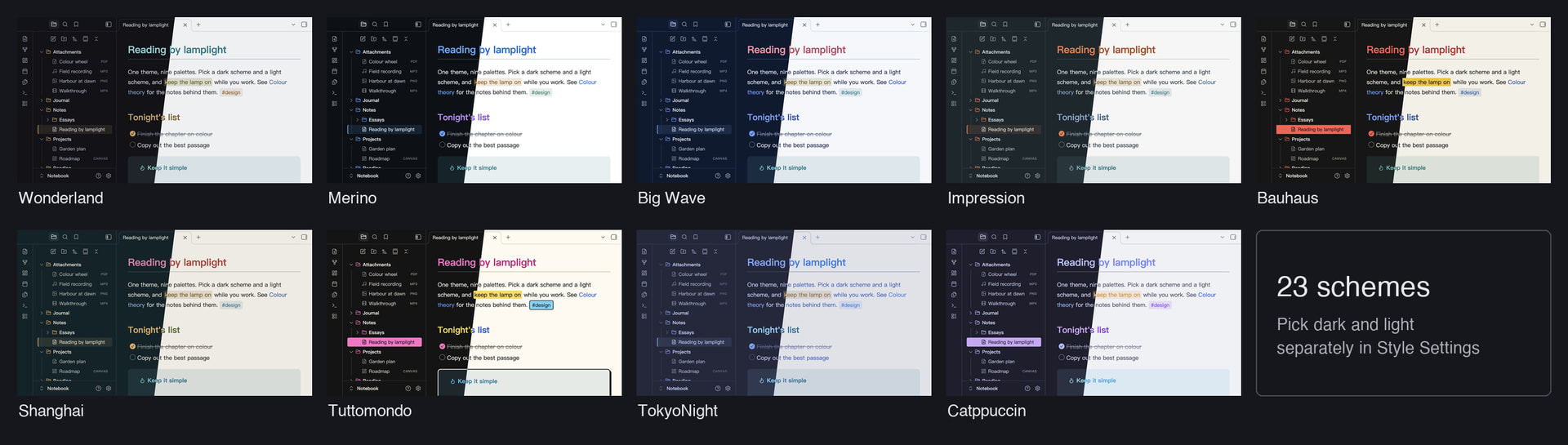
Hi all! I’d like to share Lamplit (青灯夜读, “reading by lamplight”), a theme I’ve been building for my own notes. It puts nine palettes into one theme, 23 schemes in all, and you pick one scheme for dark mode and another for light mode, from any palette you like.
What’s different
-
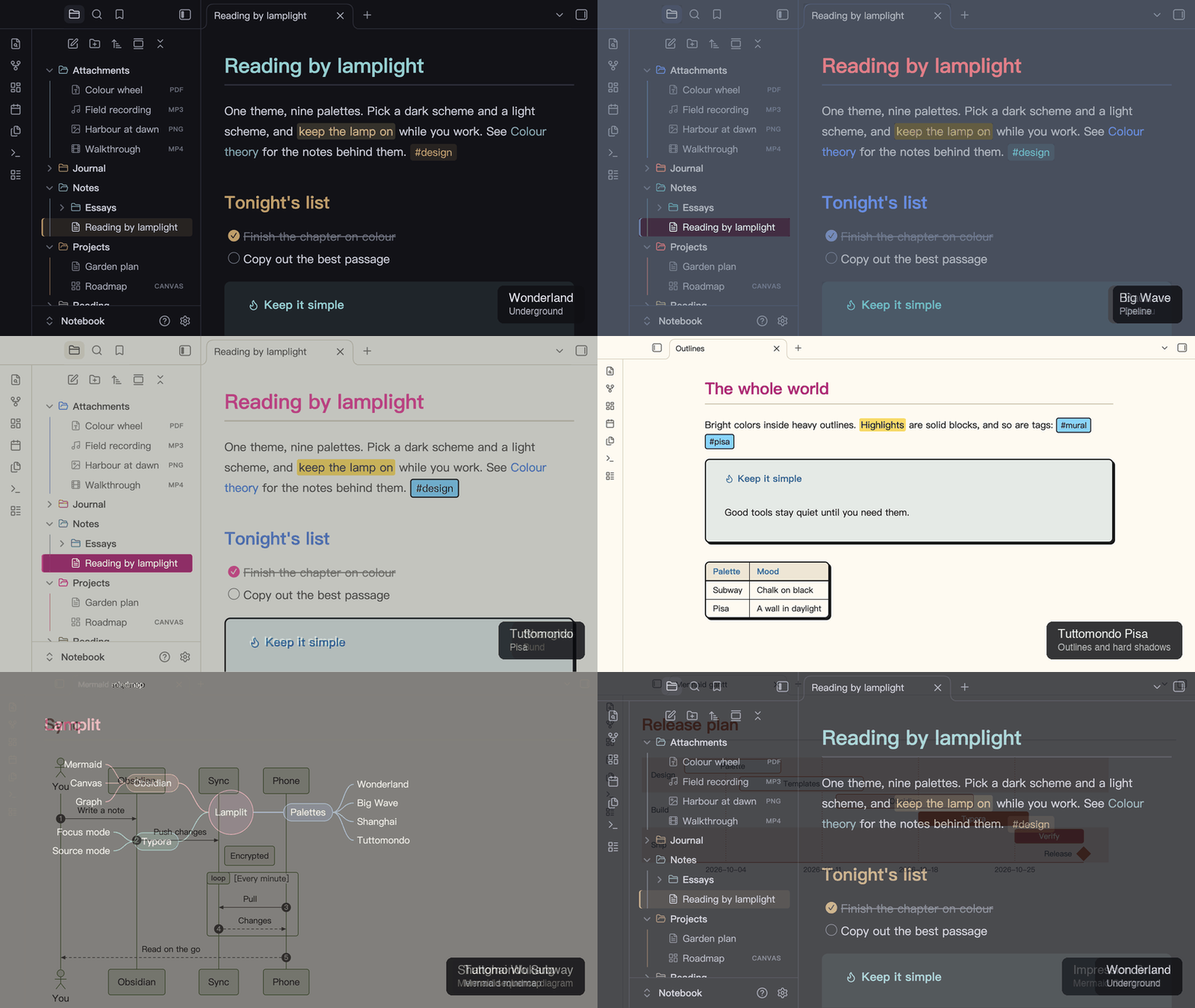
Some palettes change shape, not just color. Bauhaus has square corners and solid highlights. Tuttomondo draws heavy outlines and hard shadows, with solid tags and highlights.
-
Obsidian’s own colors follow the scheme too. Mermaid diagrams (all nine types, on Obsidian 1.15’s new renderer as well), colored highlights, canvas cards and connectors, the graph view, and the accent color in menus and buttons.
-
Reading view and Live Preview look the same. Headings, code, tables, quotes, tags, highlights and links match. I check this with an automated test across every scheme.
-
File type icons in the file explorer, and an optional Color Folders mode.
-
Chinese-first typography, which works just as well for English.
-
The same palettes for Typora, if you also write there.
The palettes
| Palette | Dark | Light | After |
|---|---|---|---|
| Wonderland | Underground, Office District | Lab | Murakami’s Hard-Boiled Wonderland: ink black and a single brass accent |
| Merino | Dark | Light | The Merino terminal themes (GitHub Primer colors) |
| Big Wave | Pipeline | Spray | The cover of Tatsuro Yamashita’s Big Wave (1984) |
| Impression | Havre | Brume | Monet’s Impression, Sunrise: grey-green mist and one orange sun |
| Bauhaus | Weimar | Dessau | The three primaries, solid blocks, square corners |
| Shanghai | Bund | Wukang | The two banks of the Huangpu: the Bund’s gold, the east bank’s glass |
| Tuttomondo | Subway | Pisa | The 1989 mural Tuttomondo in Pisa: bright colors inside heavy outlines |
| TokyoNight | Storm, Night, Moon | Day | The official tokyonight.nvim palette |
| Catppuccin | Mocha, Macchiato, Frappé | Latte | The official Catppuccin palette |
Get started
-
Install Lamplit from Settings → Appearance → Themes → Manage.
-
Install the Style Settings plugin.
-
Open Settings → Style Settings → Lamplit and pick a Dark Mode Scheme and a Light Mode Scheme.
Without Style Settings you get Wonderland. Lamplit needs Obsidian 1.14.4 or later.
Good to know
-
On macOS, Obsidian uses native menus by default, and themes can’t style them. Turn off Settings → Interface → Advanced → Native menus to see themed menus.
-
Color Folders colors top-level folders by position, so adding a folder shifts the colors after it.
Links
-
Community directory: Lamplit - Obsidian Theme
-
Source, the Typora themes and issues: GitHub - agiledolphin/themes: Lamplit: nine color palettes for Obsidian and Typora, dark and light, generated from one set of sources · GitHub
Feedback is very welcome, especially screenshots of anything that looks off in your setup. I’ll post updates in this thread.