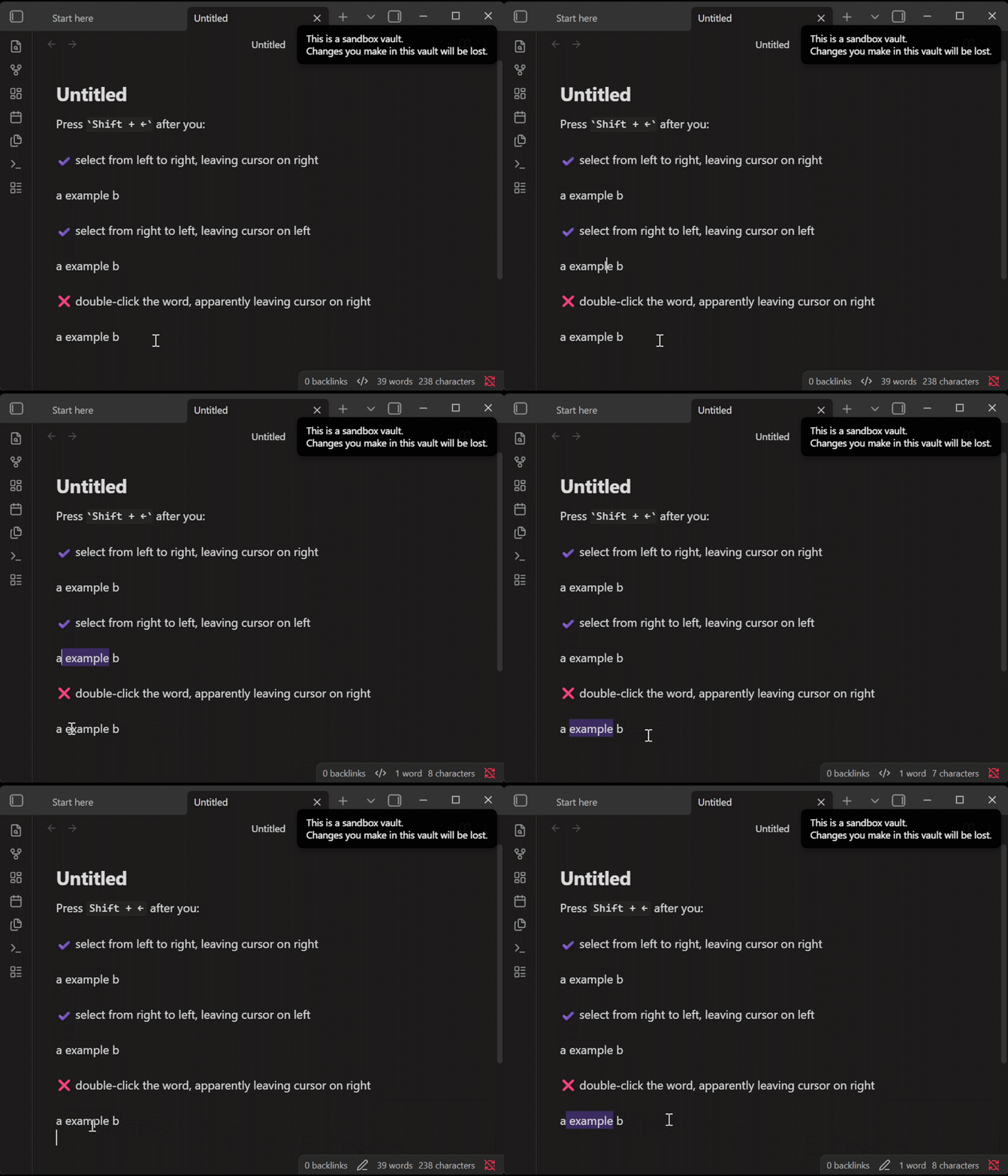
I used to be able to press ‘shift’ and left arrow, when a word was highlighted, to move the highlight one character less on the right side. So, if I had the word “schools” highlighted, then if I pressed shift and left arrow, I would have “school” highlighted. This was extremely useful for backlinking. Suddenly, when I press shift and left arrow, I know have " schools" highlighted. I’m so frustrated
Things I have tried
I have scoured the settings, reddit, tried asking an unhelpful google, and honestly I am not sure how to verbalize my problem. Might be something with an ‘anchor’ or with uni/bidirectional text selection?
What OS? I just tried it on MacOS and it seems to work.
Can you share your “Show debug info” from Obsidian? Or try it out in the Sandbox help vault and see if it behaves as expected there. If so, it might suggest a plugin, hotkey, or snippet that is causing issues.
After double-clicking a word, the cursor appears to be on the right, but pressing Shift+← behaves as if the cursor had been on the left.
Doesn’t occur when using the keyboard to make the selection
Occurs in both Source mode and Live Preview
SYSTEM INFO:
	Obsidian version: 1.13.5
	Installer version: 1.13.4
	Operating system: Windows 11 Pro for Workstations 10.0.26200
	Login status: logged in
	Language: en
	Catalyst license: insider
	Insider build toggle: on
	Live preview: on
	Base theme: adapt to system
	Community theme: none
	Snippets enabled: 0
	Restricted mode: off
	Plugins installed: 1
	Plugins enabled: 0

RECOMMENDATIONS:
	none
Assuming this is new behavior, could be worth a bug report.
Thanks for the clear reproduction steps, this does look like an Obsidian bug since it occurs in both Source mode and Live Preview even with plugins disabled.