First, search the help docs and this forum. Maybe your question has been answered! The debugging steps can help, too. Still stuck? Delete this line and proceed.
What I’m trying to do
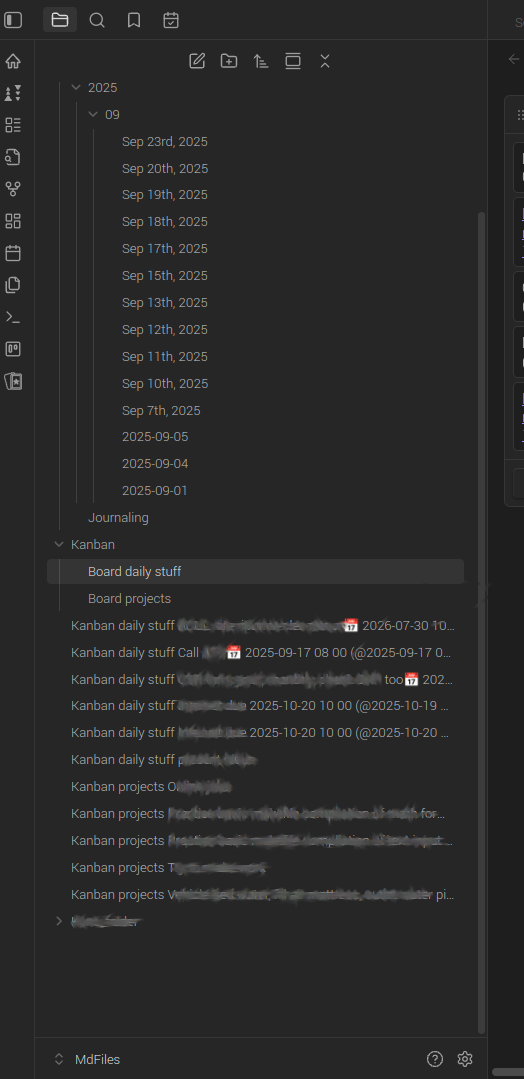
I would like Obsidian desktop App Current version: v1.9.12 (Installer version: v1.4.16) and phone → left side bar → Files → plugin Kanban Version: 2.0.51 By mgmeyers → Kanban Card notes to be stored in the Kanban directory, rather than the root directory.
Things I have tried
- Due to default storage of Kanban Card notes storing in Files root, I am naming the Card titles “Kanban <Board name> <List name> <Card name>”. This seems quite convoluted compared to just a Card name and typing the note.
- If I just type the Card name and note, then plugin Kanban or Obsidian store the Card note alphabetically in the left side bar Files. This is confusing as this can be far away from directory Kanban and perhaps near an irrelevant Directory like Flashcards or Contacts.