First, search the help docs and this forum. Maybe your question has been answered! The debugging steps can help, too. Still stuck? Delete this line and proceed.
What I’m trying to do
Journal similar to Logseq
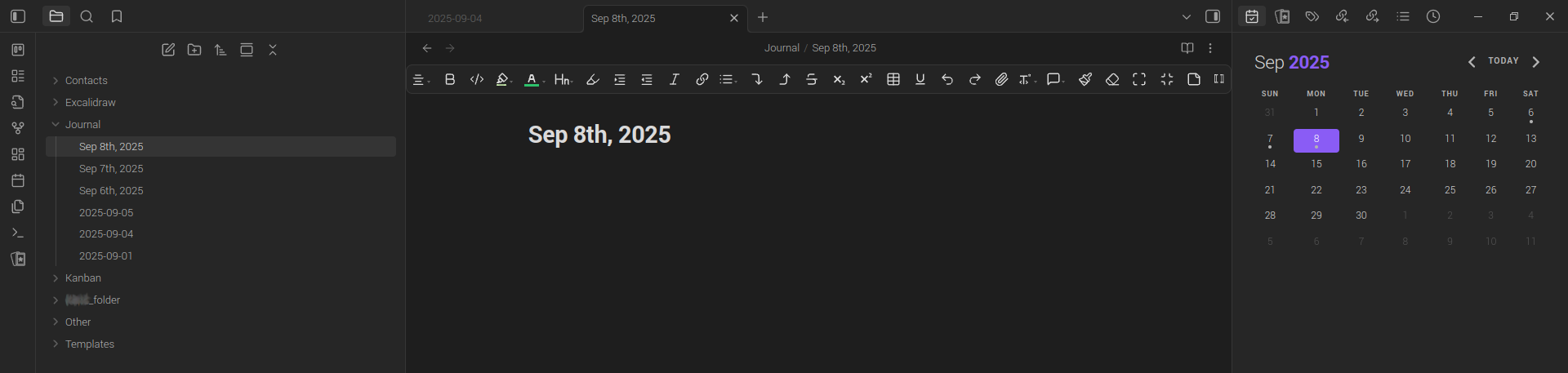
- Auto open Journal page with today’s date so I can instantly start typing
- Date format Sep 7th, 2025
- Calendar positioned under Journals in left column, as right column wastes space with just calendar
- Delete if no entry for that day, to avoid unnecessary empty spaces
- Icon Open today’s daily note not needed to manually open as Journal auto opens
- Sorting from most recent and top to oldest at bottom
- Sync reminders date/hours/minutes with Calendar, Kanban and Tasks
- Template possibility for Journal, but unsure what and new to making something there
Things I have tried
Lots of plugins but ended up removing and using the default Obsidian desktop App Current version: v1.9.12.
- Calendar Version: 1.5.10 By Liam Cain works best in my experience, but confused with dots which in other apps would indicate an event or task with an open or closed reminder
- Daily notes Core plugin I might disable if it’s not needed?
- Journals Version: 2.1.10 By Sergil Kostyrko disabled as it didn’t seem to do anything
- Kanban Version: 2.0.51 By mgmeyers is handy to manage tasks and reminders, possibly syncing with Journal, but not essential?
- Reminder Version: 1.1.21 By uphy is the best working for me in my experience, although is only text with no buttons. Provided day, hours and minutes for reminders and hopefully syncs with Calendar, Journal or Kanban?
- Tasks Version: 7.21.0 By Clare Macrae and Ilyas Landikov (created by Martin Schenck) says it tracks tasks across your vault, so hopefully Calendar, Journal and Tasks?
- Screenshot of what I’m looking at.