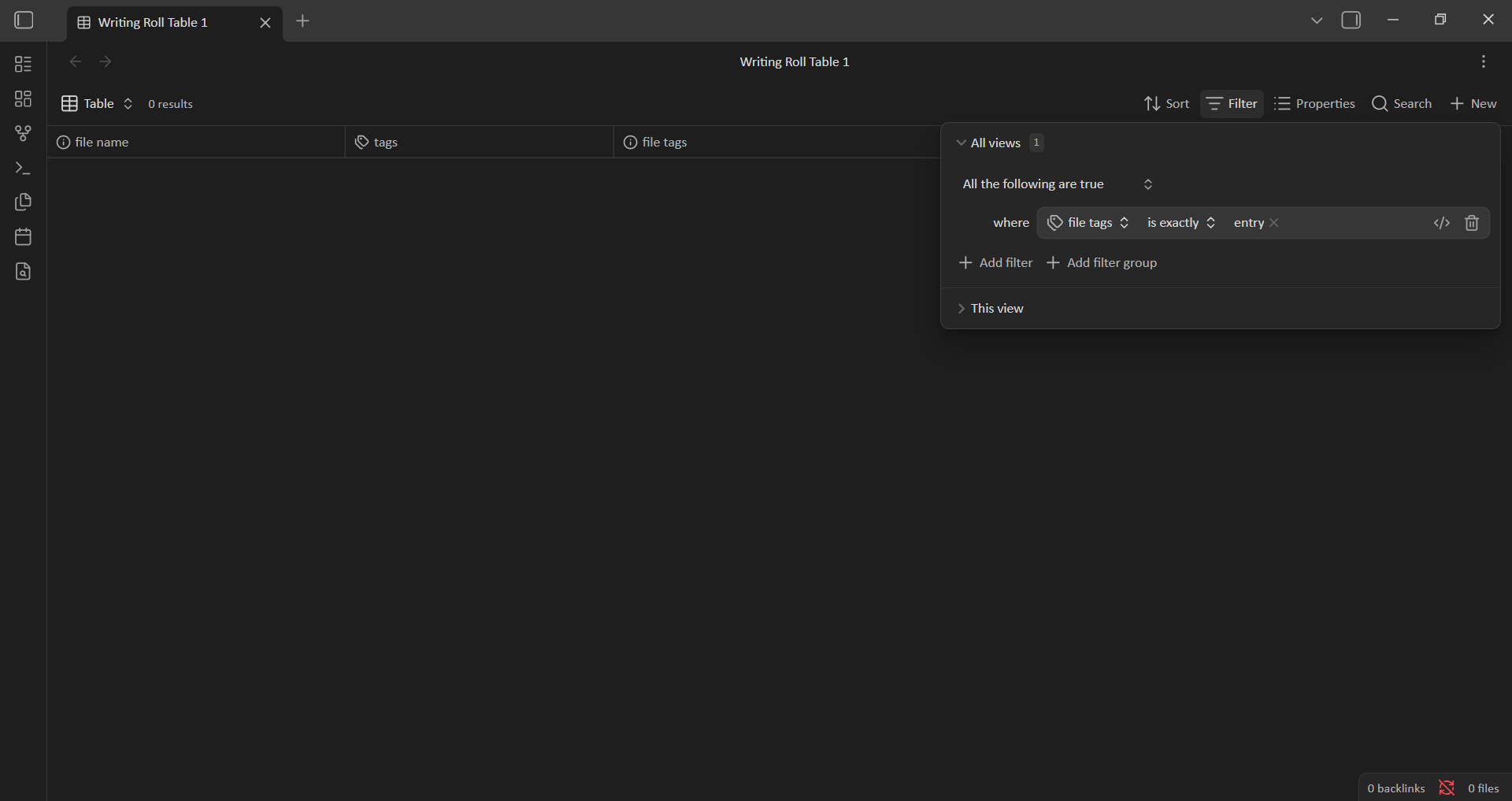
I attempted to filter my base utilizing the simple filter “is exactly” function. I was attempting to isolate notes with a single tag. I was filtering by the tag titled “entry.” I have notes that have multiple tags such as “entry” and “post,” but I wanted only notes that had the tag “entry” and nothing else. I selected “file tags, is exactly” and selected “entry.” Nothing populated in the base. I checked that I had notes that only had the tag “entry” and there was.
Steps to reproduce
Start with an existing base that has notes with only one tag and notes with that same tag and at least one other tag in their properties.
Go to “Filter”
In either ‘All views’ or ‘This view’ select “All the following are true.”
Be sure that ‘Simple filter’ is selected.
Select “file tags” from list.
Select “is exactly”
Select [YOUR TAG]
Did you follow the troubleshooting guide? [Y/N]
Yes
Expected result
A populated list of notes that only had a single tag.
Actual result
Nothing populated
Environment
SYSTEM INFO:
Obsidian version: 1.12.7
Installer version: 1.8.4
Operating system: Windows 11 Home 10.0.26200
Login status: not logged in
Language: en
Insider build toggle: off
Live preview: on
Base theme: adapt to system
Community theme: none
Snippets enabled: 0
Restricted mode: off
Plugins installed: 4
Plugins enabled: 4
1: Better Word Count v0.10.1
2: Minimal Theme Settings v8.2.3
3: Iconize v2.14.7
4: Style Settings v1.0.9
RECOMMENDATIONS:
Community plugins: for bugs, please first try updating all your plugins to latest. If still not fixed, please try to make the issue happen in the Sandbox Vault or disable community plugins.
I have no idea if this will help, but your installer version is ancient. And you should probably try to download and reinstall the latest installer as a first step. Maybe it’s another issue, but that’s the first thing I suggest trying.
The Discord Bases channel noticed that simply adding # makes the filter evaluate as expected.
So…
Steps to reproduce
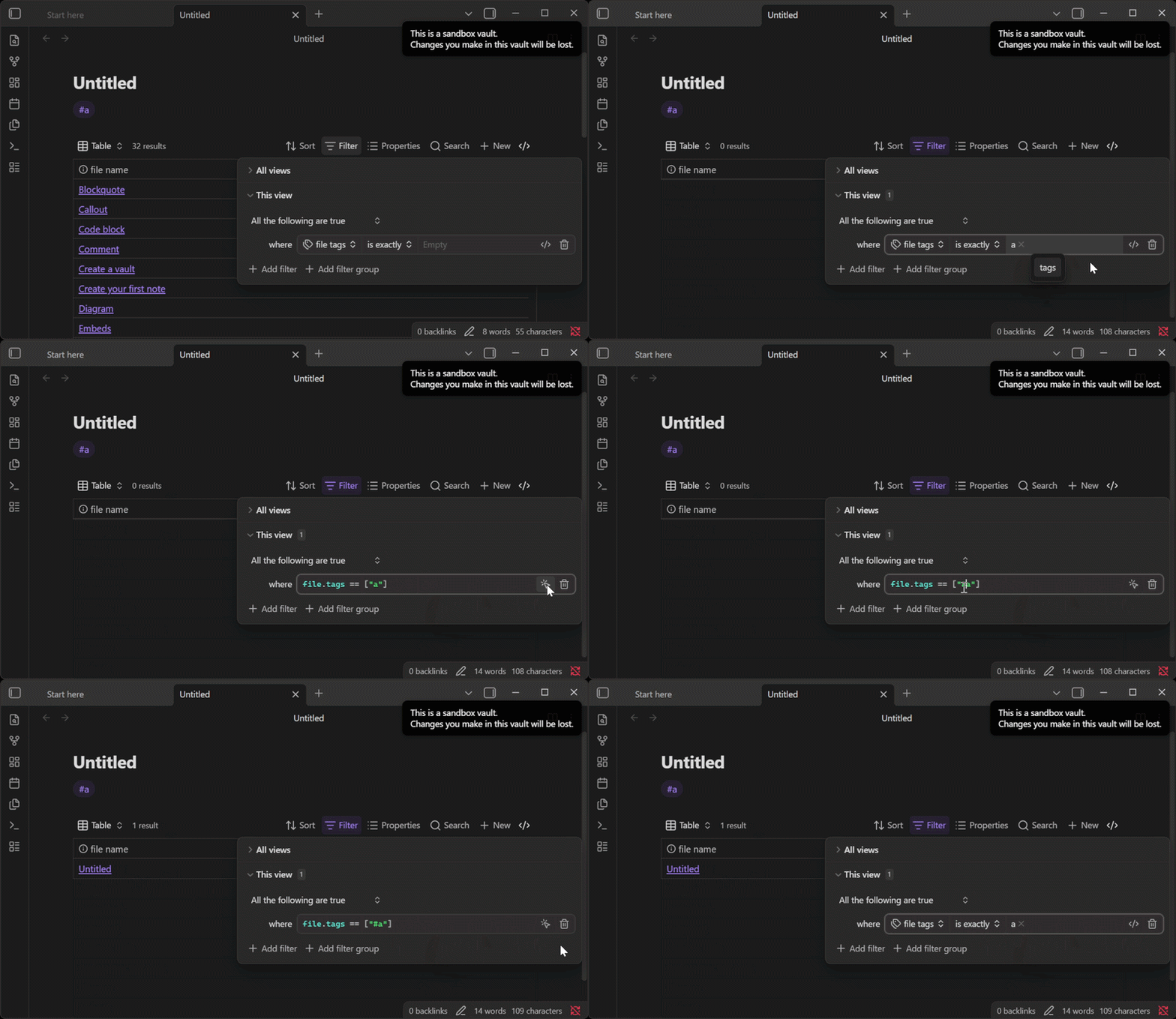
In a new note, type #a to create a tag.
In a new base, use the simple filter interface to enter “file tags” “is exactly” “a”.
Expected result
The base returns the note from step one.
Actual result
file.tags == ["a"] is written to the base code. The base does not return the note from step one.
Environment
SYSTEM INFO:
	Obsidian version: 1.13.4
	Installer version: 1.12.7
	Operating system: Windows 11 Pro for Workstations 10.0.26200
	Login status: logged in
	Language: en
	Catalyst license: insider
	Insider build toggle: on
	Live preview: on
	Base theme: adapt to system
	Community theme: none
	Snippets enabled: 0
	Restricted mode: off
	Plugins installed: 0
	Plugins enabled: 0

RECOMMENDATIONS:
	none
Workaround
Option 1:
Enter the filter file.tags == ["#a"].
Option 2:
Use the simple filter interface to enter “file tags” “is exactly” “a”, click Advanced filter, and insert the # in front of the tag.
Options 3:
Combine the hasTag filter with a length check, ala file.hasTag("a") && file.tags.length == 1