What I’m trying to do
Want to sync from Mac to iPhone via iCloud
Things I have tried
I don’t need multiple Vaults AFAIK at this point. The Mac app seemed happy having everything in iCloud/Obsidian/, but iOS app seems confused by this and treats each folder within as a Vault and ignores anything at the Obsidian folder level. So is it necessary to create something like this iCloud/Obsidian/Obsidian Vault-Main (which is synonymous with ~/Library/Mobile Documents/iCloud~md~obsidian/Documents/Obsidian Vault-Main/) to make the iOS app happy?
Just getting started with Obsidian.
Yes, if are doing it from the mac end. If you create an iCloud vault from iOS/iPadOS, it will be placed in that folder.
On macOS, you can keep your vault(s) pretty much anywhere, but if you want to use iCloud Drive on iOS/iPadOS, vaults (even if you are only using one) need to be in the iCloud Drive/Obsidian/ folder. iCloud/Obsidian/Obsidian Vault-Main as you suspected.
If you haven’t moved the vault yet, I would
-
Open the Sandbox vault (Help > Sandbox vault) or a junk/test vault
-
Close your main vault
-
Using the Finder create an Obs-Vault-Main (or whatever) folder in iCloud Drive/Obsidian/
-
Enable show hidden files/folders in the Finder
-
Drag everything including the .obsidian settings folder inside /Obsidian/ into the new vault folder you created.
-
Choose Manage vaults… from the Sandbox
-
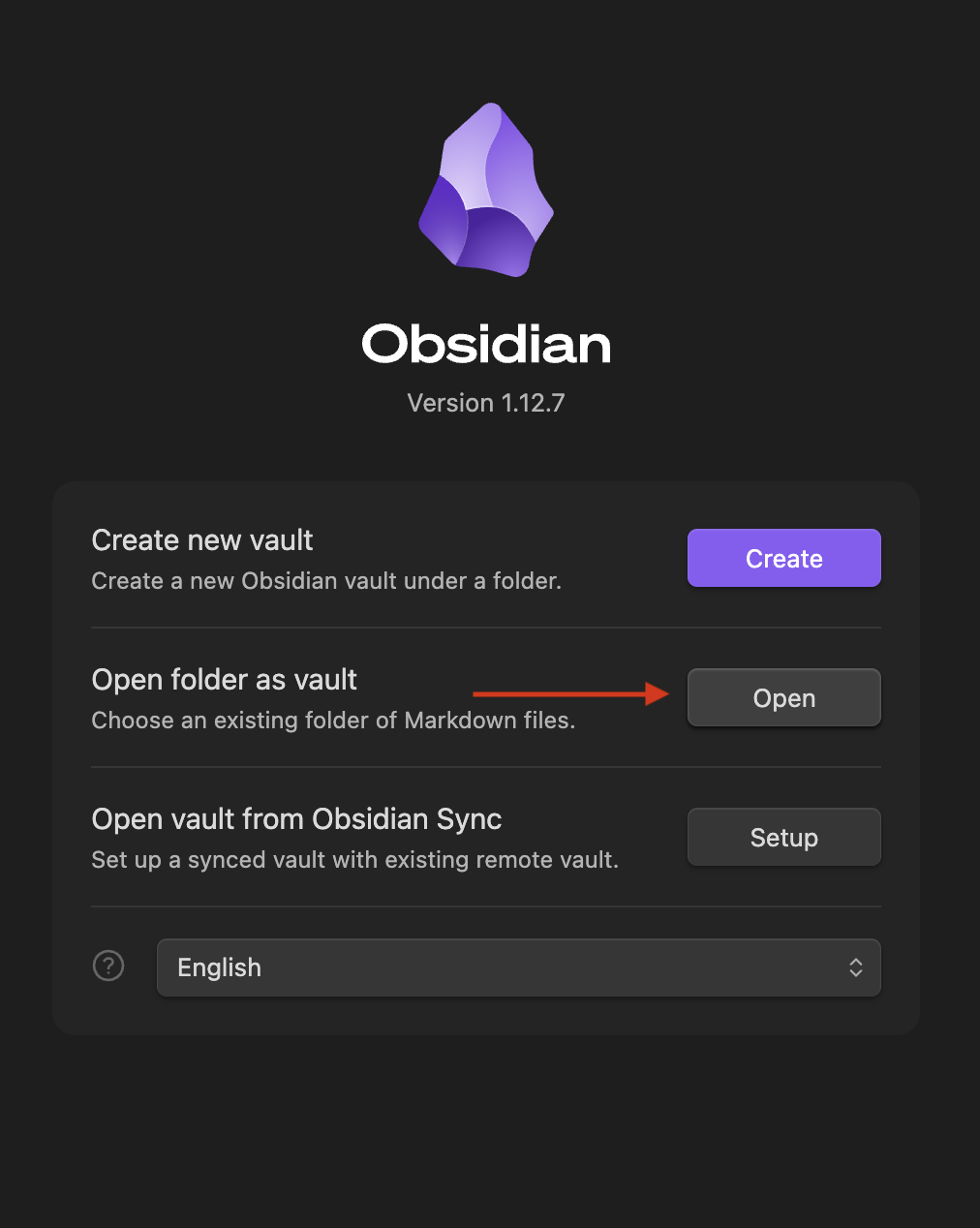
In the vault picker screen, Open folder as vault → Open and point the Finder at the new Obs-Vault-Main folder
Wait a bit for iCloud to sync and for your phone to see the changes. Oh, and right click / long press on the Obsidian folder and make sure it’s set to be Keep Downloaded on macOS and iOS. That should do it.
Thanks for this. It has been driving me nuts.