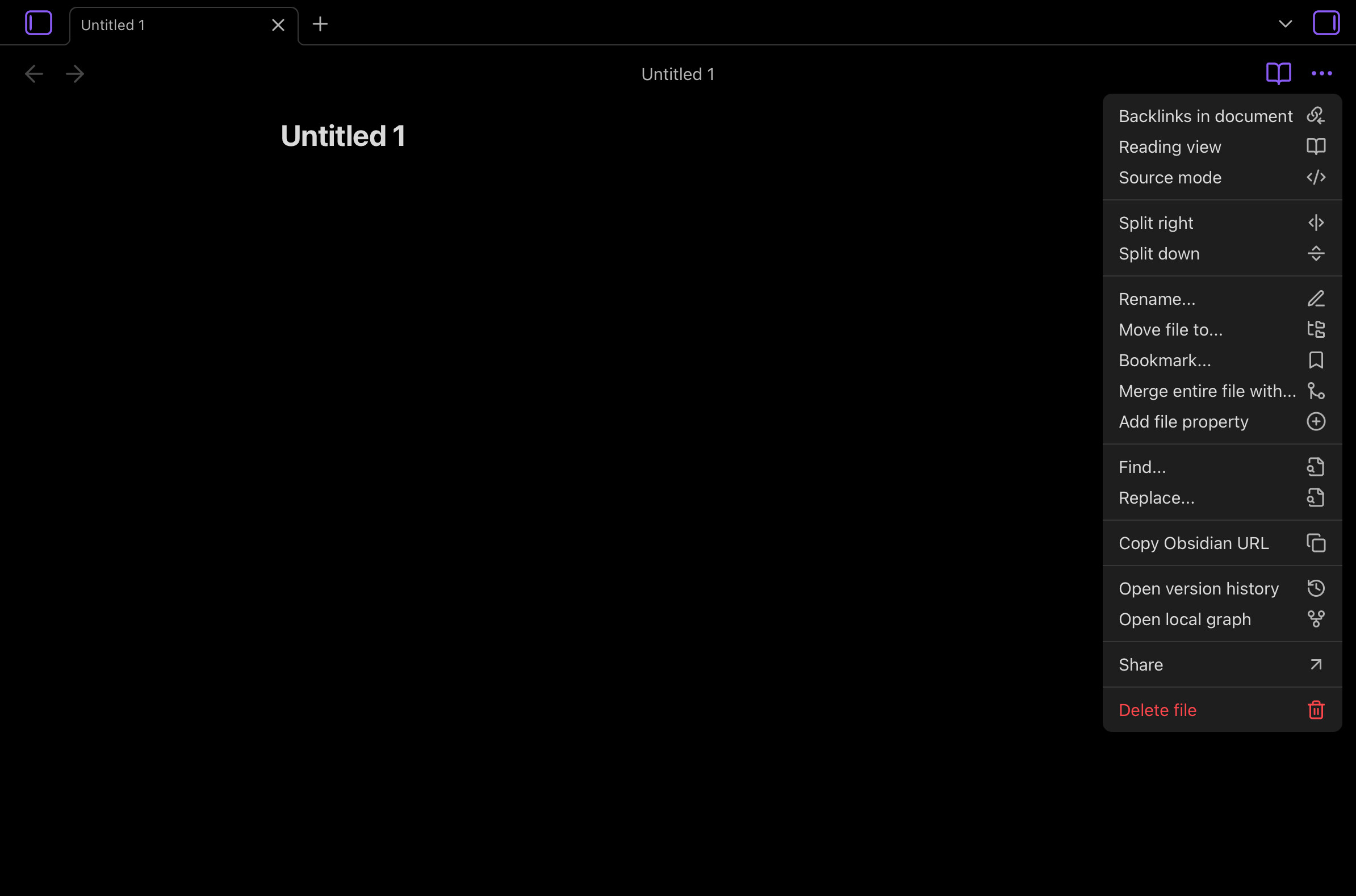
How do I switch from Editor mode to Preview mode on iPad? Is there even a manual?
I found something about Source mode </> here, but I don’t even have the three vertical dots at the top right?
How do I switch from Editor mode to Preview mode on iPad? Is there even a manual?
I found something about Source mode </> here, but I don’t even have the three vertical dots at the top right?
There are three views. Source and Live Preview are editing views, and Reading is the reading view.
On mobile, pull down to open the command palette.
Toggle Live Preview/Source mode to switch to the other editing view.Toggle reading view to switch to Reading.Toggle reading view to switch to your most recent editing view.On the iPhone there’s an icon bottom right that I can tap to toggle. Nothing convenient like that exists on iPad? Is the iPad version unmaintained?
Currently, not with the built-in settings and default theme. I haven’t tried, but perhaps Commander, Note toolbar, or another plugin can do it.
This is on the roadmap:
- Mobile UI refresh
Make the interface easier to use on touchscreen devices.
There currently are differences between iOS, Android, and desktop. Maybe they’ll become more similar where possible over time and updates.
No reason to think Obsidian is unmaintained on iPad. The release version bumped up last week.
After some testing (on a iPad running Obsidian 1.10.6 + default theme), you might want to check in Obsidian’s settings if the Show tab title bar setting is enable or not (it’s one of the setting listed under Appearance > Interface)…
Apparently, if it’s disabled, then the Book/Pencil icon (used to switch between Live Preview and Reading mode) and the 3 dots menu next to it (which includes options to switch between Live Preview and Source mode, in between other things) don’t show up at the top right of a note  …
…
Now, if you don’t want to have tab title bar visible… then I think Dawni’s suggestion to rely on the command palette would be a way to go… or yes, possibly give Commander a try 
Show tab title bar solved it for me. Thanks much!
This topic was automatically closed 28 days after the last reply. New replies are no longer allowed.