Once you’ve done the above, delete everything above this line.
Steps to reproduce
- Setup new empty vault (on iOS) and create Daily Notes folder. Setup Daily Notes core plugin to place in folder.
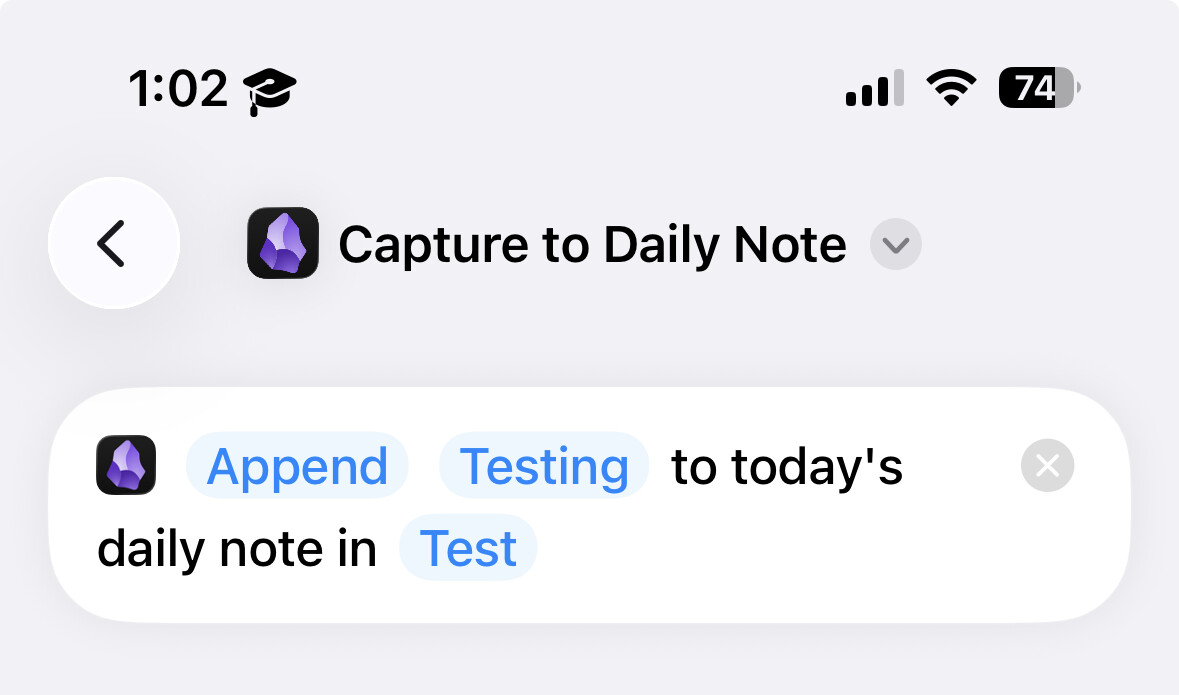
- Create a new shortcut in the iOS app. add the “Capture to Daily Note” action and fill out text with something like “Testing” and assign to the empty vault
- Run Shortcut. Expect Error “File: “Test/Daily Notes/2026-01-23.md” not found”
Did you follow the troubleshooting guide? [Y/N]
Yes, I went through the troubleshooting guide
Expected result
It will add the text “Testing” the day’s daily note. If the daily note doesn’t exist, a new one will be made and then text added.
Actual result
Shortcut app will send a notification or prompt you saying “File “Test/Daily Notes/2026-01-23.md” not found.” (today’s date)
Environment
SYSTEM INFO:
Operating system: ios 26.2 (Apple iPhone15,2)
Obsidian version: 1.11.5 (279)
API version: v1.11.5
Login status: logged in
Language: en
Catalyst license: none
Live preview: on
Base theme: adapt to system
Community theme: none
Snippets enabled: 0
Restricted mode: on
RECOMMENDATIONS:
none
Additional information
shortcut action:
Context: I’m using this capture to daily note as a task quick capture (working with the Tasks community plugin). I would think that expected behavior for this shortcut action to create a new note (with the appropriate daily note template if specified) and then add the text. If this isn’t what the devs meant, I’d greatly appreciate a workaround or alternative to achieve this functionality. Thanks!