Steps to reproduce
- Create a new vault
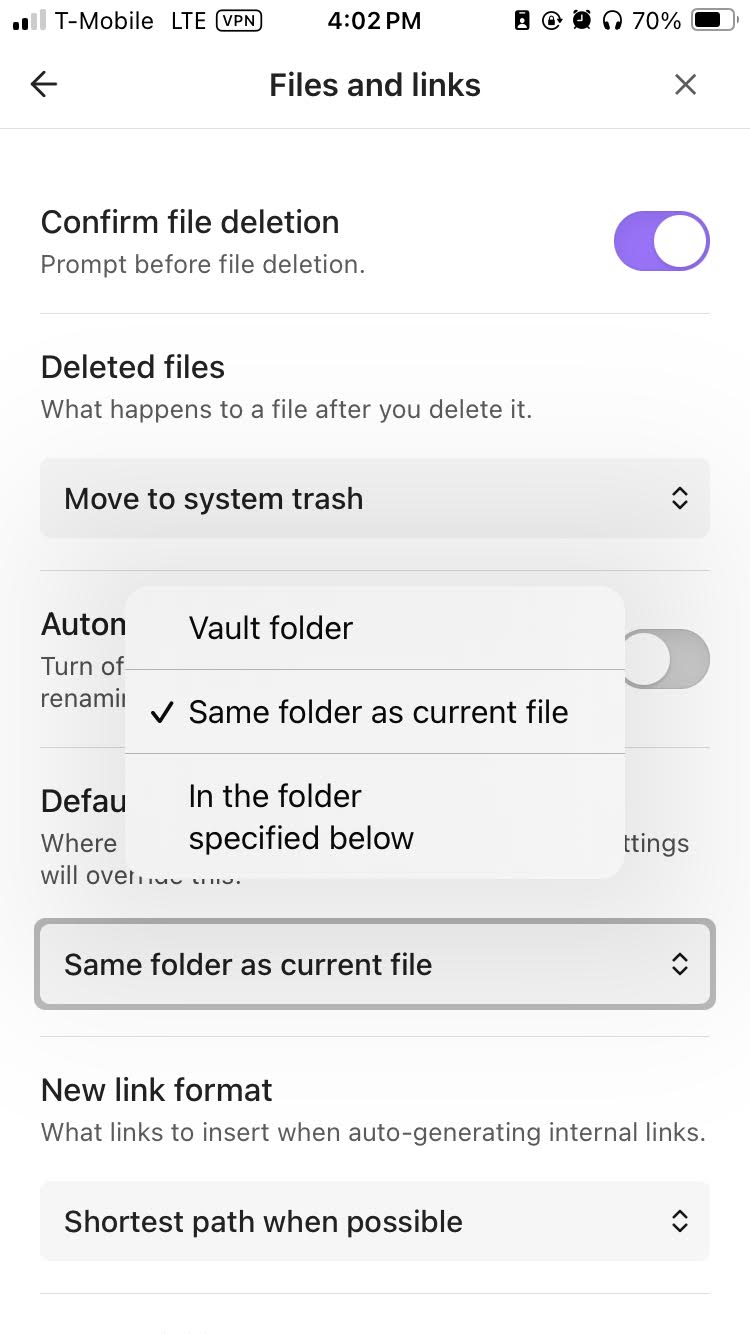
- Go to Settings > Files and links > Default location for new notes > Select ‘Same folder as current file’
- Exit Settings
- Create a new note (Note 1), and put it in the folder.
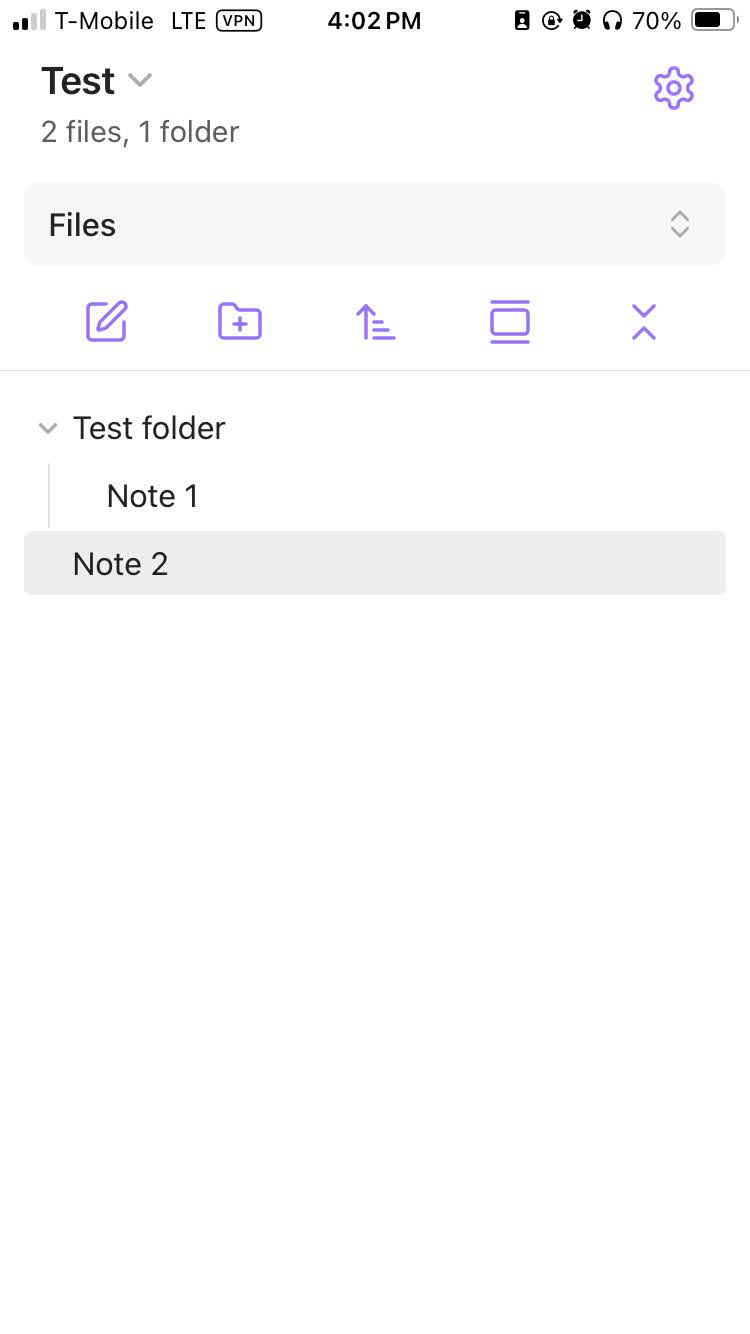
- Create a folder, ‘Test folder’
- Move ‘Note 1’ to ‘Test folder’.
- While ‘Note 1’ is open, press ‘+’ to create a new note called ‘Note 2’ (can also be done from the vault notes list screen, happens either way).
- Go back to vault list. New, ‘Note 2’ appears in root of vault
Did you follow the troubleshooting guide? [Y/N]
Sandbox not available on mobile, but I created a brand new vault to test it. Thrice!
Expected result
Expected the new note, ‘Note 2’, to be placed within ‘Test folder’ that the currently viewed note, ‘Note 1’, is in.
Actual result
The new note, ‘Note 2’, is placed within the root vault.
Environment
SYSTEM INFO:
Operating system: ios 18.5 (Apple iPhone14,6)
Obsidian version: 1.9.12 (237)
API version: v1.9.12
Login status: not logged in
Language: en
Live preview: on
Base theme: adapt to system
Community theme: none
Snippets enabled: 0
Restricted mode: on
RECOMMENDATIONS:
none
Additional information
N/A, the steps are straightforward. Thanks for taking a look at this.