Inspired by Andrej Karpathy’s idea of the “append‑and‑review note“, I started using a single file to collect fragmented thoughts and capture inspiration.
But when you keep adding to one document, it quickly becomes cluttered and hard to review properly.
Thankfully, Obsidian is flexible enough to build custom tools – so I created this little plugin: Jot.
It lets you keep everything in one file while browsing and reviewing your notes in a clean card view.
I’m not a professional programmer — I build with the help of AI. I’ve been using Obsidian for almost four years now, and I absolutely love it. I’ve developed several plugins and written many scripts for my personal “Lifein” system (There is no English version available yet.), which I use every single day. Both my work and personal life have benefited greatly from it.
The Jot plugin is still not perfect, and there’s definitely room for improvement. I’ll continue investing time into making it more polished and easier to use.
I’d really appreciate any suggestions and feedback. Thank you all!
Features
-
Quick Capture – Open a dedicated modal with one click and start writing immediately.
-
Smart Tags – Support nested tags (e.g.
Work/ProjectA), with auto‑completion from existing tags. -
Sources & Attachments – Add source information and attach files (images, documents). Attachments are automatically named
jot-YYYYMMDD-number. -
Calendar View – Visualise daily note counts at a glance; click any date to filter entries.
-
Search & Filter – Full‑text search, multi‑keyword AND queries, and tag‑based filtering.
-
Markdown Rendering – Full support for Obsidian syntax: wikilinks, lists, checklists, blockquotes, embeds, and more.
-
Multi‑language – Built‑in Chinese and English; follows Obsidian language settings or can be switched manually.
-
Flexible Storage – Choose between “one file per day” or a single master file.
-
Zero interference – Jot creates .md files only in your chosen folder, leaves your other notes untouched. Uninstall anytime – your jots remain intact.
-
Lightweight & Efficient – Incremental loading and file caching for optimal performance.
Preview
Workspace Area ↓
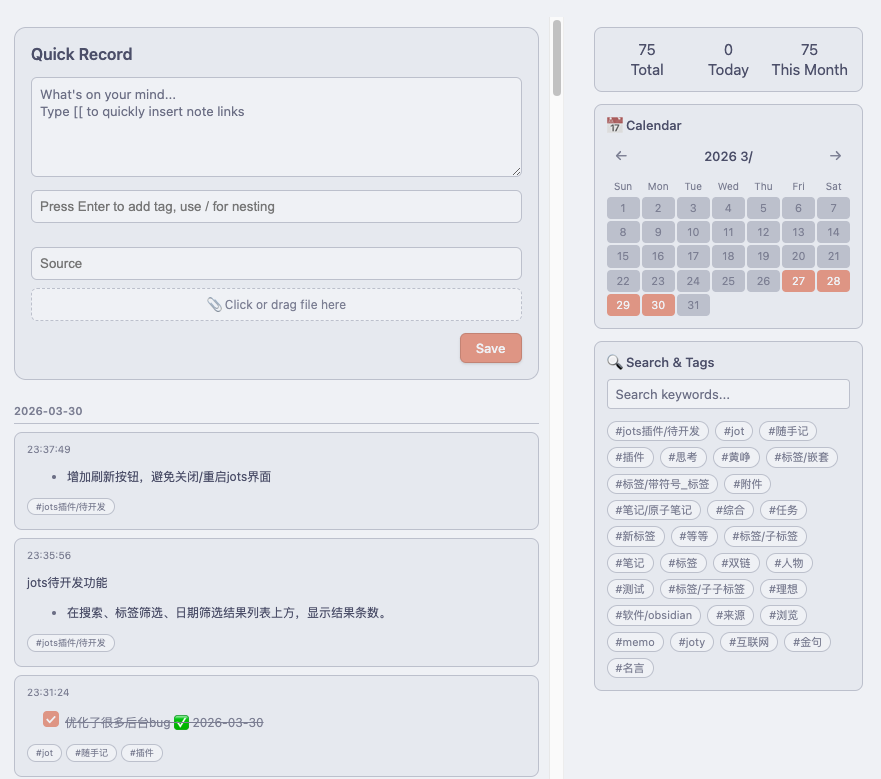
Sidebar ↓

Jots Note ↓
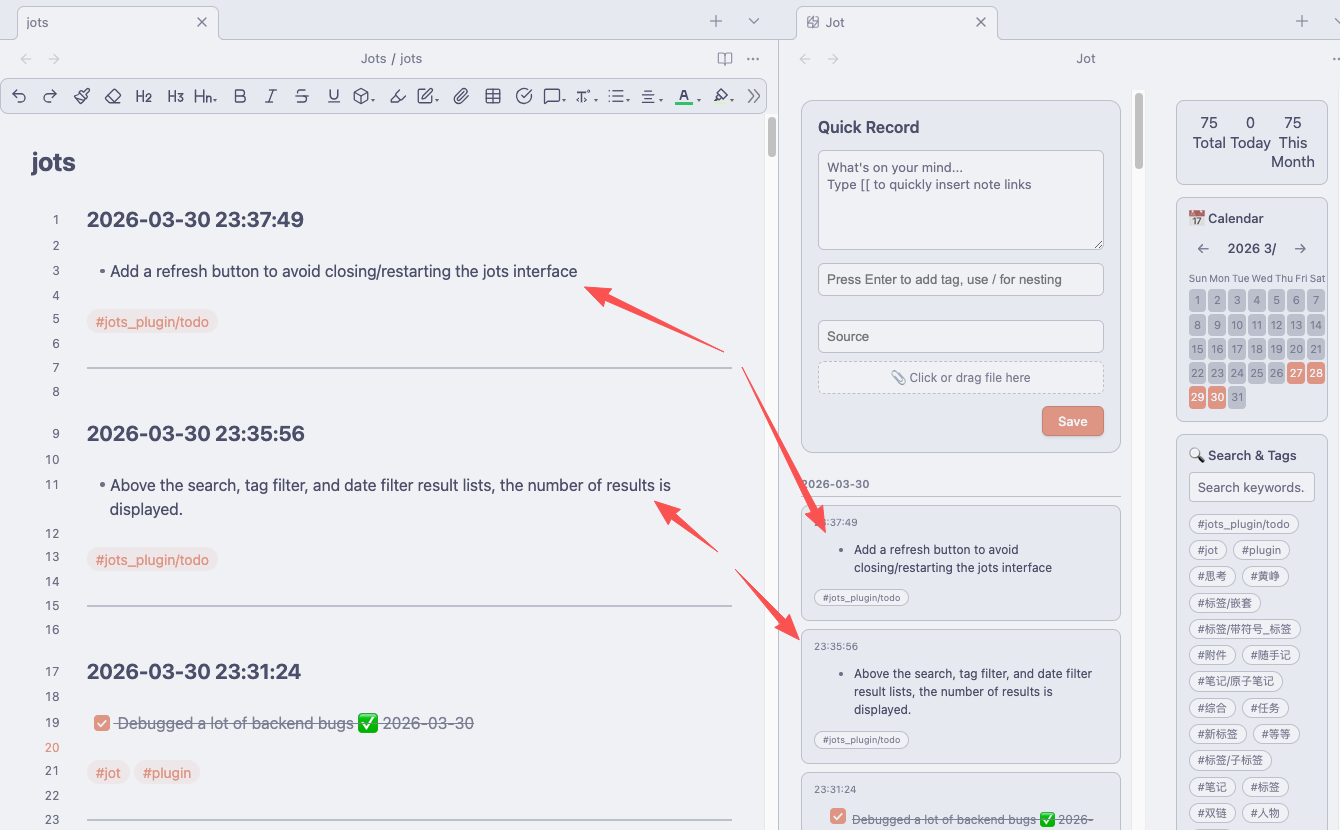
If you’re interested, you can grab it here – there’s also a detailed intro if you want to know more.