Steps to reproduce
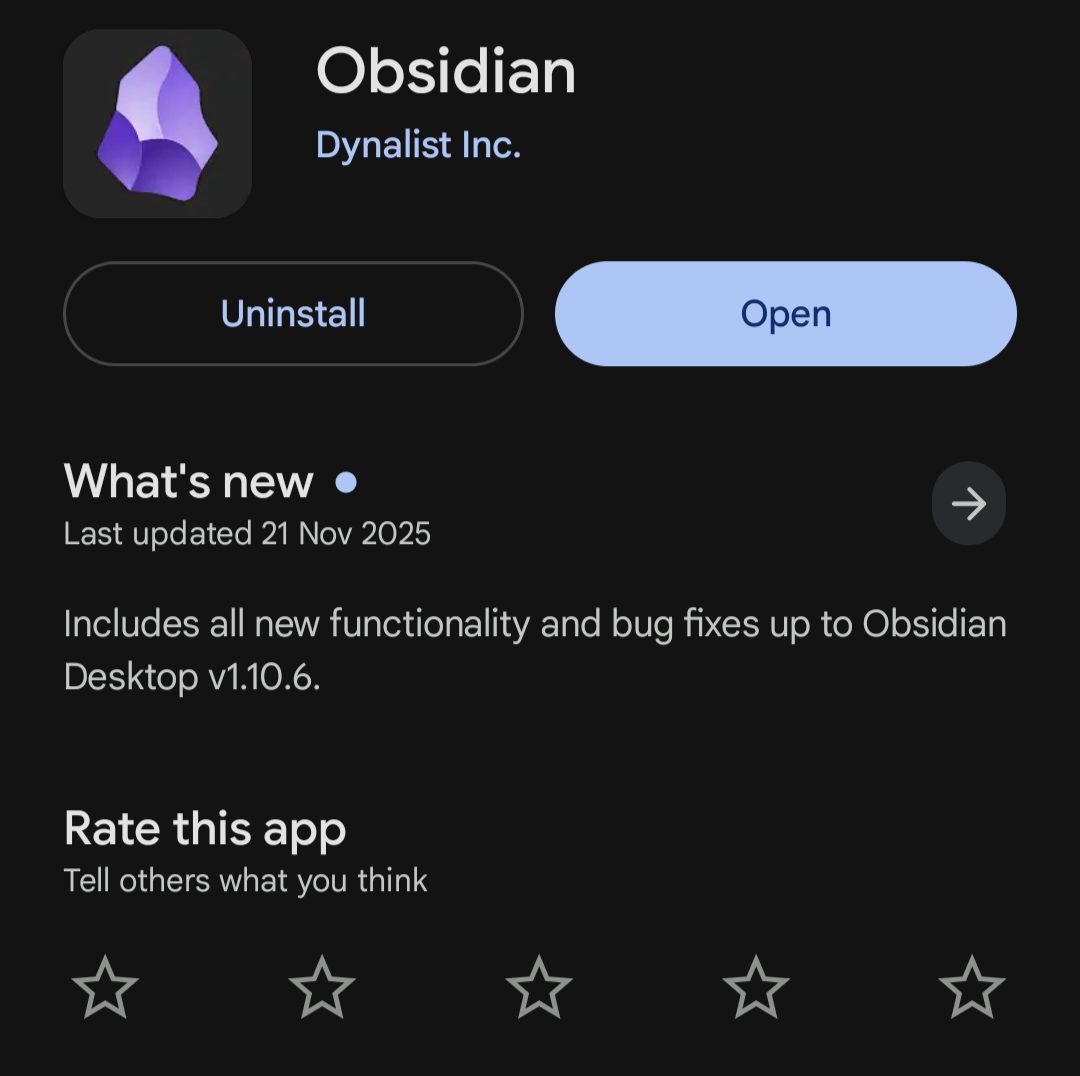
- Install the latest version of Obsidian from the Google Play Store (it says v1.10.6 aligning with changelog).
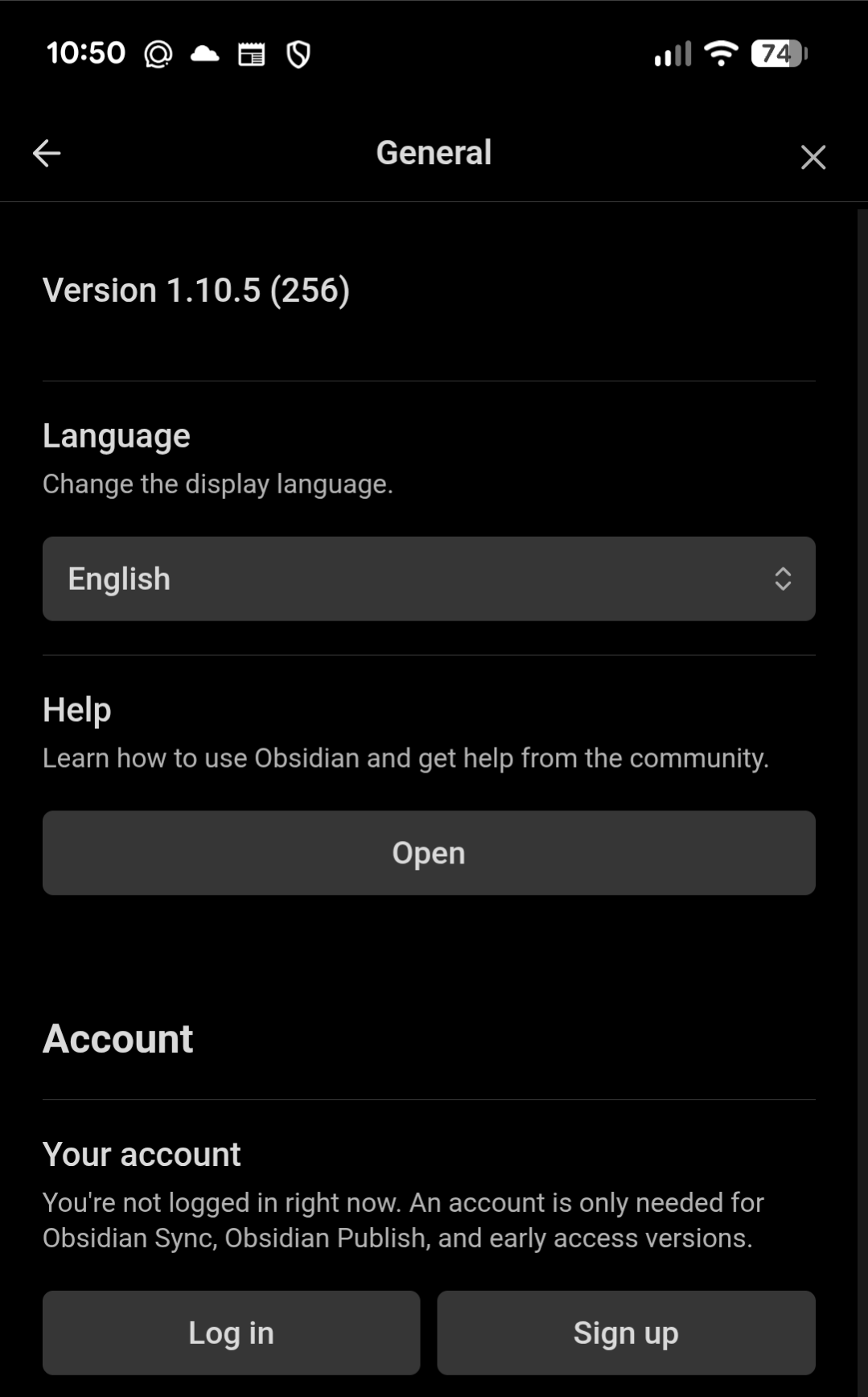
- Open settings > General and see version number is 1.10.5 (256)
- Use command
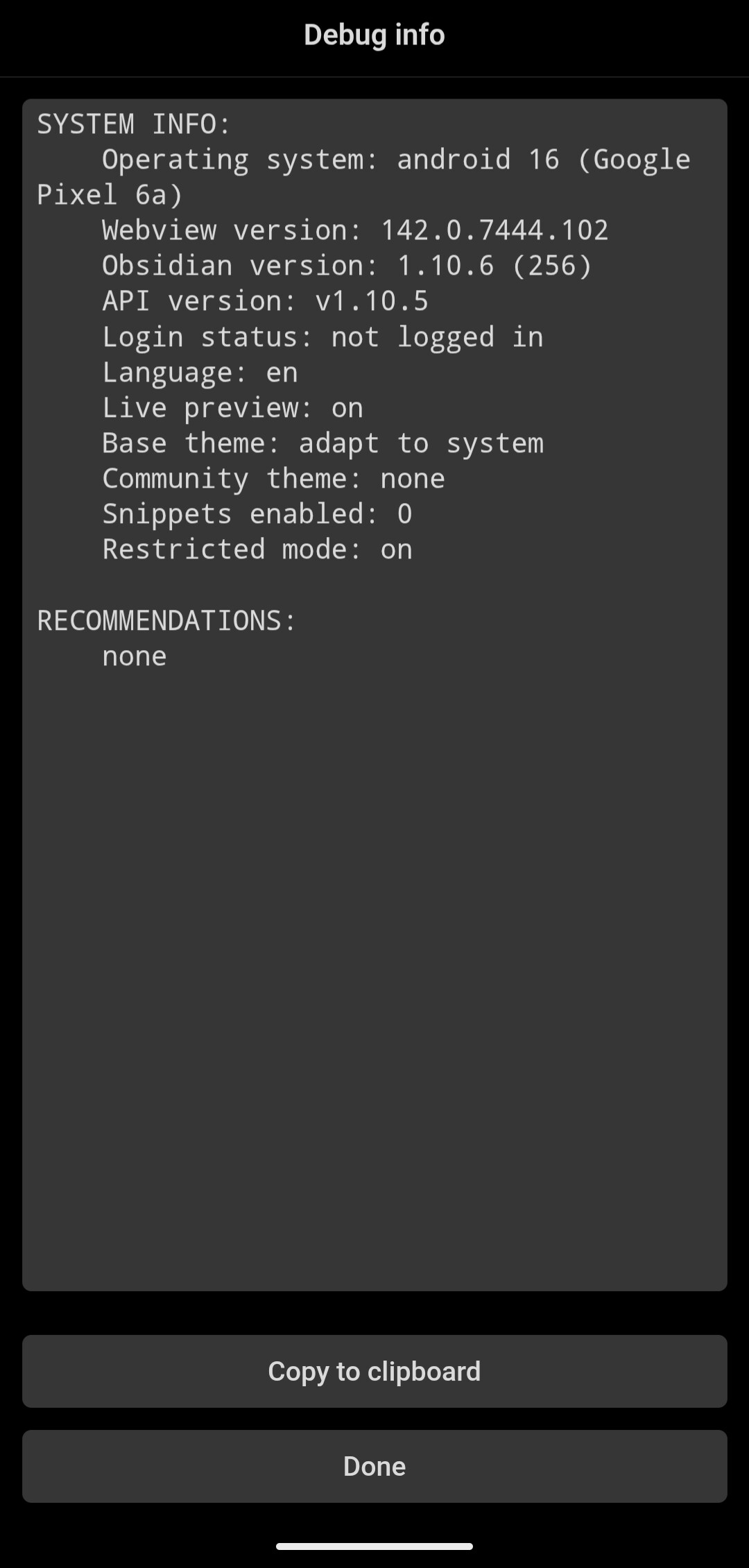
show debug info: see that version number is 1.10.6 (256) and API version is v1.10.5
Did you follow the troubleshooting guide? [Y/N]
Yes, I started a fresh vault on Android with restricted/no themes/no CSS
Expected result
I expected to see the version numbers of General/Debug matching the release numbers and each other within the app.
Actual result
As above: general settings shows 1.10.5 (256), debug info shows 1.10.6 (256) with API version of 1.10.5.
Environment
SYSTEM INFO:
Operating system: android 16 (Google Pixel 6a)
Webview version: 142.0.7444.102
Obsidian version: 1.10.6 (256)
API version: v1.10.5
Login status: not logged in
Language: en
Live preview: on
Base theme: adapt to system
Community theme: none
Snippets enabled: 0
Restricted mode: on
RECOMMENDATIONS:
none
Additional information
Worth noting I have not tested if any of the changelog changes have gone through or if this is just a version number issue.
Thanks team 