Steps to reproduce
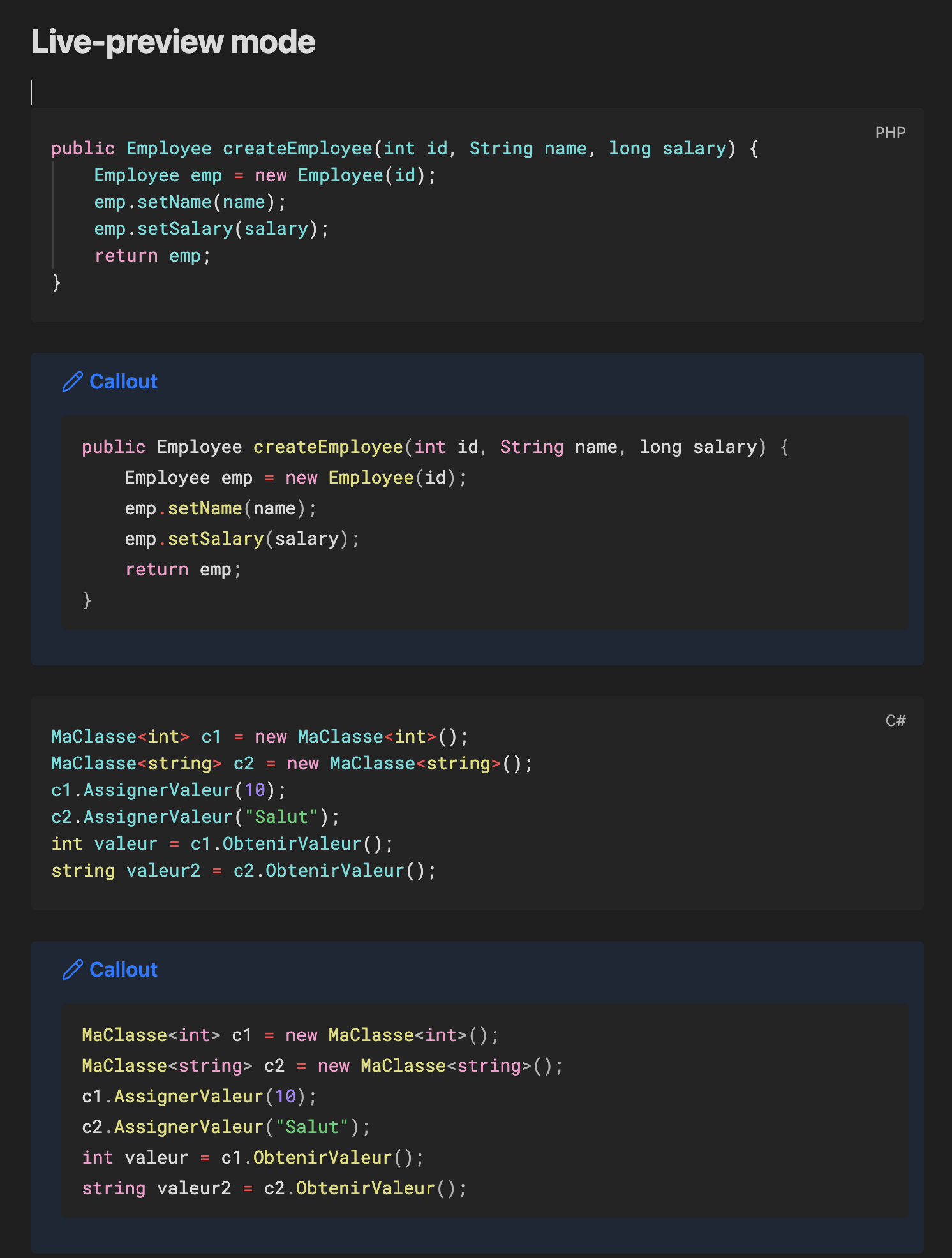
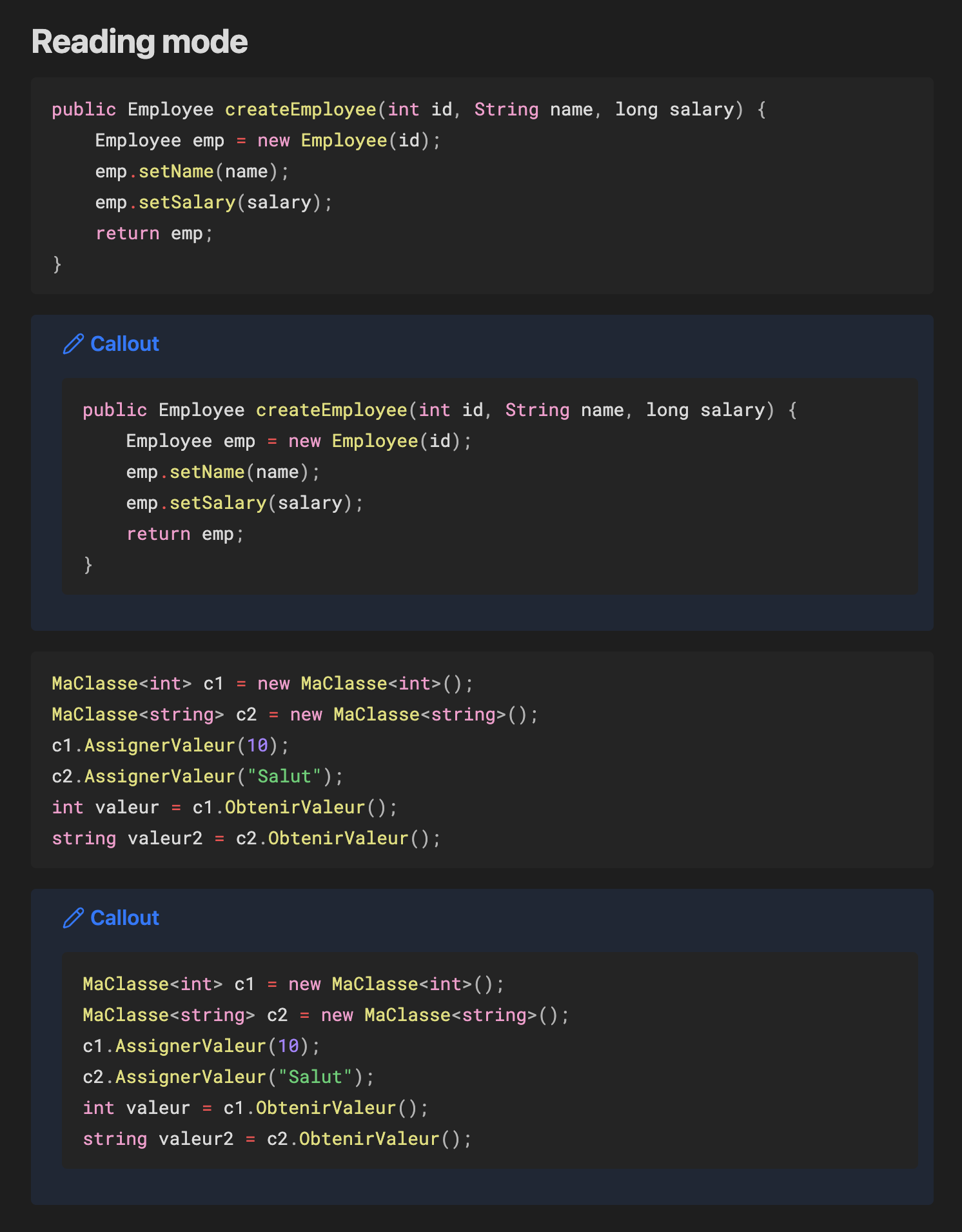
Write code block (with ``` or ~~~) with a designated programming language and see the difference when:
- Written inline (no nesting)
- Nested inside a callout
- In reading mode
Did you follow the troubleshooting guide? [Y/N]
Yes
Expected result
Syntax highlighting should be consistent across all contexts, matching the colors displayed in reading mode or inside a callout.
Actual result
Syntax highlighting behaves inconsistently in live preview: fewer color variations are displayed compared to reading mode.
Interestingly, code blocks nested inside a callout render correctly, matching reading mode colors.
Environment
SYSTEM INFO:
Obsidian version: 1.12.7
Installer version: 1.8.4
Operating system: Darwin Kernel Version 25.4.0: Thu Mar 19 19:31:09 PDT 2026; root:xnu-12377.101.15\~1/RELEASE_ARM64_T8132 25.4.0
Login status: not logged in
Language: fr
Insider build toggle: off
Live preview: on
Base theme: adapt to system
Community theme: none
Snippets enabled: 0
Restricted mode: on
RECOMMENDATIONS:
none