Steps to reproduce
I want the image to be centered, so I’m using the following stylesheet:
img[alt*="center"] {
  display: block;
  margin-left: auto;
  margin-right: auto;
}
or
img {
  display: block;
  margin-left: auto;
  margin-right: auto;
}
I am attaching images within my documents like this:

or

respectively.
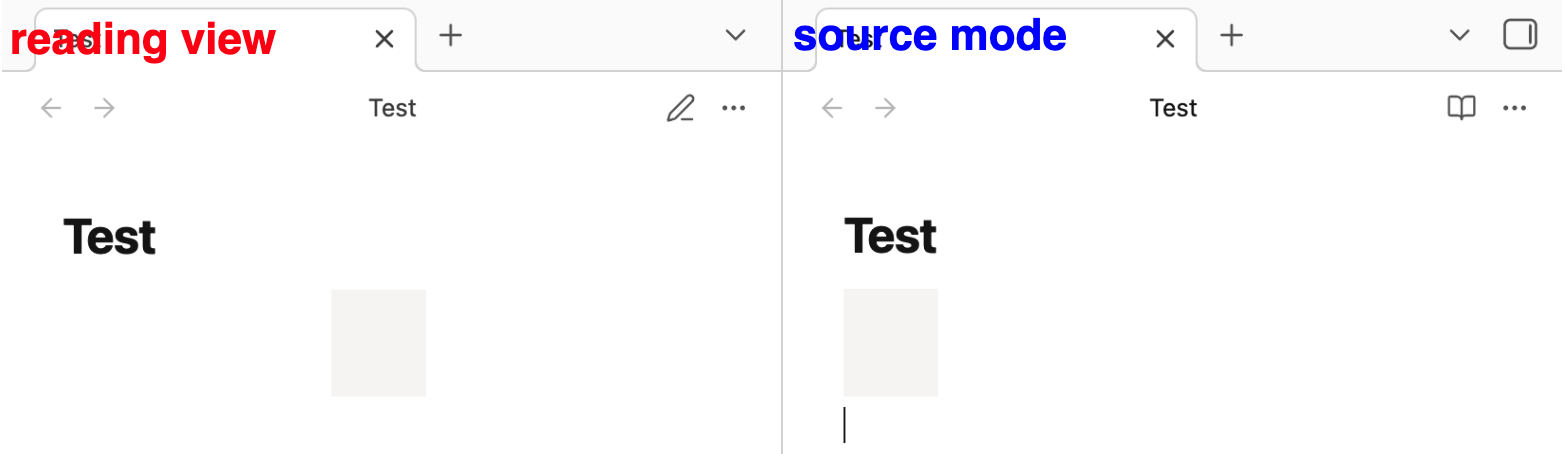
Looking at it through the developer tools, it seems like reading view and source mode have different DOM structures. This is why images aren’t centered in source mode. In previous versions, they worked fine in source mode:
Expected result
images center aligned
Actual result
styles applied to images don’t work in source mode.
Environment
SYSTEM INFO:
Obsidian version: 1.12.4
Installer version: 1.8.4
Operating system: Darwin Kernel Version 25.3.0: Wed Jan 28 20:53:15 PST 2026; root:xnu-12377.81.4~5/RELEASE_ARM64_T6000 25.3.0
Login status: logged in
Language: en
Catalyst license: none
Insider build toggle: off
Live preview: on
Base theme: adapt to system
Community theme: none
Snippets enabled: 1
Restricted mode: on
