First, search the help docs and this forum. Maybe your question has been answered! The debugging steps can help, too. Still stuck? Delete this line and proceed.
What I’m trying to do
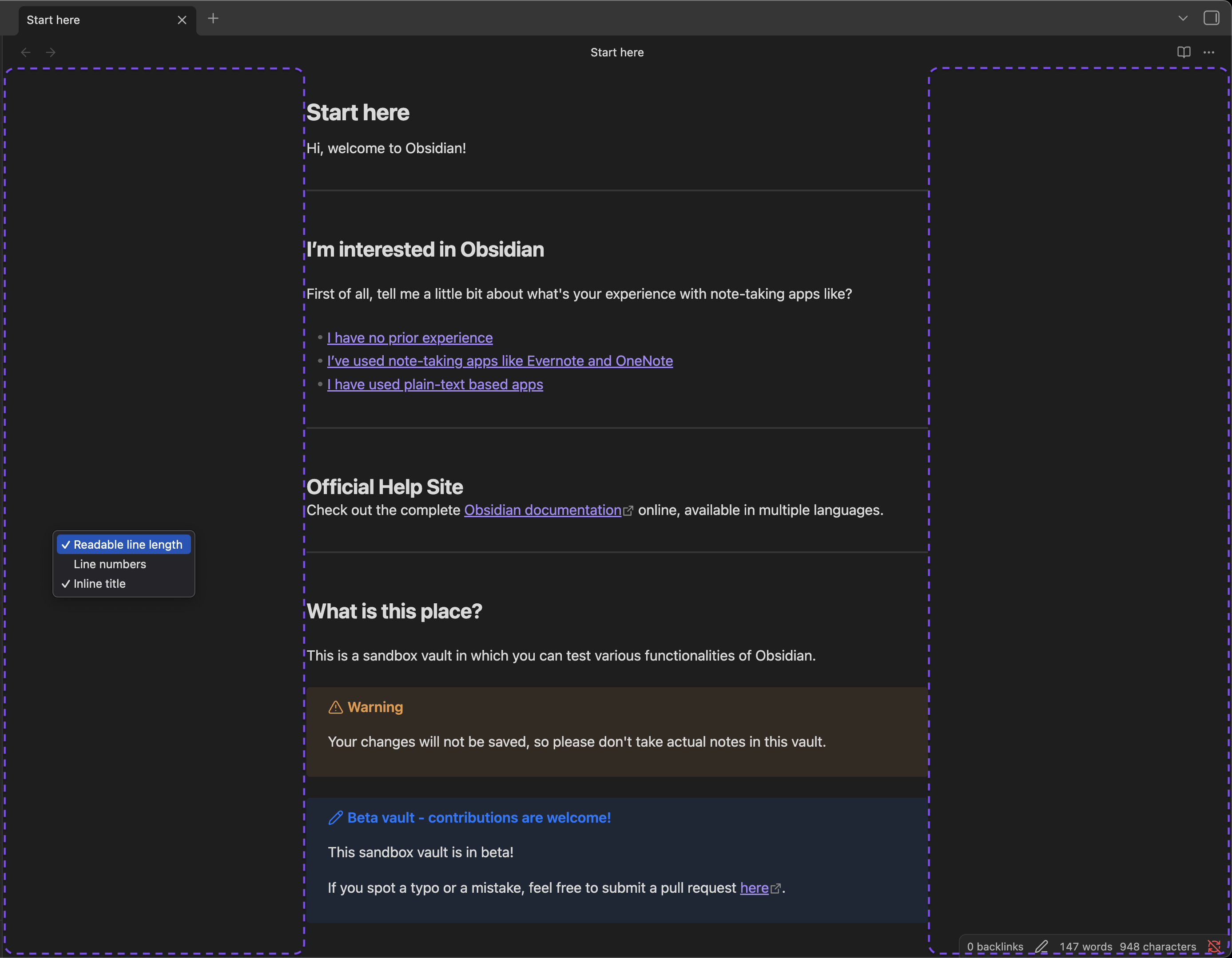
This release notes that "Added new menu items when you right-click in the empty space next to the editor: Toggle line numbers, Toggle inline title.
Things I have tried
I have no clue where this “empty space next to the editor” is. I’ve tried right clicking all over the place with no “Toggle …” appearing. I’m at a total loss as to what this means.
 ) in the middle.