Steps to reproduce
- download latest installer of Obsidian.md from website (Installer 1.11.7)
- open Obsidian and get latest update (version 1.12.4)
- shut down Obsidian and reopen sandbox vault
- On Start Here page of Sandbox, add a link
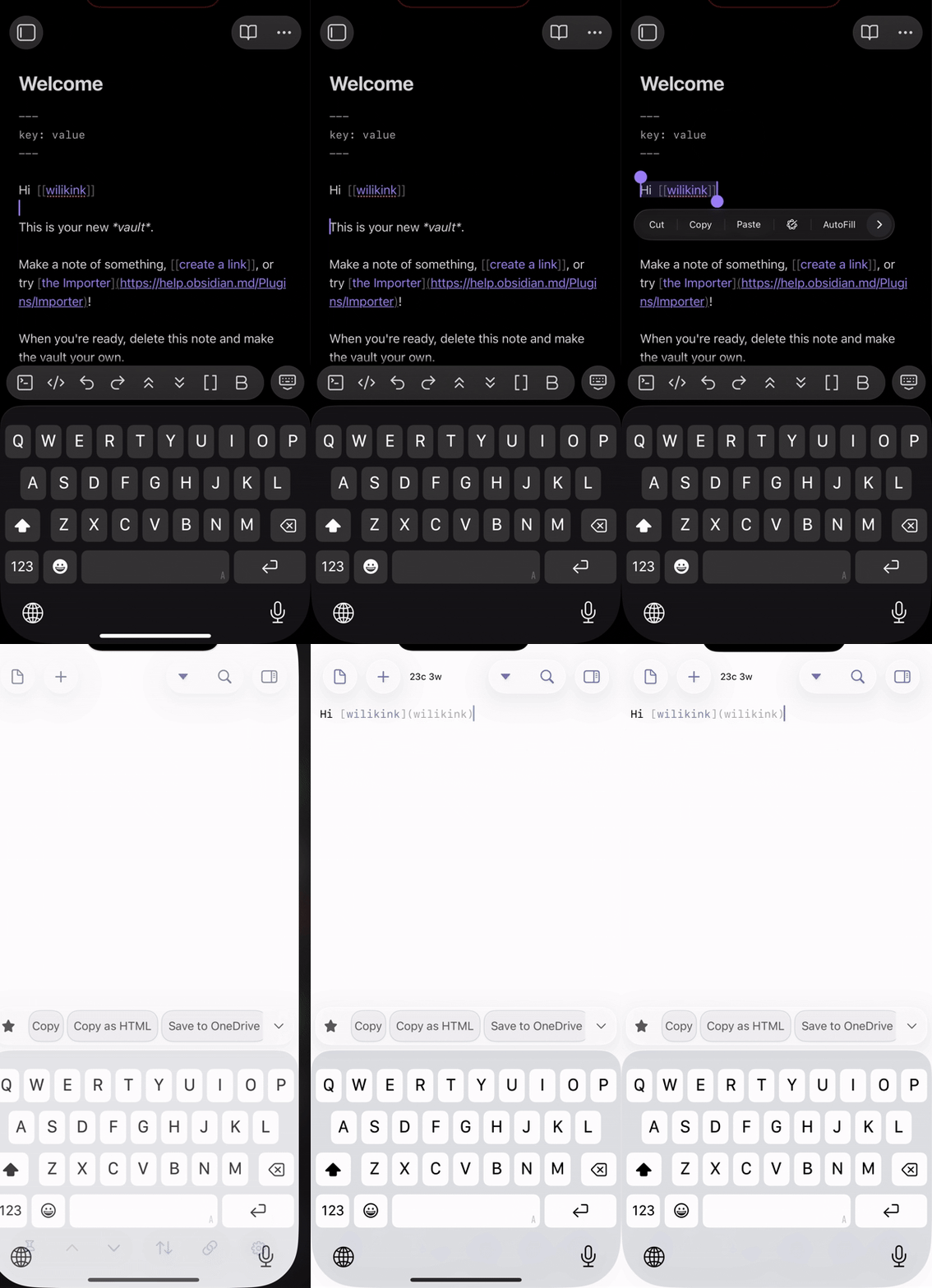
[[testing 123]] - highlight link (as a wikilink) and copy it to my clipboard (MacOS Tahoe 26.3)
- open a text editor (Sublime Text and also tested in Drafts)
- use Cmd-V to paste into blank text file
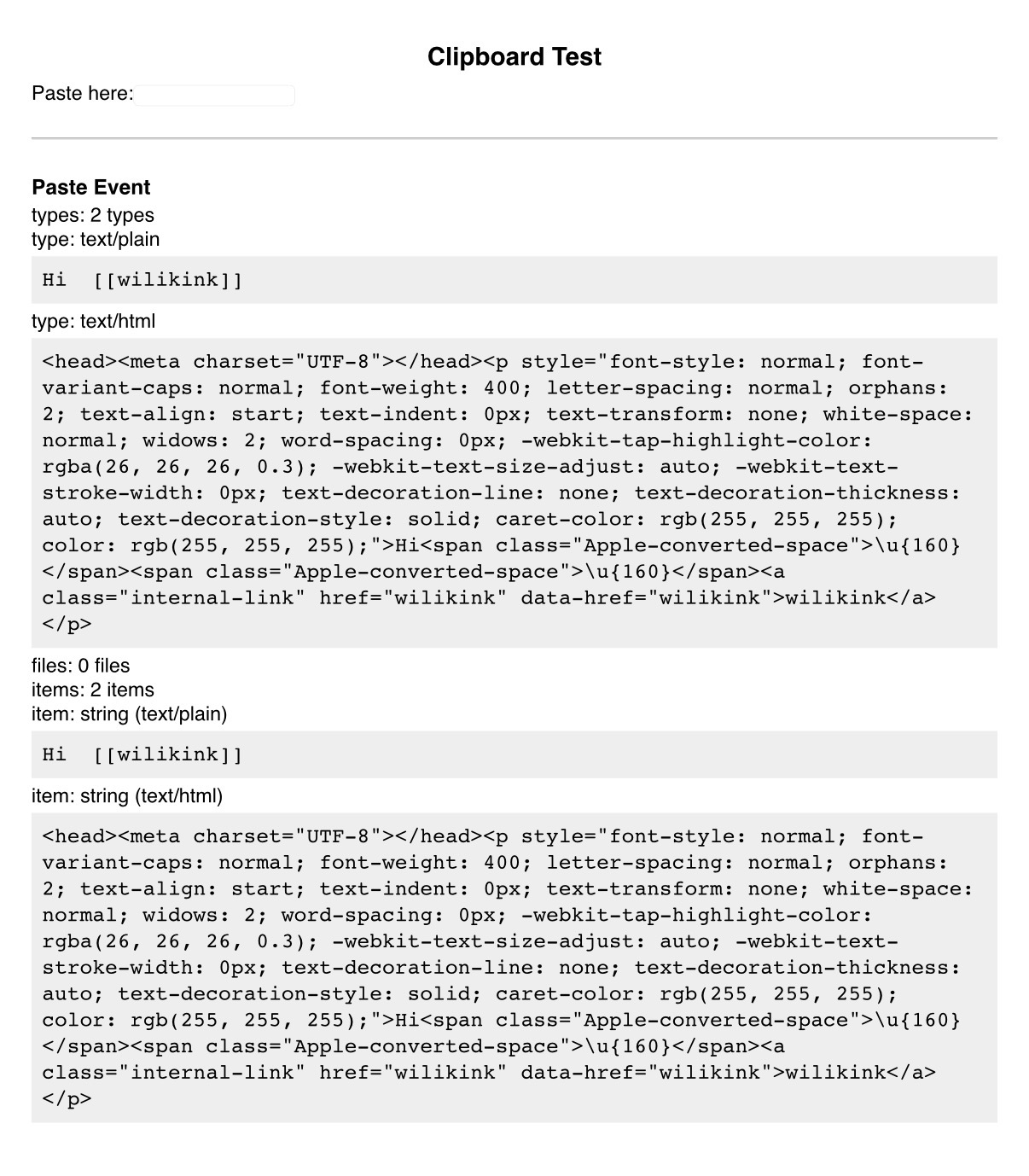
- pastes
[testing 123](testing 123) - try right clicking to paste as plain text – not an option
- try Shift-Cmd-V and that also doesn’t work.
Did you follow the troubleshooting guide? [Y/N]
Yes. I tried in my own vault and in the Sandbox vault in restricted mode. Same results.
Expected result
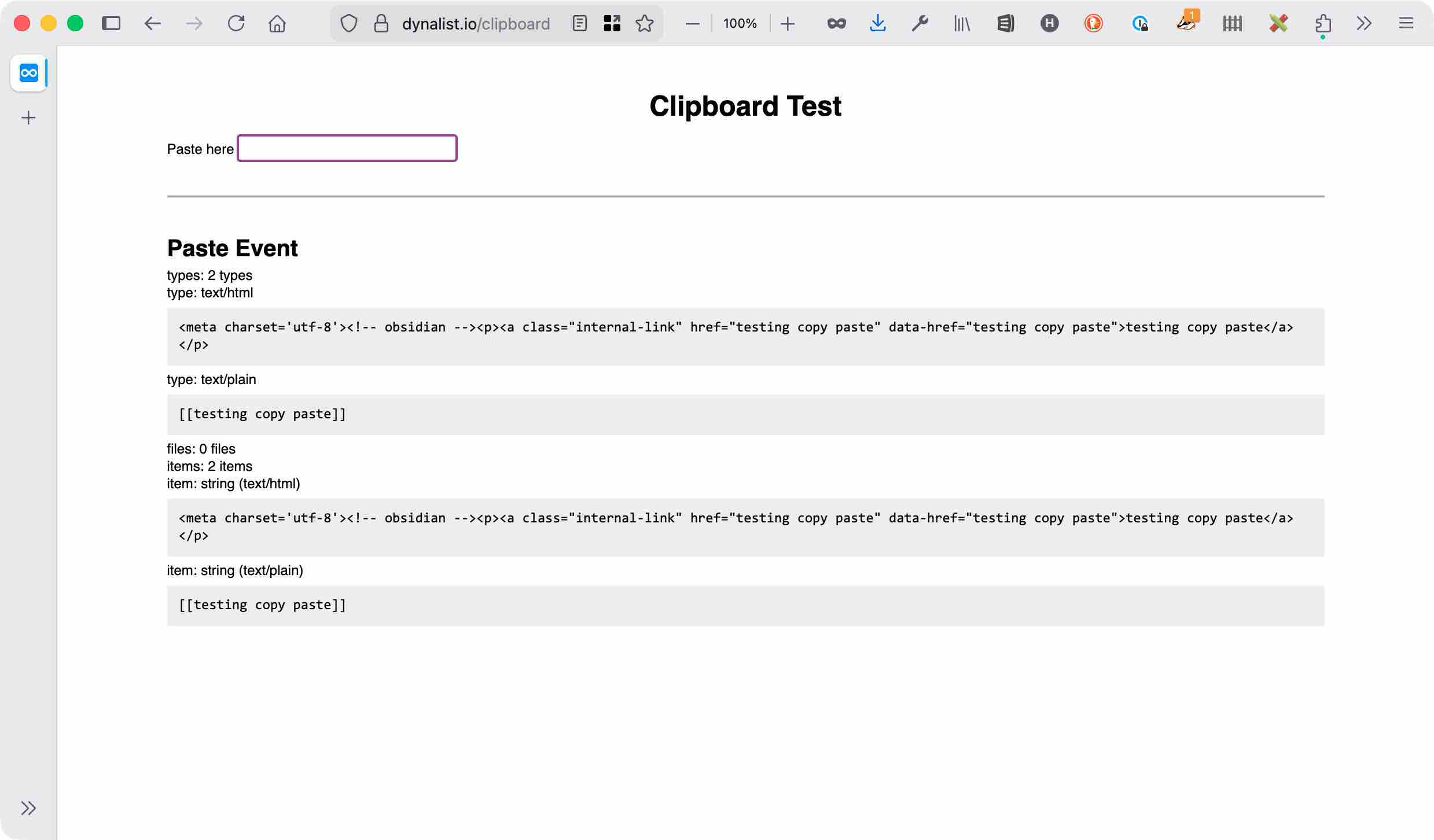
I expect the text to be copied and pasted exactly as it was written in the ASCII file of Obsidian.
When I go to the vault files in Sublime Text and copy / paste them, they are pasted exactly as written:
[[testing 123]]
Actual result
It changes what was pasted to be a markdown link:
[testing 123](testing 123)
Environment
SYSTEM INFO:
Obsidian version: 1.12.4
Installer version: 1.11.7
Operating system: Darwin Kernel Version 25.3.0: Wed Jan 28 20:54:22 PST 2026; root:xnu-12377.81.4~5/RELEASE_ARM64_T6030 25.3.0
Login status: logged in
Language: en
Catalyst license: insider
Insider build toggle: on
Live preview: on
Base theme: adapt to system
Community theme: none
Snippets enabled: 0
Restricted mode: on
RECOMMENDATIONS:
none
Note this also happens on iOS:
SYSTEM INFO:
Obsidian version: 1.12.3 (297)
API version: 1.12.3
Operating system: iOS 26.3 (Apple iPad14,5)
Login status: logged in
Language: en
Catalyst license: insider
Live preview: on
Base theme: light
Community theme: AnuPpuccin 1.5.0
Snippets enabled: 5
Restricted mode: off
Plugins installed: 37
Plugins enabled: 22
1: Calendar v1.5.10
2: Periodic Notes v0.0.17
3: Note Refactor v1.8.2
4: Templater v2.18.1
5: QuickAdd v2.11.0
6: Tasks v7.22.0
7: Kanban v2.0.51
8: Banners v1.3.3
9: Charts v3.9.0
10: Minimal Theme Settings v8.2.1
11: Natural Language Dates v0.6.2
12: Style Settings v1.0.9
13: Highlightr v1.2.2
14: Metadata Menu v0.8.12
15: Trash Explorer v1.2.4
16: Modal forms v1.63.0
17: Visual Crossing Weather v1.1.5
18: Projects v1.17.4
19: Tabs v1.1.8
20: Dataview v0.5.68
21: Terminal v3.21.0
22: Dataview (to) Properties v0.0.24
RECOMMENDATIONS:
Custom theme and snippets: for cosmetic issues, please first try updating your theme and disabling your snippets. If still not fixed, please try to make the issue happen in the Sandbox Vault or disable community theme and snippets.
Community plugins: for bugs, please first try updating all your plugins to latest. If still not fixed, please try to make the issue happen in the Sandbox Vault or disable community plugins.