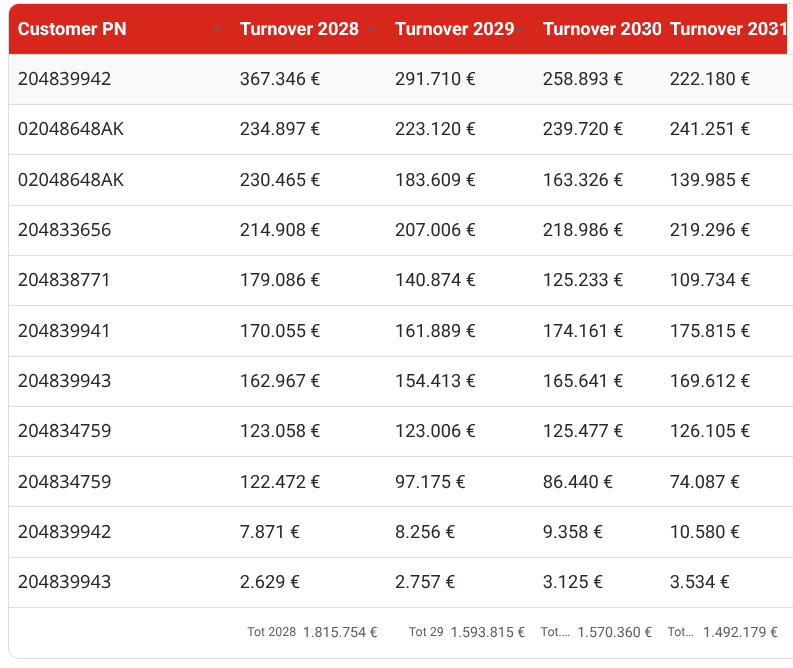
I’m trying to improve the visual formatting of a Table view in Bases.
To show currency values, I converted numeric fields into strings formatted with the € symbol and thousand separators. However, this causes two issues:
The formatted columns are now left-aligned instead of right-aligned, since they are strings. The summary row also becomes a string and I can’t right-align it or apply a different CSS formatting to it.
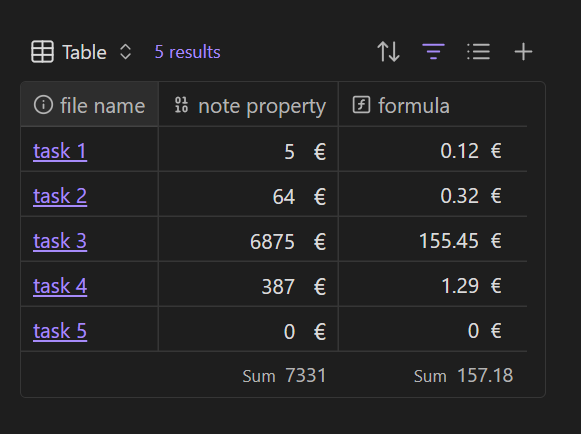
This CSS suggestion adds the currency symbol but not the thousands separator. It leaves the alignment and number type in tact.
/* add currency symbol to base cells by property name or formula name */

[data-property="note.your property name"] .bases-table-cell:has(> .metadata-input):after {
	content: "€";
	padding-inline-end: 1ch;
}

[data-property="formula.your formula name"] .bases-table-cell:after {
	content: "€";
	padding-inline-end: 1ch;
	padding-inline-start: 1ch;
}
Everything is clear now.
The limitation of this solution is that I still cannot display thousands separators (“.”).
Keeping the fields as numeric values is very convenient, since it allows me to perform calculations and final formulas easily (without needing to convert text back into numbers).
So my question is:
Is there any way to display numeric values with a thousands separator (e.g., 1.234.567 € instead of 1234567)?
In short:
keep the value stored as a number inside Bases
but render it in the table with formatted thousands separators for better readability
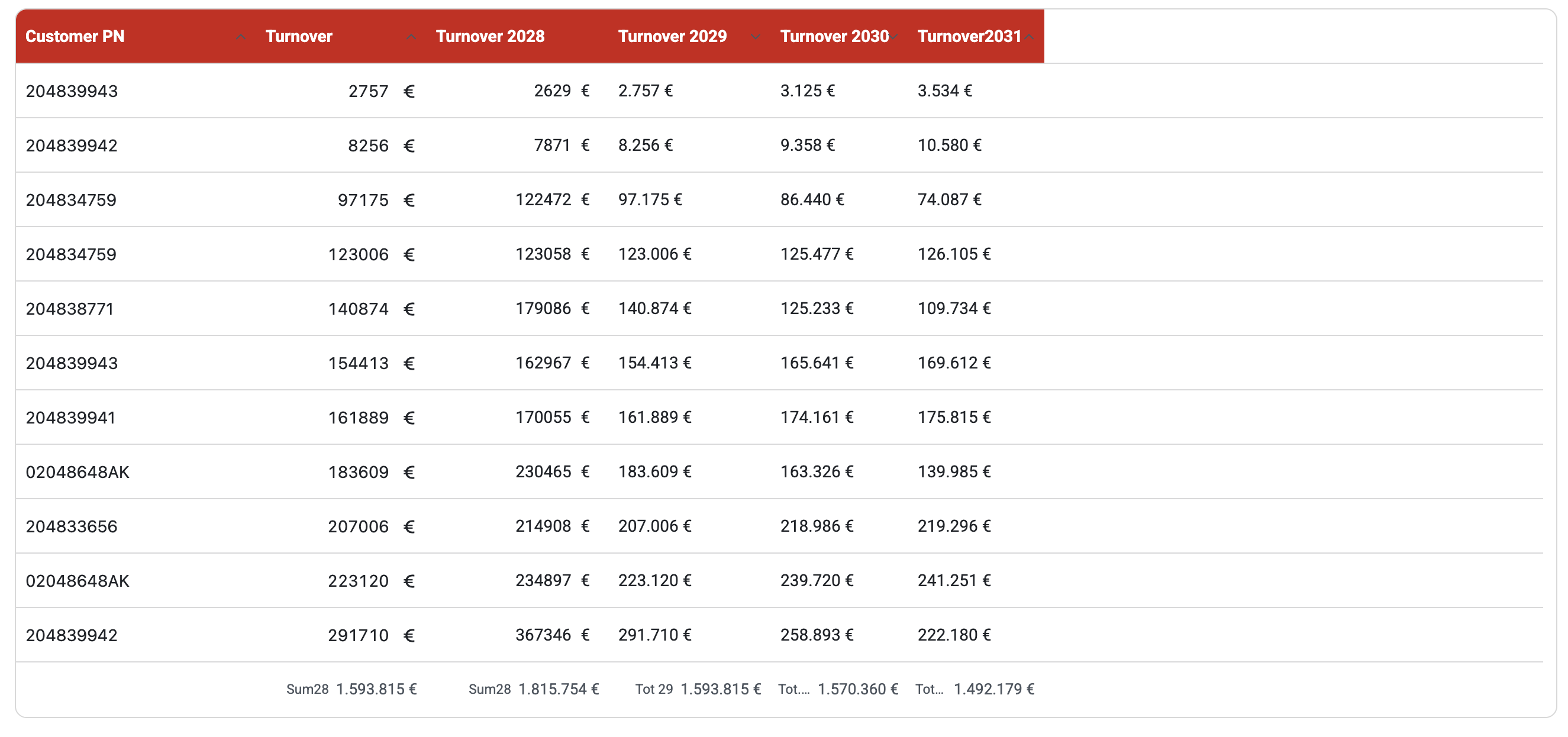
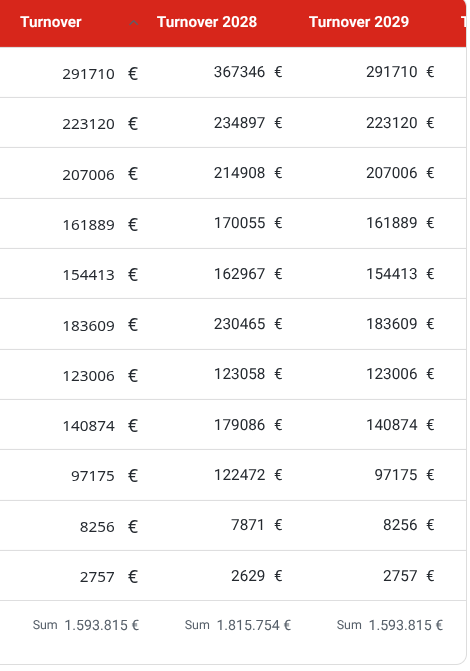
In the attached image:
“Turnover” and “Turnover 2028 formatted” are displayed using your suggested method
the other columns are still formatted using a string-based formula workaround
The goal is to apply the same formatted result to all revenue fields while preserving numeric data types.
So far, I isn’t use bases for table calculations.
Sounds like numbers get another alignment than strings; as a workaround you could omit € as for now, because this way you get exact totals.
Small things can sum up…
Next, you could report this bug. Table calculations should allow currency symbols.
Yes, that’s exactly what I did:
I added the € symbol through CSS so that everything stays right-aligned (since it’s a numeric field).
Then I performed the calculation, and for the total I used a formula that converts the result into a string, adds the thousand separators, and inserts the € symbol:
Formula in sum :

values.filter(value.isType("number")).reduce(value + acc, 0).round(2).toString().replace(/\B(?=(\d{3})+(?!\d))/g, '.') + ' €'
This is the current result: there are no “.” thousand separators in the column values:
Making them strings is the only way I know of (as there’s no setting for it) (… yet?). But you can still use them as numbers.
Go ahead and use your regex (or whatever method you’re using) to add the separators for display purposes. And then in the summary, turn them back into numbers:
values.map(number(value.replace(",","")))
… then proceed to use functions on that as normal.
And if you use your original non-CSS method, the one where you add " €" in the string, then remember to replace that too.
 The formatted columns are now left-aligned instead of right-aligned, since they are strings.
 The summary row also becomes a string and I can’t right-align it or apply a different CSS formatting to it.