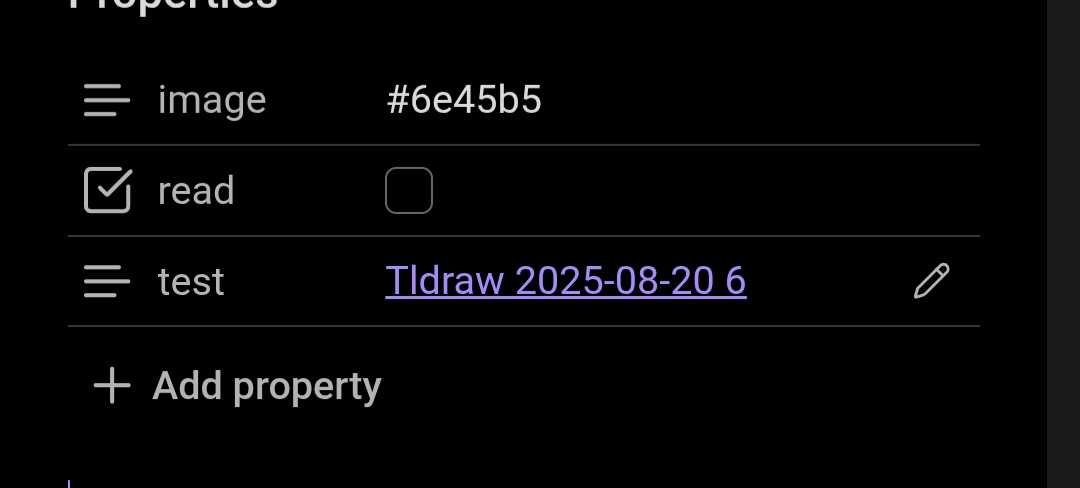
Before 1.9, they never went off the screen and would properly wrap.
Actual result
They go off the screen and don’t properly wrap.
Environment
SYSTEM INFO:
Operating system: android 15 (OnePlus CPH2551)
Webview version: 139.0.7258.143
Obsidian version: 1.9.12 (237)
API version: v1.9.12
Login status: logged in
Language: en
Catalyst license: insider
Live preview: on
Base theme: adapt to system
Community theme: none
Snippets enabled: 0
Restricted mode: on
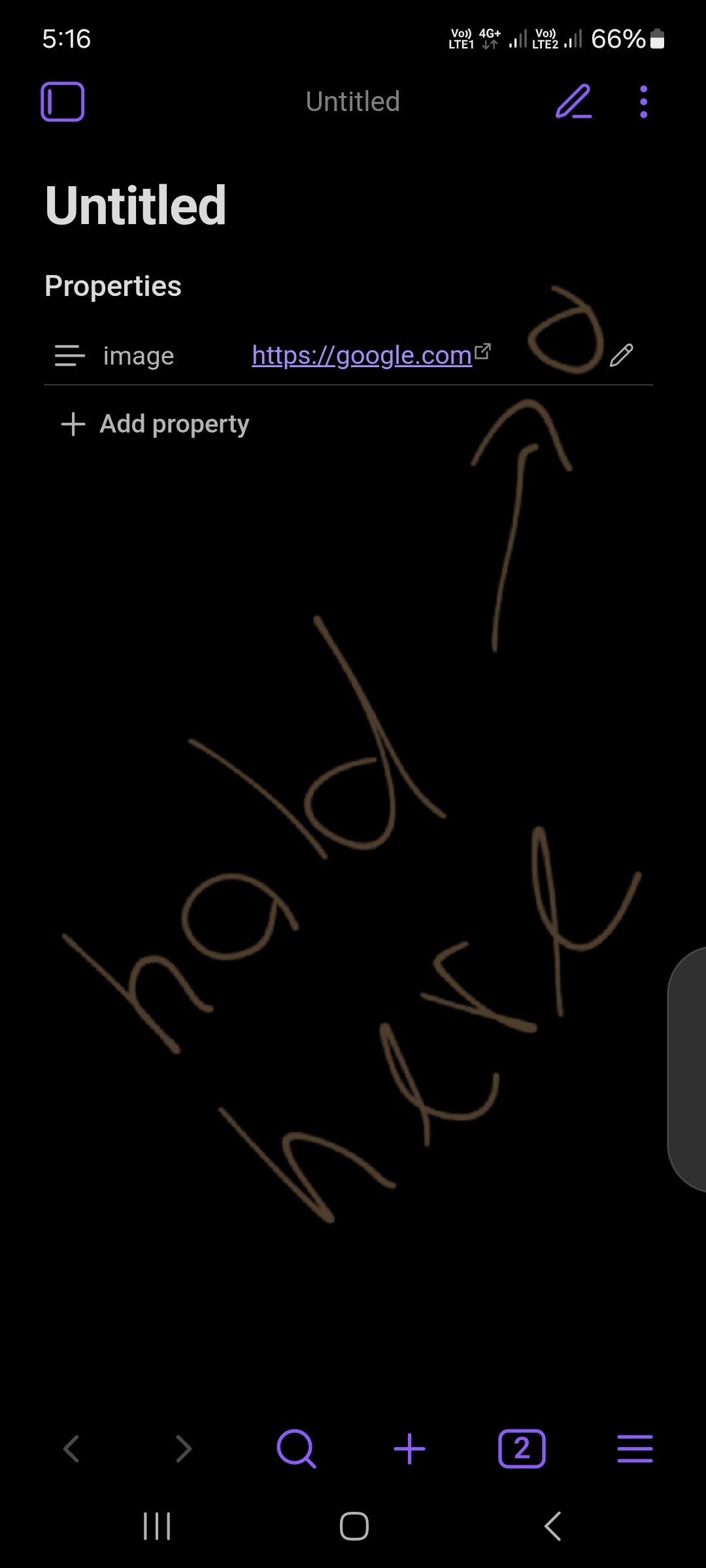
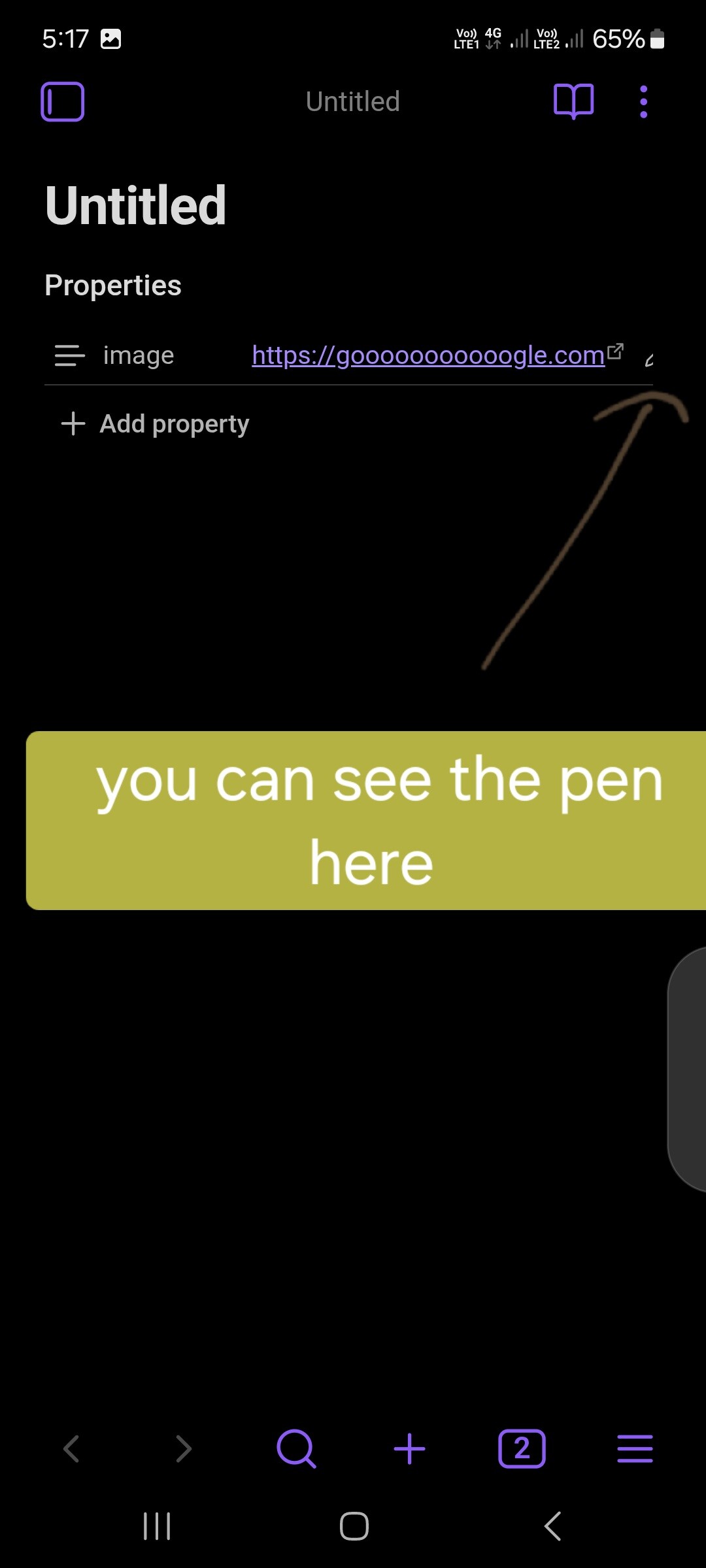
Be able to edit properties without switching to source mode. The pen (edit) button should stay easily accessible, even when there’s a long link.
Actual result
I know there’s a pen (edit) button in the properties, but when the link is too long it gets pushed out of view, so you have to switch to source mode to edit that property.
SYSTEM INFO:
Operating system: android 14 (samsung SM-A725F)
Webview version: 139.0.7258.94
Obsidian version: 1.9.10 (234)
API version: v1.9.10
Login status: not logged in
Language: en
Live preview: on
Base theme: adapt to system
Community theme: none
Snippets enabled: 0
Restricted mode: off
Plugins installed: 9
Plugins enabled: 0