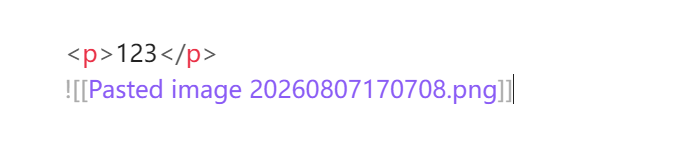
The image should be rendered correctly, as it is in Live Preview mode (where it renders correctly).
Actual result
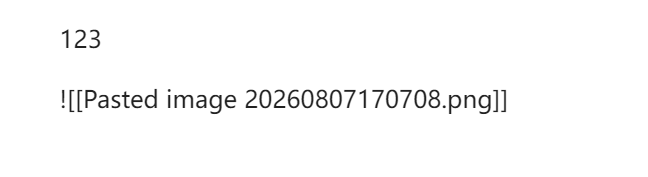
The image is not rendered; the raw Markdown source code is displayed instead.
Environment
SYSTEM INFO:
Obsidian version: 1.13.4
Installer version: 1.8.10
Operating system: Windows 11 Pro 10.0.26200
Login status: not logged in
Language: en
Insider build toggle: off
Live preview: on
Base theme: adapt to system
Community theme: none
Snippets enabled: 0
Restricted mode: on
RECOMMENDATIONS:
none
Just to clarify what I meant by “without a line break” in the title/steps: the image embed is on the very next line after the </p> tag, with no empty line in between. They are not on the same line. Sorry for any confusion!
Thanks for clarifying that. I understand that per the spec, an HTML block and a Markdown block should be separated by a blank line.
However, the exact same syntax does render correctly in Live Preview mode, which is why I thought it would also work in Reading mode. As a user, I’d expect the two modes to behave consistently.
Would it be possible to update Reading mode to match Live Preview’s behavior in this case? If not, this difference can be confusing when a note looks fine in Live Preview but breaks in Reading view.