For some reason I get notified every time someone replies here, and I can’t figure out how to turn it off. It’s not even a feature I want—I prefer the default behavior.
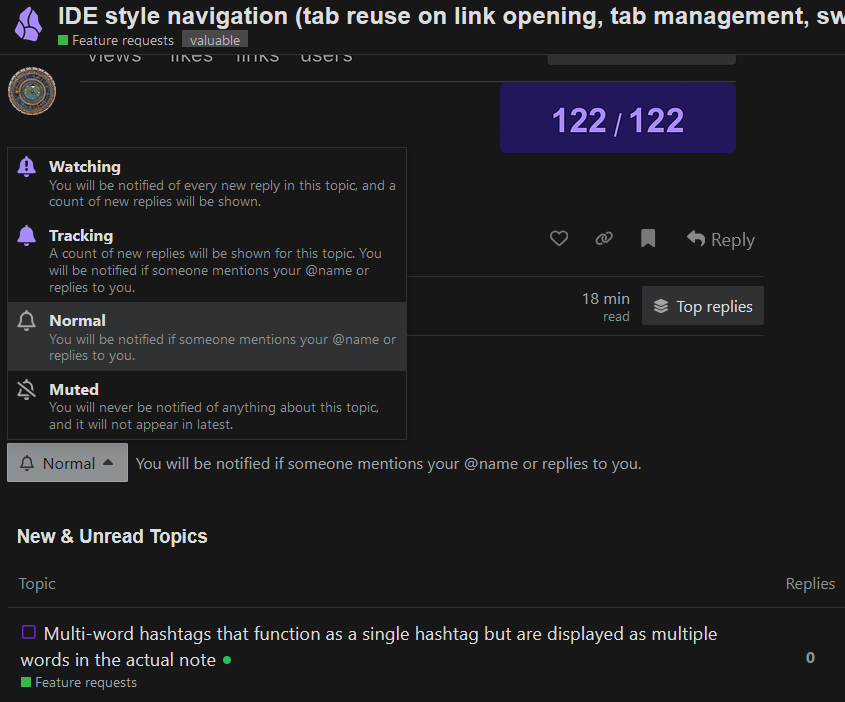
Below the last post are some buttons. One of them has a bell in it and in your case for this thread should say “Watching” or “Tracking”. Click it and choose “Normal” (or “Muted”, but “Normal” should do).
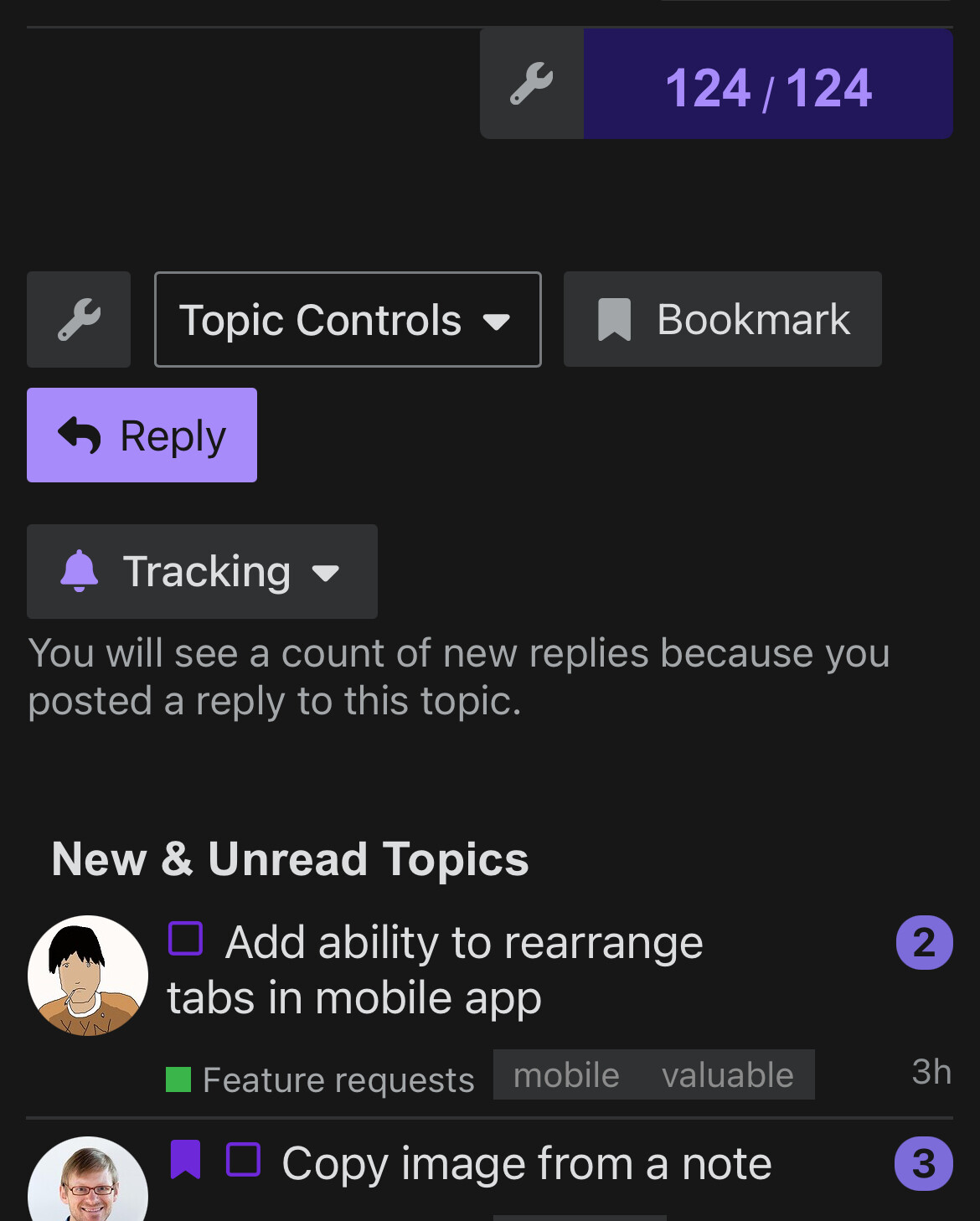
Thank you, but right now yours is the last post and this is all I see below it, with no buttons or bell:

Looking forward to having this added as well
& @CawlinTeffid Found it! Thank you both!
2 Likes
Hi everyone! I think this is exactly what you guys want! I implemented a VSCode-like tab navigation for my plugin Vertical Tabs, and this feature will be available soon!
The exact behavior, with IDE style ON, is
- The newly opened tab is ephemeral;
- When you click a link or open a new file (from anywhere), an ephemeral tab is replaced with the new content;
- When you double click a tab’s header, it will make this tab non-ephemeral;
- When you click a link inside a non-ephemeral tab or open a new file when a non-ephemeral is focused, the non-ephemeral tab will be kept as is, meanwhile, a new tab will open with the new content.
See the video below. Please pay attention to the title (or tab header). I added a bunch of CSS styles to make the states stand out. In production, the state is indicated by the font style (italic means ephemeral).
You can also disable the “ephemeral tab” feature and let Vertical Tabs force Obsidian to always open in new tabs. Also, you can let Vertical Tabs to deduplicate tabs for you. This works everywhere, not just when you click links or open notes from the file browser, but also when you open new notes from commands, plugins, or ribbon icons.
The exact behavior, with ephemeral tab OFF, always open in new tabs ON and deduplicate tabs ON, is,
- All opened tabs will not be replaced;
- When you click a new link or open a new note (from the file browser or anywhere else), a new tab is opened with the new content;
- When you try to reopen an already-opened note, it will be navigated to that note, without showing a duplicated tab;
- When you click a link inside a note that points to another location in the same note, it will jump to that point without duplicating the tab or reopening the file.
See the demo below. Please note: in the videos, you can only see one horizontal tab because I hided all except the active one. This is a feature of Vertical Tabs, aiming for making the workspace cleaner and more easier to navigate. You can disable this “hiding inactive tab” feature if you don’t like it.
2 Likes
Mononote is certainly an improvement on the default behavior – thank you! – but two things make me reluctant to enable it:
- The slightly clunky transition which make the whole editing experience feel less responsive.
- More seriously, you lose your cursor and scroll position in the note you’re moving to.
3 Likes
This would be such a huge improvement to what we have today 
Just installed and loving the usage so far, solely for the IDE feature alone of no multiple tabs, and the vertical tabs are also a big bonus. Thanks!!
1 Like
this
obsidian://show-plugin?id=new-tab-plus
+1 Been using Obsidian for over a year after migrating thousands of notes from Evernote. Can’t believe this huge quality of life enhancement has not been implemented! Please, guys. This is basic UI stuff.
3 Likes
For anyone interested, I’ve looked through this thread (and others) and here’s a list of plugins/solutions to this problem that I’ve found:
- oxdc/obsidian-vertical-tabs
- Specifically in background mode using the IDE navigation strategy.
- czottmann/obsidian-mononote
- patleeman/obsidian-open-in-new-tab
- Raphlette/obsidian-new-tab-plus
- scambier/obsidian-no-dupe-leaves (OBSOLETE) - Replaced by czottmann/obsidian-mononote
IMO, the best solution here is oxdc/obsidian-vertical-tabs. This plugin also gives you a lot more control over tab behavior compared to other plugins, so you can customize it to your liking.
3 Likes
Just tried out the vertical tabs plugin, and its fine. Instead of implementing tab switching such that opening an already open note switches to the note, it opens a new tab and deletes the old one. Not great. Plus the whole vertical tab thing is not what I’m looking for (I know I can disable it).
Hi @StevenStavrakis ! This must be a bug! Could you please share your steps for reproducing it? You can post here or open an issue on GitHub. Thank you so much! A fix for this issue has been included in v0.14.0.
+1 for making this a configurable option please 
It could also be nice to have the option to show a quick switcher for only the currently opened tabs (by using a different shortcut) - like you can in VSCode. It’s much easier to navigate between what you currently have open. OR - in the quick-switcher view, there could be an icon or something to indicate that the file is currently open in a tab.
Thanks!
2 years later, 200 votes, on an issue that would take all of 5 minutes to implement?
3 Likes
Would love to see this implemented too.
1 Like
Would absolutely like the navigation to behave this way. Please make this change.
1 Like