> **Disclaimer**
> Is this plugin open source? Yes
> Is this plugin completely free? Yes
> Is this plugin vibe-coded beyond the author’s ability to comprehend how it works? No
> Community Directory: [HUQAN Trust Panel](https://community.obsidian.md/plugins/huqan-trust-panel)
Hi everyone,
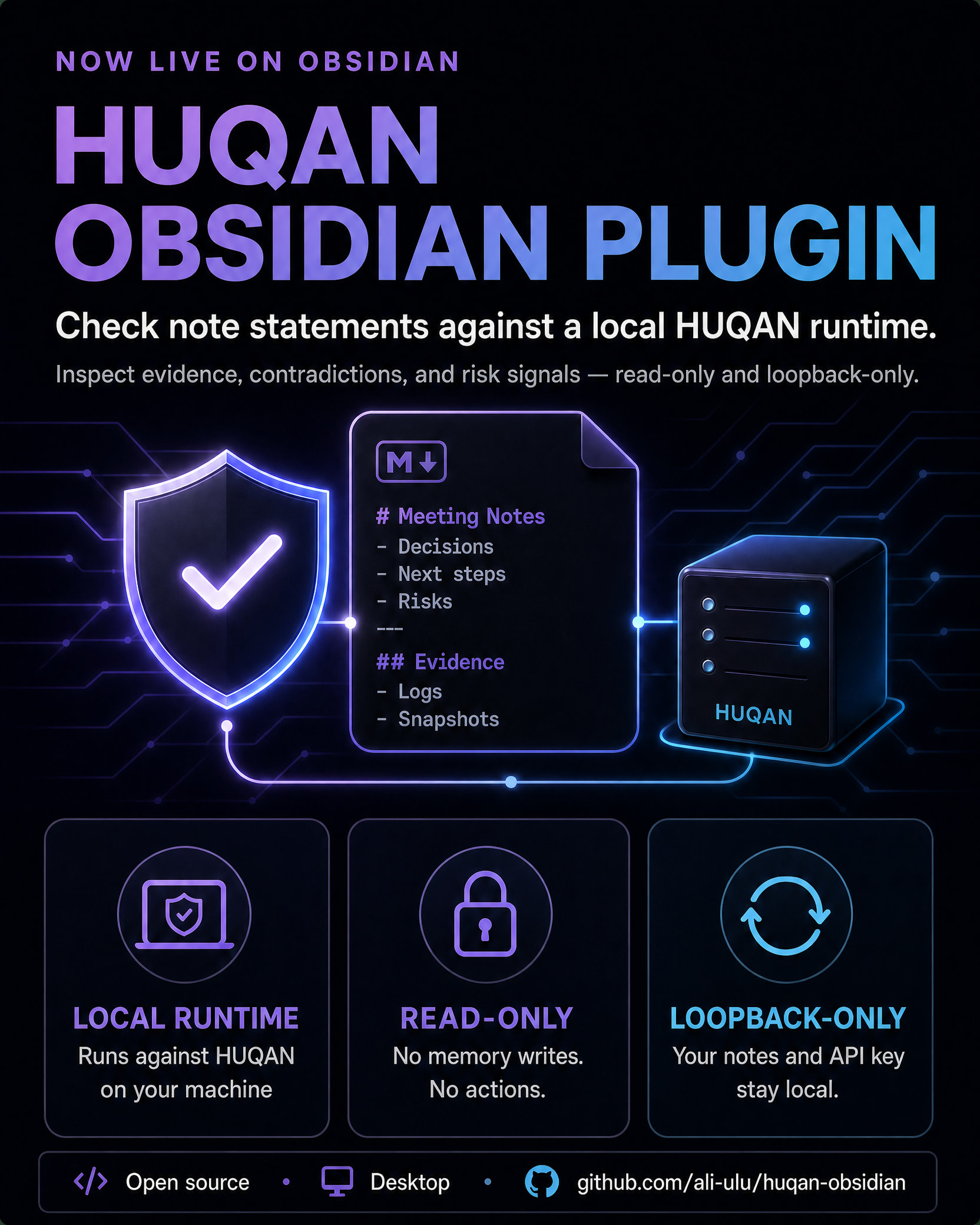
I’m sharing **HUQAN Trust Panel**, an open-source Obsidian plugin for checking note statements against a local HUQAN runtime.
The idea is simple: notes often contain decisions, research claims, and summaries, but it is not always easy to inspect the evidence behind them. HUQAN Trust Panel adds a small, local-first verification layer inside Obsidian.
### What it does
- Verify a bounded set of statements from the current note.
- Verify selected text from a note.
- Show HUQAN’s canonical verified, contradicted, and unknown statuses.
- Display confidence, explanations, evidence summaries, and manipulation-risk signals.
- Keep the workflow read-only and local-first.
### Privacy and safety boundaries
The plugin is deliberately constrained:
- It connects only to a loopback HUQAN endpoint such as 127.0.0.1, localhost, or ::1.
- Note content and the HUQAN API key are not sent to a remote service.
- It does not write to HUQAN memory, ingest data, request approvals, mutate state, or execute actions.
- Full-note verification is bounded to 1–40 statements, with 20 as the default.
Unknown does not mean that a statement is false. It means that the configured local HUQAN workspace did not provide enough evidence for a conclusion. This is not intended to be a universal fact checker or a promise to eliminate hallucinations.
### How to try it
1. Install [Obsidian](Download - Obsidian).
2. Install **HUQAN Trust Panel** from the [Obsidian Community listing](https://community.obsidian.md/plugins/huqan-trust-panel).
3. Start a local HUQAN server and configure the same API key in the plugin settings.
4. Use **Test HUQAN**, then try **Verify current note** or **Verify selected text**.
Source code and setup details are available in the [GitHub repository](GitHub - ali-ulu/huqan-obsidian: HUQAN Trust Panel plugin for Obsidian · GitHub).
I built this because I wanted to explore whether note verification can be useful without sending sensitive notes to a hosted AI service. I would especially appreciate feedback on the onboarding flow, the meaning of unknown, the evidence presentation, and which note workflows would benefit most from local verification.
What would you want a local trust layer to make easier in your own notes?
## How to use HUQAN
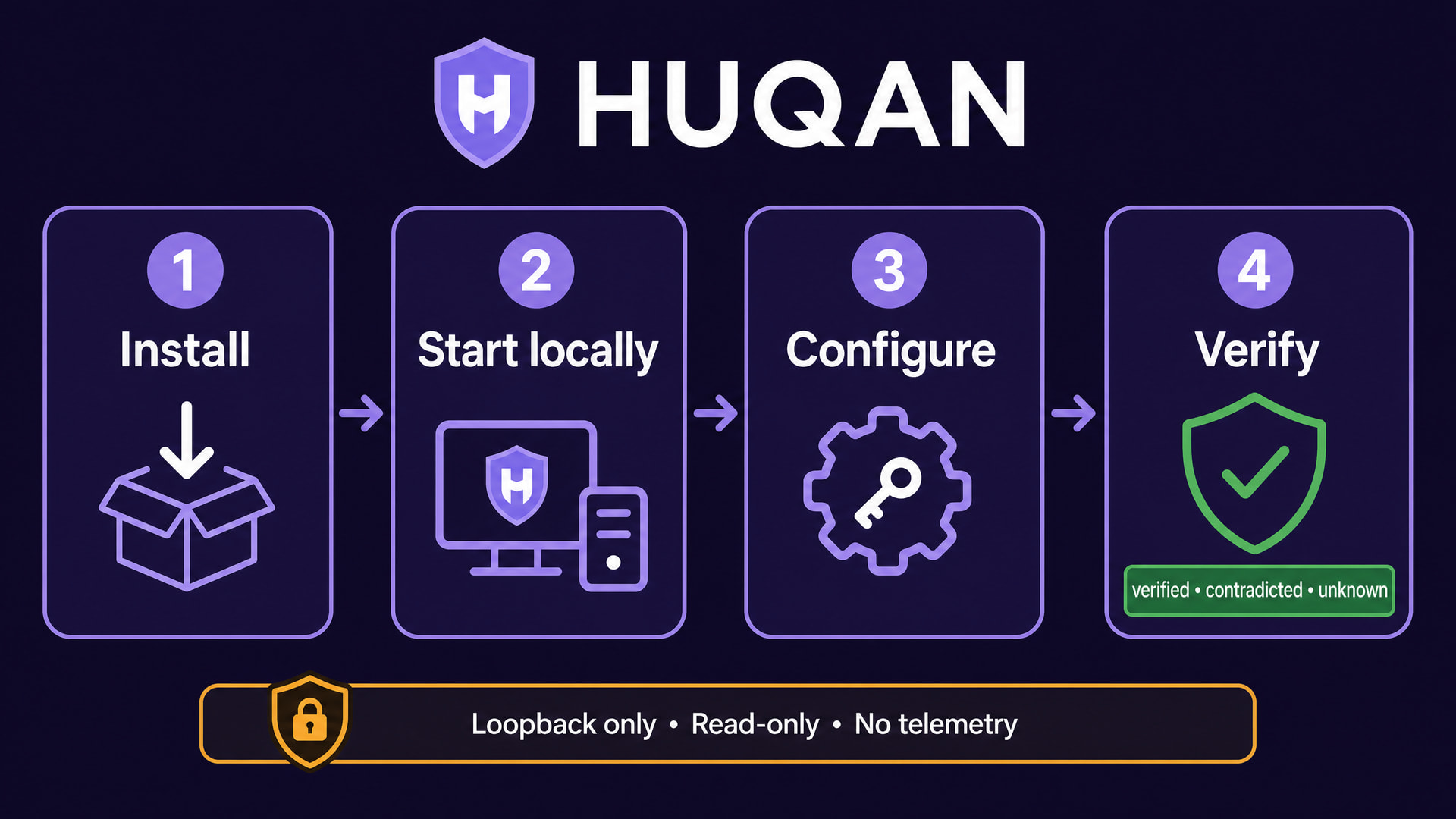
The image above shows the complete path from installation to the first local verification.
-
Install HUQAN. In Obsidian, open Settings → Community plugins → Browse, search for HUQAN, install it, and enable it.
-
Start HUQAN locally. From a checkout of the HUQAN runtime, run: npm ci, then HUQAN_API_KEY=“replace-with-a-long-random-key” npm run server. The default local server uses loopback address 127.0.0.1 on port 3000. Never post a real API key or private note content in a public forum.
-
Configure the plugin. Open Settings → Community plugins → HUQAN. Enter the local endpoint, the same API key used by the local server, the workspace name (normally default), and the maximum number of statements to check. Select Test HUQAN to confirm the local connection.
-
Verify a note. Open a Markdown note and run Verify current note from the command palette, or select a passage and run Verify selected text. The shield ribbon icon also verifies the current note. The plugin reads the text for verification but does not edit the note or write to HUQAN memory.
-
Read the result. verified means supporting evidence was returned. contradicted means the local runtime returned a contradiction signal. unknown means there was not enough evidence for a conclusion; it does not mean the statement is false. The result view may also show confidence, explanations, evidence summaries, and risk signals.
The integration is loopback-only, read-only, and telemetry-free. Note text and API keys are not sent to a hosted service. See the HUQAN Obsidian repository for source code and full setup details.
# HUQAN FAQ
This FAQ answers the most common questions about installation, privacy, verification results, and troubleshooting. It complements the setup walkthrough above.
## What is HUQAN?
HUQAN is a local-first verification layer for Obsidian notes. It sends bounded note statements to a HUQAN runtime running on the same machine and displays the evidence-based result inside Obsidian.
## Is HUQAN a hosted AI fact checker?
No. HUQAN is not a universal fact checker and does not promise to remove hallucinations. It reports what the configured local runtime can support from the available evidence. You should still review the evidence and use your own judgment.
## Does my note content leave my computer?
The plugin accepts only loopback endpoints: 127.0.0.1, localhost, or ::1. Note text and the API key are sent only to that local endpoint. The plugin does not send them to a hosted service or third-party telemetry system.
## Why do I need a local HUQAN runtime?
The Obsidian plugin is the local client and interface. The HUQAN runtime provides the verification endpoint and evidence. There is no hosted HUQAN service hidden behind the plugin.
## How do I install it?
In Obsidian, open Settings → Community plugins → Browse, search for HUQAN, install it, and enable it. Then open the HUQAN settings tab.
## What do I configure?
Set the local endpoint, the API key configured for the local HUQAN runtime, the workspace name, and the maximum number of statements per note. The default workspace is usually default, and the statement limit defaults to 20 and can be set from 1 to 40.
## Why does the connection test fail?
Check that the local HUQAN server is running, that the endpoint is a loopback address, and that the plugin uses the same API key as the local runtime. The connection test checks the local health endpoint. A remote hostname is intentionally rejected by the plugin.
## How do I verify a note?
Open a Markdown note and run Verify current note from the command palette. To check only part of a note, select text and run Verify selected text. The shield ribbon icon also starts verification for the current note. The settings button named Test HUQAN checks the local connection before verification.
## What does verified mean?
It means that the local runtime returned supporting evidence for the statement. It is still good practice to read the evidence and explanation rather than treating the label as a substitute for review.
## What does contradicted mean?
It means that the local runtime returned a contradiction signal for the statement. Review the contradiction reason and evidence before deciding whether the note needs correction; the plugin does not silently rewrite the note.
## What does unknown mean?
Unknown does not mean false. It means that the configured workspace did not provide enough evidence for a conclusion. This is an intentional fail-closed result, not a prediction of truth or falsity.
## Does verification modify my notes?
No. The plugin reads the current note or selected text and shows a result. It does not edit the note, write to HUQAN memory, ingest data, request approvals, mutate state, or execute actions.
## What is actually checked?
A full-note verification is bounded to the configured statement limit. The parser removes frontmatter and fenced code blocks, extracts readable lines, and ignores very short lines. Selected-text verification uses the selected passage and applies the same bound.
## Why do I see confidence, evidence, or risk signals?
Those fields are returned by the local HUQAN runtime when available. The plugin displays them as context for review; it does not invent evidence or convert a confidence value into a guarantee.
## Does HUQAN store my API key?
The key is stored in the plugin’s local Obsidian data and is sent only to the configured loopback endpoint. Do not paste a real key into a forum post, GitHub issue, screenshot, or support request. Redact it before sharing logs.
## What should I include in a bug report?
Describe the Obsidian version, plugin version, operating system, reproduction steps, and a redacted error message. Do not include API keys, private notes, vault contents, or unredacted logs. For a security concern, use the private reporting route described in the repository security policy rather than a public issue.
## Is the plugin compatible with older Obsidian versions?
The plugin declares a minimum Obsidian version of 1.5.0. On newer Obsidian versions, its settings also support the declarative settings search API; the legacy settings display remains available for older supported versions.
## Where can I suggest improvements?
The best place is a GitHub issue with a minimal, redacted reproduction. Useful feedback includes onboarding friction, the meaning of unknown, evidence presentation, and note workflows that would benefit from local verification.
## What is the short version?
Install HUQAN, run the HUQAN runtime locally, configure the loopback endpoint and matching key, test the connection, verify a note or selection, and review the evidence. The plugin is local-only, read-only, and fail-closed.
> Please do not post API keys, private notes, or vault data in this thread. Redact sensitive details before asking for help.
## Update: 1.3.0 — clearer reports and diagnostics
Huqan 1.3.0 is now available with a more useful verification follow-up workflow.
When a report is saved, Huqan now adds it to a local `HUQAN Reports/HUQAN Reports Index.md` file. Each report can link back to the originating note, and the filename can use the `{note}` and `{timestamp}` placeholders from settings.
The results view now includes a `Risk signals` filter. This lets you focus on statements carrying returned risk labels, even when their status is not `contradicted`. Repeating verification for unchanged text during the same session reuses the in-memory result instead of making another local request.
The settings page now includes a short setup checklist, more actionable messages for local server and authentication problems, and a `Copy safe diagnostics` action. The diagnostic summary contains only plugin version, loopback endpoint, configuration flags, and statement cap. It does not include API keys, note text, vault content, or authorization headers.
The safety boundary is unchanged: Huqan accepts loopback endpoints only, remains read-only with respect to the HUQAN runtime, and does not call ingest, learn, approval, mutation, action, telemetry, or remote export surfaces. Report and index files are created only after the user explicitly chooses to save a report.
To update, use the normal Community Plugins update flow or reinstall the latest Huqan release. After updating, open the plugin settings and review the new report filename template and safe diagnostics controls.
Feedback is welcome. Please include the plugin version, Obsidian version, operating system, HUQAN runtime version or commit, minimal reproduction steps, and a redacted error message. Do not include API keys, private note text, vault exports, or authorization headers.
## Update: 1.3.1 — privacy polish and a cleaner listing
Huqan 1.3.1 is now available with a small privacy-focused improvement and a cleaner Community presentation.
Safe diagnostics is now shown in a review-only modal inside the plugin. It no longer reads or writes the system clipboard, so users can inspect the version, loopback endpoint, configuration flags, and statement cap without exposing clipboard content to the plugin.
The Community listing README now focuses on installation, setup, verification results, and privacy boundaries. The maintainer roadmap remains available in the GitHub repository, but it is no longer presented as part of the user-facing Community listing.
The previous 1.3.0 Clipboard Access recommendation is absent from the 1.3.1 Community review. The release also keeps the existing local report index, source-note links, report filename templates, risk-signal filtering, and session-local reuse for unchanged statements.
The safety boundary is unchanged: Huqan accepts loopback endpoints only, remains read-only with respect to the HUQAN runtime, and does not call ingest, learn, approval, mutation, action, telemetry, or remote export surfaces. Verification reports and the local report index are created only after the user explicitly chooses to save a report.
To update, use the normal Community Plugins update flow. If you are already using Huqan, open the settings after updating and review the Safe diagnostics action.
Feedback is welcome. Please include the plugin version, Obsidian version, operating system, HUQAN runtime version or commit, minimal reproduction steps, and a redacted error message. Do not include API keys, private note text, vault exports, clipboard contents, or authorization headers.