What I’m trying to do
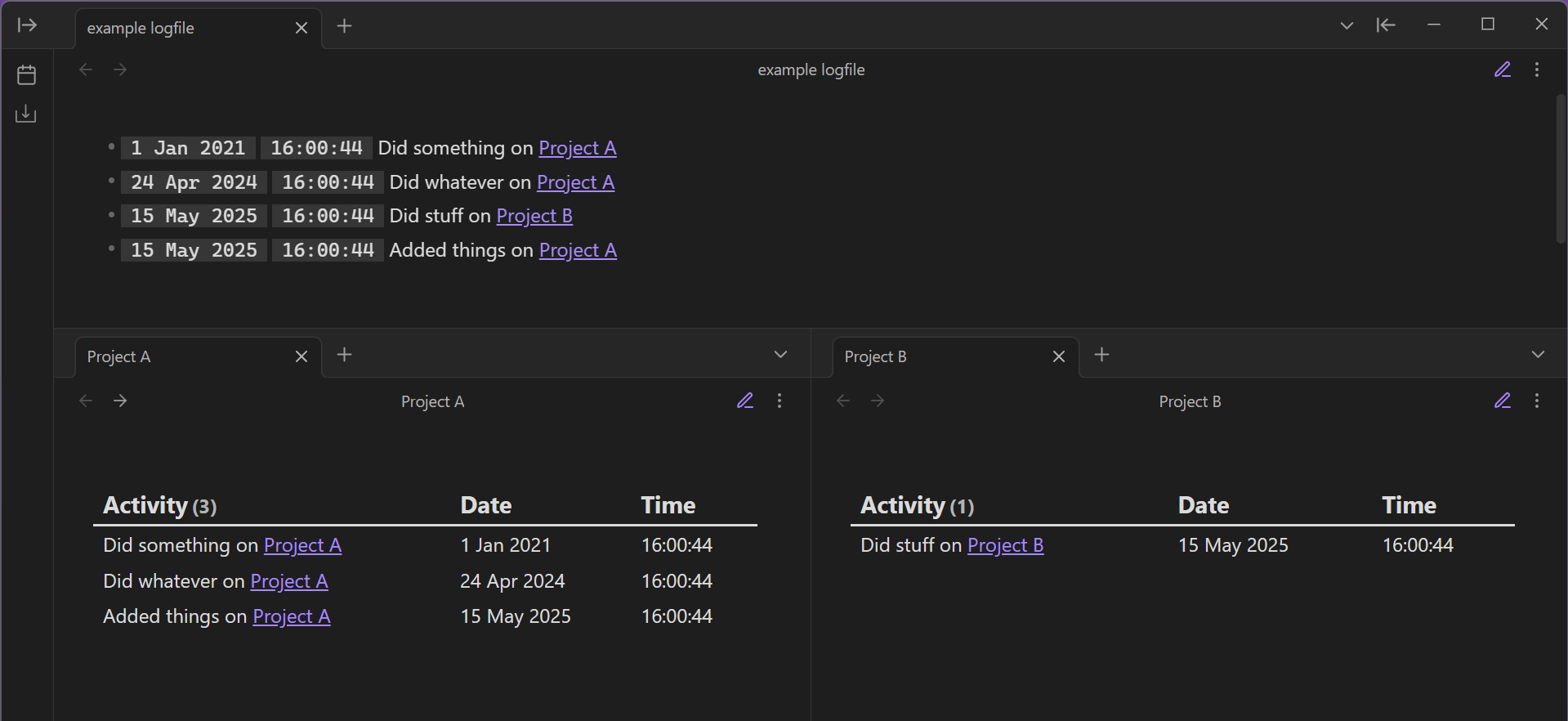
I’m currently using the Shimmering Obsidian Alfred Workflow to populate a logfile which lists various updates on projects I’m working on. Each line is a date/time stamp followed by an update with an internal link to a project page, something like:
6 Jan 2026 / 16:00:44: Did X on [[Project name]]
By default, these show up in the ‘Linked mentions’ on the project page, which is great. I can expand the context and see each update. The problem is it also displays other other Linked mentions. Is there a way to show a filtered view of the Linked mentions without having to use the search function each time?
Things I have tried
I’ve looked into Dataview using the file.inlinks function but it doesn’t show the body of the note.
I’ve looked into embedding notes using ![[]] syntax with blocks but I can’t add the links and the block IDs manually as it defeats the point.
While writing this, I have actually managed to get something working using embedded searches and templater, where the search query is:
```query
file:"Logfile"
line:"<%tp.file.title%>"
```
it’s taken some tweaking with CSS snippets to get it looking how I’d like it, but I’m still not sure it’s the best solution.
How would more advanced Obsidian users approach this problem?
Thanks in advance.