Thank you very much for your explaination.
Solution
Filenames look like so:
2023-08-28__0920-1055__KW34__HH23C__INF__R304.md
The first 10 letters show a date.
Show files with the date of today in their names:
TABLE without id
file.link
FROM "BBZ/Schulisches mein eKb"
WHERE date(substring(file.name, 0, 10)) = (date(today))
sort file.name
Show files with a date out of the current calendar week (KW) in their names:
TABLE without id
file.link
FROM "BBZ/Schulisches mein eKb"
WHERE date(substring(file.name, 0, 10)) <= (date(eow)) AND date(substring(file.name, 0, 10)) >= (date(sow))
sort file.name
or more elegant:
TABLE without id
file.link
FROM "BBZ/Schulisches mein eKb"
WHERE date(substring(file.name, 0, 10)).weekyear = date(today).weekyear
sort file.name
And as a bonus, the calendar week:
week of year of current file name `="calendar week" + date(substring(this.file.name, 0, 10)).weekyear`
week of year of current file name `=date(substring(this.file.name, 0, 10)).weekyear`
locale current week of year: `=date(today).weekyear`
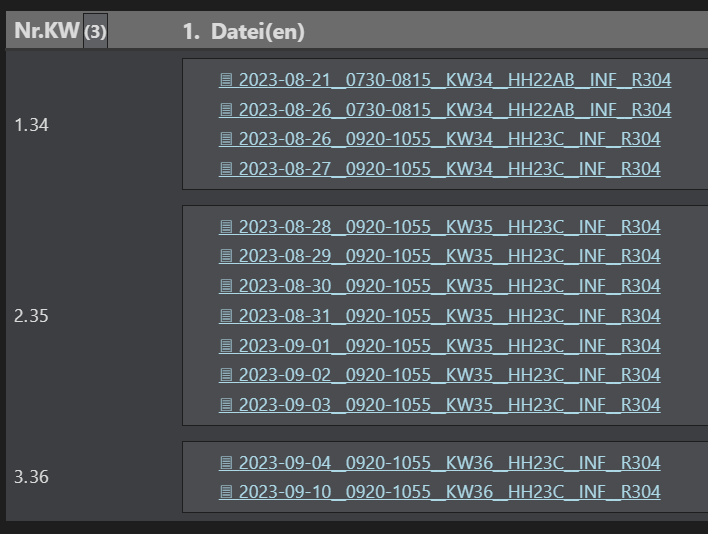
This one I really love. It always shows notes of the current week in the middle, the last week before and the next week after. (The current calendar week is 35.)
TABLE
rows.file.link AS "Files"
FROM "BBZ/Schulisches mein eKb"
WHERE date(substring(file.name, 0, 10)) >= (date(sow) - dur(1 week)) AND  date(substring(file.name, 0, 10)) <= (date(eow) + dur(1 week))
SORT file.name asc
GROUP BY dateformat(date(substring(file.name, 0, 10)), "WW") AS "calendar week"
Here is an other link for people (and my later me …), who have similar questions about durations, sow, eow, som, eom, soy, eoy … : Literals - Dataview